
The Logitech G203 Lightsync remains a staple in the budget gaming mouse arena, offering a classic shape and vibrant RGB lighting without breaking the bank. In this 2026 review, we examine whether its 8,000 DPI sensor and familiar six-button layout still hold up against newer, ultra-lightweight competitors. Discover if this entry-level peripheral is the right choice for your current desktop setup.
Table of Contents
Key Specifications
| Feature | Detail |
|---|---|
| Sensor | Gaming-Grade Optical |
| DPI | 200 – 8,000 DPI |
| Polling Rate | 1000 Hz (1ms) |
| Buttons | 6 Programmable Buttons |
| Lighting | LIGHTSYNC RGB (3 Zones) |
| Weight | 85 grams (Mouse only) |
| Connection | Wired (USB Type-A) |
Design & Build Quality
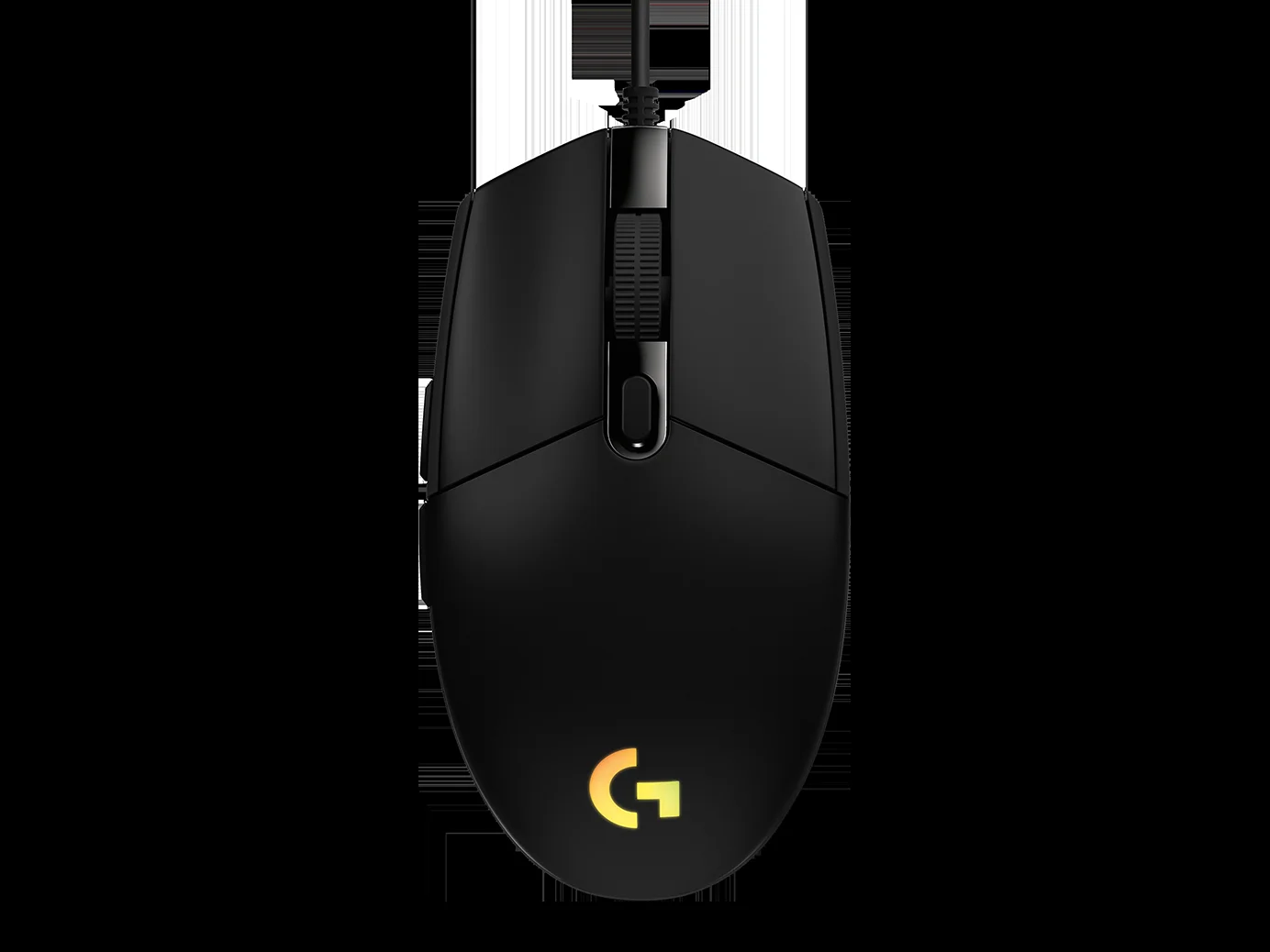
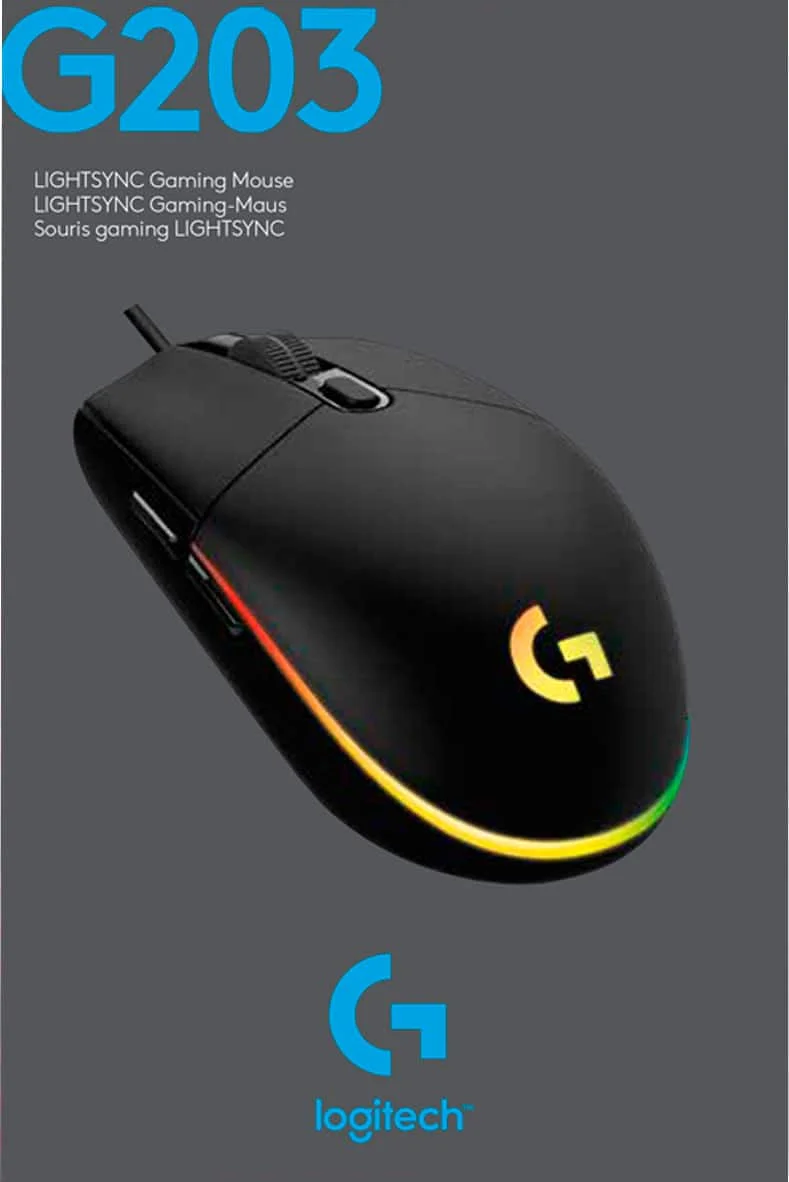
The Logitech G203 Lightsync retains the beloved, classic egg-like shape inspired by the legendary Logitech G100s. It features a symmetrical physical footprint—though the side buttons are restricted to the left side, making it functionally optimal for right-handed users. The matte plastic finish feels unexpectedly premium for its price bracket, successfully resisting the greasy fingerprints that often plague budget peripherals after extended gaming sessions.
Weighing in at a modest 85 grams, the G203 sits comfortably in the middle ground of modern gaming mice. While 2026 enthusiast trends heavily favor ultra-lightweight honeycomb shells pushing below 50 grams, the G203’s solid chassis offers a comforting heft and rigid structural integrity with absolutely zero flex or creaking under pressure. The subtly textured sides provide adequate grip, though integrated rubberised grips would have been a welcome addition for highly competitive play.
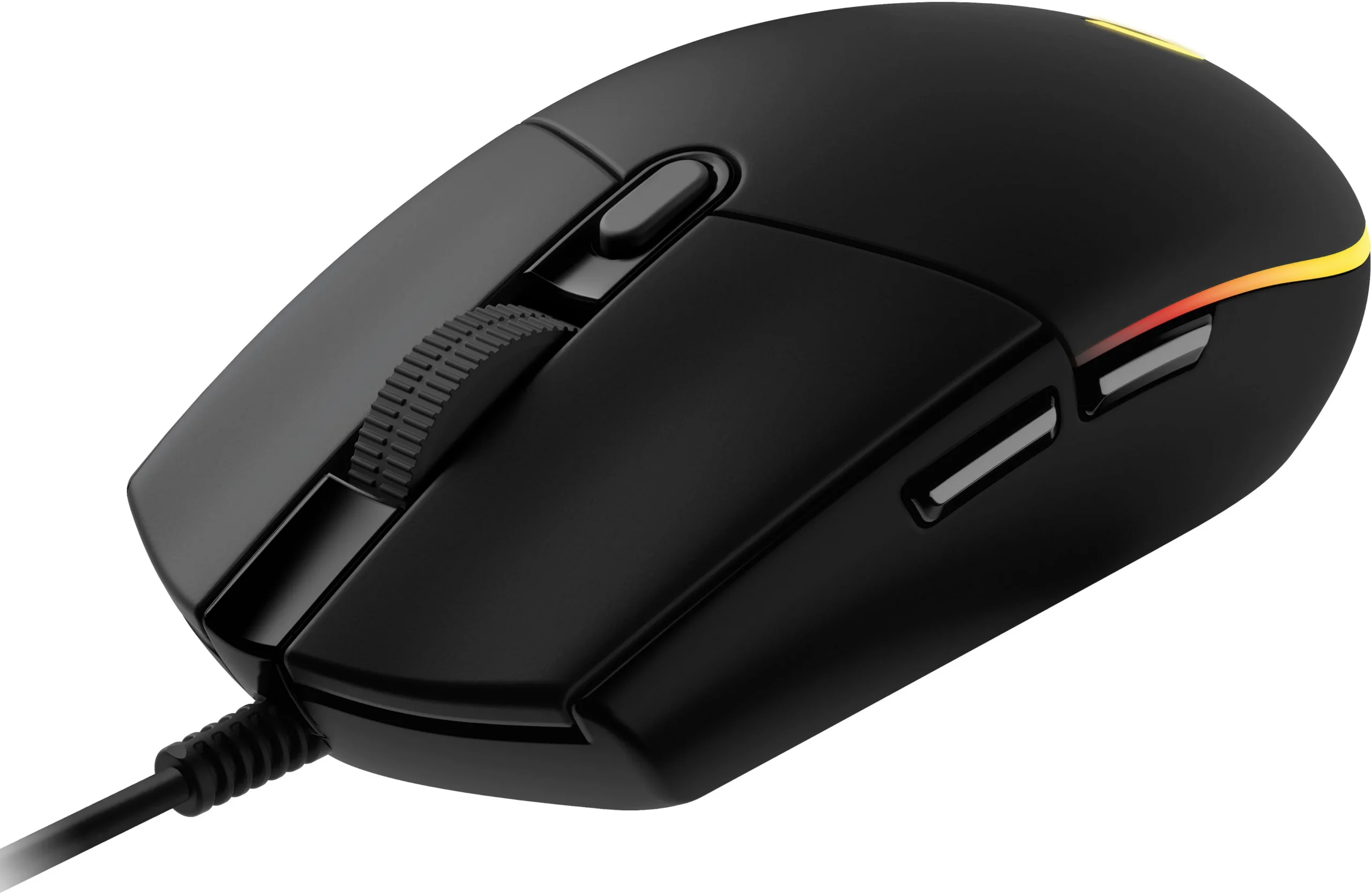
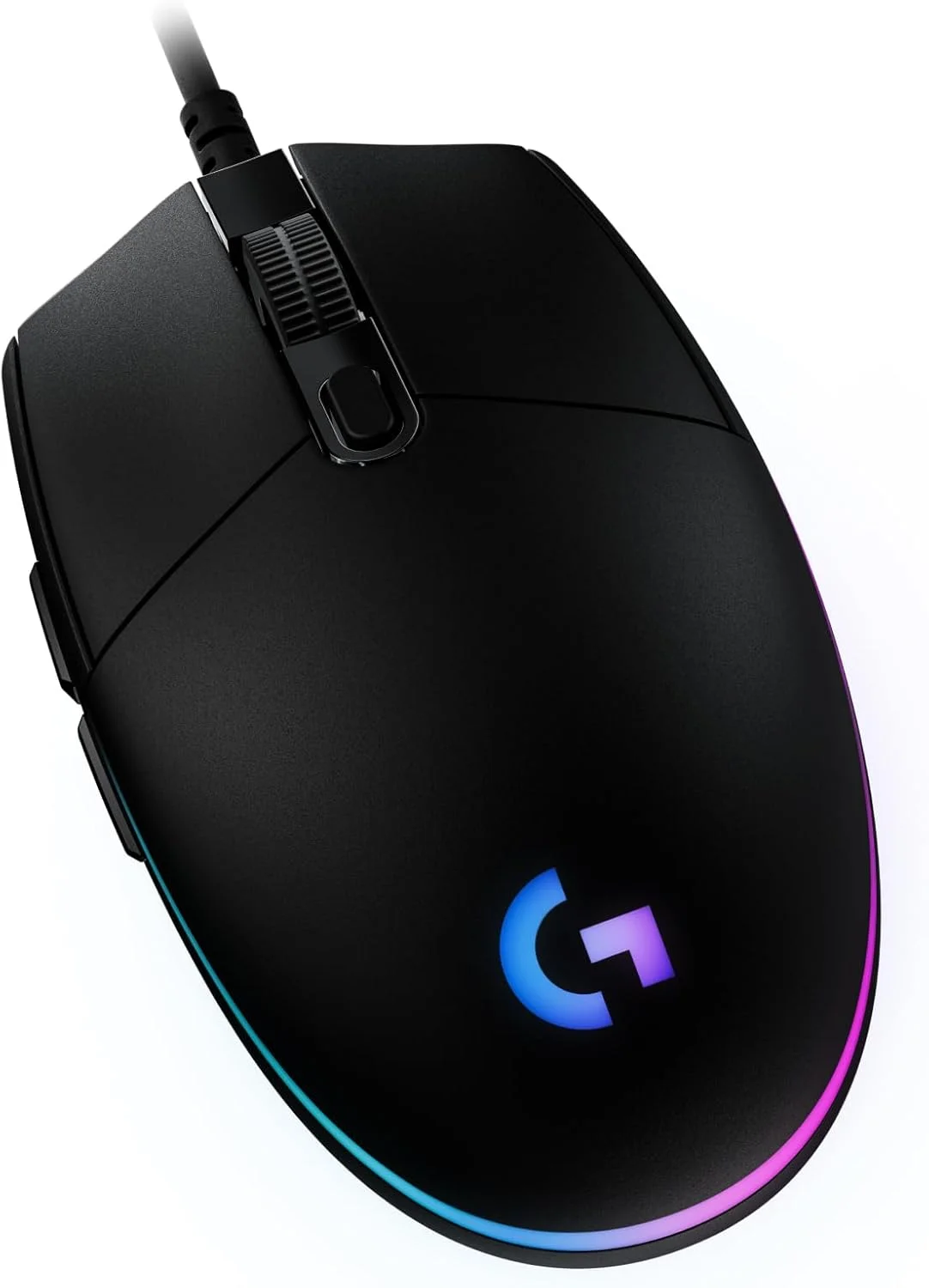
The namesake Lightsync RGB implementation is genuinely stellar, wrapping around the rear of the mouse in a bright, beautifully diffused halo. The three-zone lighting blends seamlessly without harsh hotspots, rivaling the illumination quality of mice that cost triple the price. Additionally, the primary clicks utilise a metal spring button tensioning system, ensuring a crisp, tactile, and satisfyingly consistent actuation every single time you click.
Performance
Under the hood, the G203 Lightsync is powered by a proprietary “gaming-grade” optical sensor that maxes out at 8,000 DPI. While raw DPI numbers have skyrocketed into the 30K+ range in top-tier 2026 models, the 8,000 DPI ceiling here is more than sufficient for the vast majority of players, especially those gaming on 1080p or 1440p displays. Tracking is remarkably precise, with no noticeable smoothing, acceleration, or filtering across its entire DPI range.
In real-world testing across fast-paced competitive shooters like Valorant and Apex Legends, the 1000Hz (1ms) polling rate guarantees a responsive, lag-free experience. Flick shots and micro-adjustments translate perfectly onto the screen without stutter. The primary left and right clicks deliver a rapid rebound, allowing for high-speed spam clicking without missing a beat, which is particularly beneficial for MOBA and RTS enthusiasts requiring rapid inputs.
However, the mouse feet and cable reveal its budget nature. The stock PTFE glide pads are functional but distinctly average, creating a bit more friction than the pure, rounded-edge virgin PTFE skates found on premium alternatives. Similarly, the standard rubber cable is relatively stiff and prone to kinking. Investing in an inexpensive mouse bungee is highly recommended to prevent cable drag from artificially inflating the mouse’s perceived weight during broad sweeping motions.
Features & Software
The G203 integrates flawlessly with the Logitech G Hub software, which remains one of the most intuitive peripheral management tools available. Through G Hub, users can remap all six buttons, program complex multi-step macros, and fine-tune the DPI settings in precise increments. The software also allows you to sync the brilliant three-zone RGB with other Logitech peripherals or set it to dynamically react to on-screen game colors and audio cues.
Another highly practical feature is the onboard memory profile. You can save your preferred DPI steps, lighting configurations, and keybinds directly to the physical hardware of the mouse. This means you can plug the G203 into a different PC or laptop and immediately have access to your personal settings without needing to download and install G Hub on the secondary machine—a fantastic boon for LAN tournament players or frequent travelers.
Value Proposition
When evaluating the price-to-performance ratio, the Logitech G203 Lightsync remains a dominant force. Continually found for an incredibly low price point, it delivers a robust, reliable, and aesthetically pleasing experience that drastically undercuts the premium market. It doesn’t rely on software gimmicks; instead, it executes the foundational requirements of a gaming mouse with a level of polish rarely seen in this bracket.
For newcomers to PC gaming, students building budget setups, or anyone who simply wants a high-quality, no-nonsense wired mouse, the G203 is incredibly easy to justify. It proves that you don’t need a massive budget to secure a competitive edge and a vibrant, customized desk aesthetic in 2026.
How It Compares
Compared to the Razer Viper Mini, the G203 Lightsync feels slightly heavier and lacks the Viper Mini’s ultra-flexible Speedflex cable and optical switches. However, the G203 often edges out the Razer in pure RGB vibrancy and feels slightly more accommodating to users with wider grips due to its hump placement. Against the SteelSeries Rival 3, the G203 offers vastly superior primary button tensioning and a subjectively more seamless software experience via G Hub, though the Rival 3 boasts a slightly more modern, low-profile aesthetic.
Pros and Cons
Pros
- Offers phenomenal value for money with consistent, reliable sensor performance.
- Features vibrant, highly customisable three-zone RGB lighting that punches above its weight.
- Utilises a crisp metal spring button tensioning system for highly satisfying clicks.
- Includes onboard memory to save your specific settings directly to the hardware.
Cons
- Uses a stiff rubber cable that can cause noticeable drag during quick swipe movements.
- Equipped with standard PTFE feet that do not glide as smoothly as modern pure PTFE skates.
- Lacks a true ambidextrous layout since the programmable side buttons are only placed on the left side.
FAQ
Q: Does the Logitech G203 Lightsync work with Mac?
A: Yes, it is compatible with macOS. You can download Logitech G Hub on your Mac to fully customize the lighting, DPI steps, and button assignments.
Q: Is the G203 Lightsync good for large hands?
A: Due to its relatively small, egg-like shape, users with larger hands may find it uncomfortable for a full palm grip, though it works exceptionally well for claw or fingertip grips.
Q: What is the difference between the G203 Prodigy and G203 Lightsync?
A: The primary difference is the RGB lighting; the Lightsync features an upgraded three-zone lighting system that can beautifully blend colors, whereas the older Prodigy model only has a single-zone lighting setup.
Q: Can you turn off the RGB lighting on the G203?
A: Absolutely. You can disable the RGB entirely, lower its brightness, or set it to a static, unobtrusive color through the Logitech G Hub software.
Verdict
The Logitech G203 Lightsync remains a masterclass in budget peripheral design, offering rock-solid sensor performance, satisfying clicks, and brilliant RGB in a highly affordable package. It is best suited for entry-level gamers, budget-conscious buyers, and users with smaller hands who prefer a classic, symmetrical-style shape. While it lacks the ultra-lightweight specs and paracord cables of premium 2026 mice, it delivers unmatched reliability and fundamental quality for its price.
Where to Buy
Pros
- ✓ Offers phenomenal value for money with consistent, reliable sensor performance.
- ✓ Features vibrant, highly customisable three-zone RGB lighting that punches above its weight.
- ✓ Utilises a crisp metal spring button tensioning system for highly satisfying clicks.
- ✓ Includes onboard memory to save your specific settings directly to the hardware.
Cons
- ✗ Uses a stiff rubber cable that can cause noticeable drag during quick swipe movements.
- ✗ Equipped with standard PTFE feet that do not glide as smoothly as modern pure PTFE skates.
- ✗ Lacks a true ambidextrous layout since the programmable side buttons are only placed on the left side.
Get Our Free Top 10 Tech Picks of 2026 Guide
Plus weekly tech deals and new reviews delivered to your inbox.
[cp_email_signup]
No spam. Unsubscribe anytime.
Ready to buy the Logitech G203 Lightsync?
Affiliate link — we may earn a commission at no extra cost to you.