










The MSI Katana 15 (B13V) brings Intel’s 13th Gen processors and Nvidia’s RTX 40-series GPUs to the competitive mid-range gaming laptop market. With a sharp focus on raw performance and a budget-friendly price tag, this machine is built for gamers who prioritise high frame rates over premium aesthetics. Let’s dive into whether this blade stays sharp under pressure.
Table of Contents
Key Specifications
| Feature | Detail |
|---|---|
| Processor | Up to Intel Core i7-13620H (10 Cores, 16 Threads) |
| Graphics | Up to NVIDIA GeForce RTX 4070 (8GB GDDR6, 105W) |
| Memory | Up to 64GB DDR5-5200MHz |
| Storage | Up to 2TB NVMe PCIe Gen4 SSD |
| Display | 15.6-inch FHD (1920×1080), 144Hz IPS-Level |
| Battery | 53.5Whr, 200W AC Adapter |
| Weight | 2.25 kg (4.96 lbs) |
Design & Build Quality
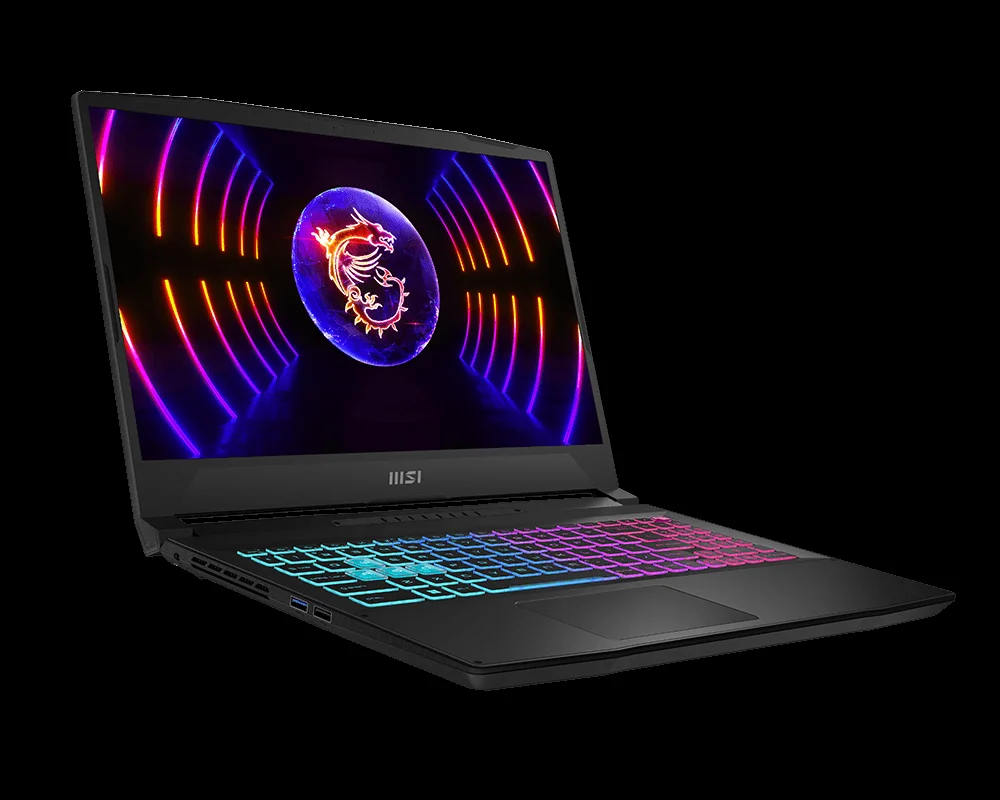
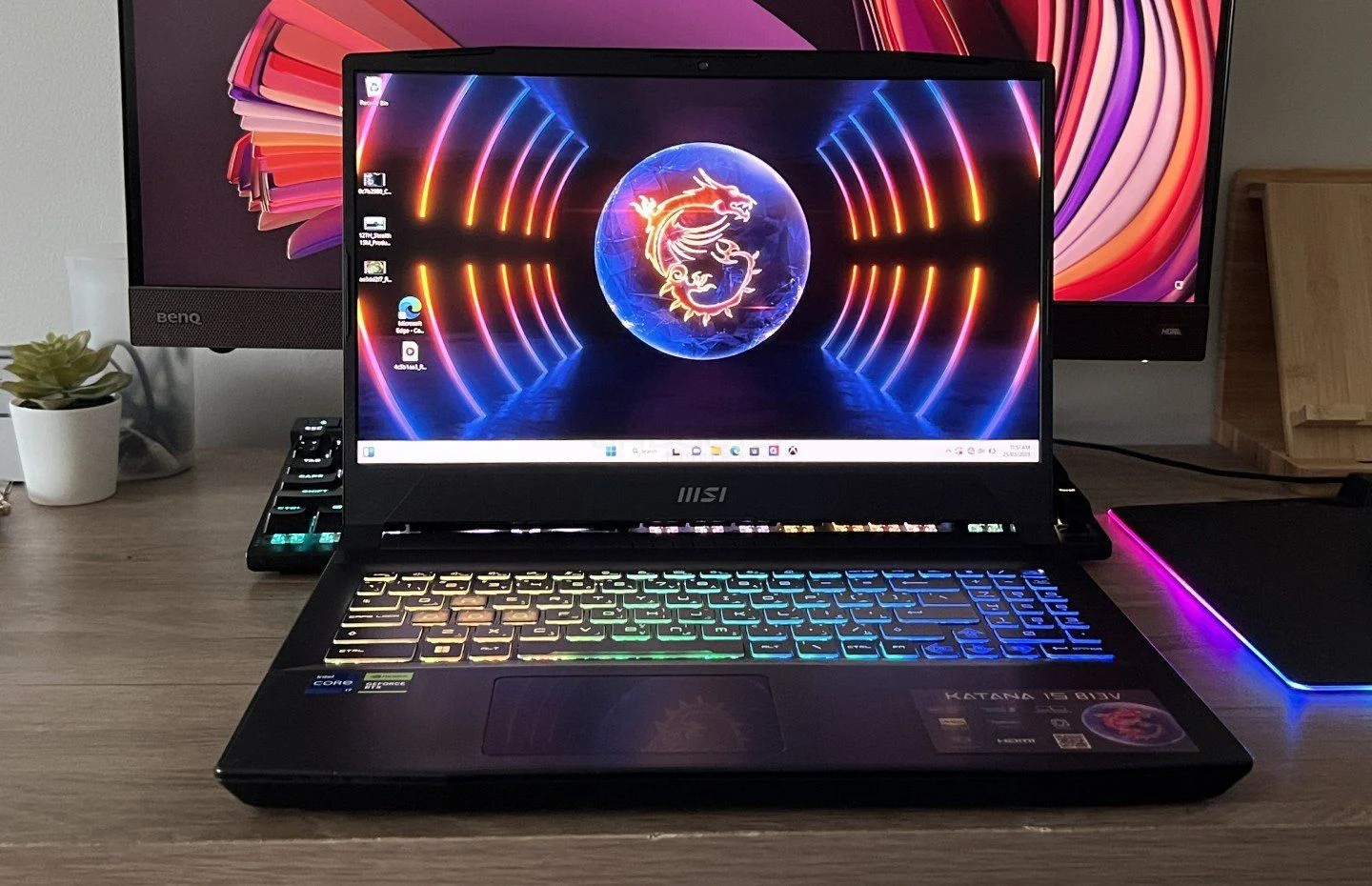
The MSI Katana 15 (B13V) leans heavily into its namesake, offering a sharp, aggressive aesthetic that is unmistakably designed for gamers. Encased primarily in matte black plastic, the chassis features angular lines and subtle geometric accents on the lid. While the plastic construction helps keep the price and weight down to a reasonable 2.25 kg (4.96 lbs), it does lack the premium, rigid feel of aluminium alternatives and acts as a notorious magnet for fingerprints.
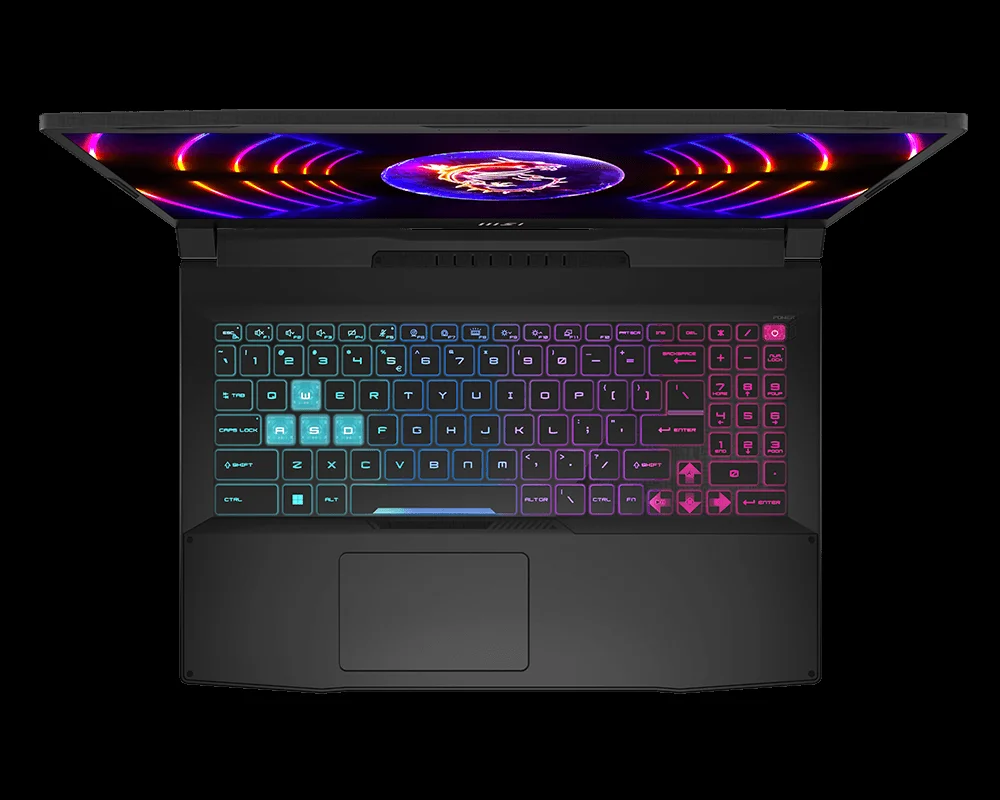
Opening the lid reveals a somewhat dated design language, characterised by slightly chunky bezels around the 15.6-inch display. However, the 4-zone RGB backlit keyboard redeems the deck, featuring translucent, illuminated WASD keys that give the laptop a distinct cyberpunk flair. The keys offer 1.7mm of travel, providing a surprisingly tactile and comfortable typing experience for both prolonged gaming sessions and daily productivity tasks.

Ergonomically, MSI has distributed the ports logically across both flanks, ensuring that cable management won’t interfere with your mouse hand. You get a solid array of connectivity, including USB-C with DisplayPort capabilities, multiple USB-A ports, HDMI 2.1, and a gigabit Ethernet jack. However, the trackpad is undeniably on the smaller side, feeling like an afterthought on a machine that clearly expects you to plug in a dedicated gaming mouse.
Performance
Under the hood, the MSI Katana 15 (B13V) proves exactly why it exists, delivering exceptional mid-range computing muscle. Armed with up to an Intel Core i7-13620H processor and an NVIDIA GeForce RTX 4070 GPU, this laptop easily slices through modern AAA titles at its native 1080p resolution. In real-world testing, demanding games like Cyberpunk 2077 and Alan Wake 2 effortlessly maintain over 60 frames per second on high settings, particularly when leveraging Nvidia’s DLSS 3 and frame generation technologies.
For esports enthusiasts playing titles like Valorant or Counter-Strike 2, the Katana 15 maxes out the 144Hz refresh rate of its IPS-level panel without breaking a sweat. The inclusion of DDR5 RAM and a PCIe Gen4 SSD ensures that boot times are near-instantaneous, and game load screens are kept to an absolute minimum. In synthetic benchmarks like Cinebench R23 and Time Spy, the Katana 15 holds its ground against similarly specced rivals, proving it can double as a capable machine for video editing and 3D rendering.
However, pushing this hardware to its limits comes with an acoustic cost. MSI’s Cooler Boost 5 thermal solution, which features shared heat pipes for the CPU and GPU, does a commendable job of preventing thermal throttling. Core temperatures rarely cross the danger zone, keeping performance consistent during marathon sessions. The trade-off is the fan noise; when the system is under heavy load, the fans ramp up to a volume that necessitates a good gaming headset.
Features & Software
The core software experience is driven by the MSI Center, a remarkably clean and modular companion app. Unlike the bloatware often found on older gaming laptops, MSI Center allows you to install only the modules you actually need, such as hardware monitoring, fan control profiles, and Mystic Light for RGB customization. Crucially, the Katana 15 includes a discrete MUX switch, allowing users to route the GPU directly to the display to squeeze out every possible frame and reduce latency.
On the downside, the laptop lacks some of the modern quality-of-life features expected of a mid-range machine in 2026. There is no biometric authentication—meaning no fingerprint reader or Windows Hello facial recognition via the basic 720p webcam. Additionally, the integrated dual 2W speakers are largely underwhelming, lacking bass and easily getting drowned out by the intense fan noise when gaming.
Value Proposition
The MSI Katana 15 (B13V) represents an exercise in strategic compromises. By opting for a modest 1080p display, a plastic chassis, and a smaller 53.5Whr battery, MSI has managed to pack top-tier CPU and GPU configurations into a highly competitive price bracket. For the budget-conscious gamer, this translates to an unbeatable price-to-performance ratio where your money goes directly toward framerates rather than superficial premium touches.
If your primary goal is to secure RTX 40-series performance without completely emptying your wallet, the Katana 15 delivers tremendous value. It is a pragmatic choice for students or gamers who treat their laptop as a desktop replacement, keeping it mostly plugged in on a desk rather than relying on it for all-day unplugged productivity.
How It Compares
When placed alongside the ASUS TUF Gaming F15, the Katana 15 holds its own in raw performance but falls slightly behind in build rigidity and battery life, as the TUF series boasts military-grade durability and a larger battery cell. Conversely, against the Lenovo Legion Slim 5, the Katana is often priced more aggressively, though the Lenovo edges it out with a superior 16:10 QHD display and a much more premium, stealthy aesthetic. Ultimately, the Katana 15 wins on pure budget-to-spec metrics but compromises on display vibrancy and battery longevity to get there.
Pros and Cons
Pros
- Offers excellent 1080p gaming performance thanks to the pairing of Intel 13th Gen CPUs and RTX 40-series graphics.
- Features a comfortable, highly tactile 4-zone RGB keyboard with distinct translucent WASD keycaps.
- Includes a MUX switch to optimise GPU performance and minimise latency during competitive play.
- Provides an accessible, budget-friendly entry point into modern DLSS 3 and frame generation technology.
Cons
- Suffers from poor battery life due to the small 53.5Whr capacity, requiring the power brick for long trips.
- Utilises a somewhat dim 1080p display with narrow colour gamut coverage that isn’t ideal for professional creative work.
- Features an all-plastic chassis that acts as a severe fingerprint magnet and feels less premium than metal alternatives.
- Generates excessively loud fan noise when pushed under heavy gaming or rendering loads.
FAQ
Q: Can the RAM and storage be upgraded on the MSI Katana 15 (B13V)?
A: Yes, both the DDR5 RAM and the NVMe PCIe Gen4 SSD are user-upgradable, giving the laptop excellent longevity.
Q: Does the Katana 15 support charging via USB-C?
A: No, the USB-C port supports DisplayPort output but lacks Power Delivery, so you must use the included proprietary barrel charger.
Q: Is the 15.6-inch screen bright enough for outdoor use?
A: At roughly 250 nits of peak brightness, the screen is perfectly fine for indoor gaming but will struggle with glare in direct sunlight or brightly lit outdoor environments.
Q: Does this model feature an advanced cooling system?
A: It uses MSI’s Cooler Boost 5 technology, which features two fans and up to six heat pipes to effectively manage thermals, albeit quite loudly.
Verdict
The MSI Katana 15 (B13V) is an exceptionally capable mid-range gaming laptop tailored for gamers who value high frame rates and powerful internal specs over premium build materials. While it cuts corners on battery life and display vibrancy, its aggressive pricing and flawless 1080p performance make it a formidable choice in the budget-friendly arena. It is best suited for desktop-replacement users and esports enthusiasts seeking maximum power per dollar.
Where to Buy
Pros
- ✓ Offers excellent 1080p gaming performance thanks to the pairing of Intel 13th Gen CPUs and RTX 40-series graphics.
- ✓ Features a comfortable, highly tactile 4-zone RGB keyboard with distinct translucent WASD keycaps.
- ✓ Includes a MUX switch to optimise GPU performance and minimise latency during competitive play.
- ✓ Provides an accessible, budget-friendly entry point into modern DLSS 3 and frame generation technology.
Cons
- ✗ Suffers from poor battery life due to the small 53.5Whr capacity, requiring the power brick for long trips.
- ✗ Utilises a somewhat dim 1080p display with narrow colour gamut coverage that isn’t ideal for professional creative work.
- ✗ Features an all-plastic chassis that acts as a severe fingerprint magnet and feels less premium than metal alternatives.
- ✗ Generates excessively loud fan noise when pushed under heavy gaming or rendering loads.
Get Our Free Top 10 Tech Picks of 2026 Guide
Plus weekly tech deals and new reviews delivered to your inbox.
[cp_email_signup]
No spam. Unsubscribe anytime.
Ready to buy the MSI Katana 15 (B13V)?
Affiliate link — we may earn a commission at no extra cost to you.



