










The Razer Huntsman Mini remains a powerhouse in the ultra-compact keyboard market, packing lightning-fast optical switches into a minimalist 60% form factor. Whether you are a competitive esports professional or a desk-space-conscious minimalist, this tiny titan promises uncompromising performance. Read our in-depth review to see if this compact mechanical keyboard still holds the crown in 2026.
Table of Contents
Key Specifications
| Feature | Detail |
|---|---|
| Form Factor | 60% Ultra-compact |
| Switches | Razer™ Linear (Red) or Clicky (Purple) Optical Switches |
| Keycaps | Doubleshot PBT |
| Connectivity | Detachable USB-C |
| Lighting | Individually backlit Razer Chroma RGB |
| Onboard Memory | Up to 5 profiles |
| Weight | 458g (1.01 lbs) |
Design & Build Quality
The Razer Huntsman Mini makes an immediate impression with its remarkably small footprint, stripping away the numpad, arrow keys, and home cluster to achieve its 60% form factor. Constructed with an aluminium top plate, the chassis feels incredibly rigid and premium despite its lightweight 458g profile. This translates to zero deck flex during intense gaming sessions, ensuring that the keyboard remains firmly planted on your desk even when the action gets frantic.
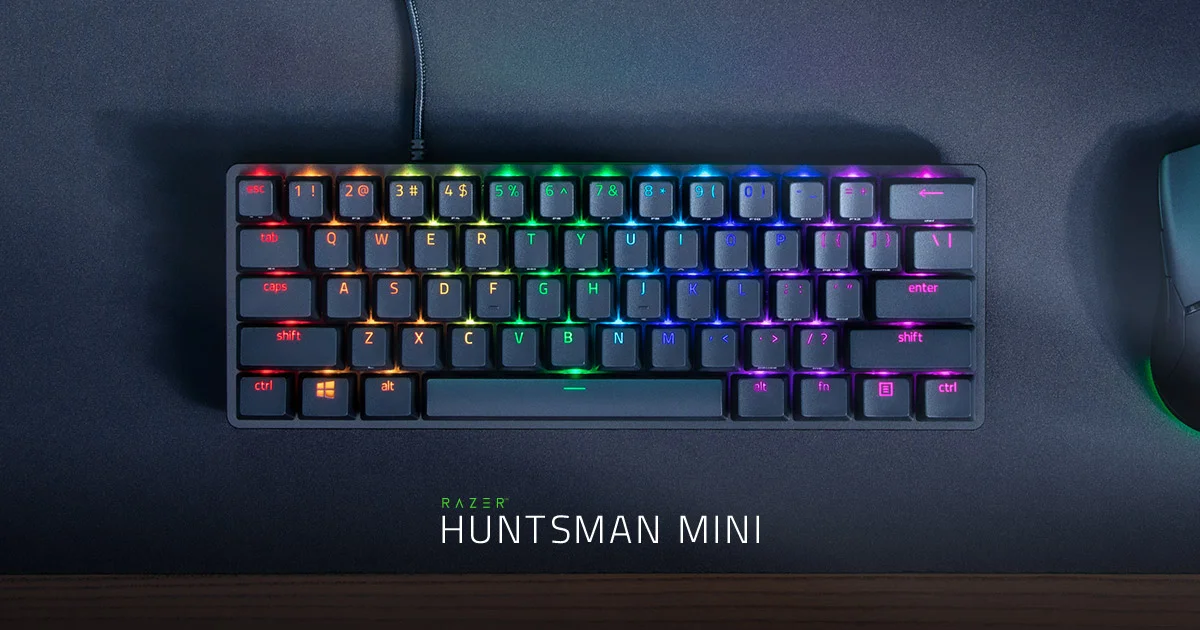
Razer hasn’t compromised on the contact points, outfitting the Huntsman Mini with textured Doubleshot PBT keycaps straight out of the box. These keycaps resist the dreaded greasy shine that plagues cheaper ABS plastics, maintaining a pristine, matte finish even after months of heavy use. Secondary functions are conveniently side-printed on the keycaps, a crucial design choice that mitigates the steep learning curve of a compact layout by keeping your media controls and arrow functions easily identifiable.
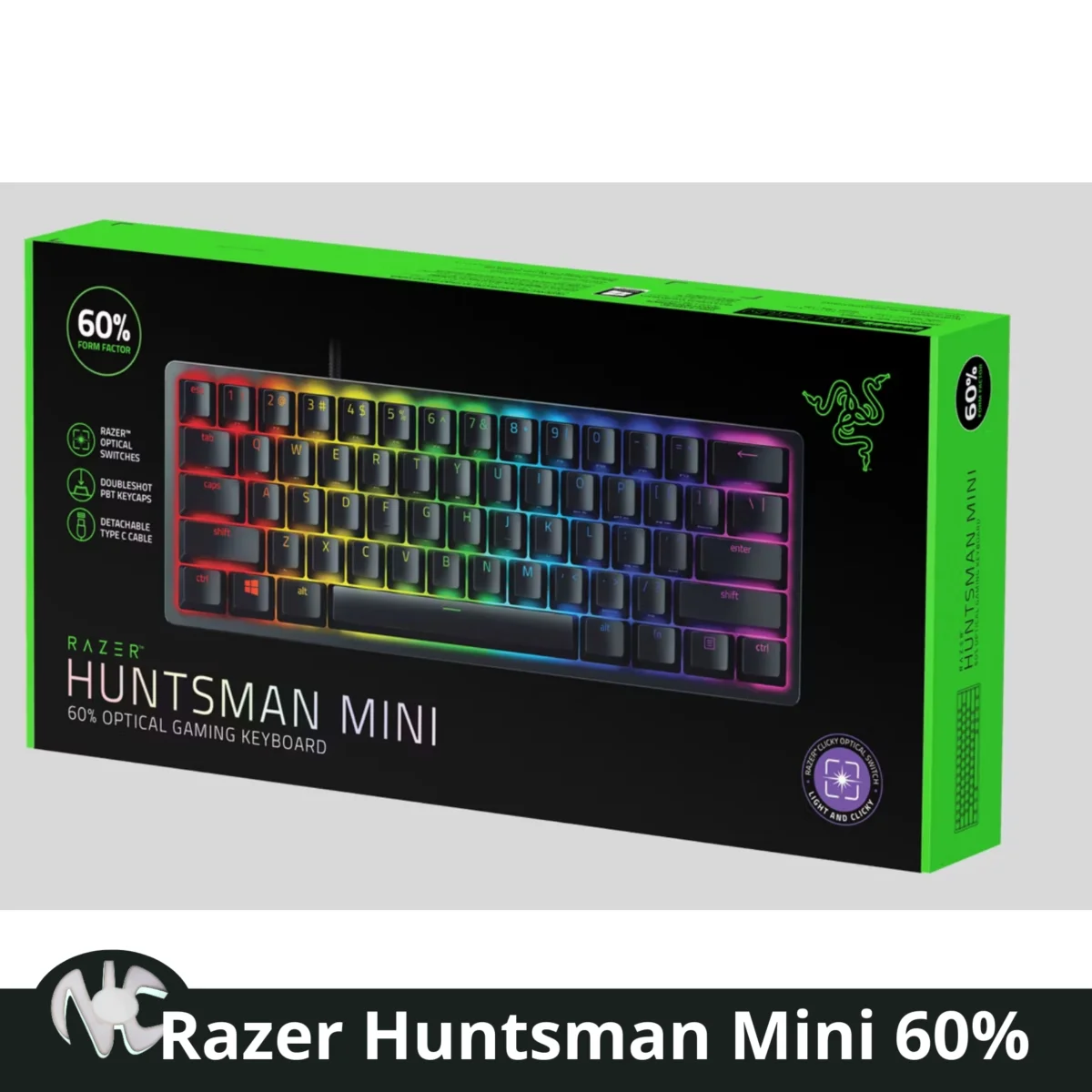
From an ergonomic standpoint, the keyboard offers a standard typing angle that works well for both gaming and general productivity, though it notably lacks an included wrist rest. The detachable braided USB-C cable is a welcome touch for portability and customisation, allowing mechanical keyboard enthusiasts to easily swap in their own coiled aviator cables to perfectly match their desk aesthetics.
Performance
When it comes to raw gaming performance, the Huntsman Mini is nothing short of exceptional, largely thanks to Razer’s proprietary optical switches. Available in both clicky (purple) and linear (red) variants, these switches use light-based actuation to register keystrokes at the speed of light. The Generation 2 linear optical switches, in particular, remain a standout in 2026, offering a buttery smooth keystroke with a low 1.2mm actuation point and sound dampeners that significantly reduce bottom-out noise compared to standard mechanical alternatives.
In real-world testing across fast-paced competitive titles like Valorant and Counter-Strike 2, the keyboard translates to noticeably responsive inputs and zero debounce delay. The optical technology ensures that the moment you press a key, the action is executed on screen without the physical limitations of traditional metal contacts. This ultra-fast polling and actuation make strafing, quick-peeking, and complex macro combinations feel incredibly fluid and reliable.
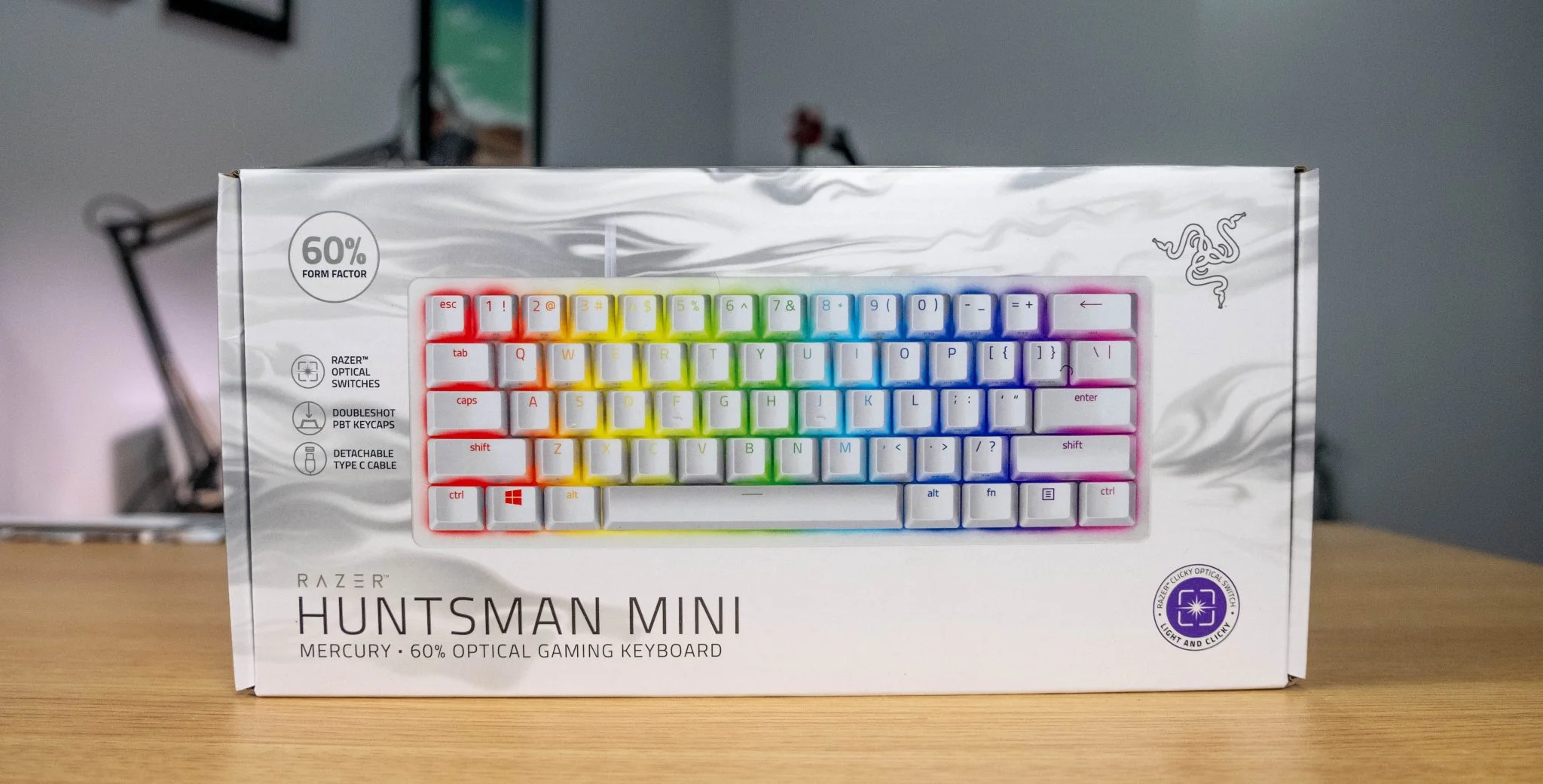
For typists, the transition to the Huntsman Mini’s 60% layout requires some muscle memory adjustment, particularly for those heavily reliant on dedicated arrow keys. However, once acclimated to the Fn-layer shortcuts, the typing experience is fast and highly accurate. The stabilisers on the larger keys, such as the spacebar and shift, are factory-lubed and produce a satisfying, rattle-free acoustic response, cementing the Huntsman Mini as a top-tier performer for both work and play.
Features & Software
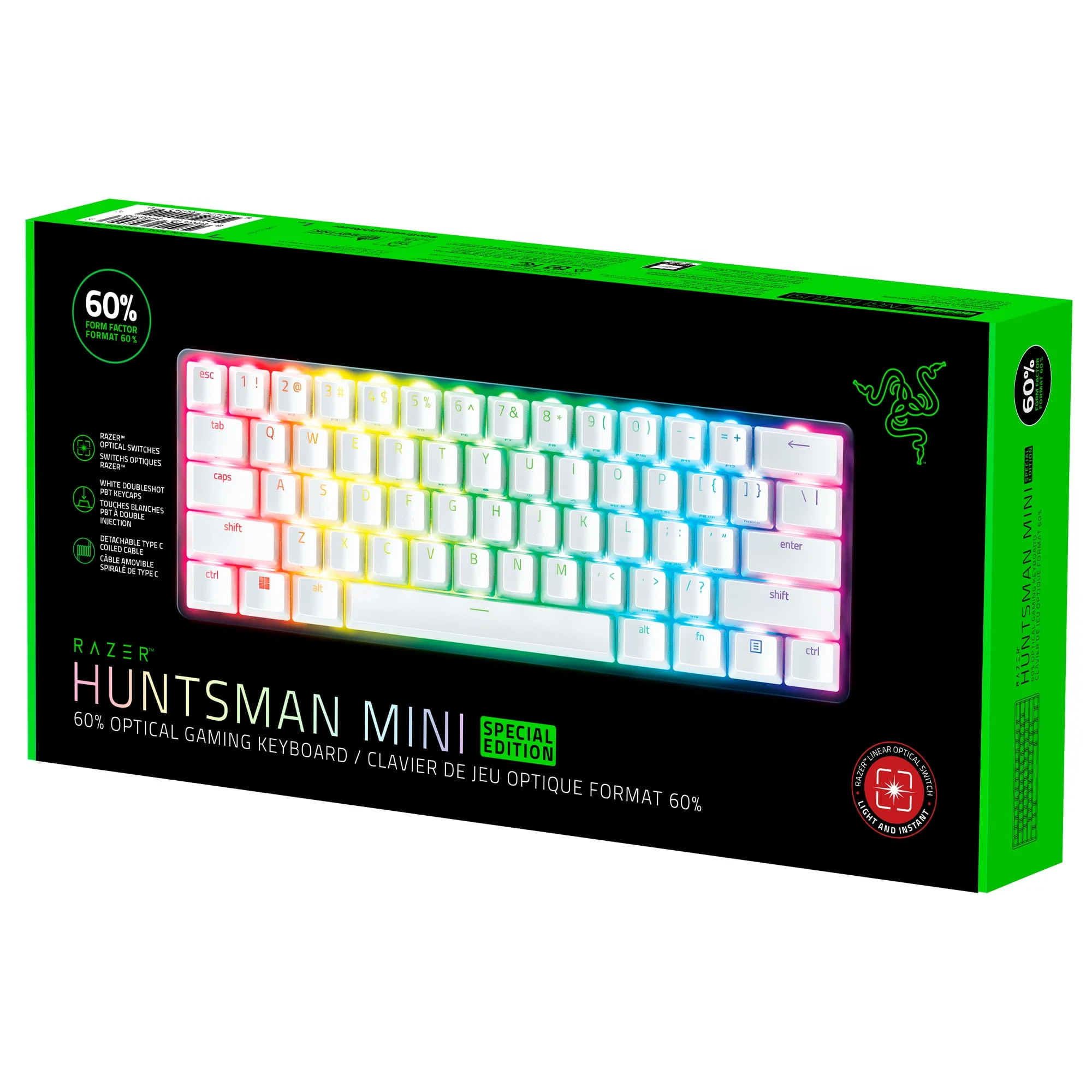
The Huntsman Mini is deeply integrated with Razer Synapse 3, an intuitive software suite that unlocks the keyboard’s full customisation potential. Through Synapse, users can remap every single key, set up complex macros via Razer Hypershift, and dive into the industry-leading Chroma RGB ecosystem. The per-key lighting is vibrant and bounces beautifully off the aluminium backplate, syncing seamlessly with other Razer peripherals and supported smart home devices.
Perhaps the most crucial feature for a travel-friendly 60% keyboard is onboard storage, and Razer delivers by allowing you to save up to five custom profiles directly to the hardware. This means you can take the Huntsman Mini to a LAN tournament or connect it to a work laptop and retain all your macros, custom keybinds, and signature lighting effects without ever needing to install Synapse on the host machine.
Value Proposition
While the Razer Huntsman Mini commands a premium price tag typical of high-end optical keyboards, its value proposition remains incredibly strong in 2026. It brings esports-grade switches, premium PBT keycaps, and superb build quality into a market that is often flooded with budget-friendly but flawed alternatives. You are certainly paying a premium for the Razer ecosystem and the cutting-edge optical technology, but the longevity and bulletproof performance easily justify the investment.
When viewed alongside custom-built 60% keyboards that can easily cost double the price, the Huntsman Mini provides an enthusiast-level feel straight out of the box without the hassle of sourcing individual components or lubricating switches yourself. For gamers who prioritise desk space, aesthetics, and raw speed above all else, the price-to-performance ratio here is tough to beat.
How It Compares
Compared to the Ducky One 3 Mini, the Huntsman Mini edges ahead in pure gaming speed due to its light-based optical switches, whereas the Ducky appeals more to typing purists who prefer hot-swappable traditional mechanical switches and superior acoustic dampening. Meanwhile, against the Corsair K65 RGB Mini, the Razer offers a significantly cleaner aesthetic and much more intuitive side-printed secondary functions. While Corsair boasts 8,000Hz hyper-polling that is technically faster on a spec sheet, Razer’s optical actuation feels more consistently responsive in practical, everyday gaming scenarios.
Pros and Cons
Pros
- Lightning-fast optical switches provide an undeniable competitive edge in fast-paced gaming.
- Premium Doubleshot PBT keycaps prevent surface shine and offer a satisfying, textured grip.
- The ultra-compact and sturdy aluminium chassis frees up massive amounts of desk space for sweeping mouse movements.
- Onboard memory allows you to store up to five profiles without relying on background software.
Cons
- The steep learning curve of the 60% layout can be frustrating for productivity tasks requiring arrow keys.
- Razer Synapse software remains slightly bloated and can be resource-intensive on older hardware.
- The switches are not hot-swappable, limiting customization options for keyboard tinkering enthusiasts.
- Typing acoustics, while improved on the Generation 2 switches, can still sound slightly hollow compared to enthusiast-grade custom boards.
FAQ
Q: Does the Razer Huntsman Mini have arrow keys?
A: It does not have dedicated physical arrow keys. However, you can access arrow key functions by holding the Fn key and pressing the I, J, K, and L keys.
Q: Are the switches on the Huntsman Mini hot-swappable?
A: No, the Razer optical switches are permanently attached to the PCB and cannot be easily swapped out for different switch types.
Q: Does the keyboard work with both Mac and Windows?
A: Yes, it functions perfectly as a basic keyboard on Mac OS, though the Razer Synapse software used for advanced RGB and macro customization is only natively supported on Windows.
Q: What is the difference between the Clicky (Purple) and Linear (Red) switches?
A: The Clicky switches provide tactile feedback and a loud, distinct click sound upon actuation, while the Linear switches offer a smooth, silent keystroke that is generally preferred for rapid gaming inputs and quieter environments.
Verdict
The Razer Huntsman Mini remains a top-tier choice in 2026 for competitive gamers and esports enthusiasts who demand blazing-fast actuation and maximum desk space. While heavy typists or spreadsheet warriors might miss dedicated arrow keys, those willing to master the 60% layout will be rewarded with unmatched gaming performance. It perfectly blends premium build quality with cutting-edge optical technology, cementing its place as a heavy-hitting featherweight.
Where to Buy
Pros
- ✓ Lightning-fast optical switches provide an undeniable competitive edge in fast-paced gaming.
- ✓ Premium Doubleshot PBT keycaps prevent surface shine and offer a satisfying, textured grip.
- ✓ The ultra-compact and sturdy aluminium chassis frees up massive amounts of desk space for sweeping mouse movements.
- ✓ Onboard memory allows you to store up to five profiles without relying on background software.
Cons
- ✗ The steep learning curve of the 60% layout can be frustrating for productivity tasks requiring arrow keys.
- ✗ Razer Synapse software remains slightly bloated and can be resource-intensive on older hardware.
- ✗ The switches are not hot-swappable, limiting customization options for keyboard tinkering enthusiasts.
- ✗ Typing acoustics, while improved on the Generation 2 switches, can still sound slightly hollow compared to enthusiast-grade custom boards.
Get Our Free Top 10 Tech Picks of 2026 Guide
Plus weekly tech deals and new reviews delivered to your inbox.
[cp_email_signup]
No spam. Unsubscribe anytime.
Ready to buy the Razer Huntsman Mini 60%?
Affiliate link — we may earn a commission at no extra cost to you.



