










The Redragon K552 Kumara remains a legendary entry point into the world of mechanical keyboards, proving that extreme affordability doesn’t have to mean sacrificing reliability. In 2026, we revisit this budget champion to see if its rugged tenkeyless design and tactile switches still hold up against a sea of modern competitors.
Table of Contents
Key Specifications
| Feature | Detail |
|---|---|
| Form Factor | Tenkeyless (TKL) 87-Key |
| Switches | Outemu Red, Blue, or Brown (Hot-swappable with Outemu) |
| Backlighting | Full RGB or Single Color (Model dependent) |
| Connectivity | Wired USB 2.0 (Non-detachable) |
| Keycaps | Double-shot Injection ABS |
| Weight | 1.98 lbs (900g) |
| Polling Rate | 1000 Hz |
Design & Build Quality
For a keyboard that routinely drops below the $40 mark, the build quality of the Redragon K552 Kumara is nothing short of exceptional. Rather than relying entirely on cheap plastics, Redragon has opted for a heavy-duty plastic chassis reinforced with a thick metal backplate. This hybrid construction gives the board a hefty 1.98 lb footprint, ensuring absolute stability on your desk during frantic gaming sessions. There is virtually zero deck flex, a rare and highly praised characteristic in the ultra-budget tier.
From an ergonomic standpoint, the K552 leans toward a classic, high-profile aesthetic. The keys sit tall, exposing the transparent switch housings and allowing the RGB underglow to bleed beautifully across the metal plate. However, this steep incline means your wrists will be arched quite high during operation. We highly recommend pairing this board with a plush wrist rest to prevent fatigue over long typing or gaming sessions.
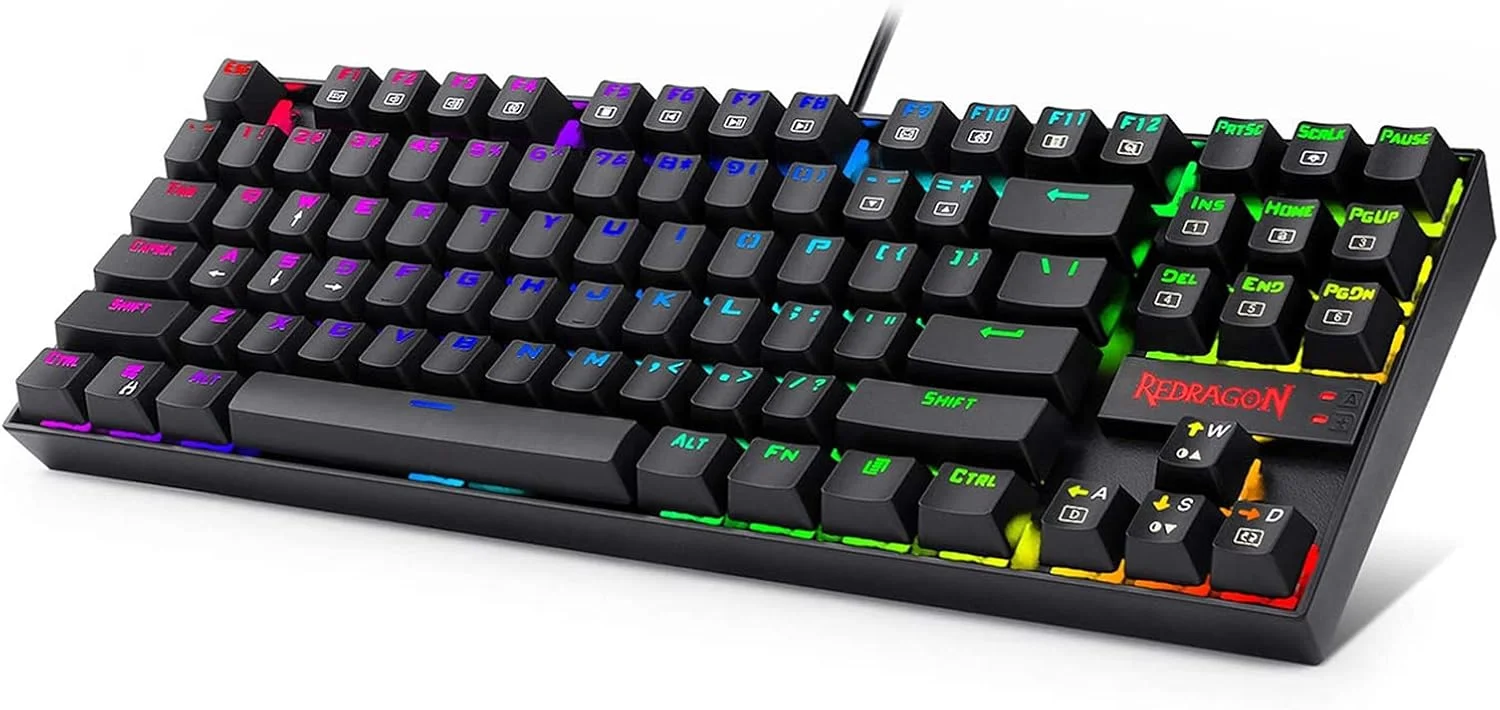
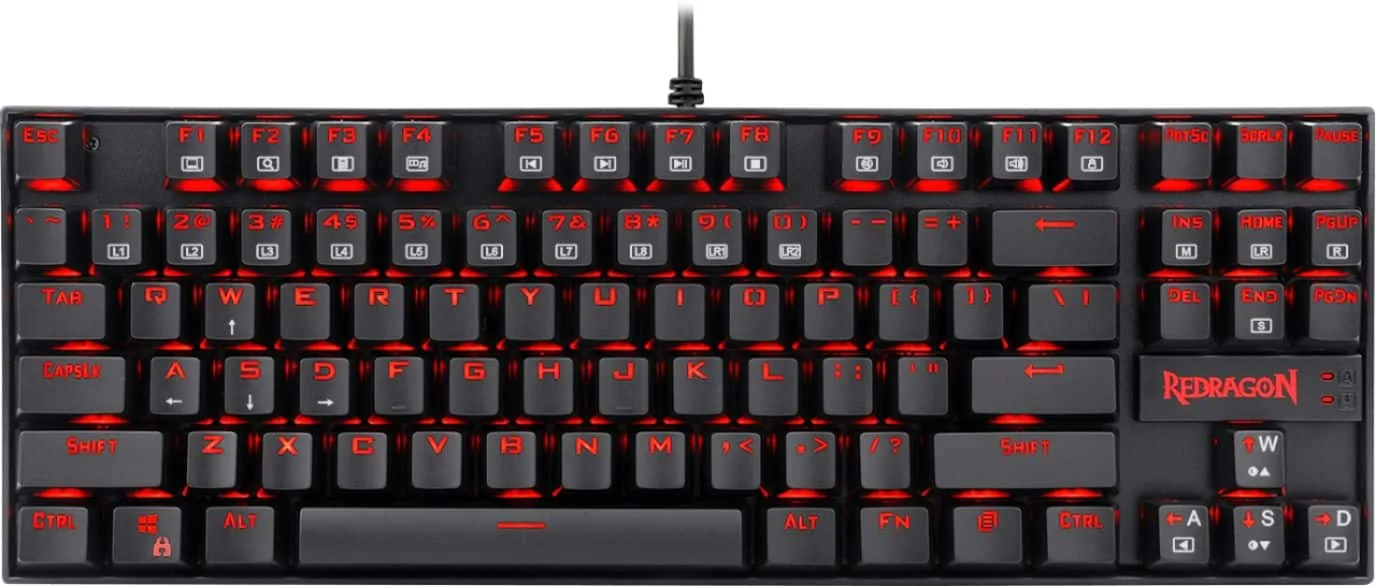
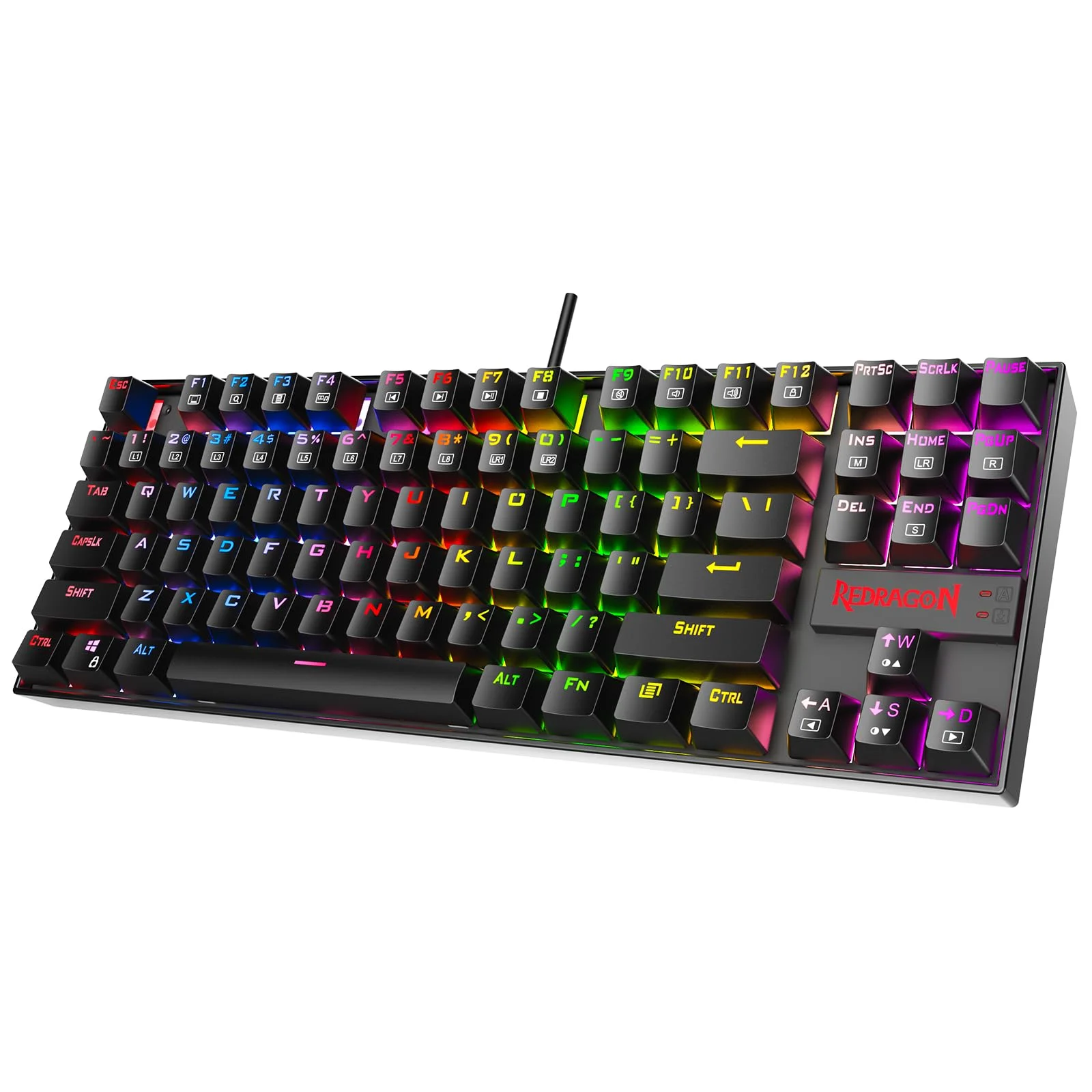
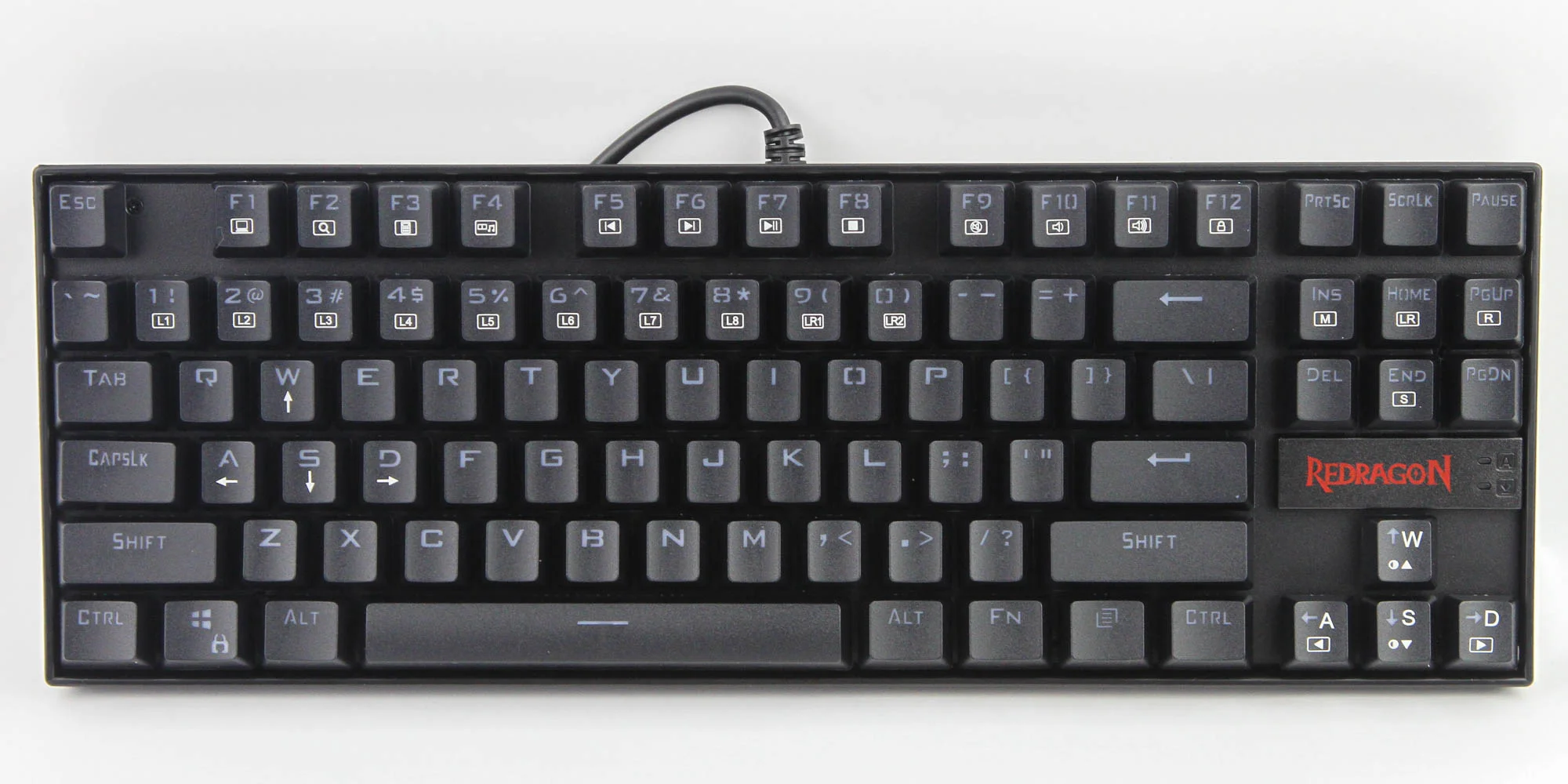
The double-shot ABS keycaps feature a recognizable, slightly aggressive gamer font that may not appeal to minimalists, but they allow the backlighting to shine through crisply without the legends wearing off over time. The only major design misstep in 2026 is the thick, non-detachable rubberized USB cable. In an era where even budget boards offer detachable USB-C connectivity, the hardwired cable makes the K552 a bit cumbersome to travel with and difficult to repair if the cable frays.
Performance
When it comes to real-world performance, the Redragon K552 Kumara punches well above its weight class. Our review unit features the Outemu Red linear switches, which actuate smoothly and provide a rapid response that caters beautifully to fast-paced shooters and MOBA titles. While they lack the premium, factory-lubed glide of boutique switches found in high-end enthusiast boards, they register keystrokes with absolute consistency. With 100% anti-ghosting and full N-Key rollover, the K552 easily handles complex key combos without dropping a single input.
Typing on the K552 is surprisingly satisfying, though it is accompanied by a noticeable acoustic footprint. The metal backplate that provides the board’s legendary rigidity also contributes to an audible metallic “ping” when bottoming out keys aggressively. While this is easily masked by wearing a gaming headset, purists who prefer a “thocky,” acoustically dampened typing sound will find the stock K552 a bit hollow.
For competitive gaming in 2026, the 1000Hz polling rate ensures your inputs reach the PC with a standard 1ms delay. We tested the Kumara across demanding titles like Valorant and Apex Legends, and the board felt responsive, snappy, and reliable. While it doesn’t feature the adjustable actuation of modern Hall Effect magnetic switches, the mechanical reliability of the Outemu switches provides an authentic, latency-free gaming experience that membrane keyboards simply cannot match.
Features & Software
The Redragon K552 Kumara takes a plug-and-play approach, leaning heavily on onboard controls rather than bloated software suites. You can cycle through an impressive array of RGB lighting effects, adjust brightness levels, and control media playback entirely through the Function (FN) key shortcuts. For users who prefer a streamlined experience without background applications hogging system resources, this hardware-level control is a massive plus.
While Redragon does offer a lightweight software utility for creating custom macros and mapping specific per-key lighting profiles, it feels quite dated by 2026 standards. The interface is somewhat clunky, though it remains functional for basic tweaks. Another notable feature is the board’s limited hot-swappability. The PCB features narrow pin sockets, meaning you can easily swap dead switches—but mostly only with other Outemu or select Akko switches, limiting your aftermarket customization options.
Value Proposition
The mechanical keyboard market has evolved drastically over the last few years, but the value proposition of the Redragon K552 Kumara remains largely undisputed. For less than the price of a standard AAA video game, you are getting a tank-like, reliable TKL mechanical keyboard with per-key RGB and robust switch performance.
While enthusiasts might scoff at the ABS keycaps and non-detachable cable, those features are perfectly acceptable compromises at this price point. The K552 serves as the ultimate gateway drug into the mechanical keyboard hobby, delivering a massive upgrade over generic membrane boards without requiring a massive financial investment. It is the definition of a high-value, high-yield peripheral.
How It Compares
When pitted against the Royal Kludge RK61, the K552 sacrifices wireless connectivity and the ultra-compact 60% form factor in favor of dedicated arrow keys and a function row. The RK61 is better for mobile typists and minimalists, but the Kumara’s TKL layout is arguably more practical for general gaming and daily PC use.
Compared to the Keychron C1 Pro, the Kumara is significantly cheaper and features a more rugged, gamer-centric design. However, the Keychron C1 Pro offers superior Mac compatibility, a detachable USB-C cable, and universally compatible 5-pin hot-swap sockets, making the Keychron a better choice for office professionals or those looking to dive deep into custom switch modding.
Pros and Cons
Pros
- Exceptionally rigid and durable build quality reinforced with a metal backplate.
- Responsive, reliable Outemu mechanical switches that excel in gaming.
- Excellent per-key RGB backlighting with intuitive onboard controls.
- The Tenkeyless (TKL) layout saves desk space while retaining vital navigation keys.
- Unbeatable price-to-performance ratio in the budget tier.
Cons
- The thick rubber USB cable is non-detachable, reducing portability.
- The metal backplate causes a noticeable metallic pinging sound when typing heavily.
- Hot-swap sockets are restrictive, primarily fitting only Outemu-style narrow pin switches.
- High-profile design can cause wrist fatigue without an aftermarket wrist rest.
FAQ
Q: Is the Redragon K552 Kumara hot-swappable?
A: Yes, but with limitations. The PCB uses narrow pin sockets, meaning it is generally only compatible with other Outemu switches or specifically designed narrow-pin variants (like some Akko switches).
Q: Can I use the Redragon K552 with a Mac or PS5?
A: The K552 works plug-and-play with the PS5 and Xbox Series X/S for supported games. It will work on a Mac for basic typing, but the dedicated software is Windows-only, and the Windows/Alt keys will be swapped by default.
Q: Does the Redragon K552 come with a wrist rest?
A: No, it does not include a wrist rest in the box. Because the keyboard has a fairly high and chunky profile, purchasing a separate wrist rest is highly recommended for ergonomic comfort.
Q: Is the keyboard too loud for an office environment?
A: If you purchase the version with Outemu Blue switches, it will be extremely clicky, loud, and likely disrupt your coworkers. Opt for the Outemu Red (linear) or Brown (tactile) variants for quieter, office-friendly typing.
Verdict
The Redragon K552 Kumara is best suited for budget-conscious gamers building their first PC setup or looking to confidently transition away from mushy membrane keyboards. While it lacks premium enthusiast features like universal hot-swapping and a detachable cable, its tank-like build quality and reliable mechanical performance make it an unbeatable workhorse for the price.
Where to Buy
Pros
- ✓ Exceptionally rigid and durable build quality reinforced with a metal backplate.
- ✓ Responsive, reliable Outemu mechanical switches that excel in gaming.
- ✓ Excellent per-key RGB backlighting with intuitive onboard controls.
- ✓ The Tenkeyless (TKL) layout saves desk space while retaining vital navigation keys.
- ✓ Unbeatable price-to-performance ratio in the budget tier.
Cons
- ✗ The thick rubber USB cable is non-detachable, reducing portability.
- ✗ The metal backplate causes a noticeable metallic pinging sound when typing heavily.
- ✗ Hot-swap sockets are restrictive, primarily fitting only Outemu-style narrow pin switches.
- ✗ High-profile design can cause wrist fatigue without an aftermarket wrist rest.
Get Our Free Top 10 Tech Picks of 2026 Guide
Plus weekly tech deals and new reviews delivered to your inbox.
[cp_email_signup]
No spam. Unsubscribe anytime.
Ready to buy the Redragon K552 Kumara?
Affiliate link — we may earn a commission at no extra cost to you.



