










The ASUS ROG Strix GA35 continues to dominate the pre-built desktop market in 2026, offering uncompromising power for enthusiasts and creators alike. Armed with top-tier silicon and an aggressively engineered cooling chassis, it promises to handle 4K gaming and heavy rendering workflows without breaking a sweat. Let’s dive into whether this premium monolith truly justifies its flagship price tag.
Table of Contents
Key Specifications
| Feature | Detail |
|---|---|
| Processor | Up to AMD Ryzen 9 7950X3D |
| Graphics | NVIDIA GeForce RTX 4090 (24GB GDDR6X) |
| RAM | Up to 64GB DDR5 6000MHz |
| Storage | 2TB PCIe 4.0 NVMe M.2 SSD + 2TB HDD |
| Cooling | 240mm AIO Liquid Cooler + Wind Shear Chassis |
| Connectivity | Wi-Fi 6E, Bluetooth 5.3, 2.5G LAN |
| Dimensions | 27.9 x 43.3 x 50.1 cm |
Design & Build Quality
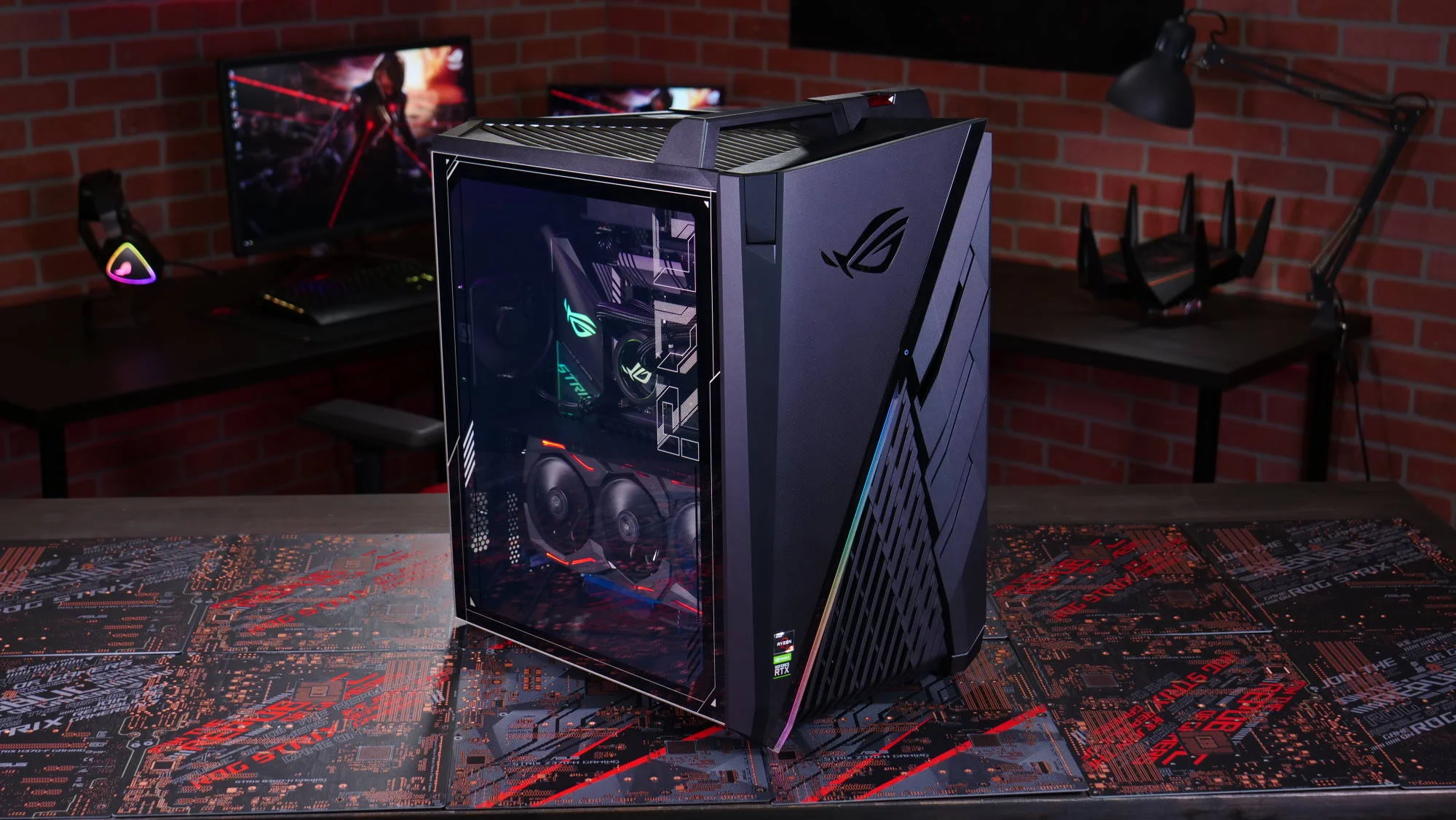
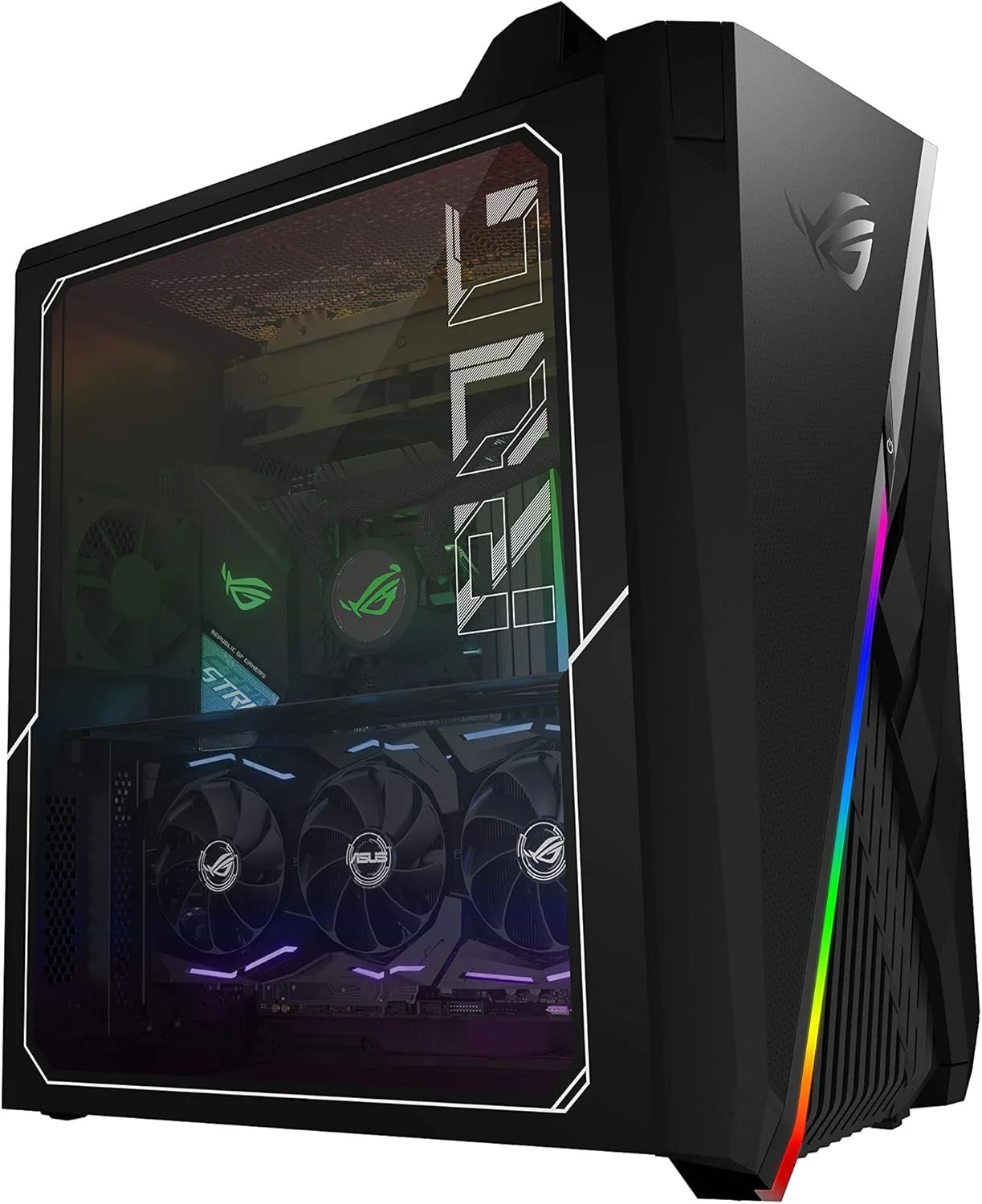
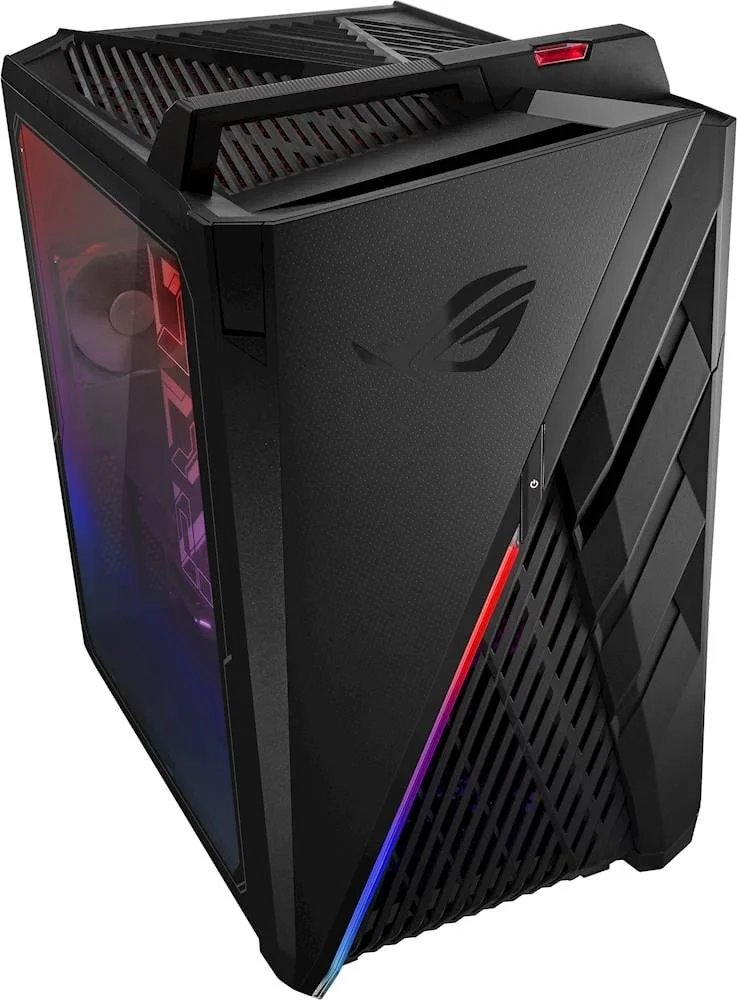
The ASUS ROG Strix GA35 retains the aggressive, aerodynamic “Wind Shear” design language that the Republic of Gamers lineage is famous for. Its widened vents seamlessly draw more cool air through the chassis, reducing ambient temperatures during marathon gaming sessions. The aesthetic is unapologetically gamer-centric, featuring striking diagonal slashes across the front panel and a transparent glass side panel that showcases the meticulously cable-managed interior and customizable Aura Sync RGB lighting.
Beyond its striking visuals, the build quality is exceptionally robust. The chassis is constructed from high-quality steel and premium plastics, complete with a built-in carrying handle that holds up to 30 kg of force—surprisingly practical for LAN parties or studio relocations. Furthermore, the inclusion of two hot-swap SSD bays hidden behind a sleek front panel drops down to reveal enterprise-level convenience for creators managing massive video files or game libraries.
Performance
Under the hood, the 2026 iteration of the ROG Strix GA35 is an absolute powerhouse. Configured with an AMD Ryzen 9 7950X3D and NVIDIA’s monstrous GeForce RTX 4090, this machine easily tears through modern AAA titles in glorious 4K at maximum settings. In real-world gaming tests, pushing the limits with full path tracing enabled maintained buttery smooth framerates over 100 FPS utilizing DLSS frame generation, while demanding CPU-bound simulators ran without the slightest stutter.
For productivity and content creation, the GA35 operates like a dedicated workstation. The massive pool of blazing-fast DDR5 RAM and PCIe 4.0 NVMe storage ensures that scrubbing through 8K timeline footage or compiling massive codebases takes a fraction of the time compared to standard desktops. It practically begs you to throw heavier multitasking workloads its way.
Thermal performance remains impressively managed given the immense wattage. The 240mm AIO liquid cooling system keeps the Ryzen 9 within safe operating margins, rarely exceeding 82°C under sustained synthetic loads. However, while the airflow is highly efficient, the chassis fans can become distinctly audible when pushing the system to its absolute limits—an expected, albeit noticeable, trade-off for this level of raw computing power.
Features & Software
ASUS bundles the GA35 with its proprietary Armoury Crate software, providing a centralized hub to monitor system thermals, adjust fan curves, and synchronize Aura RGB lighting across all compatible peripherals. The software also includes intuitive overclocking profiles, allowing users to extract additional performance with a single click without delving into the complicated BIOS settings.
A standout feature continues to be the Keystone II technology. This physical, NFC-enabled key slots into the top of the chassis, allowing users to unlock encrypted shadow drives or instantly load personalized system profiles and gaming macros. While it borders on a gimmick for standard home users, it adds a layer of customized security and flair that perfectly aligns with the premium ROG identity.
Value Proposition
Pre-built systems inevitably carry a premium over DIY builds, and the ROG Strix GA35 is no exception. You are paying heavily for the brand cachet, the proprietary chassis design, and the convenience of a plug-and-play comprehensive warranty. However, for professionals and hardcore gamers who lack the time or inclination to source individual components and build a system from scratch, the premium is arguably justified by the immaculate integration and zero-compromise part selection.
When evaluating the GA35 in the high-end boutique pre-built market of 2026, its pricing remains competitive against other top-tier brands offering similar specifications. You are investing in a system that dominates the current performance charts and won’t require a fundamental hardware upgrade for several years.
How It Compares
When stacked against the Alienware Aurora R16, the ROG Strix GA35 offers superior thermal management due to its less restrictive internal volume and standard component sizing. While the Aurora boasts a slightly more compact, futuristic aesthetic, the GA35 is drastically easier to upgrade down the line. Compared to the Corsair Vengeance i7500, the competition is tighter. The Corsair relies heavily on standard off-the-shelf parts which purists might prefer, but the ASUS GA35 wins out on unique enthusiast features like the hot-swap SSD bays and integrated Keystone II functionality.
Pros and Cons
Pros
- Delivers top-tier 4K gaming and workstation performance powered by the RTX 4090 and Ryzen 9.
- Features excellent thermal management supported by the dual-chamber Wind Shear chassis.
- Includes convenient hot-swap SSD bays that are a massive time-saver for content creators.
- Utilizes standardized internal components to make future upgrades hassle-free.
Cons
- The extreme premium pricing places it far out of reach for budget-conscious gamers.
- Fan noise becomes quite noticeable during heavy rendering or synthetic workloads.
- The pre-installed Armoury Crate software can occasionally feel bloated and resource-heavy.
- The sheer size and weight of the chassis make it difficult to position on smaller gaming desks.
FAQ
Q: Is the ASUS ROG Strix GA35 easily upgradable?
A: Yes. Unlike many proprietary pre-built systems, the GA35 uses mostly standard components including a standard ATX motherboard layout, RAM slots, and GPU clearance, making future upgrades relatively straightforward.
Q: Does the system support Wi-Fi out of the box?
A: Absolutely. It comes equipped with the latest Wi-Fi 6E standard and Bluetooth 5.3 for high-speed, low-latency wireless connectivity.
Q: Are a keyboard and mouse included?
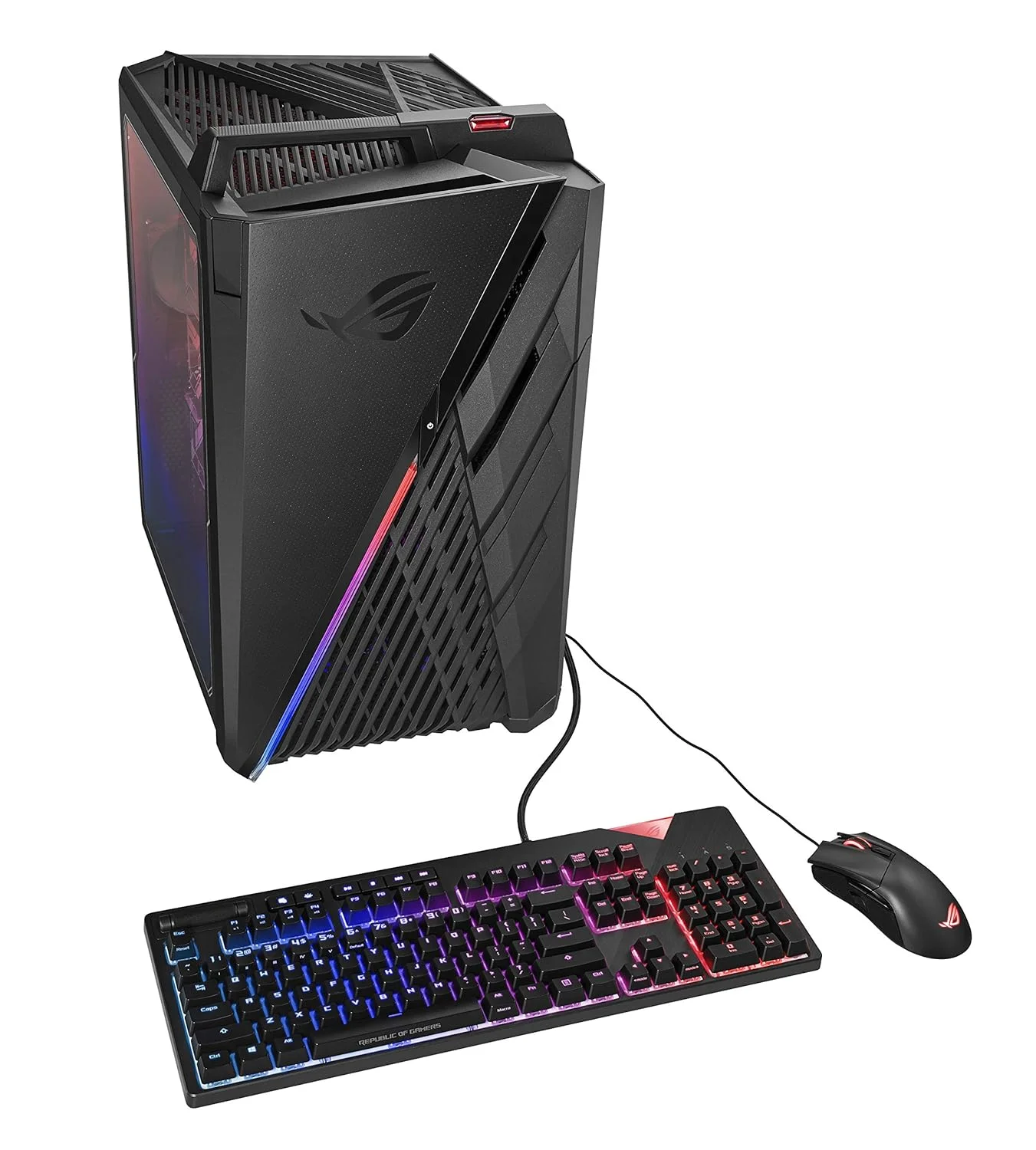
A: Most retail configurations include a basic ROG Strix keyboard and mouse combo, though competitive gamers will likely want to upgrade to premium mechanical peripherals.
Q: What is the purpose of the Keystone II?
A: The Keystone II is a physical NFC key that lets you save customized system profiles, RGB lighting preferences, and unlock a hidden encrypted storage drive known as a Shadow Drive.
Verdict
The ASUS ROG Strix GA35 is a masterclass in pre-built engineering, tailor-made for high-end gamers, streamers, and creative professionals who demand elite performance straight out of the box. While the price of entry is unarguably steep, the blend of standard upgradable parts, exceptional cooling, and unique quality-of-life features makes it a phenomenal investment for 2026 and beyond. If you have the budget and want uncompromising power without the hassle of building it yourself, this desktop is exceptionally hard to beat.
Where to Buy
Pros
- ✓ Delivers top-tier 4K gaming and workstation performance powered by the RTX 4090 and Ryzen 9.
- ✓ Features excellent thermal management supported by the dual-chamber Wind Shear chassis.
- ✓ Includes convenient hot-swap SSD bays that are a massive time-saver for content creators.
- ✓ Utilizes standardized internal components to make future upgrades hassle-free.
Cons
- ✗ The extreme premium pricing places it far out of reach for budget-conscious gamers.
- ✗ Fan noise becomes quite noticeable during heavy rendering or synthetic workloads.
- ✗ The pre-installed Armoury Crate software can occasionally feel bloated and resource-heavy.
- ✗ The sheer size and weight of the chassis make it difficult to position on smaller gaming desks.
Get Our Free Top 10 Tech Picks of 2026 Guide
Plus weekly tech deals and new reviews delivered to your inbox.
[cp_email_signup]
No spam. Unsubscribe anytime.
Ready to buy the ASUS ROG Strix GA35?
Affiliate link — we may earn a commission at no extra cost to you.



