










The Dell XPS 15 (9530) remains a titan in the premium Windows laptop space, blending desktop-class performance with a sleek, portable chassis. In this comprehensive review, we explore whether its stunning OLED display and robust internals justify the flagship price tag in 2026. Read on to find out if this is the ultimate creative powerhouse for your daily workflow.
Table of Contents
Key Specifications
| Feature | Detail |
|---|---|
| Processor | Up to Intel Core i9-13900H (14-Core, 24-Thread) |
| Graphics | NVIDIA GeForce RTX 4070 (8GB GDDR6) |
| Display | 15.6-inch 3.5K (3456 x 2160) OLED Touch, 400 nits |
| RAM | Up to 64GB DDR5 (4800MHz) – User Upgradable |
| Storage | Up to 4TB PCIe 4.0 NVMe SSD – User Upgradable |
| Battery | 86 Whr Lithium-Ion |
| Weight | 4.23 lbs (1.92 kg) for OLED model |
Design & Build Quality
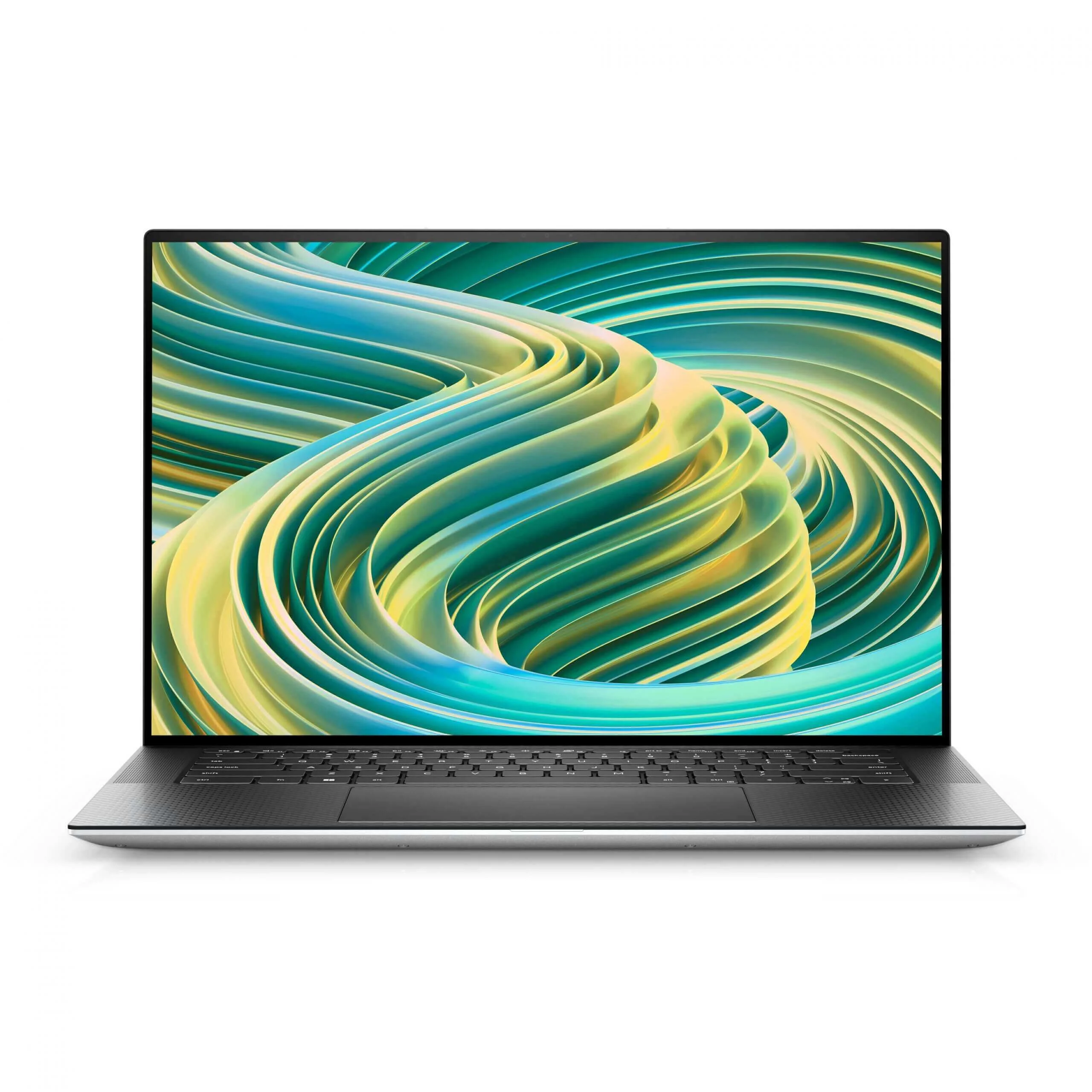
The Dell XPS 15 (9530) continues to utilize the iconic design language that has made the XPS line a staple in boardrooms and creative studios alike. The chassis is carved from a single block of CNC-machined aluminum, providing a rigid, premium feel that resists flex even under heavy pressure. Opening the lid reveals the signature aerospace-inspired black carbon fiber palm rest, which not only looks incredibly sharp but also keeps the deck cool to the touch during extended typing sessions.
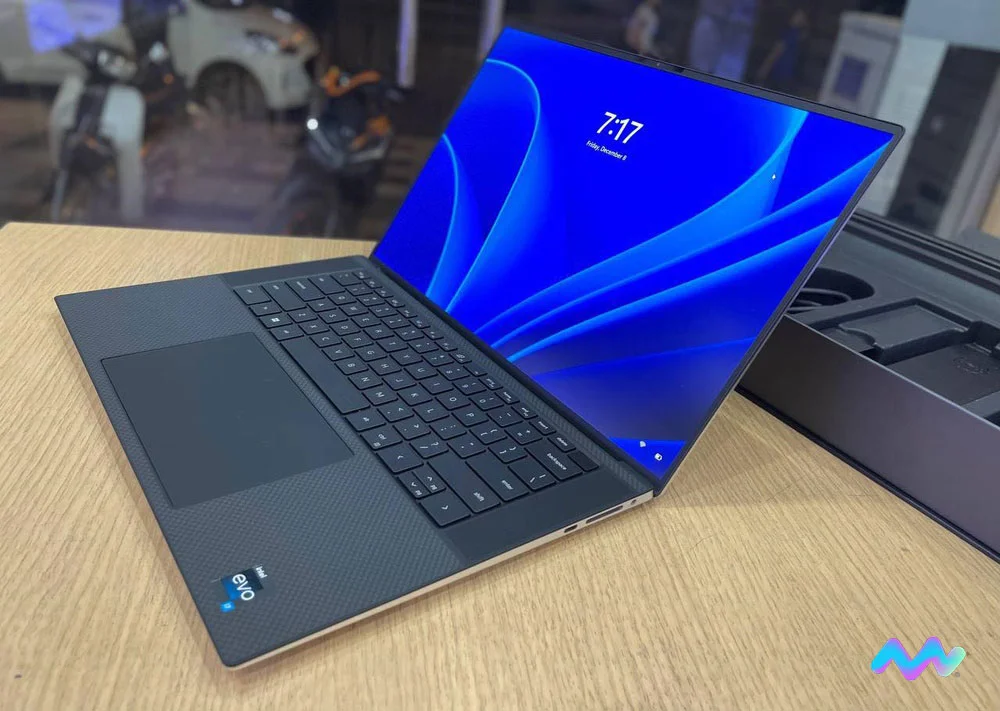
Ergonomics and daily usability remain top-tier. The keyboard offers 1.3mm of key travel, delivering a tactile, satisfying typing experience that rivals the best enterprise machines. Below the keyboard sits a massive, precision glass trackpad that tracks flawlessly and supports multi-touch gestures with zero lag. Dell’s four-sided InfinityEdge bezels melt away into the background, allowing a vibrant 15.6-inch canvas to fit into what is essentially a 14-inch footprint.
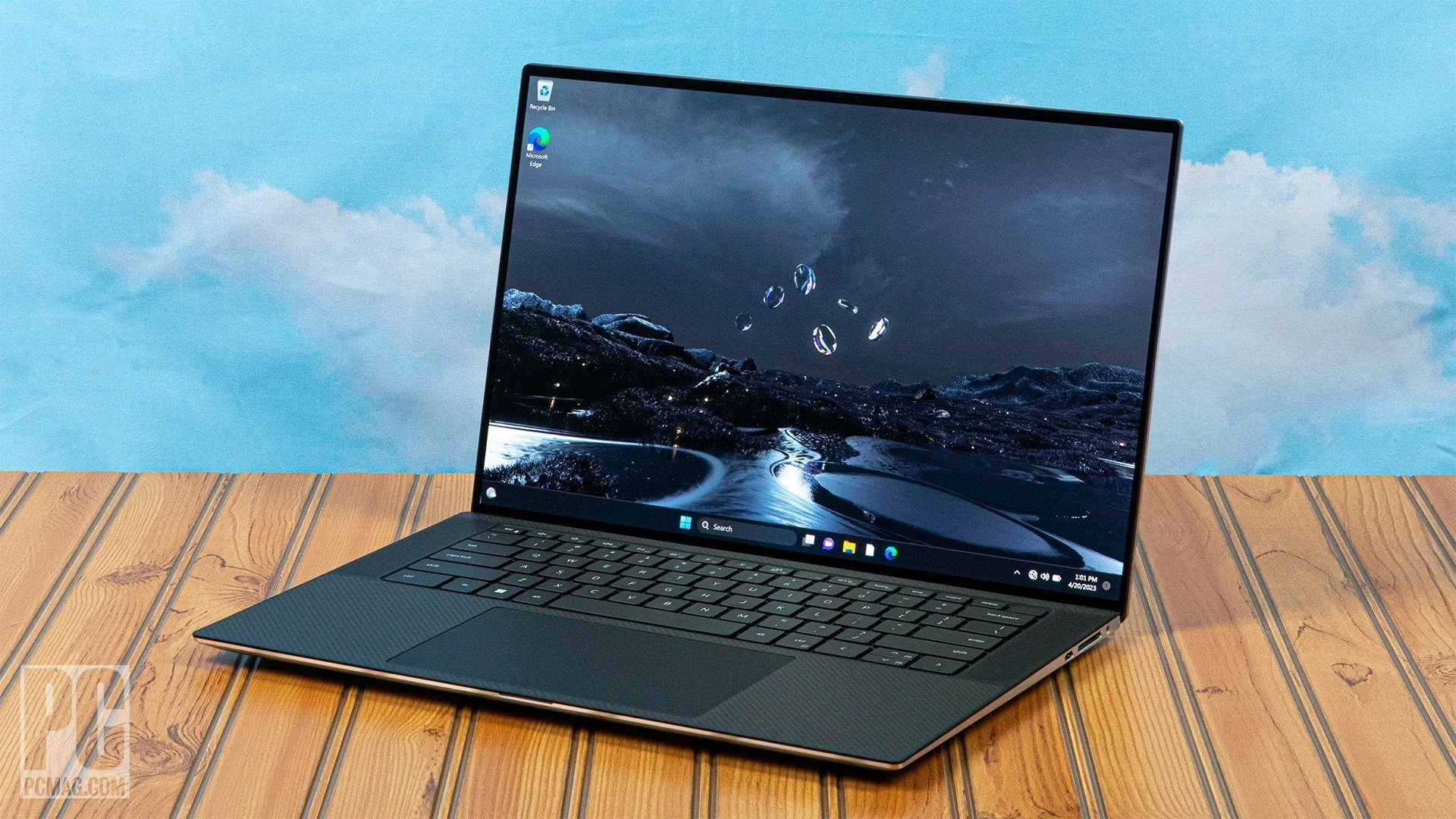
However, the pursuit of this minimalist, razor-thin aesthetic does come with a few physical compromises. Port selection is entirely restricted to USB-C (including two Thunderbolt 4 ports), an SD card reader, and a 3.5mm headphone jack. While Dell thoughtfully includes a USB-C to USB-A and HDMI dongle in the box, dongle life is a reality you must accept with this machine.
Performance
Armed with up to an Intel Core i9-13900H processor and NVIDIA’s RTX 4070 GPU, the XPS 15 (9530) is an absolute powerhouse for productivity and content creation. In our real-world testing, scrubbing through 4K timeline footage in Adobe Premiere Pro and rendering complex 3D models in Blender were handled with impressive fluidity. The inclusion of DDR5 memory and blazing-fast PCIe 4.0 storage means that large files load almost instantly, making this a dream machine for videographers and photographers.
When it comes to synthetic benchmarks, the XPS 15 consistently posts numbers that place it in the upper echelon of premium multimedia laptops. However, it is essential to manage expectations regarding sustained workloads. Because the XPS 15 is so impossibly thin, Dell has capped the RTX 4070’s Total Graphics Power (TGP) at 40W. This means that while it features the hardware of a gaming laptop, it will not perform quite as well as a thicker, dedicated gaming rig with the same GPU due to thermal constraints.
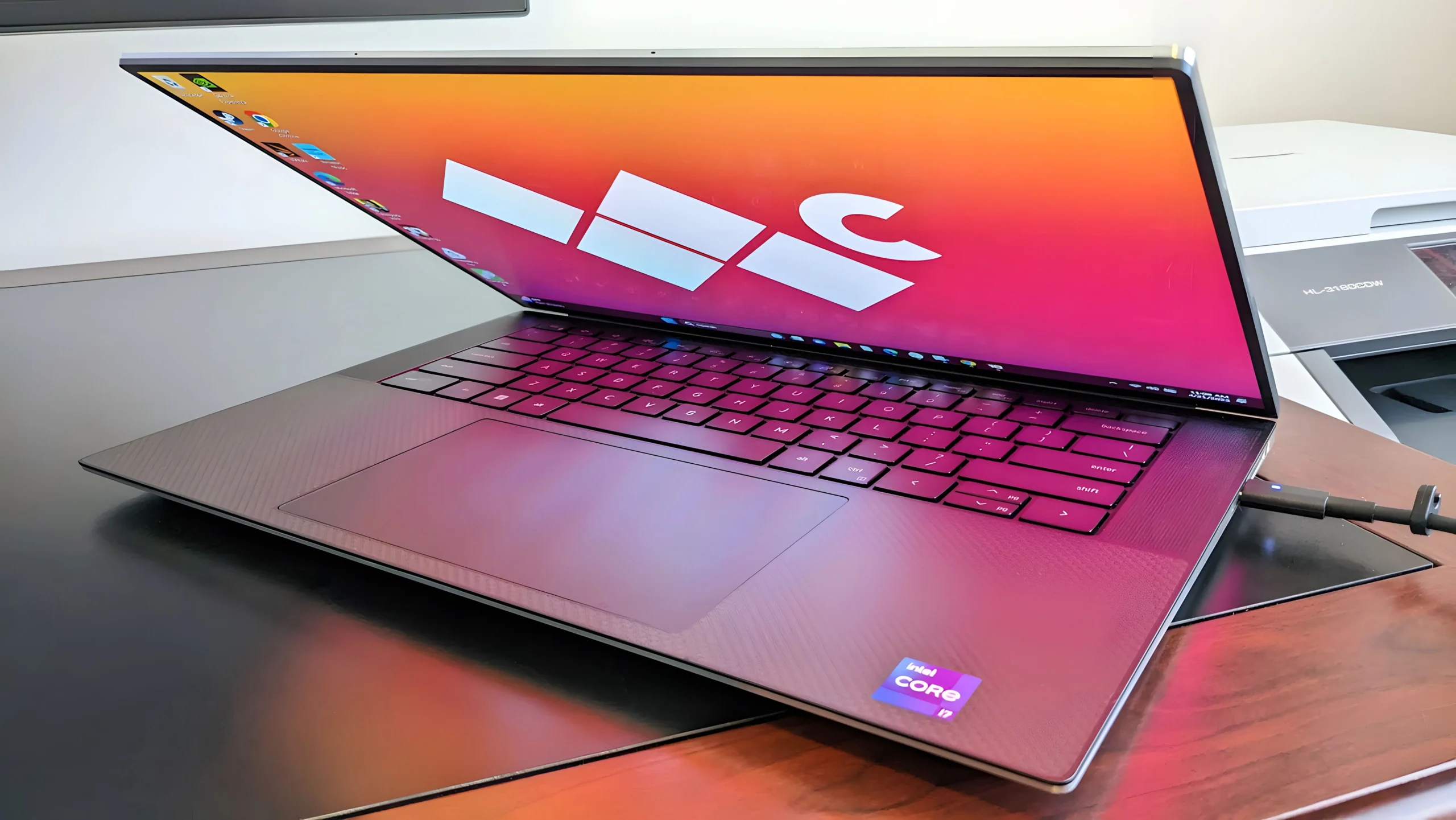
For gamers, the XPS 15 handles modern AAA titles admirably, provided you tweak the settings. You can easily achieve 60+ FPS in demanding games like Cyberpunk 2077 at 1080p with DLSS enabled. Just be prepared for the dual-fan cooling system to spin up significantly during intense sessions, emitting a noticeable but manageable swoosh of air.
Features & Software
One of the absolute standout features of the XPS 15 (9530) is its stunning 3.5K OLED touch display, backed by Dell’s PremierColor software. The panel achieves 100% of the DCI-P3 color gamut, delivering deep, inky blacks and vibrant contrast that makes both media consumption and professional color grading a joy. Complementing the visual experience is a quad-speaker array with Waves Nx 3D audio, which remains arguably the best sounding speaker system on any Windows laptop in 2026.
On the software side, Dell keeps bloatware to a minimum. The pre-installed MyDell application is surprisingly useful, serving as a centralized hub to adjust thermal profiles, optimize battery charging limits, and fine-tune audio settings. Security is handled via a fast, responsive fingerprint reader integrated into the power button, alongside a Windows Hello-compatible IR camera for frictionless facial recognition logins.
Value Proposition
The Dell XPS 15 (9530) commands a premium price tag, often crossing the $2,500 threshold when configured with the OLED display and an RTX 4070. If you are strictly looking for the highest frame rates per dollar, this is not the machine for you. The value here is derived from the exceptional convergence of power, portability, and premium materials.
For creative professionals, executives, and power users who require robust CUDA performance in an elegant, office-friendly chassis, the XPS 15 justifies its cost. Furthermore, the fact that Dell still allows users to upgrade both the RAM and SSD natively offers a level of future-proofing that adds significant long-term value to your investment.
How It Compares
When pitted against the Apple MacBook Pro 16, the XPS 15 holds its ground as the superior choice for users entrenched in the Windows ecosystem or those reliant on NVIDIA-specific rendering workflows. However, the MacBook Pro heavily outclasses the XPS 15 in battery life and sustained performance unplugged, thanks to Apple’s highly efficient silicon.
Compared to the Lenovo ThinkPad P1, the XPS 15 offers a sleeker, more modern aesthetic and arguably better audio. The ThinkPad, conversely, appeals more to traditional engineers and developers with its superior port selection, legendary keyboard, and slightly better thermal management under heavy, continuous enterprise workloads.
Pros and Cons
Pros
- The 3.5K OLED touch display offers breathtaking color accuracy, infinite contrast, and exceptional brightness for creative work.
- The quad-speaker setup delivers rich, room-filling sound with deep bass that rivals top-tier competitors.
- It features an incredibly premium, durable build quality utilizing CNC-machined aluminum and carbon fiber.
- The RAM and storage are fully user-upgradable, extending the lifespan and utility of the machine.
Cons
- The thin chassis leads to noticeable thermal throttling during sustained, intensive CPU and GPU workloads.
- The inclusion of a 720p webcam is painfully outdated for 2026 and produces grainy video in low light.
- There are no native USB-A or HDMI ports on the body, forcing reliance on external dongles or docks.
FAQ
Q: Can I upgrade the RAM and storage on the Dell XPS 15 (9530)?
A: Yes, unlike many modern ultrabooks, the XPS 15 features two easily accessible SODIMM slots for RAM and two M.2 PCIe slots for SSD expansion.
Q: Is the Dell XPS 15 good for gaming?
A: While not a dedicated gaming laptop, configurations with the RTX 4060 or 4070 can handle modern AAA games comfortably at 1080p, though the GPU is limited to a 40W power draw.
Q: How long does the battery last on the OLED model?
A: With the 3.5K OLED screen, you can expect around 6 to 8 hours of light productivity and web browsing. Intensive tasks like video editing will drain the battery much faster.
Q: Does the XPS 15 come with a stylus?
A: No, the XPS 15 does not support active pen input, even on the touchscreen models. It is designed for multi-touch gestures rather than precise digital drawing.
Verdict
The Dell XPS 15 (9530) is an exquisitely crafted laptop tailor-made for creative professionals, developers, and power users who demand NVIDIA graphics in a refined chassis. While it does suffer from a mediocre webcam and thermal constraints under maximum load, its breathtaking OLED display, spectacular audio, and user-upgradable internals make it one of the finest Windows laptops available in 2026.
Where to Buy
Pros
- ✓ The 3.5K OLED touch display offers breathtaking color accuracy, infinite contrast, and exceptional brightness for creative work.
- ✓ The quad-speaker setup delivers rich, room-filling sound with deep bass that rivals top-tier competitors.
- ✓ It features an incredibly premium, durable build quality utilizing CNC-machined aluminum and carbon fiber.
- ✓ The RAM and storage are fully user-upgradable, extending the lifespan and utility of the machine.
Cons
- ✗ The thin chassis leads to noticeable thermal throttling during sustained, intensive CPU and GPU workloads.
- ✗ The inclusion of a 720p webcam is painfully outdated for 2026 and produces grainy video in low light.
- ✗ There are no native USB-A or HDMI ports on the body, forcing reliance on external dongles or docks.
Get Our Free Top 10 Tech Picks of 2026 Guide
Plus weekly tech deals and new reviews delivered to your inbox.
[cp_email_signup]
No spam. Unsubscribe anytime.
Ready to buy the Dell XPS 15 (9530)?
Affiliate link — we may earn a commission at no extra cost to you.



