
The HP Spectre x360 16 (2023) remains a masterclass in premium 2-in-1 design, blending gorgeous aesthetics with serious creative horsepower. Even a few years post-launch, its stunning OLED display and robust Intel architecture make it a top contender for digital artists and power users alike. Let’s see how this versatile convertible holds up in today’s demanding tech landscape.
Table of Contents
Key Specifications
| Feature | Detail |
|---|---|
| Processor | Up to Intel Core i7-13700H (14 cores, 20 threads) |
| Graphics | Intel Iris Xe / NVIDIA GeForce RTX 4050 Laptop GPU (6GB GDDR6) |
| RAM | 16GB / 32GB LPDDR5x (Soldered) |
| Storage | 512GB, 1TB, or 2TB PCIe Gen4 NVMe M.2 SSD |
| Display | 16-inch UHD+ (3840 x 2400) OLED Touchscreen, 400 nits, 100% DCI-P3 |
| Battery | 83 Wh Li-ion polymer, 135W AC power adapter |
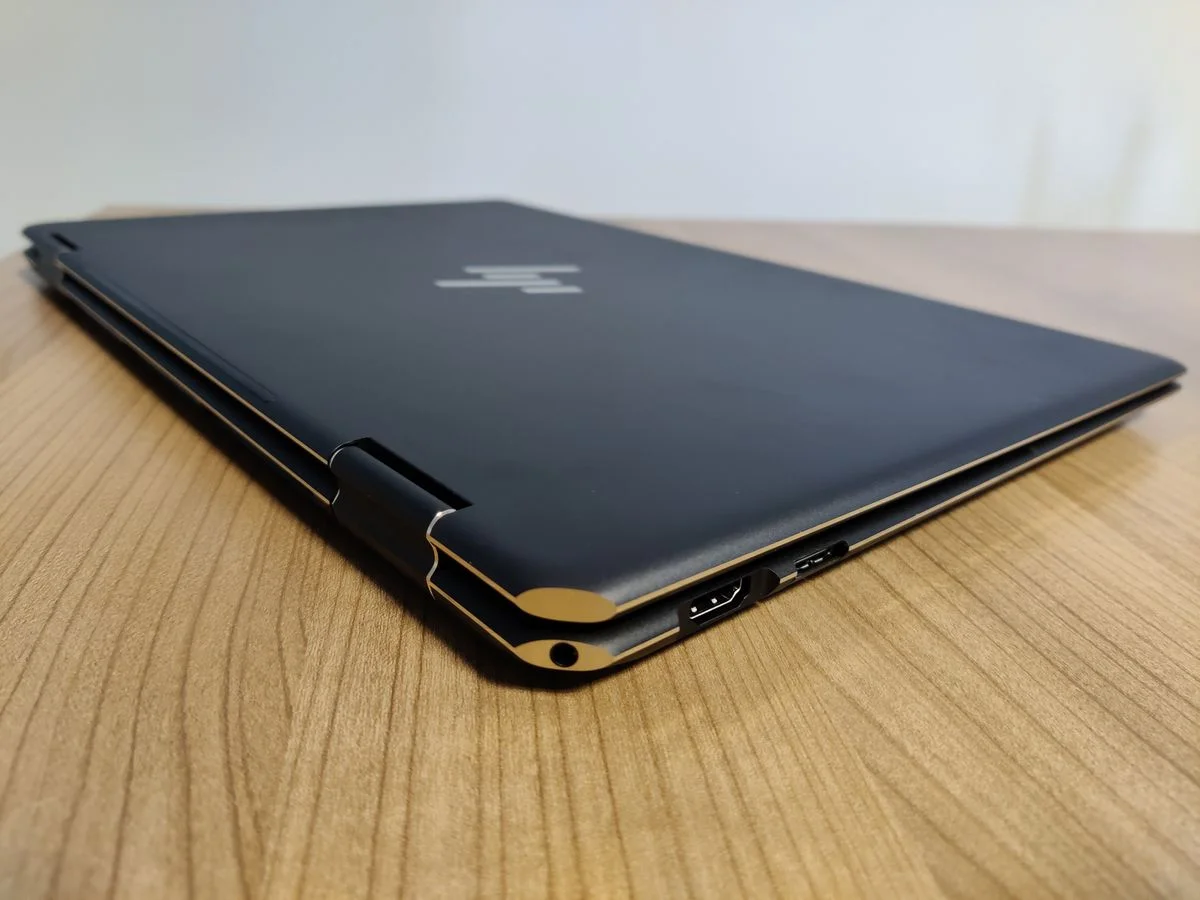
| Ports | 2x Thunderbolt 4, 1x USB Type-A (10Gbps), HDMI 2.1, MicroSD reader, 3.5mm audio jack |
| Weight | 4.74 lbs (2.15 kg) |
Design & Build Quality
HP has long established the Spectre line as the pinnacle of Windows laptop aesthetics, and the Spectre x360 16 (2023) is no exception. Encased in a CNC-machined aluminum chassis, the laptop sports the signature gem-cut design with elegant, contrasting brass accents on the Nightfall Black model. It feels unyieldingly premium, with zero flex on the keyboard deck and a lid that exudes durability. The chamfered corners not only look spectacular but also house a Thunderbolt 4 port and the headphone jack, keeping cables out of the way of your mouse hand.
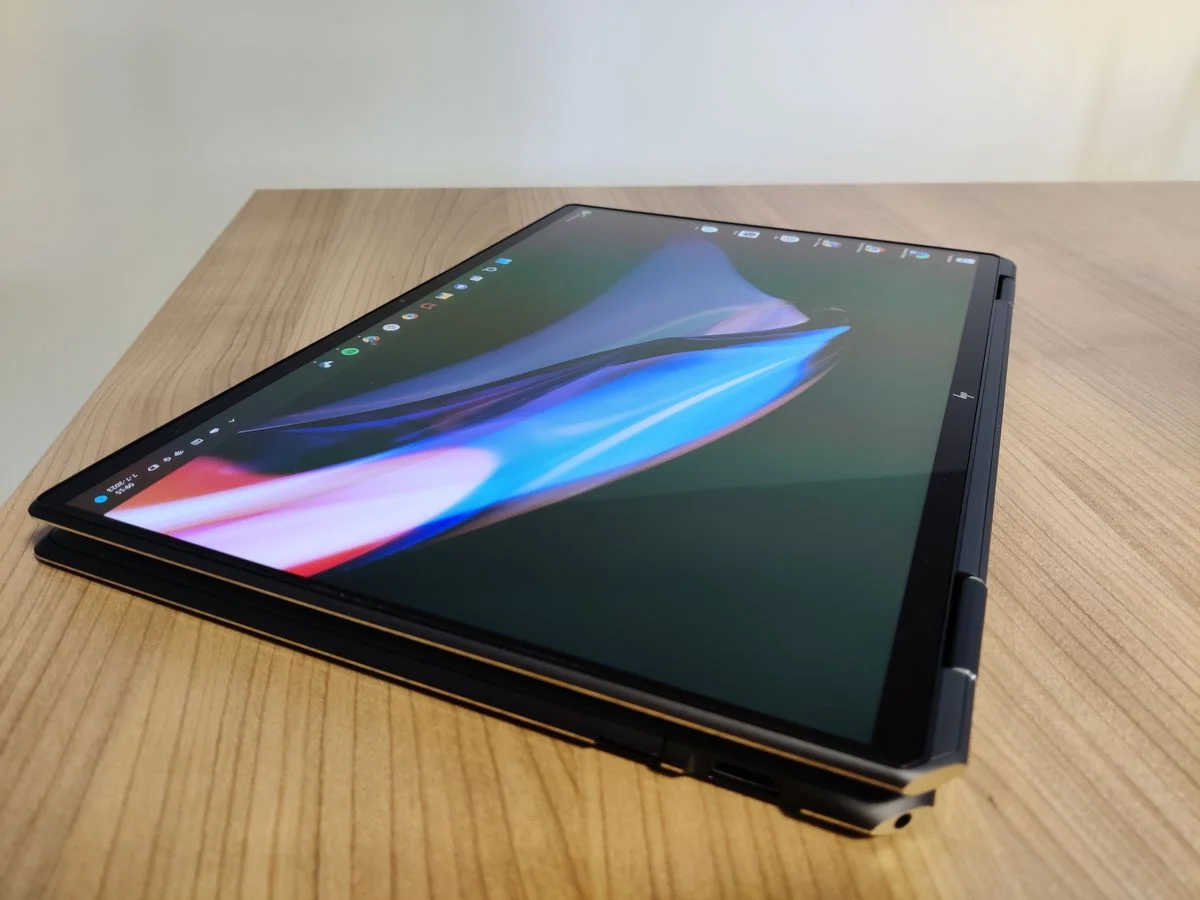
Ergonomically, the 360-degree hinges are beautifully calibrated, offering enough resistance to keep the massive 16-inch display stable in tent or presentation mode without wobbling during touch interactions. However, this premium build comes with a literal weight. At 4.74 lbs, holding this device as a traditional tablet is an arm workout. It is far better suited to being propped up on a desk or rested on your lap for digital drawing than being carried around the house like an iPad.
The input experience remains top-tier even by 2026 standards. The keyboard features excellent travel, crisp tactile feedback, and well-spaced keys that make long typing sessions a breeze. Below it sits an impressively large haptic touchpad that offers uniform clicking and highly responsive multi-touch gesture support, rivalling some of the best trackpads in the industry.
Performance
Powered by an Intel Core i7-13700H and backed by an NVIDIA GeForce RTX 4050, the Spectre x360 16 was built to bridge the gap between ultrabooks and mobile workstations. For tech-savvy creatives, this combination still provides ample headroom for heavy multi-layer photo editing in Photoshop, scrubbing through 4K timelines in Premiere Pro, or rendering complex 3D models. The 32GB LPDDR5x RAM configuration ensures that multitasking between browser tabs, background rendering, and virtual machines feels fluid and unconstrained.
While modern 15th-gen processors have undoubtedly moved the goalposts for efficiency, the 13th-gen H-series chip inside the Spectre retains a beastly level of raw throughput. In synthetic benchmarks and real-world execution, the laptop rarely stutters. The dedicated RTX 4050, while an entry-level creator GPU, leverages NVIDIA’s Studio drivers brilliantly. It provides the necessary CUDA core acceleration to halve export times compared to standard integrated graphics, making it a highly reliable daily driver for multimedia professionals.
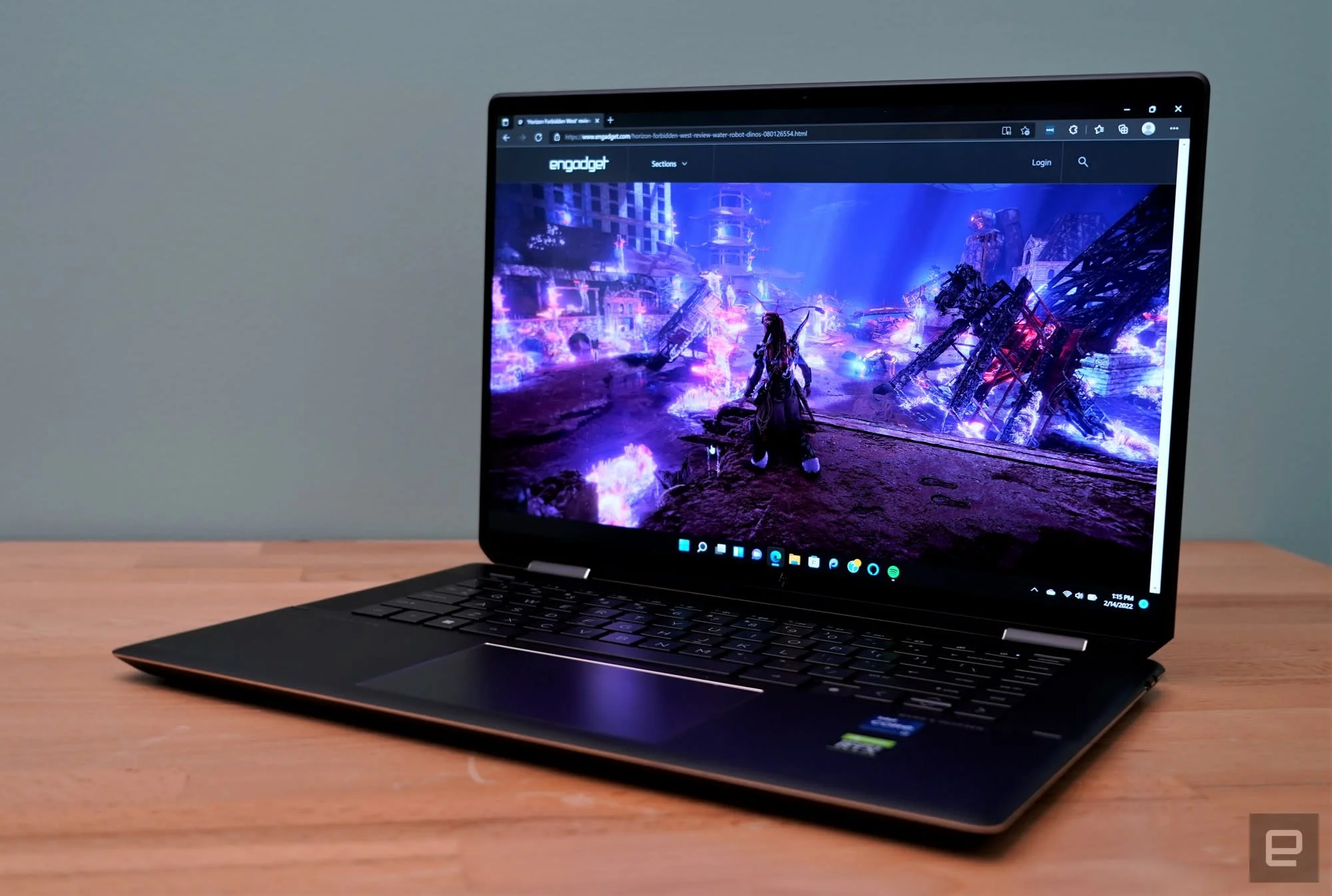
Thermal management is where the laws of physics catch up to the sleek design. Under sustained heavy loads, the chassis gets noticeably warm near the hinge, and the dual fans spin up to an audible whir to prevent severe thermal throttling. Fortunately, for standard office tasks and media consumption, the system remains whisper-quiet.
Features & Software
One of the most impressive standout features of the Spectre x360 16 is its 5-megapixel webcam paired with HP Presence (formerly GlamCam) software. The camera produces exceptionally sharp, well-lit video even in dimly lit rooms, and features like Auto Frame, backlight adjustment, and appearance filters make it one of the absolute best built-in video conferencing systems available on a laptop. Additionally, Windows Hello facial recognition is lightning-fast, complemented by a physical privacy shutter on the keyboard for peace of mind.
On the creative front, HP includes the Rechargeable MPP 2.0 Tilt Pen in the box. The stylus snaps magnetically to the side of the chassis and offers excellent pressure sensitivity and tilt support. Drawing on the expansive, vibrant OLED canvas is a joy, with minimal latency that makes digital painting and note-taking feel incredibly natural. HP’s Command Center software rounds out the experience, allowing users to easily toggle between thermal profiles to prioritize quiet operation, cool temperatures, or maximum performance.
Value Proposition
At its initial launch, the HP Spectre x360 16 commanded a steep premium, aimed squarely at professionals who refused to compromise on display quality and design. Looking at the laptop in 2026, it represents a remarkable value proposition for those shopping on the refurbished market or finding new-old-stock discounts. You are getting a stunning 4K OLED screen, capable discrete graphics, and a convertible form factor that modern clamshells still cannot replicate.
For users who primarily type and browse, the Spectre x360 16 might be an expensive overkill. However, for hybrid workers, digital artists, and creative professionals who legitimately use a stylus and demand color-accurate displays, the feature set justifies the investment. It successfully merges the canvas of a tablet with the engine of a workstation.
How It Compares
When pitted against the Apple MacBook Pro 16, the Spectre x360 16 caters to a very different workflow. The MacBook Pro destroys the Spectre in battery life and pure rendering performance (thanks to its highly efficient M-series silicon), but macOS completely lacks touchscreen capabilities and a 2-in-1 form factor. If you need to draw directly on your screen, the Spectre wins by default.
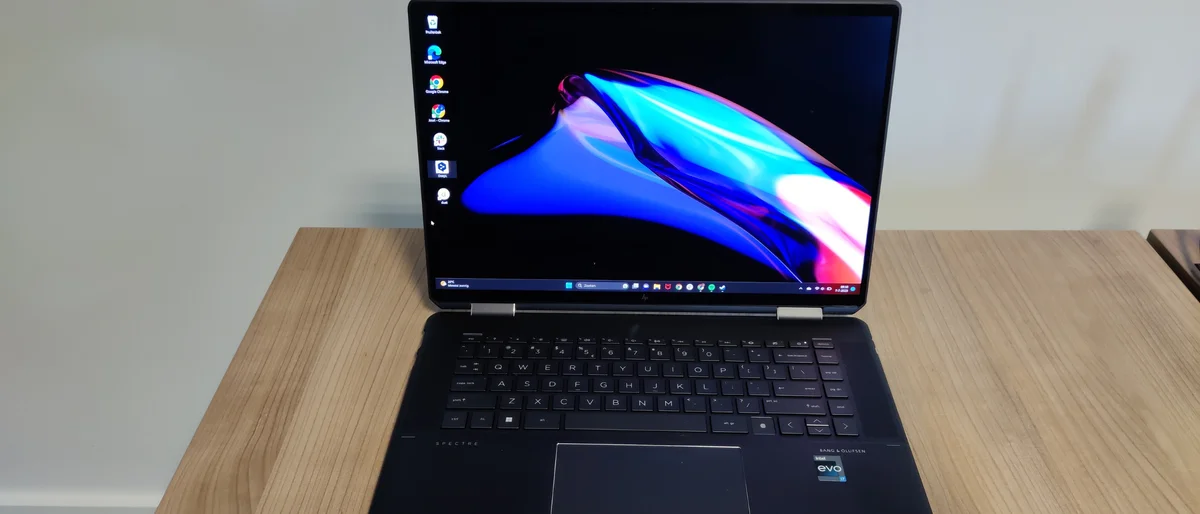
Against the Dell XPS 15 or 16, the comparison is tighter. The XPS models offer slightly more refined footprints and can be configured with higher-tier RTX graphics for more demanding video editors. However, the XPS line is strictly traditional clamshell. The Spectre x360 16 justifies its existence against these heavyweights by offering the versatility of tablet and tent modes without sacrificing premium build quality or a gorgeous OLED panel.
Pros and Cons
Pros
- Features a gorgeous 16-inch 4K OLED touchscreen with vivid, true-to-life color accuracy.
- Boasts exceptional build quality with a unique, sophisticated gem-cut aluminum design.
- Includes an outstanding 5MP webcam equipped with intelligent AI framing and lighting features.
- Offers a versatile 2-in-1 form factor that is highly useful for digital artists and note-takers.
Cons
- Feels far too heavy and unwieldy to use comfortably as a handheld tablet for extended periods.
- Suffers a significant hit to battery life due to the power-hungry, high-resolution OLED panel.
- Produces noticeably loud fan noise during intense graphical workloads or rendering sessions.
- Lacks upgradeable RAM, forcing buyers to commit to their memory configuration at the time of purchase.
FAQ
Q: Can the HP Spectre x360 16 run AAA games?
A: While not a dedicated gaming laptop, the RTX 4050 model can handle modern AAA titles comfortably at medium settings and 1080p resolution. You will need to scale down from the native 4K resolution to maintain smooth framerates.
Q: Is the RAM upgradeable after purchase?
A: No, the LPDDR5x RAM is permanently soldered to the motherboard. It is highly recommended to configure the laptop with 32GB of memory at the time of purchase to ensure long-term usability.
Q: Does it come with a stylus included in the box?
A: Yes, HP typically includes the rechargeable MPP 2.0 Tilt Pen in the box, making the laptop ready for digital artists and note-takers right away.
Q: How is the battery life for daily use?
A: With mixed productivity tasks, web browsing, and the OLED screen set to medium brightness, you can expect roughly 6 to 8 hours of battery life. Heavy creative workloads will drain it much faster.
Verdict
The HP Spectre x360 16 (2023) remains a top-tier convertible that perfectly caters to creative professionals and digital artists who demand a large, vibrant touchscreen. While it is too heavy for casual, handheld tablet use and trails behind Apple’s silicon in battery life, its stunning OLED display and flexible form factor make it a highly capable and luxurious workstation. If you need a premium Windows 2-in-1 with discrete graphics for creative multitasking, this machine is still incredibly tough to beat.
Where to Buy
Pros
- ✓ Features a gorgeous 16-inch 4K OLED touchscreen with vivid, true-to-life color accuracy.
- ✓ Boasts exceptional build quality with a unique, sophisticated gem-cut aluminum design.
- ✓ Includes an outstanding 5MP webcam equipped with intelligent AI framing and lighting features.
- ✓ Offers a versatile 2-in-1 form factor that is highly useful for digital artists and note-takers.
Cons
- ✗ Feels far too heavy and unwieldy to use comfortably as a handheld tablet for extended periods.
- ✗ Suffers a significant hit to battery life due to the power-hungry, high-resolution OLED panel.
- ✗ Produces noticeably loud fan noise during intense graphical workloads or rendering sessions.
- ✗ Lacks upgradeable RAM, forcing buyers to commit to their memory configuration at the time of purchase.
Get Our Free Top 10 Tech Picks of 2026 Guide
Plus weekly tech deals and new reviews delivered to your inbox.
[cp_email_signup]
No spam. Unsubscribe anytime.
Ready to buy the HP Spectre x360 16 (2023)?
Affiliate link — we may earn a commission at no extra cost to you.