










The Microsoft Surface Laptop 5 15-inch continues to hold its ground as a premium Windows ultrabook tailored for productivity. While it may not boast the absolute latest silicon in 2026, its exceptional build quality, striking PixelSense display, and fantastic keyboard make it a highly reliable workhorse for professionals. Discover if this sleek machine is still worth your investment in today’s fast-paced tech landscape.
Table of Contents
Key Specifications
| Feature | Detail |
|---|---|
| Display | 15-inch PixelSense (2496 x 1664), 3:2 ratio, 10-point Touch |
| Processor | Intel Core i7-1255U (12th Gen) |
| RAM | 8GB / 16GB / 32GB LPDDR5x |
| Storage | 256GB / 512GB / 1TB Removable SSD |
| Graphics | Integrated Intel Iris Xe Graphics |
| Ports | 1x USB-C (Thunderbolt 4), 1x USB-A, Surface Connect, 3.5mm Jack |
| Battery Life | Up to 17 hours (claimed) |
| Weight | 1.56 kg (3.44 lbs) |
Design & Build Quality
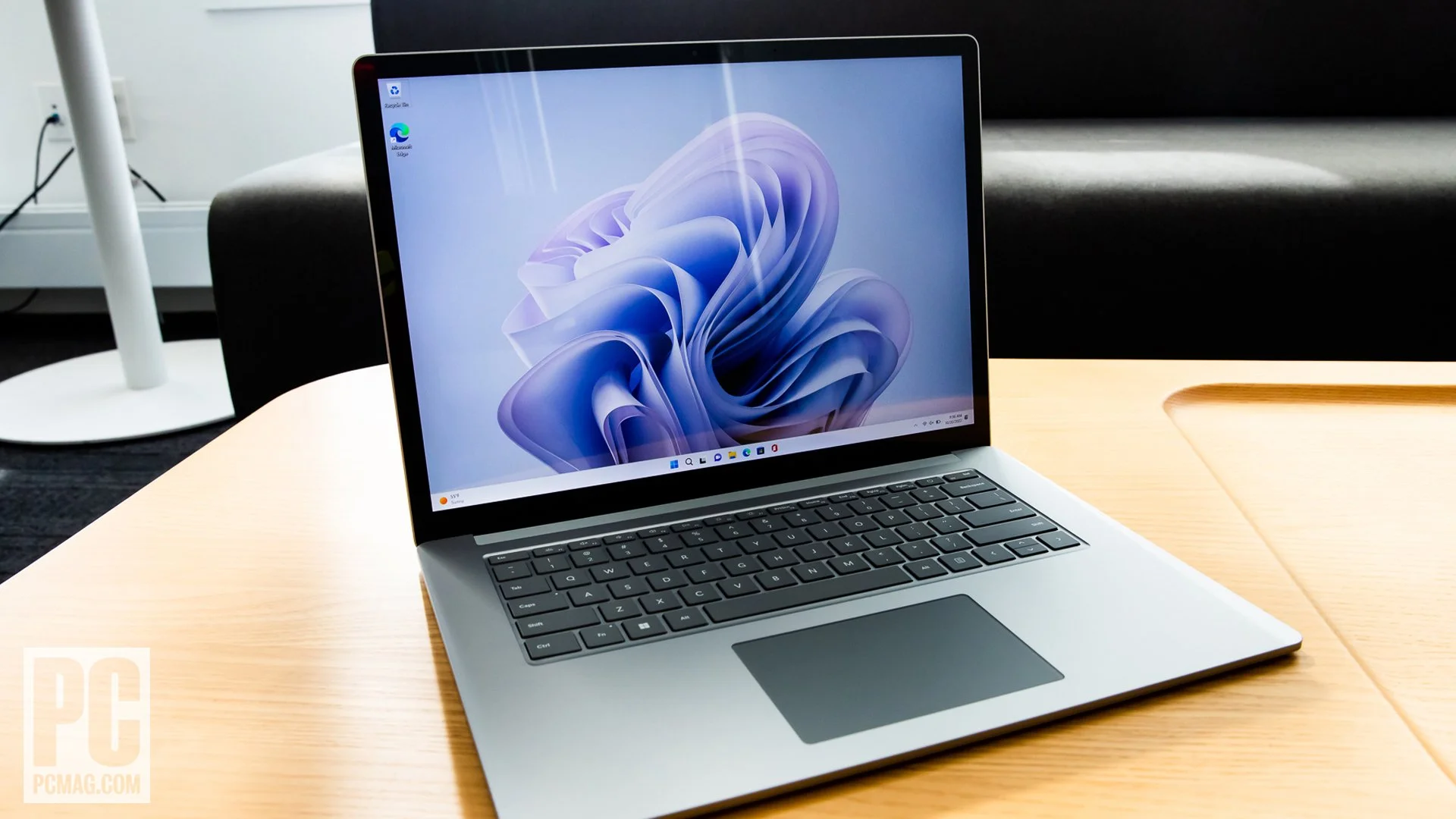
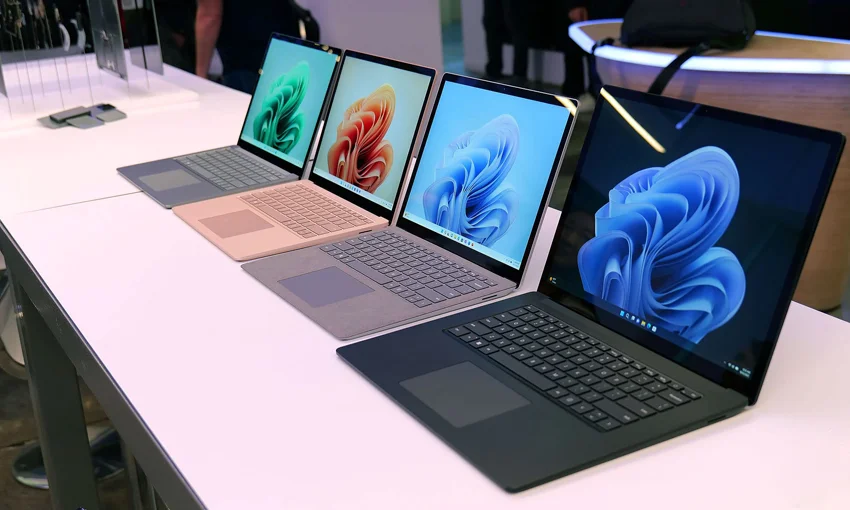
Microsoft’s Surface hardware has long set the gold standard for Windows machines, and the Surface Laptop 5 (15-inch) remains a testament to minimalist elegance. Clad in precision-machined aluminium, the chassis is incredibly rigid with zero flex in the keyboard deck or lid. The stealthy Matte Black and Platinum finishes still look remarkably premium, allowing it to seamlessly blend into boardroom environments and modern home offices alike.
Ergonomics remain a strong suit for the Surface Laptop line. Opening the lid with a single finger is effortlessly smooth, revealing what is arguably one of the best keyboards on any Windows laptop. The keys offer satisfying travel, snappy actuation, and excellent spacing, making long typing sessions a genuine pleasure. Accompanied by a generously sized, highly accurate glass trackpad, the input experience is nothing short of exceptional.
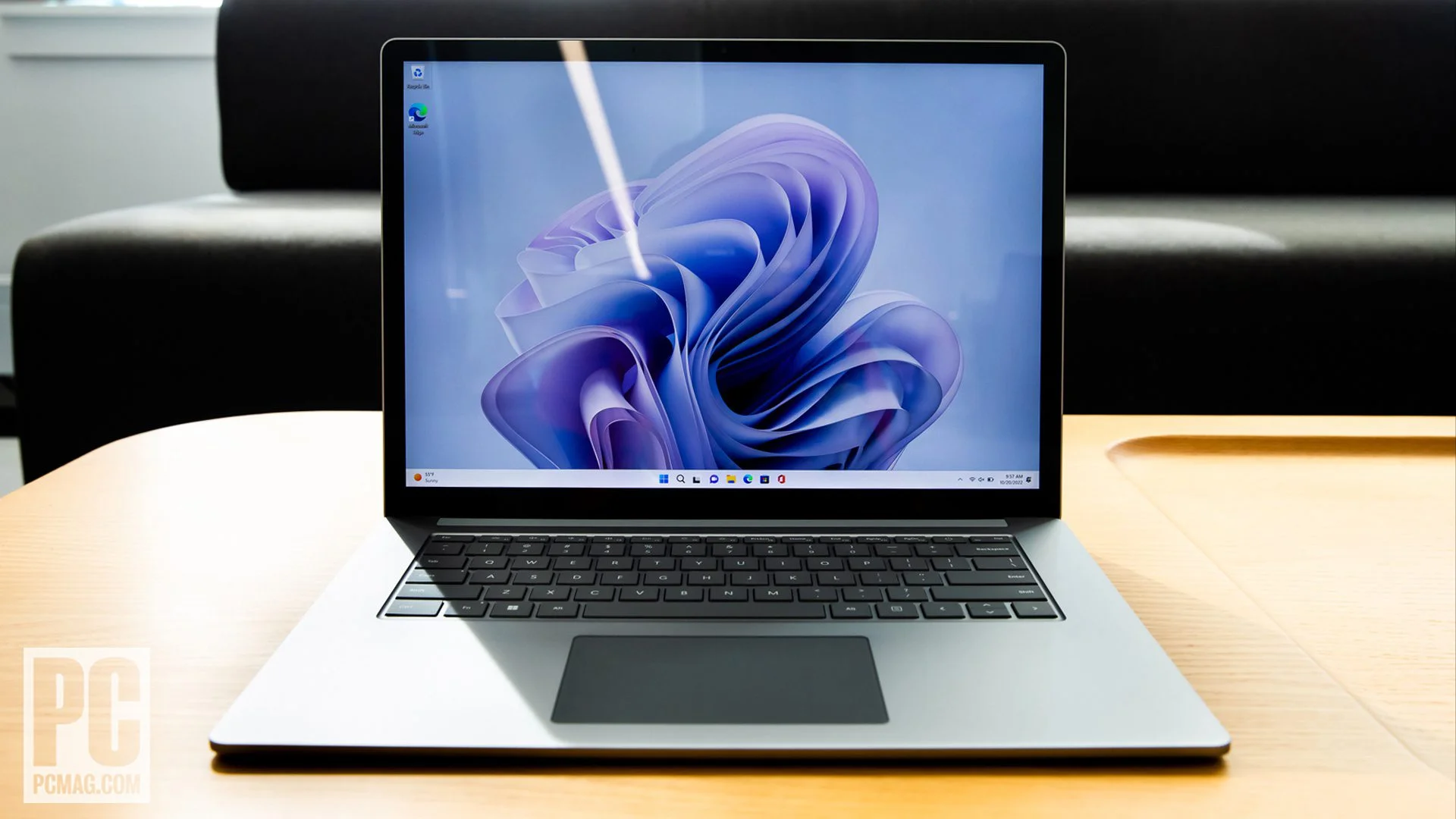
Despite housing a 15-inch display, the laptop maintains an impressively slim profile and a manageable weight of just 1.56 kg. However, the core design hasn’t evolved drastically over the years, which means you are still dealing with display bezels that look noticeably thick by 2026 standards. Regardless, the 3:2 aspect ratio of the PixelSense display completely compensates by offering massive vertical screen real estate, heavily favouring productivity tasks, coding, and document writing.
Performance
Under the hood, the Surface Laptop 5 relies on Intel’s 12th-generation Alder Lake processors—specifically the Core i7-1255U in the 15-inch model. While we are now seeing significantly newer silicon architectures on the market in 2026, this processor still provides more than enough horsepower for daily productivity. In real-world usage, juggling twenty-plus browser tabs, handling massive Excel spreadsheets, and engaging in high-definition video calls happen seamlessly without the system breaking a sweat.
When it comes to benchmarks, the Surface Laptop 5 performs admirably within the ultrabook category, though it won’t break any records against newer hardware or dedicated creator laptops. The inclusion of fast LPDDR5x RAM and a snappy PCIe 4.0 SSD ensures boot times and large file transfers are near-instantaneous. However, the integrated Intel Iris Xe graphics strictly limit this machine’s gaming capabilities to light, older titles or cloud streaming; this is firmly a work-first machine, not a gaming rig or heavy 3D rendering workstation.
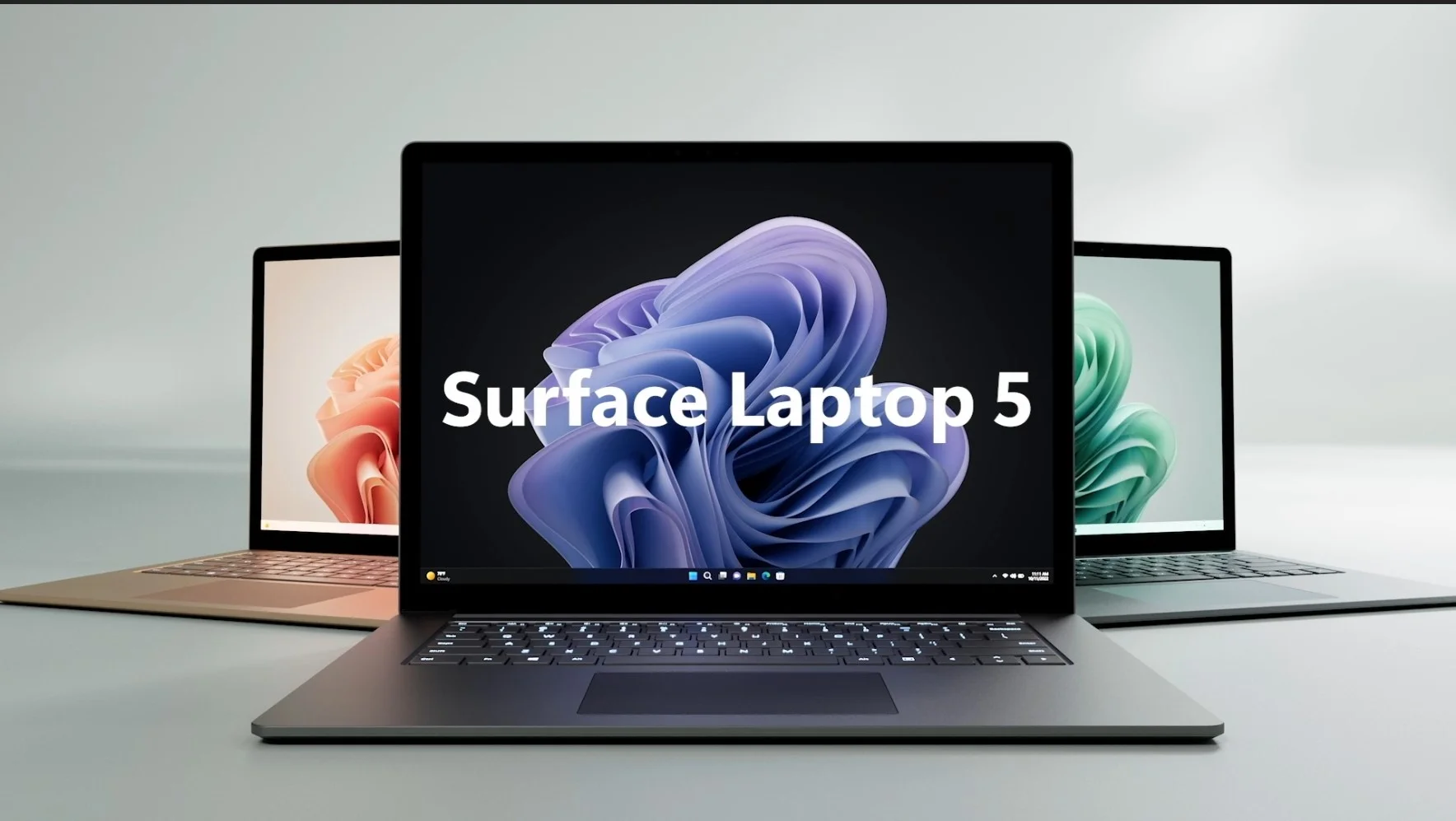
Thermal management is generally excellent. The laptop remains whisper-quiet during standard office tasks, with the active cooling fans only becoming audible when pushing the system during heavy software compiles or batch photo exports. Throttling is minimal under sustained loads, a testament to Microsoft’s conservative but highly effective thermal design.
Features & Software
Running Windows 11 completely bloatware-free is one of the biggest advantages of buying first-party Microsoft hardware. The software experience is incredibly fluid, fully leveraging the vibrant, color-accurate 10-point multi-touch PixelSense display. The integration of Windows Hello facial recognition via the webcam is lightning-fast and reliable, though the camera’s 720p resolution is admittedly disappointing for a premium laptop in today’s era of ubiquitous remote work.
On the connectivity front, the inclusion of Thunderbolt 4 over the USB-C port is a crucial feature, allowing for versatile docking solutions, external GPU support, and dual 4K monitor setups. The proprietary Surface Connect port remains for traditional charging, though the flexibility to charge via standard USB-C is highly appreciated. Omnisonic speakers hidden beneath the keyboard deliver surprisingly rich and spatial sound with Dolby Atmos support, rounding out a fantastic media consumption experience without cluttering the laptop’s aesthetic.
Value Proposition
In 2026, the Surface Laptop 5 occupies a unique position in the tech market. It originally launched at a premium price point, but current market adjustments and retail discounts have made it a highly attractive option for professionals who value build quality, reliability, and typing experience over raw, bleeding-edge performance. It relies heavily on its exceptional 3:2 screen and first-party software purity to justify its place in a tech-savvy user’s arsenal.
Compared to modern rivals that pack newer architectures, the Surface Laptop 5 relies more on its holistic user experience than spec-sheet dominance. If you require heavy graphical processing or the longest possible battery life, there are more modern values out there. But for writers, executives, and students who need a reliable, premium, and distraction-free work environment, the Surface Laptop 5 remains a worthwhile, durable investment.
How It Compares
When pitted against the Apple MacBook Air 15-inch, the Surface Laptop 5 faces fierce competition in battery life and sheer processing efficiency. The MacBook runs cooler and lasts notably longer on a single charge thanks to its ARM-based silicon. However, the Surface fights back with a highly tactile touchscreen, a superior keyboard for many typists, and native Windows enterprise compatibility.
Against the Dell XPS 15, the Surface Laptop 5 is significantly lighter and more portable, making it the better choice for frequent travellers. However, the XPS pulls ahead for creative professionals, offering options for dedicated NVIDIA graphics and modern, razor-thin display bezels that make the Surface look slightly dated.
Pros and Cons
Pros
- Exceptional build quality with a sturdy, minimalist aluminium chassis.
- The 3:2 PixelSense touch display offers excellent vertical real estate for productivity.
- Class-leading keyboard and an incredibly responsive glass trackpad.
- Thunderbolt 4 integration provides excellent external display and docking capabilities.
Cons
- The 720p webcam is distinctly underwhelming for a premium device.
- Outdated display bezels look noticeably thick by modern standards.
- Relies on older 12th-gen Intel processors, lagging behind newer hardware in peak performance.
- No option for dedicated graphics limits its use for creative professionals and gamers.
FAQ
Q: Does the Surface Laptop 5 15-inch have a touchscreen?
A: Yes, it features a stunning 15-inch PixelSense display with full 10-point multi-touch support.
Q: Can you upgrade the RAM or storage after purchase?
A: The RAM is soldered to the motherboard and cannot be upgraded. However, the M.2 NVMe SSD is technically removable, though Microsoft recommends it be replaced only by an authorized technician.
Q: Is the Surface Laptop 5 good for gaming?
A: No, it relies on integrated Intel Iris Xe graphics. It can handle light, older games or Xbox Cloud Gaming effortlessly, but it is not built to render modern, graphically demanding titles locally.
Q: Does it charge via USB-C?
A: Yes, while it comes with a proprietary magnetic Surface Connect charger in the box, the Thunderbolt 4 USB-C port also fully supports Power Delivery for charging.
Verdict
The Microsoft Surface Laptop 5 (15-inch) is a phenomenally built machine tailor-made for writers, business professionals, and students who prioritise typing comfort, screen aspect ratio, and premium aesthetics. While it lacks the sheer processing power of newer hardware releases, its rock-solid reliability and bloatware-free Windows experience make it a consistently excellent workhorse. If you need a distraction-free, elegant productivity tool rather than a gaming or editing powerhouse, this laptop remains a stellar choice.
Where to Buy
Pros
- ✓ Exceptional build quality with a sturdy, minimalist aluminium chassis.
- ✓ The 3:2 PixelSense touch display offers excellent vertical real estate for productivity.
- ✓ Class-leading keyboard and an incredibly responsive glass trackpad.
- ✓ Thunderbolt 4 integration provides excellent external display and docking capabilities.
Cons
- ✗ The 720p webcam is distinctly underwhelming for a premium device.
- ✗ Outdated display bezels look noticeably thick by modern standards.
- ✗ Relies on older 12th-gen Intel processors, lagging behind newer hardware in peak performance.
- ✗ No option for dedicated graphics limits its use for creative professionals and gamers.
Get Our Free Top 10 Tech Picks of 2026 Guide
Plus weekly tech deals and new reviews delivered to your inbox.
[cp_email_signup]
No spam. Unsubscribe anytime.
Ready to buy the Microsoft Surface Laptop 5 (15-inch)?
Affiliate link — we may earn a commission at no extra cost to you.



