
The MSI Optix MAG274QRF-QD continues to hold its ground as a formidable contender in the highly competitive 1440p gaming monitor space. By combining a blazing fast Rapid IPS panel with vibrant Quantum Dot color technology, it promises a visual experience that satisfies both competitive gamers and content creators. We put this versatile display to the test to see if it remains a top-tier choice for your current desktop setup.
Table of Contents
Key Specifications
| Feature | Detail |
|---|---|
| Screen Size | 27 Inches |
| Panel Type | Rapid IPS with Quantum Dot |
| Resolution | 2560 x 1440 (WQHD) |
| Refresh Rate | 165Hz |
| Response Time | 1ms (GtG) |
| Color Gamut | 97% DCI-P3 / 147% sRGB |
| Adaptive Sync | NVIDIA G-Sync Compatible |
| Ports | 1x DisplayPort 1.2, 2x HDMI 2.0b, 1x USB-C (DP Alt), 2x USB 2.0 Type-A |
Design & Build Quality
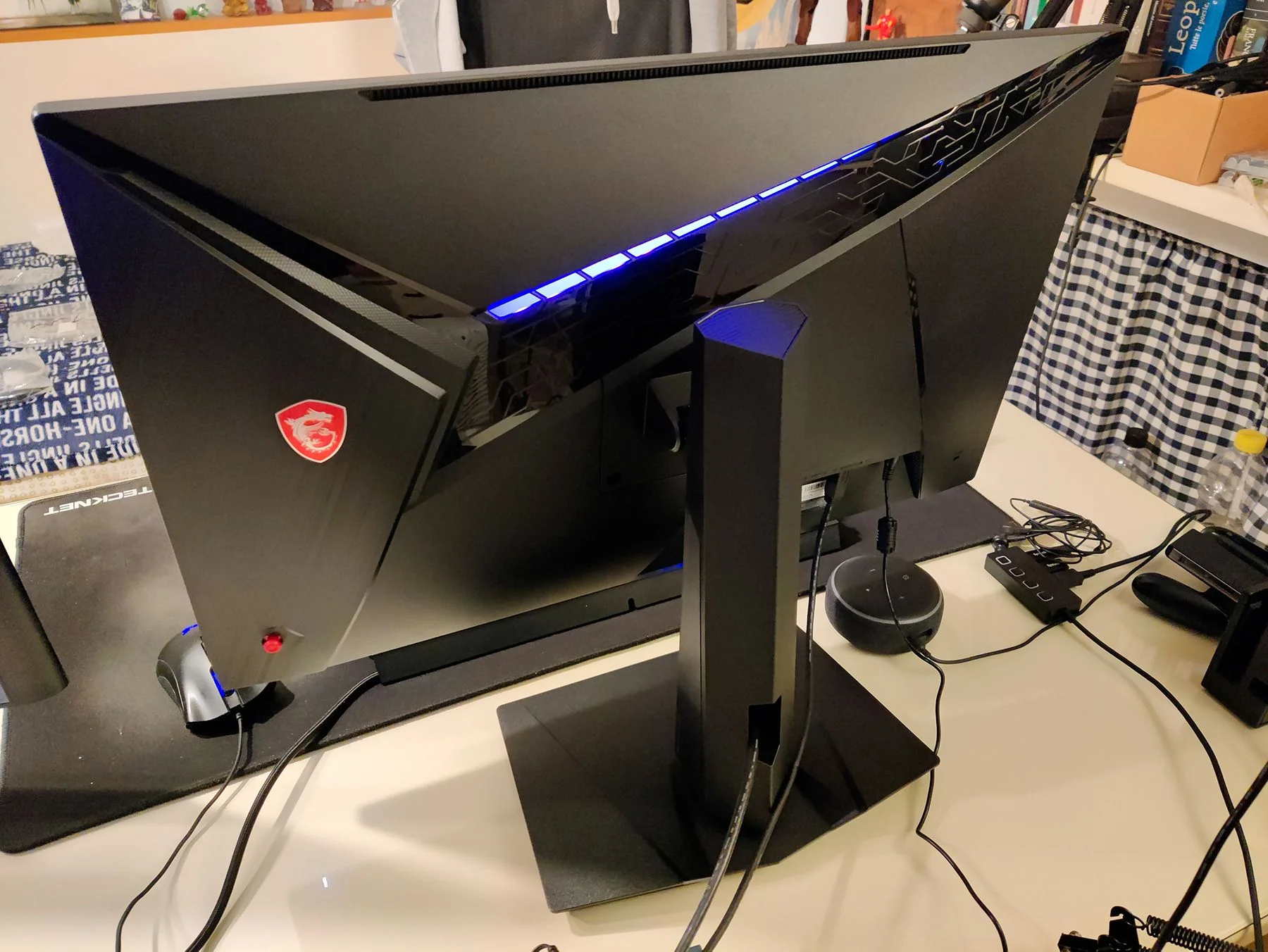
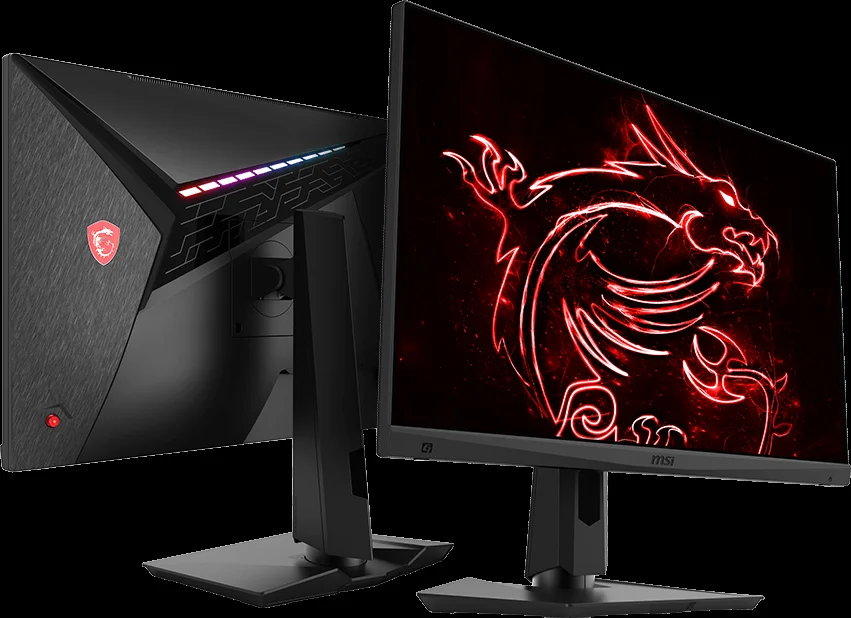
MSI strikes a delicate balance between aggressive “gamer” aesthetics and clean, modern office styling with the Optix MAG274QRF-QD. The monitor features ultra-thin bezels on three sides, making it an excellent candidate for seamless multi-monitor setups. The rear of the chassis sports an angular brushed texture, a glossy MSI dragon shield logo, and a tasteful, customizable RGB light strip that adds a subtle glow without overpowering your gaming space.
From an ergonomic standpoint, the build quality is exceptionally robust. The metallic stand is heavy and provides a remarkably stable footprint on the desk, minimizing wobble during intense mouse movements. It offers a comprehensive suite of adjustments, including 100mm of height adjustment, -5° to 20° tilt, 75° of swivel in either direction, and a full 90° pivot for portrait mode. This degree of flexibility ensures that achieving the perfect viewing angle is effortless, no matter your desk configuration.
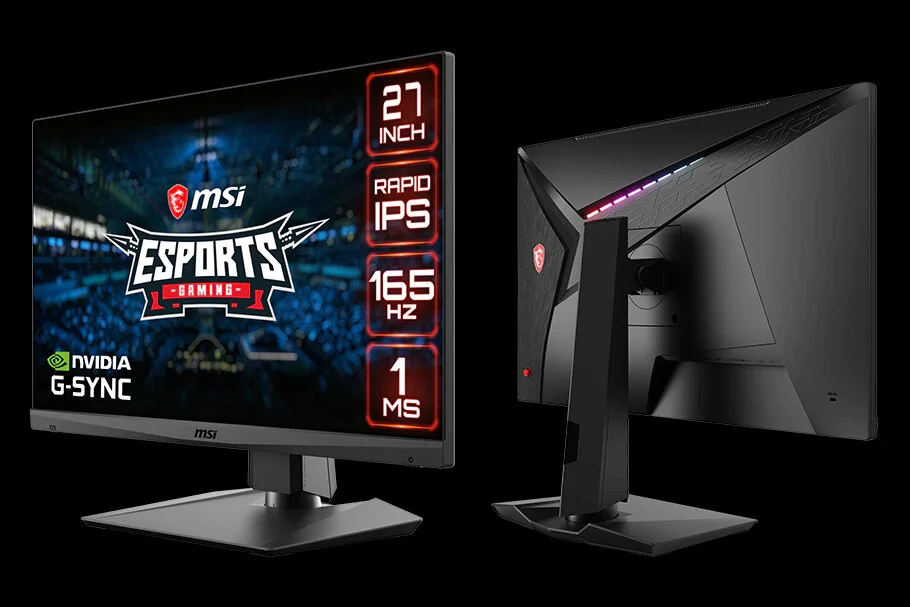
The materials used feel premium to the touch, dominated by high-quality matte plastics that resist fingerprints well. Cable management is handled via a simple but effective routing hole in the stand, keeping your workspace uncluttered. Overall, the physical construction reflects the premium tier this monitor occupies in the 1440p segment.
Performance
When it comes to real-world performance, the MSI Optix MAG274QRF-QD is nothing short of spectacular. The Rapid IPS panel lives up to its name, delivering exceptional motion clarity backed by a 165Hz refresh rate and a true 1ms grey-to-grey response time. In fast-paced competitive titles like Valorant and Apex Legends, ghosting and motion blur are virtually non-existent on the ‘Fast’ overdrive setting, providing the crisp tracking necessary for high-level play. NVIDIA G-Sync compatibility ensures tear-free gaming, and the adaptive sync operates flawlessly across the entire refresh range.
The crown jewel of this monitor, however, is its Quantum Dot layer. The color reproduction is breathtakingly vibrant, boasting an impressive 97% DCI-P3 and 147% sRGB color gamut coverage. Games with rich environments, such as Cyberpunk 2077 or Horizon Forbidden West, look phenomenally saturated and lifelike. Out of the box, the colors are actually slightly oversaturated—a common trait of wide-gamut displays—but an sRGB clamp provided via a firmware update tames this perfectly for users who require color accuracy for photo or video editing.
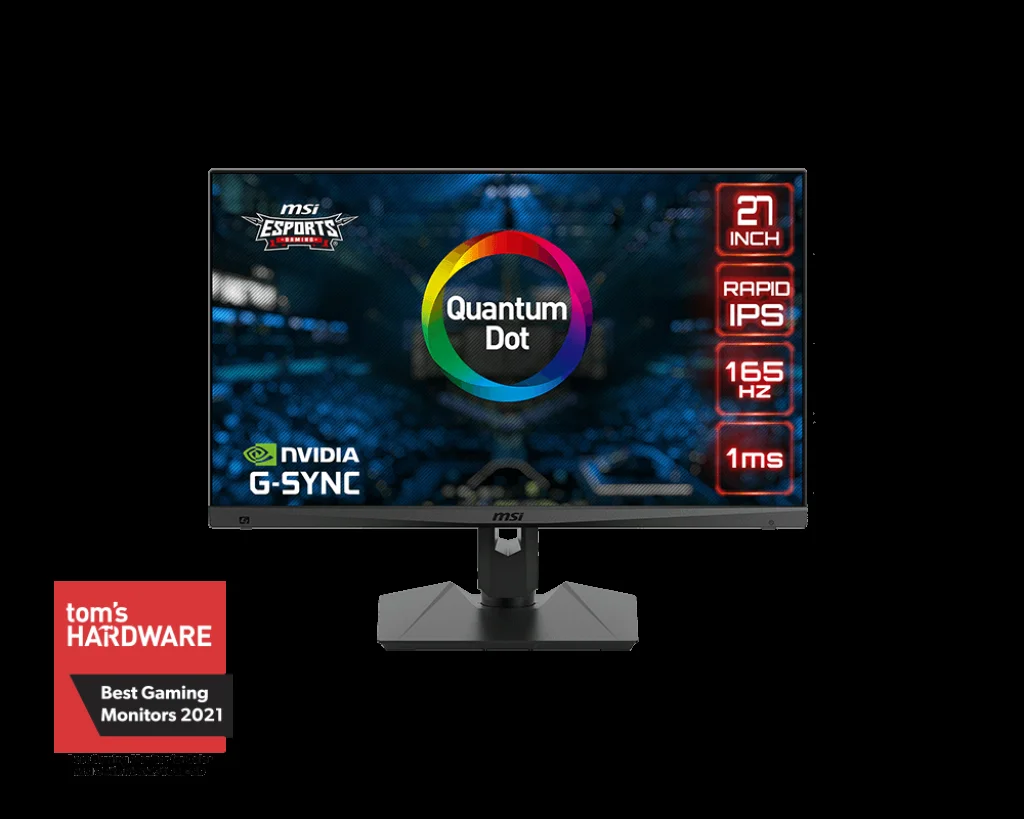
While it shines in color and speed, contrast remains typical of IPS technology. Hovering around a 1000:1 contrast ratio, blacks can appear slightly grayish in completely dark rooms compared to VA or OLED panels. Additionally, while the monitor accepts HDR signals, the lack of local dimming means true HDR performance is essentially non-existent. Nevertheless, for SDR gaming and media consumption, the sheer vibrancy and fluidity make it an outstanding performer.
Features & Software
Navigating the monitor’s OSD (On-Screen Display) is a breeze thanks to the tactile five-way joystick located on the rear. However, the real standout feature is MSI’s Gaming OSD App 2.0. By connecting the monitor to your PC via the included USB upstream cable, you can control every display setting directly from your Windows desktop using your mouse and keyboard. The software allows you to bind specific monitor profiles to individual games, automatically switching your display settings the moment you launch a title.
Connectivity is another strong suit, featuring a versatile USB-C port that supports DisplayPort Alternate Mode. While its 15W power delivery is too weak to charge a demanding laptop while gaming, it is incredibly convenient for connecting a mobile device, a handheld console, or a lightweight ultrabook. The inclusion of a built-in USB hub further solidifies its position as a highly functional centerpiece for modern battlestations.
Value Proposition
Even as we move through 2026, the 1440p 165Hz category remains the sweet spot for PC gaming, balancing graphical fidelity with high frame rates without requiring flagship-tier GPUs. The MSI Optix MAG274QRF-QD commands a slight premium over standard IPS displays in this bracket, but the addition of the Quantum Dot layer absolutely justifies the cost. You are effectively getting professional-level color gamuts paired with esports-grade speed.
When evaluating its price-to-performance ratio, it operates as a jack of all trades and master of most. For gamers who split their time between immersive single-player RPGs, highly competitive shooters, and light content creation, this monitor eliminates the need to compromise. It delivers a comprehensive package that easily rivals and outlasts many newer, more expensive alternatives on the market.
How It Compares
When compared to the legendary LG 27GL850, the MSI Optix MAG274QRF-QD pulls ahead significantly in color vibrancy and contrast. While the LG revolutionized the Nano IPS space, MSI’s Quantum Dot implementation yields a notably wider color gamut and slightly better black uniformity.
Against the highly popular Gigabyte M27Q, the competition is much tighter. The M27Q features a built-in KVM switch which is a massive productivity boon, but its use of a BGR subpixel layout can cause text clarity issues for some users. The MSI utilizes a standard RGB subpixel layout, resulting in significantly sharper text for daily desktop use and coding, making it the superior all-rounder for a mixed-use setup.
Pros and Cons
Pros
- The Quantum Dot layer produces exceptionally vibrant and accurate colors across a massive color gamut.
- Motion handling is top-tier with an ultra-fast 1ms GtG response time and a smooth 165Hz refresh rate.
- The ergonomic stand offers excellent adjustability and supreme stability on any desk.
- MSI’s Gaming OSD software makes tweaking display profiles effortless directly from Windows.
Cons
- The IPS panel suffers from typical low contrast ratios, resulting in grayish blacks in completely dark rooms.
- The HDR performance is entirely superficial due to the lack of local dimming zones and low peak brightness.
- The USB-C port only provides 15W of power delivery, which is insufficient for charging most standard laptops.
FAQ
Q: Does the MSI Optix MAG274QRF-QD have built-in speakers?
A: No, this monitor does not include built-in speakers, but it does feature a 3.5mm audio jack for routing sound to headphones or external speakers.
Q: Is the USB-C port capable of charging my MacBook or laptop?
A: The USB-C port only supports 15W of power delivery. While it can slow-charge a smartphone or tablet, it is not powerful enough to charge a laptop under load.
Q: Does it have an sRGB clamp to fix oversaturated colors?
A: Yes, MSI released a firmware update that includes a dedicated sRGB profile, which effectively clamps the wide color gamut for accurate web browsing and photo editing.
Q: Is it compatible with the PS5 and Xbox Series X?
A: Yes, it features a Console Mode that accepts a 4K signal and downscales it to 1440p, allowing you to seamlessly play at 120Hz on current-generation consoles.
Verdict
The MSI Optix MAG274QRF-QD is the ultimate sweet-spot monitor for PC enthusiasts who refuse to compromise between high-speed motion and visual fidelity. It is best suited for gamers who play a diverse mix of competitive shooters and vibrant RPGs, as well as content creators who need accurate sRGB clamping. If you are building or upgrading a modern 1440p rig in 2026, this display remains one of the most well-rounded investments you can make for your setup.
Where to Buy
Pros
- ✓ The Quantum Dot layer produces exceptionally vibrant and accurate colors across a massive color gamut.
- ✓ Motion handling is top-tier with an ultra-fast 1ms GtG response time and a smooth 165Hz refresh rate.
- ✓ The ergonomic stand offers excellent adjustability and supreme stability on any desk.
- ✓ MSI’s Gaming OSD software makes tweaking display profiles effortless directly from Windows.
Cons
- ✗ The IPS panel suffers from typical low contrast ratios, resulting in grayish blacks in completely dark rooms.
- ✗ The HDR performance is entirely superficial due to the lack of local dimming zones and low peak brightness.
- ✗ The USB-C port only provides 15W of power delivery, which is insufficient for charging most standard laptops.
Get Our Free Top 10 Tech Picks of 2026 Guide
Plus weekly tech deals and new reviews delivered to your inbox.
[cp_email_signup]
No spam. Unsubscribe anytime.
Ready to buy the MSI Optix MAG274QRF-QD?
Affiliate link — we may earn a commission at no extra cost to you.