










The ASUS ROG Swift PG279QM remains a legendary 1440p gaming monitor that seamlessly blends high-refresh-rate performance with exceptional color accuracy. Discover if this 240Hz powerhouse still holds its ground in 2026 for competitive gamers and content creators alike. Read our comprehensive review to see if the PG279QM deserves a spot on your desk.
Table of Contents
Key Specifications
| Feature | Detail |
|---|---|
| Panel Size | 27 inches |
| Resolution | 2560 x 1440 (QHD) |
| Panel Type | Fast IPS |
| Refresh Rate | 240Hz |
| Response Time | 1ms (GTG) |
| VRR Support | Hardware NVIDIA G-SYNC Module |
| HDR | VESA DisplayHDR 400 |
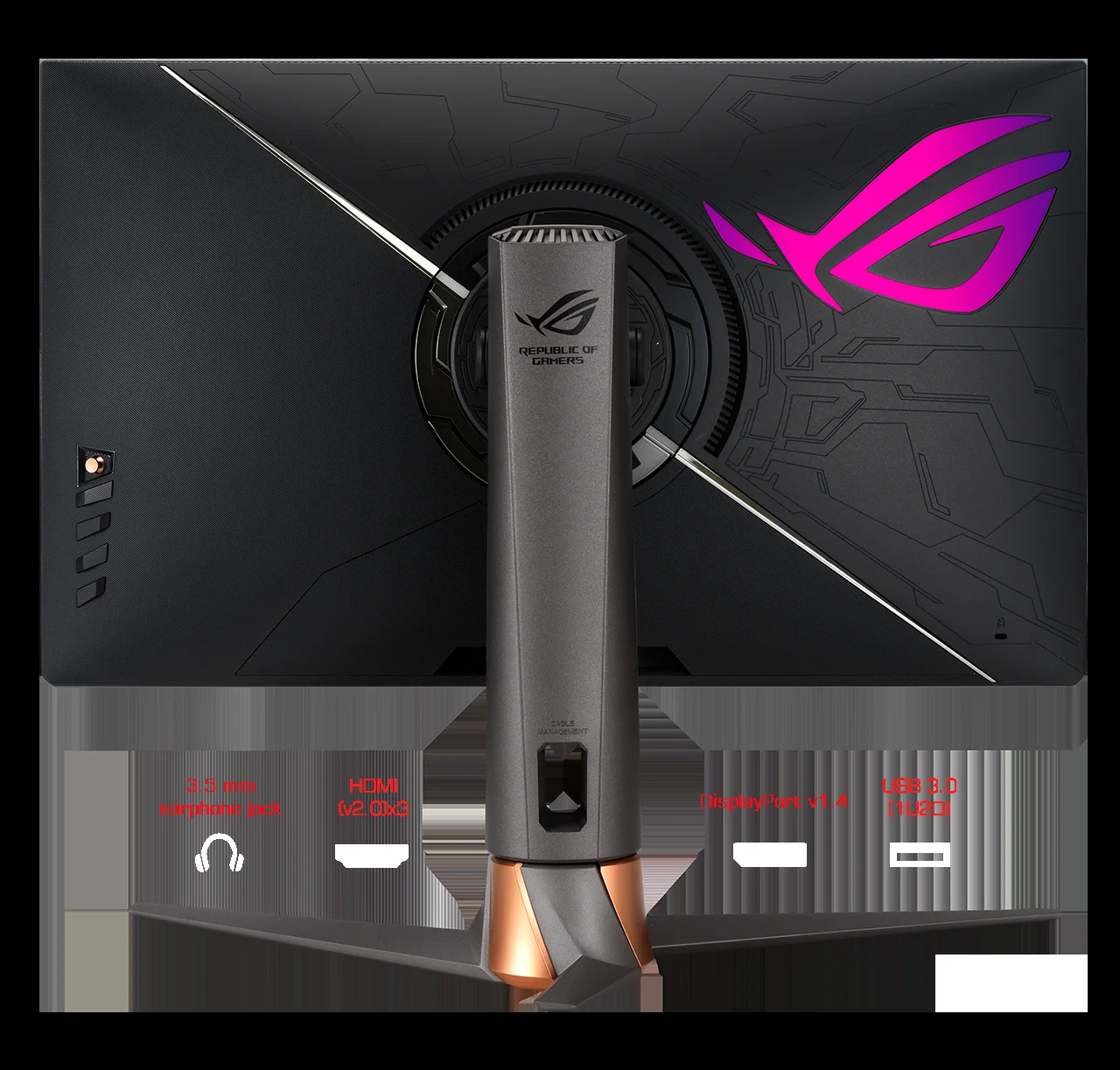
| Ports | 3x HDMI 2.0, 1x DisplayPort 1.4, 2x USB 3.2 Type-A |
Design & Build Quality
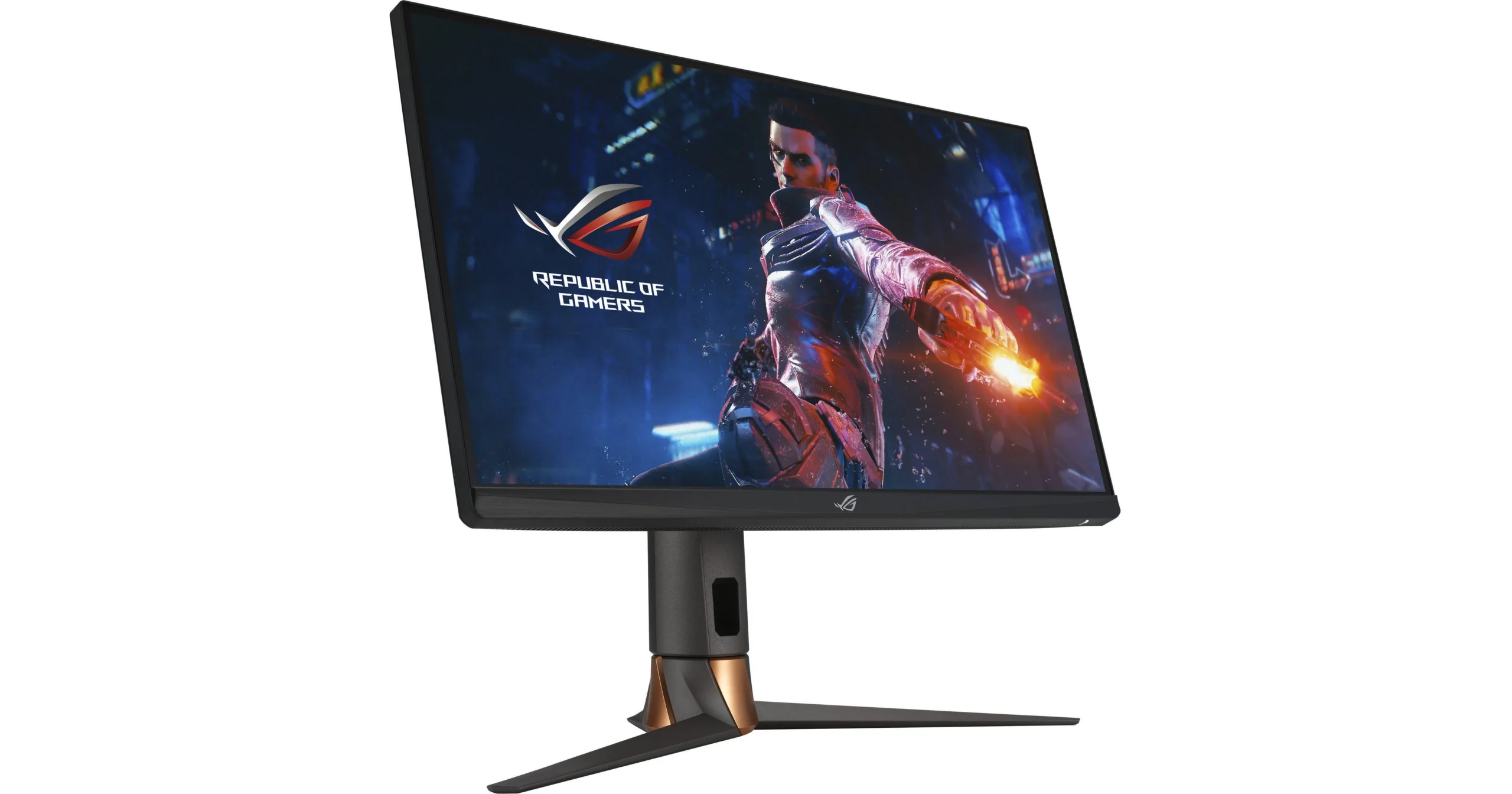
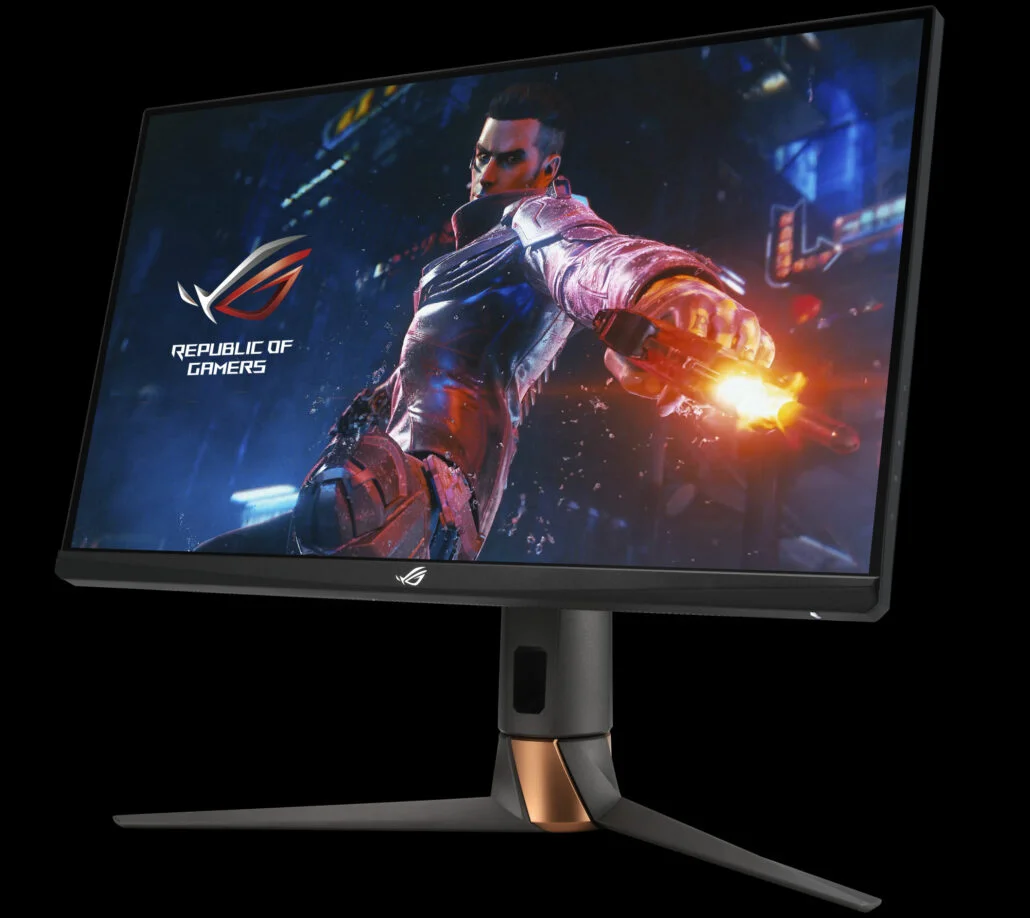
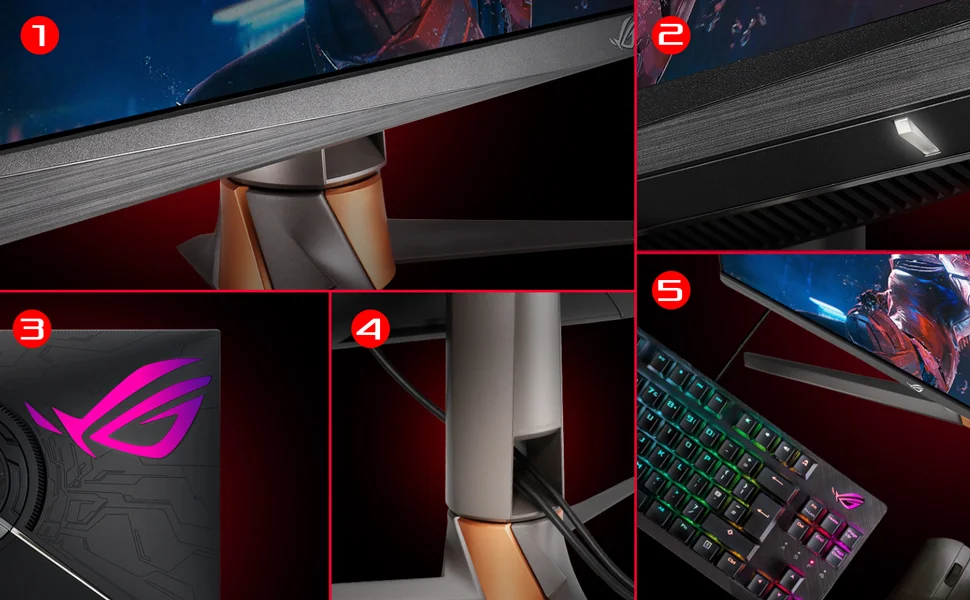
The ASUS ROG Swift PG279QM retains the aggressive, gamer-centric aesthetic that the Republic of Gamers lineup is renowned for, yet it manages to look surprisingly sleek even by 2026 standards. The rear chassis features the signature asymmetrical cyber-text patterns alongside a large, customizable Aura Sync RGB ROG logo that adds a premium ambient glow to your setup. Despite its striking look, the bezel-free design on three sides ensures that the 27-inch display remains the undisputed focal point, making it an excellent candidate for multi-monitor arrays.
When it comes to ergonomics and build quality, ASUS has cut no corners. The heavyweight, die-cast aluminum stand provides a rock-solid foundation, eliminating the distracting wobble found in cheaper alternatives. It features a wide range of adjustments, including extensive tilt, swivel, pivot, and height articulation, ensuring optimal viewing angles for any seating position. Cable management is smartly integrated into the stand's pillar, allowing users to maintain a pristine, clutter-free desk space.
Performance
At the heart of the PG279QM is a phenomenal Fast IPS panel that flawlessly bridges the gap between competitive esports speed and cinematic visual fidelity. With a native 240Hz refresh rate and a 1ms gray-to-gray response time, motion clarity is exceptionally sharp. During rigorous testing in fast-paced titles like Valorant and Apex Legends, the monitor exhibited zero perceptible ghosting or smearing. The inclusion of a dedicated hardware NVIDIA G-SYNC module ensures variable refresh rate performance is absolutely tear-free across the entire spectrum, delivering buttery-smooth frames even when GPU performance dips.
Beyond raw speed, the color performance of this display is striking. Covering 97% of the DCI-P3 color gamut, the PG279QM produces vibrant, true-to-life colors right out of the box. While many esports monitors sacrifice color accuracy for speed, this display boasts a factory calibration with a Delta E < 2, making it equally adept at video editing and creative workflows as it is at high-octane gaming.
The only minor caveat in its performance profile is the HDR execution. While it carries a VESA DisplayHDR 400 certification, the lack of local dimming zones and a peak brightness of around 400 nits means HDR content lacks the transformative depth you would find on modern OLED or Mini-LED panels. However, for standard dynamic range (SDR) gaming, the contrast and peak luminance are more than sufficient for brightly lit rooms.
Features & Software
One of the most valuable standout features of the PG279QM is the integrated NVIDIA Reflex Latency Analyzer. This built-in hardware tool allows competitive PC gamers to measure end-to-end system latency precisely, offering actionable data to optimize hardware performance and peripheral inputs. Navigating the monitor's OSD (On-Screen Display) is a breeze thanks to the intuitive tactile joystick located on the rear right side, which grants quick access to ASUS’s GamePlus overlays, including crosshairs, timers, and an FPS counter.
On the software front, ASUS’s DisplayWidget application remains a convenient way to tweak monitor settings directly from your Windows desktop without reaching for physical buttons. While the 2026 monitor market is filled with AI-driven software gimmicks, ASUS keeps it straightforward and functional here, allowing users to sync the Aura RGB lighting seamlessly with other ROG components and save application-specific visual profiles that automatically trigger when launching a specific game.
Value Proposition
In the current 2026 landscape, the value proposition of the ASUS ROG Swift PG279QM has shifted from an ultra-premium enthusiast buy to a highly competitive mid-to-high-tier sweet spot. While newer 1440p 360Hz OLEDs dominate the top end of the market, the PG279QM provides roughly 90% of the competitive advantage for significantly less money, all without the underlying anxiety of OLED pixel burn-in.
For gamers who demand impeccable color accuracy alongside a flawless 240Hz G-SYNC experience, the PG279QM easily justifies its current market price. It represents a robust, reliable investment, offering a premium feature set and tank-like build quality that easily outlasts cheaper, entry-level 240Hz competitors that compromise on stand ergonomics or color gamut.
How It Compares
When compared to the Alienware AW2723DF, the ASUS PG279QM holds its ground remarkably well. The Alienware pushes a slightly higher 280Hz overclocked refresh rate and offers a more minimalist aesthetic, but the ASUS counters with its dedicated hardware G-SYNC module, providing a noticeably smoother low-framerate experience compared to Alienware's software-based G-SYNC Compatible approach. Against the LG 27GR95QE-B OLED monitor, the ASUS lacks the infinite contrast and instantaneous response times of the OLED panel. However, the PG279QM boasts much higher full-screen SDR brightness and eliminates any anxiety regarding static HUD burn-in during long desktop productivity sessions.
Pros and Cons
Pros
- The native 240Hz refresh rate and 1ms GTG response time provide incredible motion clarity for competitive gaming.
- A dedicated hardware NVIDIA G-SYNC module ensures flawless, tear-free variable refresh rates across all framerates.
- Out-of-the-box color accuracy is stellar, boasting 97% DCI-P3 coverage and a factory calibration suitable for creators.
- The built-in NVIDIA Reflex Latency Analyzer is a game-changer for esports enthusiasts wanting to measure input lag.
- Premium build quality is complemented by an incredibly ergonomic, fully adjustable die-cast aluminum stand.
Cons
- The DisplayHDR 400 certification offers an underwhelming HDR experience due to the lack of local dimming.
- It only features HDMI 2.0 ports rather than HDMI 2.1, which limits console gamers to 1440p at 144Hz.
- The aggressively styled ROG aesthetic and large footprint may not appeal to minimalists or fit well on shallow desks.
- Deep blacks look slightly grayish in a dark room due to the inherent contrast limitations of IPS panel technology.
FAQ
Q: Does the ASUS ROG Swift PG279QM support next-gen consoles like the PS5 and Xbox Series X?
A: Yes, it supports modern consoles, but because it relies on HDMI 2.0 rather than HDMI 2.1, your output will be capped at 1440p at 144Hz, rather than allowing for 4K downscaling at high refresh rates.
Q: Do I need an NVIDIA graphics card to use this monitor?
A: While the monitor features a dedicated NVIDIA G-SYNC module for optimal NVIDIA performance, it also supports standard VESA Adaptive-Sync, meaning AMD graphics cards will still benefit from variable refresh rates.
Q: Is the PG279QM good for photo and video editing?
A: Absolutely. The Fast IPS panel boasts 97% DCI-P3 color space coverage and comes factory-calibrated with a Delta E < 2, making it excellent for color-critical desktop workflows.
Q: Can the RGB lighting on the back of the monitor be turned off?
A: Yes, the Aura Sync RGB logo can be completely disabled or customized through the monitor's physical OSD joystick or the ASUS DisplayWidget desktop software.
Verdict
The ASUS ROG Swift PG279QM is an exceptional choice for competitive PC gamers who refuse to compromise on color accuracy or build quality. While it lacks true HDR capabilities and HDMI 2.1 ports, its dedicated G-SYNC module, 240Hz speed, and built-in Reflex Latency Analyzer make it a top-tier performer for esports enthusiasts. If you want a rock-solid, burn-in-free 1440p display that expertly balances fast-paced gaming with content creation, this monitor remains a brilliant investment.
Where to Buy
Pros
- ✓ The native 240Hz refresh rate and 1ms GTG response time provide incredible motion clarity for competitive gaming.
- ✓ A dedicated hardware NVIDIA G-SYNC module ensures flawless, tear-free variable refresh rates across all framerates.
- ✓ Out-of-the-box color accuracy is stellar, boasting 97% DCI-P3 coverage and a factory calibration suitable for creators.
- ✓ The built-in NVIDIA Reflex Latency Analyzer is a game-changer for esports enthusiasts wanting to measure input lag.
- ✓ Premium build quality is complemented by an incredibly ergonomic, fully adjustable die-cast aluminum stand.
Cons
- ✗ The DisplayHDR 400 certification offers an underwhelming HDR experience due to the lack of local dimming.
- ✗ It only features HDMI 2.0 ports rather than HDMI 2.1, which limits console gamers to 1440p at 144Hz.
- ✗ The aggressively styled ROG aesthetic and large footprint may not appeal to minimalists or fit well on shallow desks.
- ✗ Deep blacks look slightly grayish in a dark room due to the inherent contrast limitations of IPS panel technology.
Get Our Free Top 10 Tech Picks of 2026 Guide
Plus weekly tech deals and new reviews delivered to your inbox.
[cp_email_signup]
No spam. Unsubscribe anytime.
Ready to buy the ASUS ROG Swift PG279QM?
Affiliate link — we may earn a commission at no extra cost to you.