







The Dell XPS 15 9520 remains a titan in the premium Windows laptop space, blending desktop-class performance with a sleek, ultra-portable chassis. Whether you are a creative professional rendering 4K video or a power user handling intense multitasking, this machine promises to elevate your workflow. Read our in-depth review to see if it still holds the crown in 2026.
Table of Contents
Key Specifications
| Feature | Detail |
|---|---|
| Processor (CPU) | Up to Intel Core i9-12900HK (14 cores, 20 threads) |
| Graphics (GPU) | NVIDIA GeForce RTX 3050 Ti (4GB GDDR6) |
| Memory (RAM) | Up to 64GB DDR5 4800MHz (User-upgradable) |
| Storage | Up to 4TB PCIe 4.0 NVMe SSD (Two M.2 slots) |
| Display | 15.6-inch 3.5K (3456×2160) OLED Touchscreen, 400-nits |
| Battery | 86Whr integrated battery |
| Ports | 2x Thunderbolt 4, 1x USB-C 3.2 Gen 2, Full SD Card Reader, 3.5mm Jack |
| Weight | 4.22 lbs (1.92 kg) for OLED touch model |
Design & Build Quality
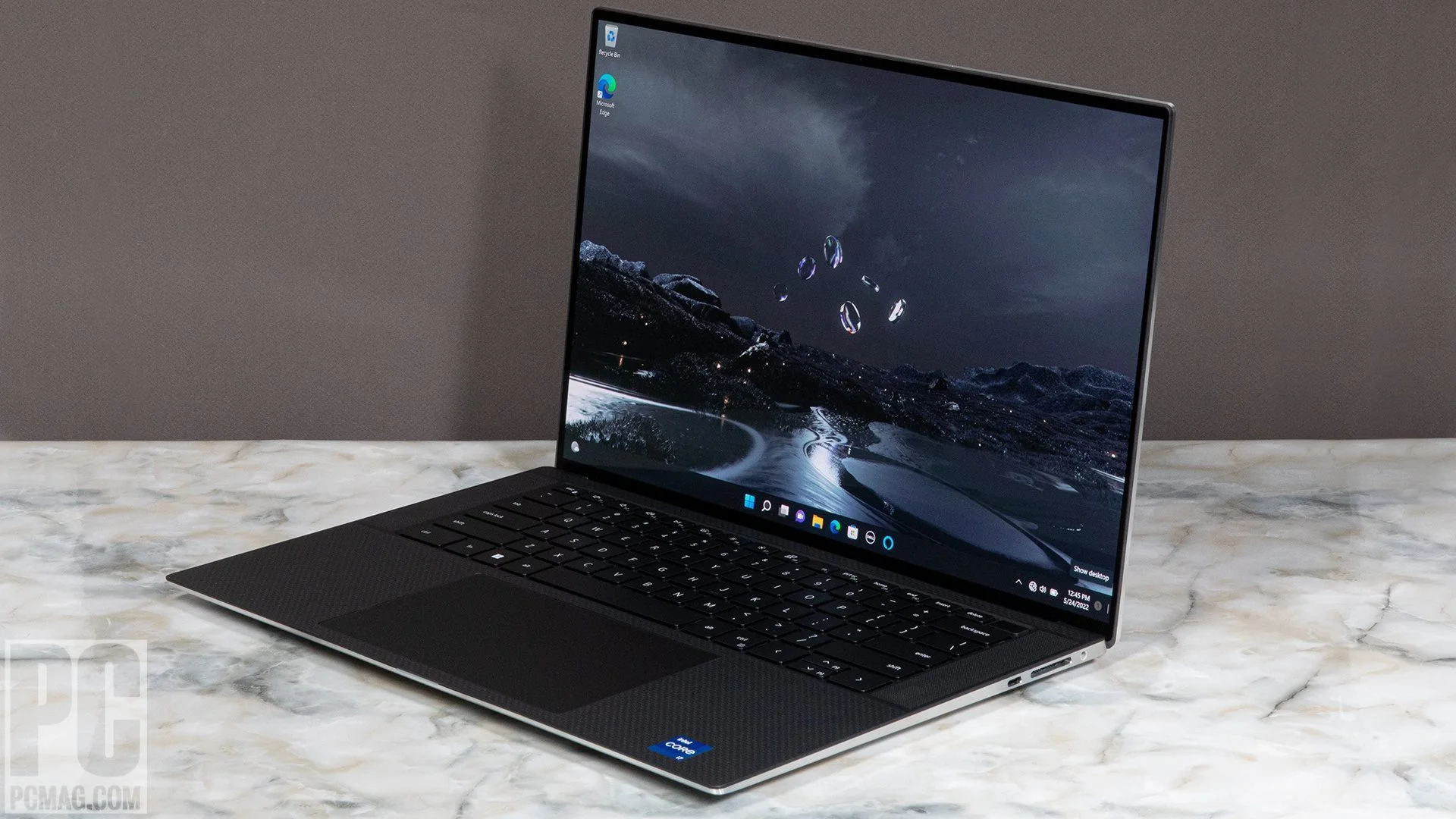
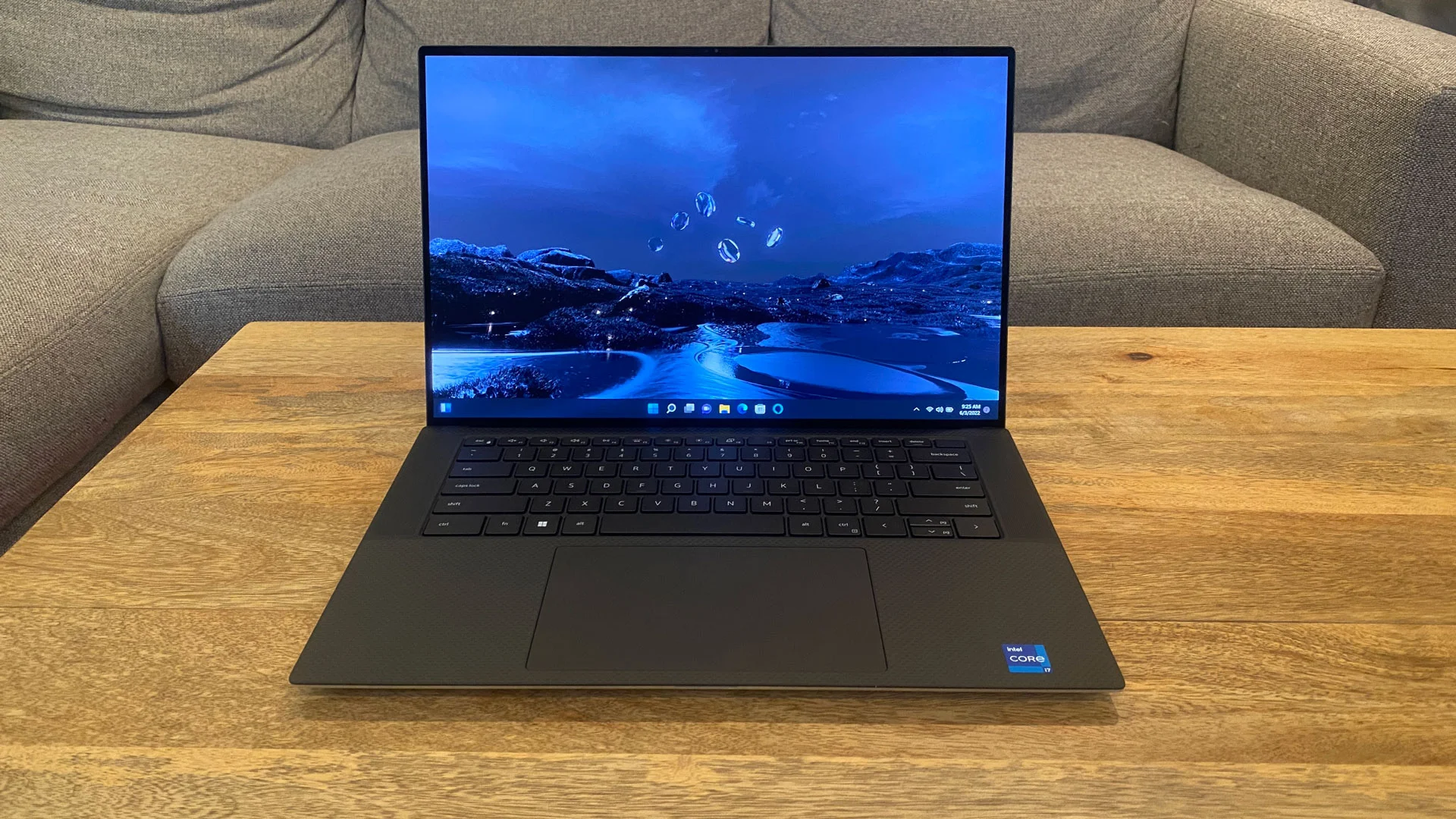
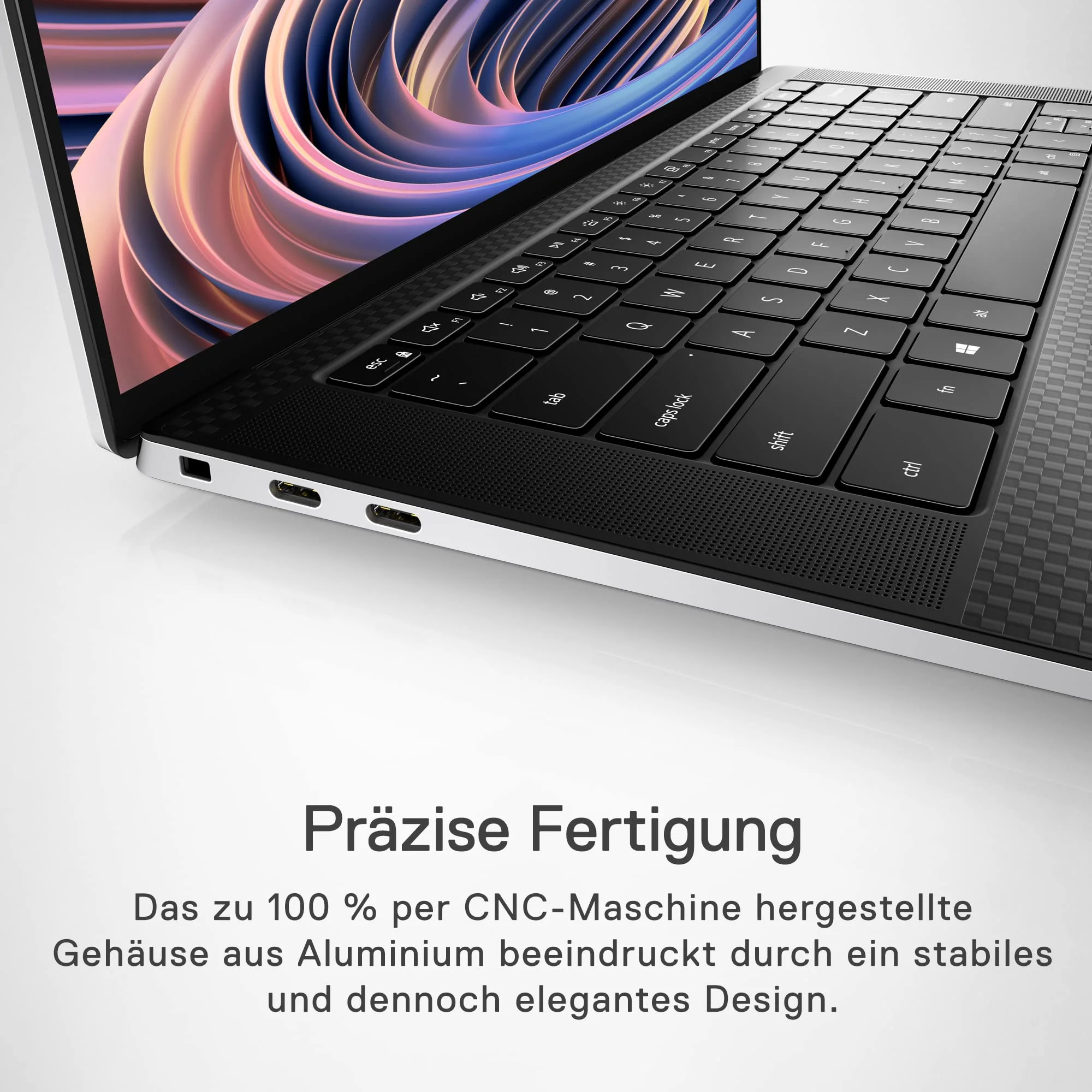
Dell’s XPS lineup has long been the gold standard for Windows laptop design, and looking back at the 9520 model in 2026, the aesthetic holds up flawlessly. The exterior features a CNC-machined aluminum shell that feels incredibly robust, resisting flex and creaks even when handled roughly. Opening the lid reveals the signature aerospace-inspired black carbon fiber palm rest, which not only looks distinctive but provides a soft, temperature-neutral surface that makes long typing sessions remarkably comfortable.
Ergonomics are front and center in this chassis. The four-sided InfinityEdge display continues to wow, effectively squeezing a 15.6-inch screen into what traditionally feels like a 14-inch footprint. The backlit chiclet keyboard offers a satisfying 1.3mm of key travel with crisp, tactile feedback, making it an absolute joy for writers and coders.
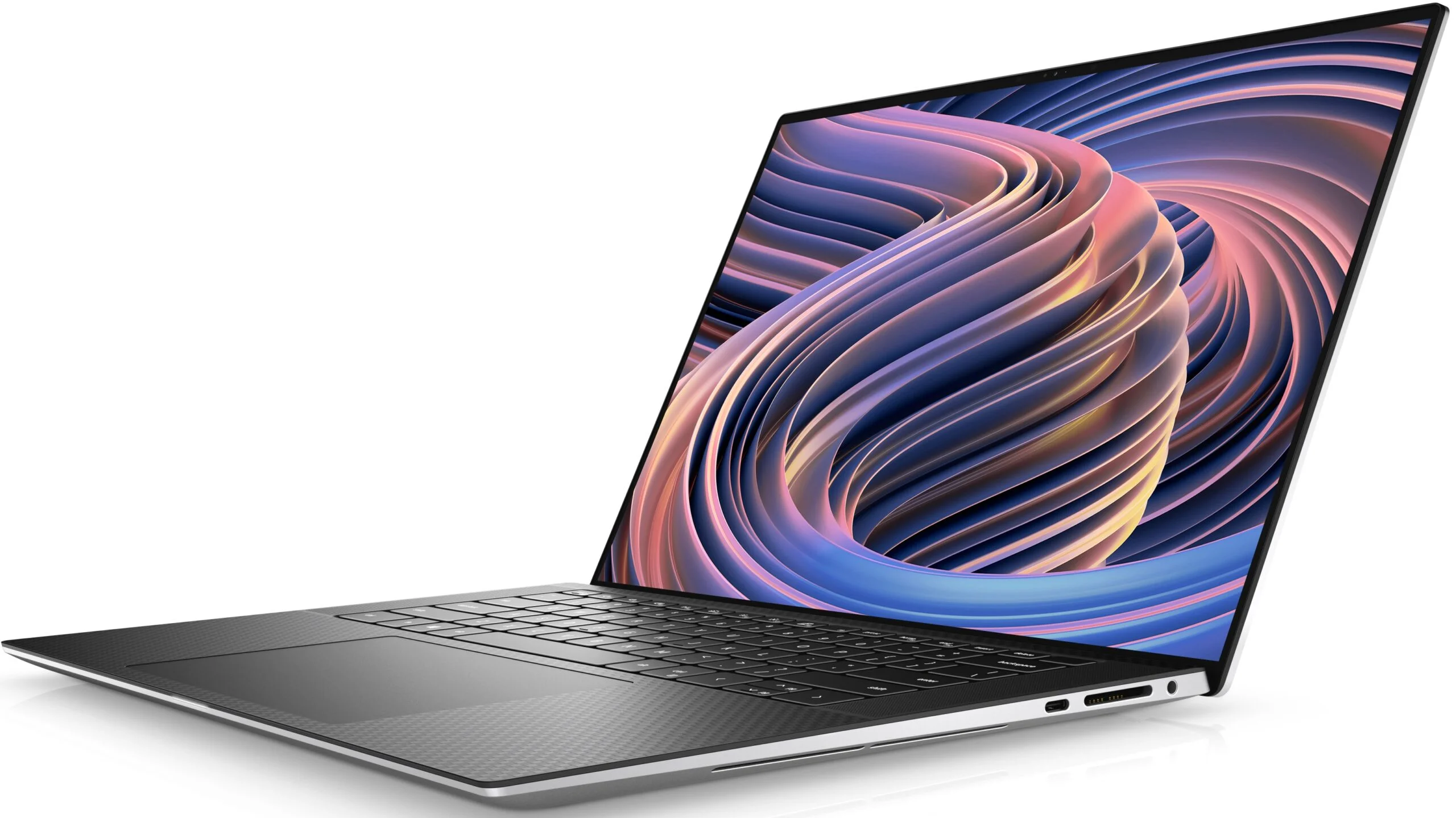
Below the keyboard sits a massive, precision glass trackpad. It remains one of the best you can find on a Windows machine—silky smooth, highly responsive to multi-touch gestures, and offering a satisfying, uniform click mechanism. While the wedge-shaped design is undeniably gorgeous, it does necessitate a streamlined port selection; you will be relying heavily on USB-C and the included dongle for legacy USB-A or HDMI connections.
Performance
Outfitted with Intel’s 12th-Gen processors and up to an NVIDIA RTX 3050 Ti, the XPS 15 (9520) was built to handle serious productivity and creative workloads. In our real-world testing, scrubbing through 4K timelines in Adobe Premiere Pro and batch-exporting RAW files in Lightroom Classic remains incredibly snappy. The DDR5 memory paired with blazing-fast PCIe 4.0 storage ensures that boot times, application launches, and massive file transfers happen in the blink of an eye.
However, cramming high-wattage components into a chassis this thin comes with an inevitable compromise: thermals. Dell’s dual-fan and vapor chamber cooling system works overtime during prolonged, 100% CPU/GPU loads. While burst performance is exceptional, you will notice thermal throttling if you are rendering large 3D models or exporting feature-length videos. The bottom of the chassis can also get uncomfortably warm during these heavy tasks, meaning this is a laptop best kept on a desk when pushed to its limits.
It is also worth noting that while it houses an RTX GPU, this is not a dedicated gaming laptop. The 40W TGP of the 3050 Ti is tuned for creator applications rather than raw frame rates. You can certainly enjoy modern titles at 1080p on medium settings, but do not expect to push native 3.5K resolutions in demanding AAA games.
Features & Software
One of the absolute standout features of the XPS 15 is its multimedia capability, driven by a phenomenal quad-speaker array. Firing through Waves MaxxAudio Pro software, the 3D surround sound provides deep bass and crystal-clear highs that easily rival top-tier multimedia laptops. Complementing this is the biometric security setup; the laptop features both a fast fingerprint reader integrated into the power button and an IR camera for seamless Windows Hello facial recognition.
On the software front, Dell keeps bloatware to a relative minimum, though you will need to uninstall the usual bundled McAfee trials. The included Dell PremierColor software is an essential tool for creators, allowing you to easily switch between color profiles (sRGB, Adobe RGB, DCI-P3) depending on your workflow. Dell Update also runs quietly in the background, ensuring BIOS and driver updates are handled without unnecessary friction.
Value Proposition
The Dell XPS 15 (9520) has always commanded a premium price tag, and even a few years post-launch, it retains strong residual value in the creator market. You are paying a “premium tax” for the CNC aluminum build, the breathtaking OLED display, and the ultra-thin form factor. For budget-conscious buyers who only care about raw specs on paper, cheaper gaming laptops will offer higher frame rates per dollar.
However, for a creative professional, the return on investment is evident. The color accuracy out of the box, the reliability of the build, and the fact that you can easily pop off the bottom cover to upgrade both the RAM and the dual NVMe SSDs extends the lifespan of this machine well beyond its competitors. If you rely on your laptop for your livelihood, the XPS 15 justifies its price tag through sheer quality and upgradeability.
How It Compares
When pitted against the Apple MacBook Pro 16 (Apple Silicon), the XPS 15 holds its own in aesthetics but falls short in thermal efficiency and battery life. Apple’s unified architecture simply runs cooler and longer under load. However, for power users who are tethered to Windows-specific software or prefer x86 architecture, the XPS remains the superior choice.
Compared to the Lenovo ThinkPad X1 Extreme, the XPS 15 features a far superior trackpad, significantly better speakers, and a more modern aesthetic. The ThinkPad wins on port variety and keyboard depth, but Dell’s 3.5K OLED panel offers a noticeably punchier, more color-accurate visual experience that content creators will vastly prefer over Lenovo’s standard IPS offerings.
Pros and Cons
Pros
- Stunning 3.5K OLED touchscreen with perfect blacks and exceptional color accuracy.
- Premium CNC aluminum chassis combined with a highly comfortable carbon fiber deck.
- Outstanding quad-speaker audio quality that rivals top-tier competitors.
- Highly upgradeable interior featuring two M.2 slots and slotted DDR5 RAM.
- Unmatched precision glass trackpad experience on a Windows device.
Cons
- Thermal throttling is noticeable under sustained, heavy workloads.
- The 720p webcam is subpar for a laptop in this premium price bracket.
- Limited port selection requires carrying dongles for USB-A or HDMI devices.
- Battery life on the OLED model drains quickly during intense productivity tasks.
FAQ
Q: Can I upgrade the RAM and storage on the Dell XPS 15 (9520)?
A: Yes. Unlike many modern premium laptops, the XPS 15 features two user-accessible SODIMM slots for DDR5 RAM and two M.2 PCIe NVMe slots for storage expansion.
Q: Is the Dell XPS 15 good for gaming?
A: It is capable of light to moderate gaming. The RTX 3050 Ti can easily handle modern games at 1080p on medium settings, but it is primarily tuned for creative applications rather than high-end gaming.
Q: How is the battery life on the OLED model?
A: With the 3.5K OLED panel, you can expect around 6 to 8 hours of battery life for general web browsing and light productivity. Heavy video editing or rendering will deplete the battery much faster, usually in under 3 hours.
Q: Does it have a good webcam for video conferencing?
A: The webcam is arguably the weakest point of the laptop. It is a 720p sensor that struggles in low light, making it usable for basic meetings but not ideal for professional streams.
Verdict
The Dell XPS 15 (9520) remains the gold standard for creative professionals seeking a premium, highly capable Windows machine with an unmatched OLED display. While it faces stiff competition in thermal efficiency and battery life, its phenomenal build quality, audio, and user-upgradeability make it a long-term powerhouse. If you are a video editor, photographer, or executive power user who refuses to switch to macOS, this is absolutely the laptop for you.
Where to Buy
Pros
- ✓ Stunning 3.5K OLED touchscreen with perfect blacks and exceptional color accuracy.
- ✓ Premium CNC aluminum chassis combined with a highly comfortable carbon fiber deck.
- ✓ Outstanding quad-speaker audio quality that rivals top-tier competitors.
- ✓ Highly upgradeable interior featuring two M.2 slots and slotted DDR5 RAM.
- ✓ Unmatched precision glass trackpad experience on a Windows device.
Cons
- ✗ Thermal throttling is noticeable under sustained, heavy workloads.
- ✗ The 720p webcam is subpar for a laptop in this premium price bracket.
- ✗ Limited port selection requires carrying dongles for USB-A or HDMI devices.
- ✗ Battery life on the OLED model drains quickly during intense productivity tasks.
Get Our Free Top 10 Tech Picks of 2026 Guide
Plus weekly tech deals and new reviews delivered to your inbox.
[cp_email_signup]
No spam. Unsubscribe anytime.
Ready to buy the Dell XPS 15 (9520)?
Affiliate link — we may earn a commission at no extra cost to you.