
The Acer Aspire 5 (A515-57) has long been a staple in the budget laptop market, offering a compelling blend of everyday performance and practical features. In this review, we dive deep into its hardware architecture to see how it holds up for students and professionals in 2026. Discover whether this trusty workhorse still delivers the best bang for your buck or if its aging components are finally falling behind the curve.
Table of Contents
Key Specifications
| Feature | Detail |
|---|---|
| Processor | Intel Core i5-1235U / i7-1255U (12th Gen) |
| Graphics | Intel Iris Xe Graphics |
| RAM | Up to 16GB DDR4 (Upgradable) |
| Storage | 512GB PCIe Gen 4 NVMe SSD |
| Display | 15.6-inch FHD (1920 x 1080) IPS, 60Hz, 250 nits |
| Ports | 1x Thunderbolt 4, 3x USB-A 3.2, 1x HDMI 2.1, 1x RJ-45 Ethernet, 3.5mm Audio |
| Connectivity | Wi-Fi 6E, Bluetooth 5.2 |
| Battery | 50Wh Lithium-ion (Up to 7.5 hours) |
| Weight | 3.90 lbs (1.77 kg) |
Design & Build Quality
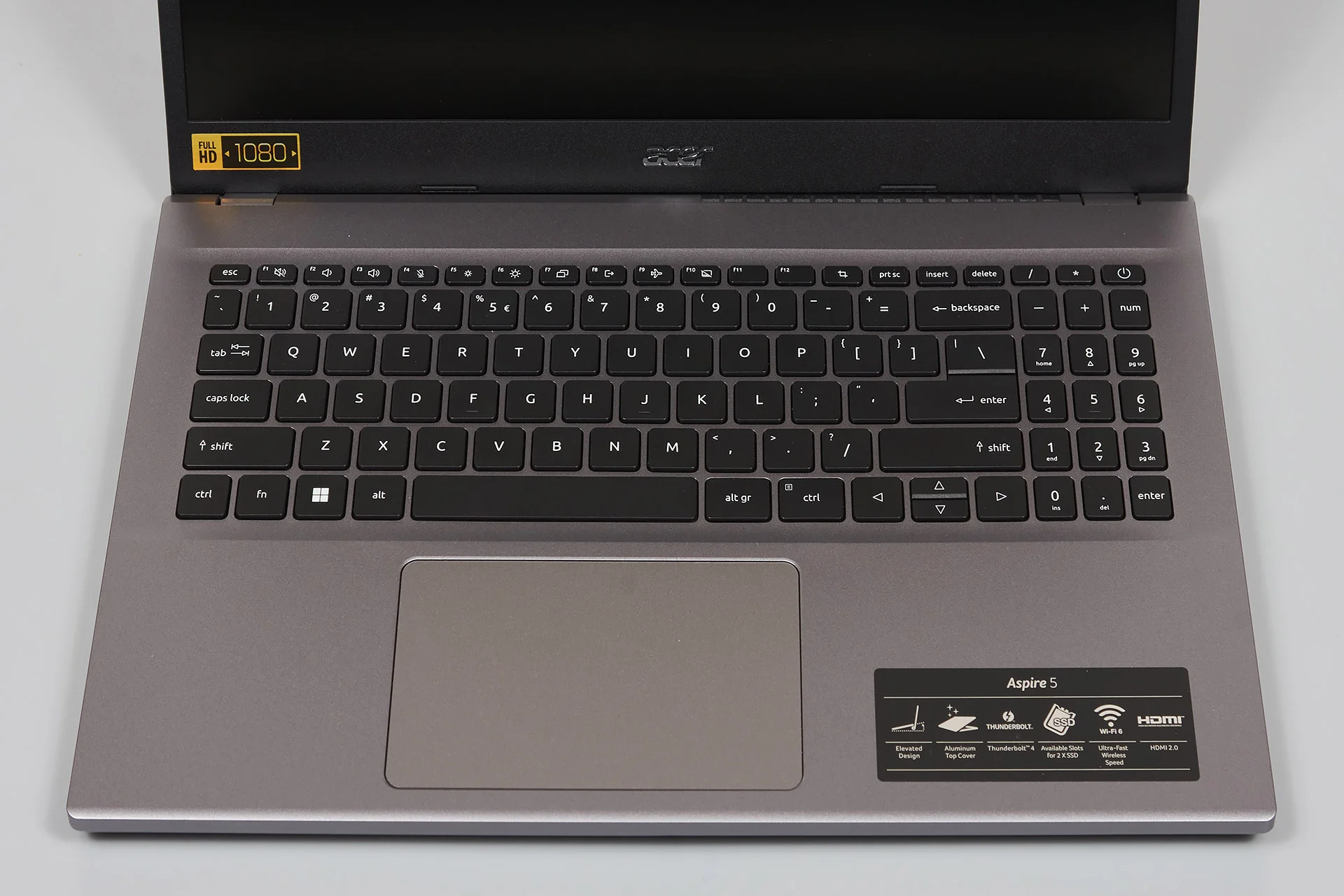
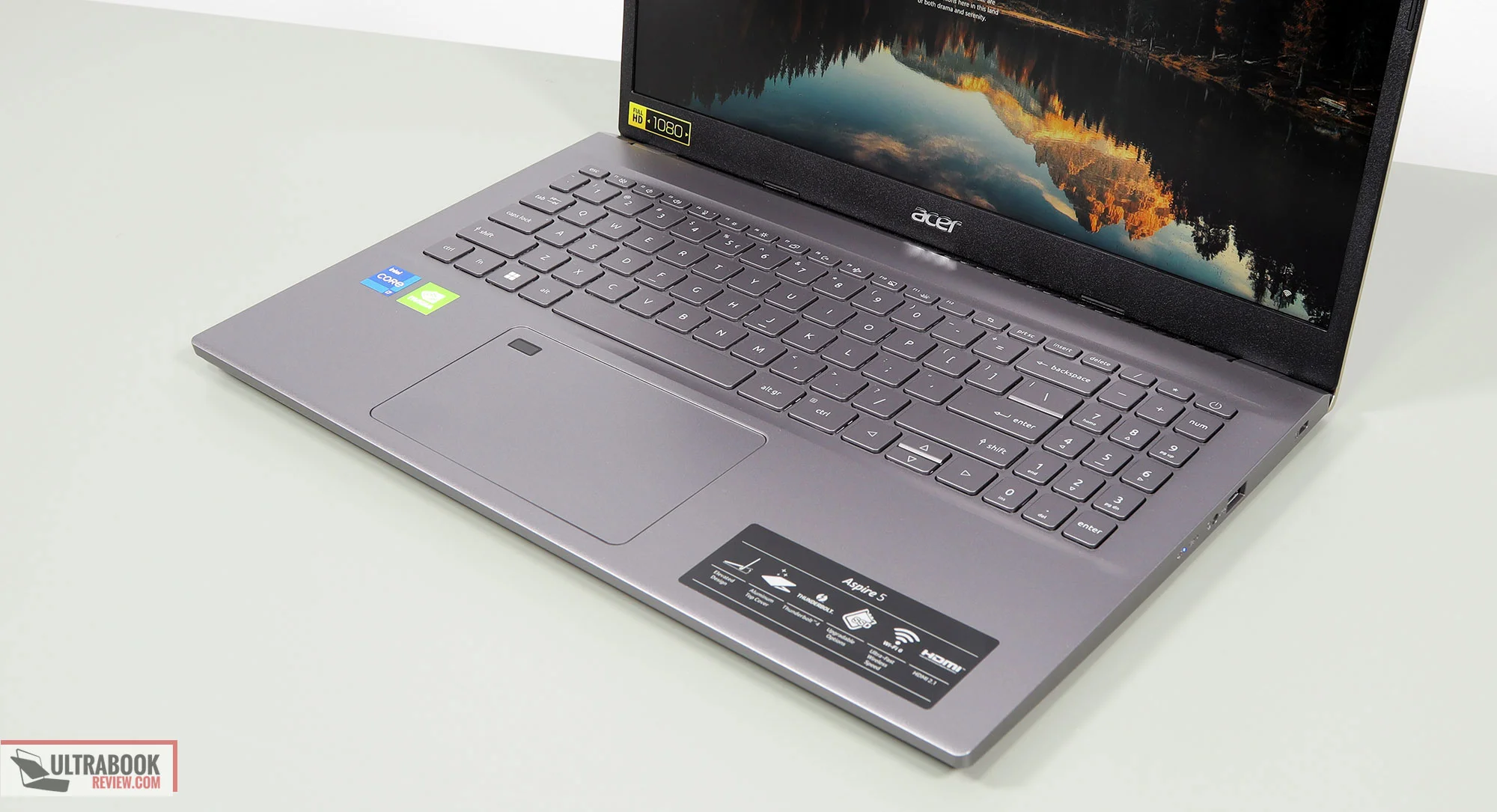
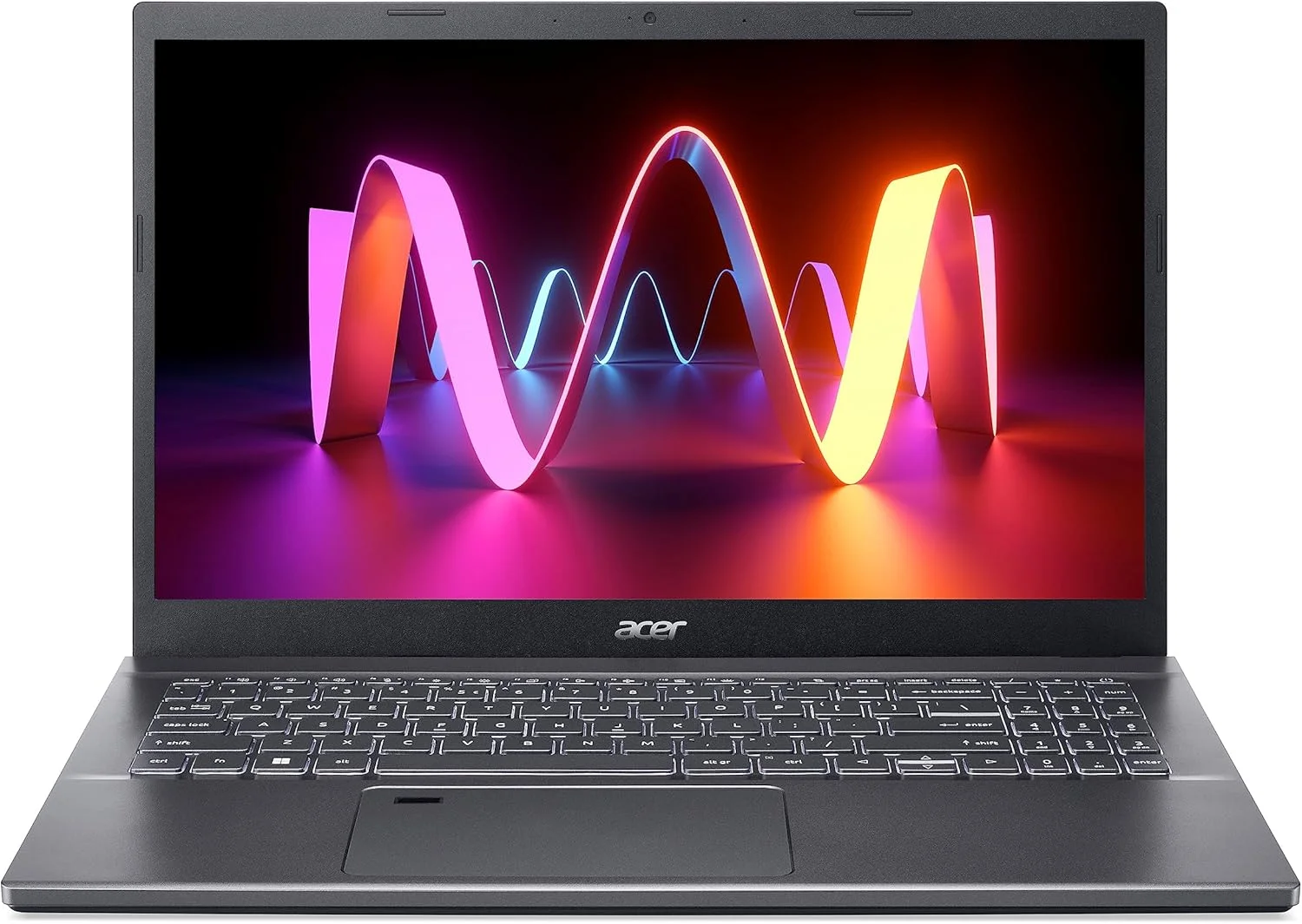
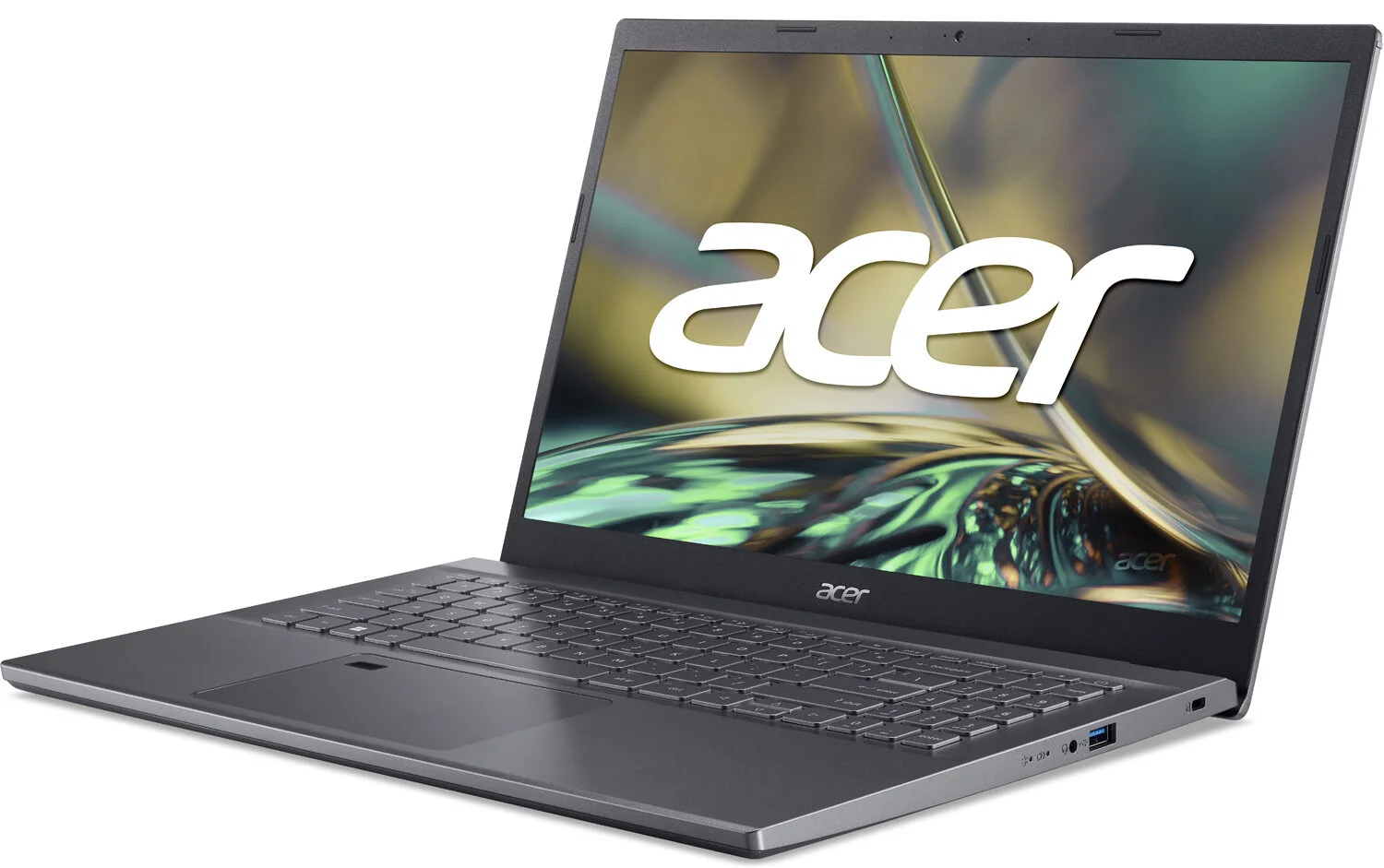
The Acer Aspire 5 (A515-57) opts for a utilitarian aesthetic that prioritizes function over flashy design. Clad in a subdued Steel Gray, the laptop features an aluminum top cover that adds a touch of premium rigidity to an otherwise plastic chassis. While it won’t turn heads in a coffee shop the way a high-end ultrabook might, the understated look is perfectly suited for professional environments and university lecture halls. Weighing in at 3.9 pounds with a 0.7-inch profile, it remains highly portable for a 15.6-inch device, striking a comfortable balance between screen real estate and backpack-friendly dimensions.
Ergonomics and daily usability are where this chassis shows its practical strengths. The lifting hinge design, a staple in modern Acer laptops, slightly elevates the keyboard deck when opened. This subtle tilt improves typing angles, enhances bottom-firing speaker output, and significantly boosts thermal airflow. The full-sized backlit keyboard offers surprisingly satisfying key travel, though the inclusion of the numeric keypad makes the layout feel slightly cramped. Below the deck, the plastic trackpad gets the job done with Windows Precision drivers, but it lacks the glass-coated glide found in higher-tier machines.
Performance
Under the hood, the Acer Aspire 5 (A515-57) is powered by Intel’s 12th-generation Alder Lake architecture, most commonly configured with the Core i5-1235U or Core i7-1255U. Paired with up to 16GB of DDR4 RAM and a snappy PCIe Gen 4 NVMe SSD, the laptop breezes through everyday productivity tasks. Whether you’re juggling two dozen Chrome tabs, running heavy Excel spreadsheets, or streaming 4K video, the hybrid core architecture—which splits resources between performance and efficiency cores—handles the workload without breaking a sweat. In real-world multitasking scenarios, system responsiveness remains consistently fluid.
From a benchmark perspective, the A515-57 delivers respectable numbers for its class. Its multi-core scores highlight the strengths of the Intel chips, outpacing many older iterations and holding its own against comparable Ryzen-based competitors even in 2026. However, the integrated Intel Iris Xe graphics set a hard limit on its graphical capabilities. While you can comfortably edit light 1080p video in Premiere Pro or play casual titles like Valorant and League of Legends at medium settings, this is decidedly not a gaming machine. Pushing modern AAA titles will result in heavy thermal throttling and unplayable frame rates.
Thermal management is generally effective during standard workloads, thanks to the aforementioned lifting hinge and Acer’s dual-fan cooling system. The fans remain practically silent during web browsing and word processing. When pushed hard by synthetic loads or extended multitasking, the fans do spin up to a noticeable hum, but the keyboard deck remains comfortably cool to the touch.
Features & Software
One of the strongest selling points of the Aspire 5 is its robust port selection, a feature increasingly abandoned by modern minimalist laptops. The inclusion of a Thunderbolt 4 port provides excellent future-proofing, allowing for ultra-fast data transfers, dual 4K monitor setups, and convenient power delivery. Alongside it, you get three USB-A ports, a full-sized HDMI 2.1 port, an RJ-45 Ethernet jack, and a headphone combo port. This array means you can leave your dongles at home. Connectivity is equally well-appointed, boasting Wi-Fi 6E and Bluetooth 5.2 for exceptionally stable and fast wireless networking.
On the software side, the laptop runs Windows 11 cleanly but comes with a notable amount of pre-installed bloatware out of the box. Acer packs in various proprietary utilities like Acer Care Center, alongside third-party trials for antivirus software and casual games. While the core Acer utilities are moderately helpful for system diagnostics and battery management, tech-savvy users will likely want to spend their first hour uninstalling the unnecessary bloat to reclaim storage space and free up background memory.
Value Proposition
In the 2026 market landscape, the Acer Aspire 5 (A515-57) stands as a testament to mature, reliable technology. Because it relies on a well-established Intel platform, its price has settled into an incredibly aggressive budget bracket. For students, home office workers, or small businesses looking to deploy fleets of capable machines on a strict budget, the dollar-to-performance ratio here is exceptionally high. You are getting Thunderbolt 4, an aluminum lid, and solid multi-core processing for a fraction of what premium laptops demand today.
When evaluated against its direct peers, the Aspire 5 holds its ground firmly. While it doesn’t boast the OLED panels or all-metal chassis of more expensive counterparts, it delivers precisely where it counts for a budget-conscious buyer: dependable speed, excellent connectivity, and a highly functional design.
How It Compares
When pitted against the Lenovo IdeaPad 3, the Acer Aspire 5 pulls ahead in build quality and port selection, specifically thanks to its aluminum top cover and the inclusion of a Thunderbolt 4 port—a rarity at this price point. However, the IdeaPad 3 often offers slightly better battery life due to its less power-hungry configuration. Compared to the ASUS VivoBook 15, the Aspire 5 offers a more subdued, professional aesthetic and a vastly superior keyboard typing experience. The VivoBook occasionally wins out with brighter display options, making the Acer’s standard 250-nit IPS panel look slightly dim in direct sunlight by comparison.
Pros and Cons
Pros
- It provides strong everyday processing power thanks to Intel’s hybrid core architecture.
- The robust port selection includes a highly versatile Thunderbolt 4 port and an RJ-45 Ethernet jack.
- An elevated hinge design improves both the typing experience and under-chassis thermal airflow.
- The aluminum top cover adds a touch of premium durability to a budget-friendly laptop.
Cons
- The 15.6-inch 1080p display is relatively dim at 250 nits, making outdoor use difficult.
- Battery life is strictly average, struggling to last through a full eight-hour workday without needing a charger.
- The system comes pre-loaded with an annoying amount of third-party bloatware out of the box.
- The plastic trackpad feels a bit hollow and lacks the smooth glide of higher-end glass alternatives.
FAQ
Q: Can the Acer Aspire 5 (A515-57) run modern games?
A: It can handle casual or older esports titles like Minecraft and CS:GO on low-to-medium settings, but its integrated Intel Iris Xe graphics are not suitable for modern, graphically demanding AAA games.
Q: Is the RAM and storage upgradable on this laptop?
A: Yes, one of the best features of this model is its physical upgradability; users can easily remove the bottom panel to add more DDR4 RAM or upgrade the NVMe SSD.
Q: Does it support charging via USB-C?
A: Yes, the included Thunderbolt 4 port supports Power Delivery, allowing you to charge the laptop using a compatible high-wattage USB-C charger.
Q: How long does the battery last on a single charge?
A: Under typical mixed usage like web browsing and word processing at medium brightness, you can expect roughly 6 to 7 hours of screen-on time.
Verdict
The Acer Aspire 5 (A515-57) remains a highly capable and pragmatic choice for students, office workers, and anyone needing a reliable daily driver without breaking the bank. While its dim display and average battery life show its budget roots, the excellent port selection, upgradability, and snappy Intel performance more than make up for those compromises. If you value function, connectivity, and affordability over flashy aesthetics, this workhorse is absolutely worth your investment.
Where to Buy
Pros
- ✓ It provides strong everyday processing power thanks to Intel’s hybrid core architecture.
- ✓ The robust port selection includes a highly versatile Thunderbolt 4 port and an RJ-45 Ethernet jack.
- ✓ An elevated hinge design improves both the typing experience and under-chassis thermal airflow.
- ✓ The aluminum top cover adds a touch of premium durability to a budget-friendly laptop.
Cons
- ✗ The 15.6-inch 1080p display is relatively dim at 250 nits, making outdoor use difficult.
- ✗ Battery life is strictly average, struggling to last through a full eight-hour workday without needing a charger.
- ✗ The system comes pre-loaded with an annoying amount of third-party bloatware out of the box.
- ✗ The plastic trackpad feels a bit hollow and lacks the smooth glide of higher-end glass alternatives.
Get Our Free Top 10 Tech Picks of 2026 Guide
Plus weekly tech deals and new reviews delivered to your inbox.
[cp_email_signup]
No spam. Unsubscribe anytime.
Ready to buy the Acer Aspire 5 (A515-57)?
Affiliate link — we may earn a commission at no extra cost to you.