










Creative professionals demand absolute color accuracy and seamless connectivity, and the BenQ PD3220U continues to be a staple in the high-end monitor market. We put this 32-inch 4K Thunderbolt 3 display to the test to see if it still holds the crown for digital artists and Mac users in 2026. Discover if its premium build and specialized creative features justify the investment for your professional workspace.
Table of Contents
Key Specifications
| Feature | Detail |
|---|---|
| Screen Size | 31.5 Inches |
| Resolution | 4K UHD (3840 x 2160) |
| Panel Type | IPS |
| Color Gamut | 100% sRGB, 95% DCI-P3, 100% Rec.709 |
| Connectivity | 2x Thunderbolt 3 (85W & 15W), 2x HDMI 2.0, 1x DisplayPort 1.4, USB Hub |
| Refresh Rate | 60Hz |
| Ergonomics | Tilt, Swivel, Pivot, Height Adjustment |
Design & Build Quality
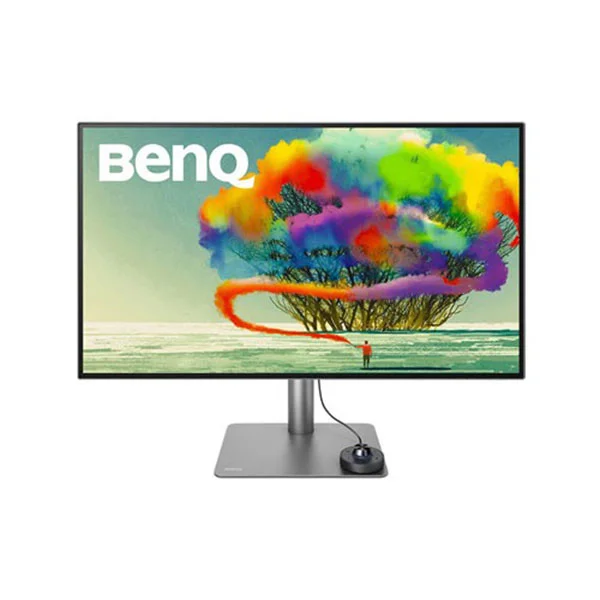
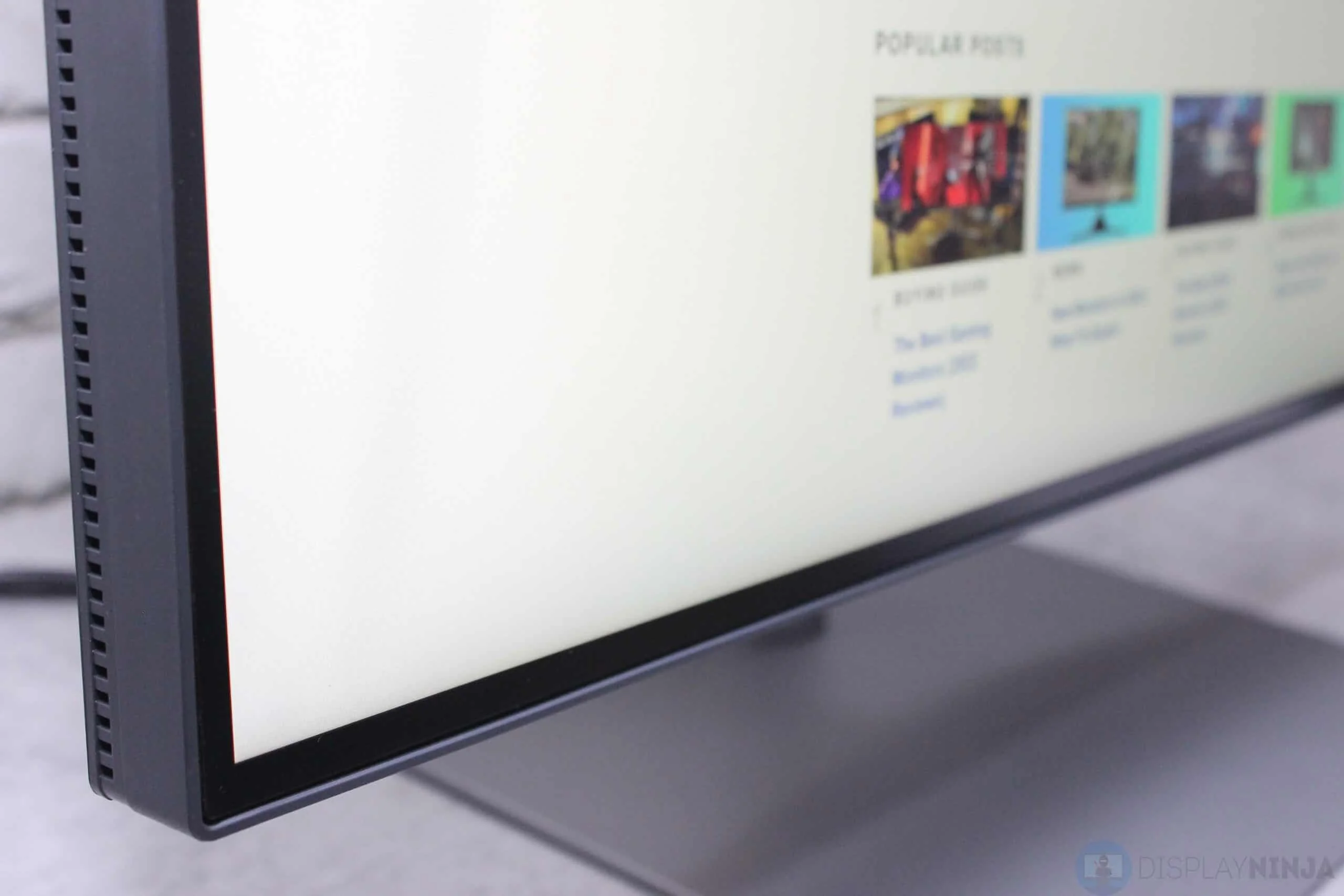
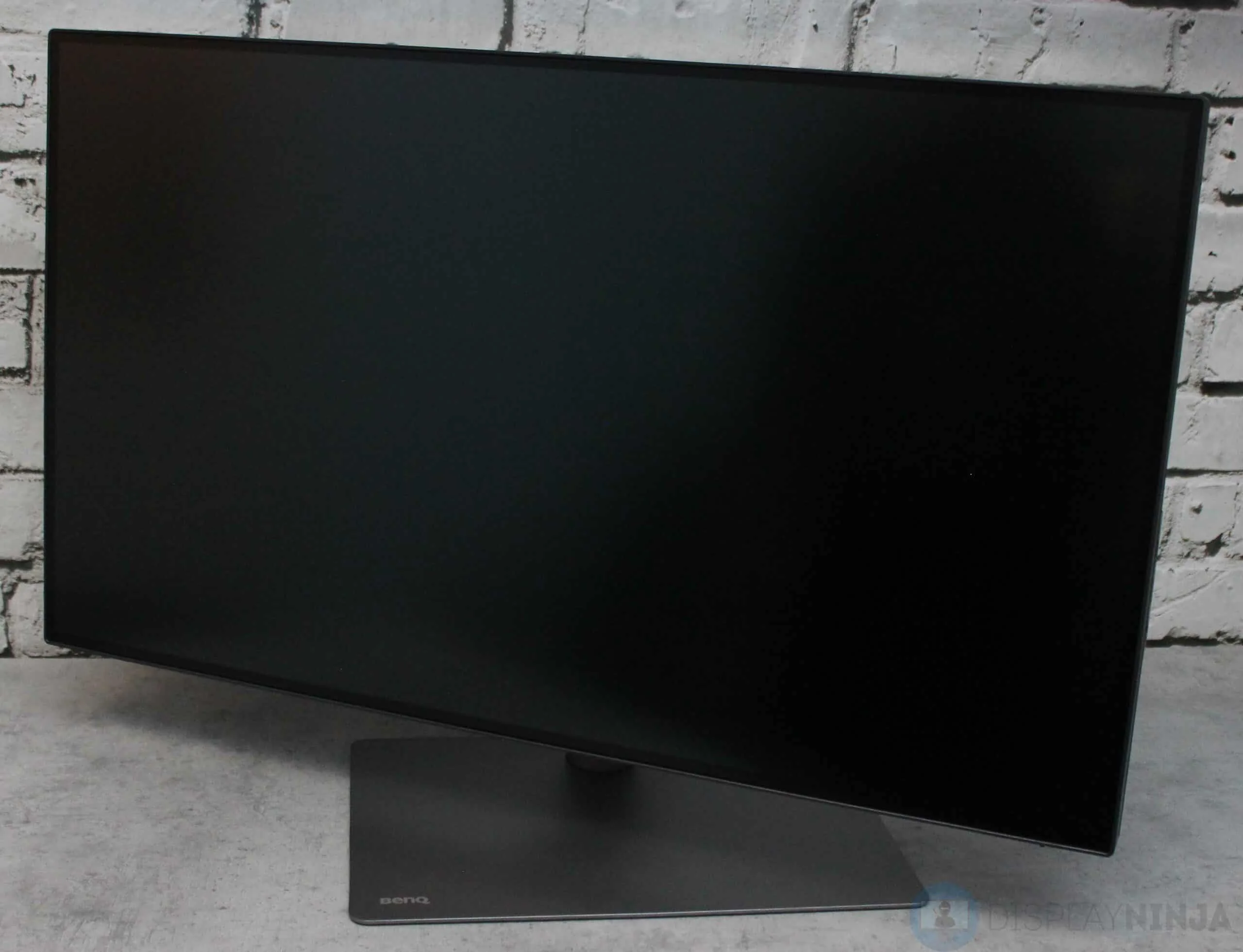
The BenQ PD3220U is a masterclass in minimalist, professional design. Housed in a sleek, dark grey chassis with an incredibly slim bezel, it looks right at home next to a modern MacBook Pro or a high-end Windows workstation. The stand is a solid, cylindrical metal pillar attached to a flat, unobtrusive base that deliberately frees up valuable desk space for graphics tablets, stream decks, and reference materials.
Ergonomics are exceptional, offering generous height, tilt, swivel, and pivot adjustments. Whether you need a standard landscape orientation for timeline-based video editing or a portrait setup for rigorous coding and web design, the articulation mechanism is smooth yet reassuringly stiff. Cable management is neatly handled through a cutout in the stand, complemented by a removable rear plastic cover that cleverly hides the generous array of input ports to maintain a pristine desk environment.
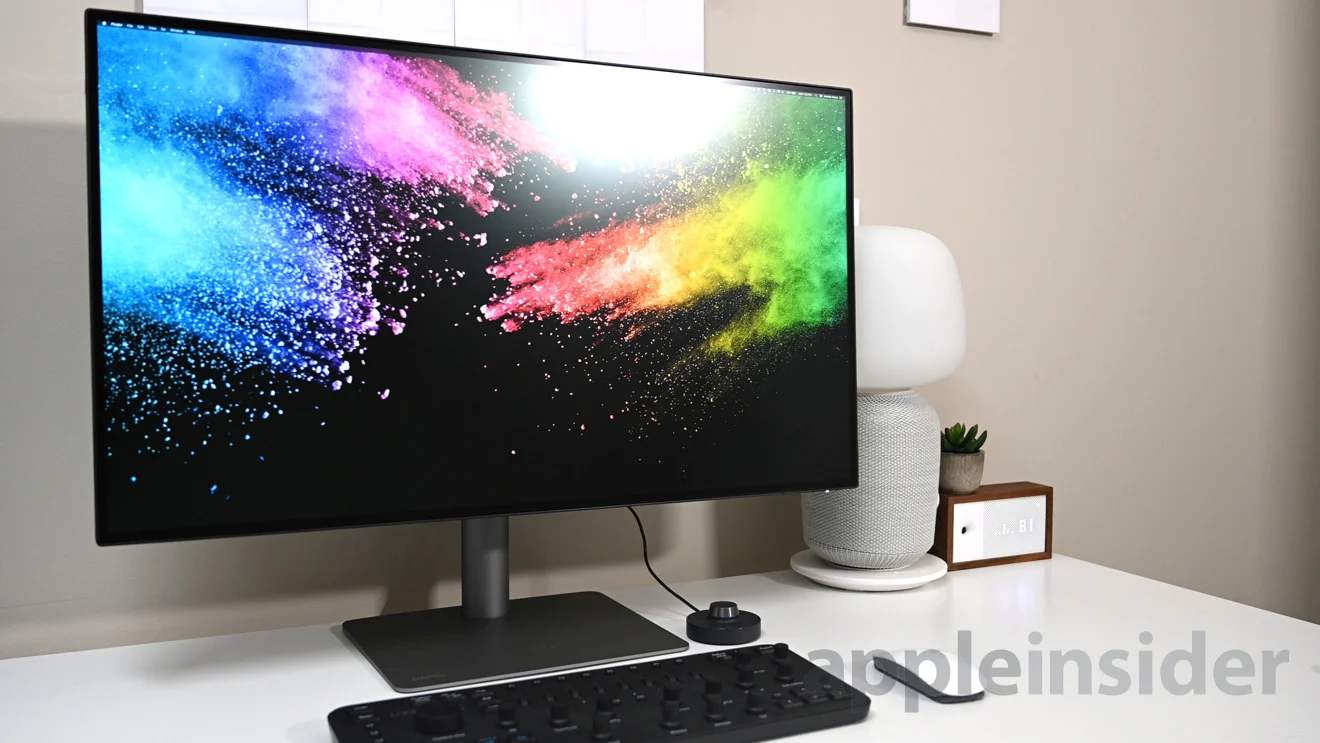
The build materials feel exceptionally premium, eschewing flashy gamer-centric RGB lighting for an understated, mature aesthetic. A standout physical addition is the Hotkey Puck G2, a wired remote dial that sits neatly on the monitor base. This brilliant inclusion provides tactile, instant access to brightness controls, color modes, and input switching without having to fumble blindly with hidden bezel buttons.
Performance
For creative professionals in 2026, out-of-the-box color accuracy is non-negotiable, and the PD3220U delivers flawlessly. Backed by BenQ’s AQCOLOR technology, the 10-bit IPS panel arrives factory-calibrated and covers 100% of the sRGB and Rec. 709 color spaces, alongside an impressive 95% of the DCI-P3 gamut. In our real-world testing, editing RAW photography in Lightroom and grading high-bitrate footage in DaVinci Resolve felt incredibly precise. The monitor yields deep, uniform colors and excellent viewing angles that prevent frustrating color shifts when collaborating with an art director standing next to your desk.
While the 4K resolution stretched across a 31.5-inch canvas provides a stunningly crisp pixel density of 140 PPI, the brightness peaks at roughly 300 nits. This is perfectly adequate for standard, controlled studio lighting, but it absolutely falls short of providing a true HDR experience despite its technical HDR10 support. If you are specifically mastering high dynamic range content, this display acts more as a highly capable SDR reference rather than a blindingly bright HDR mastering monitor.
Speed and fluidity are dictated by its standard 60Hz refresh rate. While the broader tech industry has seen a massive shift toward high-refresh-rate displays for general office use by 2026, the 60Hz cap here remains standard for color-critical graphic design monitors in this specific tier. Ghosting is minimal thanks to a 5ms (GtG) response time, ensuring smooth scrubbing on video timelines, though gamers and animators requiring high frame rates will undoubtedly want to look elsewhere.
Features & Software
BenQ packed the PD3220U with intelligent features tailored specifically for heavy workflow efficiency. The built-in KVM switch is an absolute lifesaver, allowing you to seamlessly control two different computers—like a heavy-lifting desktop PC and a docked laptop—using a single keyboard and mouse. Furthermore, the DualView function is incredibly useful, letting you split the massive 32-inch screen into two different color modes (such as sRGB and CAD/CAM) side-by-side to instantly preview how your graphic work will look across different mediums.
On the software side, BenQ’s Display Pilot application is a seamless companion for both Mac and Windows operating systems. It integrates deeply with your OS, allowing you to adjust monitor brightness directly via your laptop keyboard, automate color profile switching based on the active application, and manage complex desktop window partitions easily. When paired with its dual Thunderbolt 3 ports allowing for daisy-chaining and 85W of power delivery, the monitor acts as the ultimate, clutter-free docking station.
Value Proposition
At its premium price point, the BenQ PD3220U represents a significant financial investment, but one that is effortlessly justified for career creatives. By integrating a high-quality KVM switch, an 85W Thunderbolt 3 dock, and Pantone-validated color accuracy into a single unit, it negates the need to spend hundreds of extra dollars on external hubs and calibration tools.
While it lacks the ultra-high brightness of modern Mini-LED options or the 5K resolution of proprietary Apple displays, it offers vastly superior ergonomics, broader connectivity, and anti-glare usability. For independent filmmakers, professional photographers, and UI/UX designers, this monitor strikes the perfect balance between professional-grade utility and attainable pricing.
How It Compares
When compared to the Apple Studio Display, the BenQ PD3220U offers a significantly larger 32-inch canvas and vastly better ergonomics right out of the box, though it lacks the Studio Display’s razor-sharp 5K resolution and built-in webcam system. Pitted against the ASUS ProArt PA329CV, the BenQ holds its own with its superior Hotkey Puck interface and dual Thunderbolt 3 ports (which allow for daisy-chaining), whereas the ASUS relies on standard USB-C and HDMI connections, making the BenQ the vastly superior choice for complex, multi-monitor Mac setups.
Pros and Cons
Pros
- Delivers exceptional out-of-the-box color accuracy with 95% DCI-P3 coverage and factory calibration.
- Features dual Thunderbolt 3 ports with 85W power delivery and monitor daisy-chaining capabilities.
- Includes the highly convenient Hotkey Puck G2 for instantaneous settings adjustments.
- Boasts a sleek, professional design with a highly adjustable, ergonomic stand.
Cons
- Limits refresh rate to a standard 60Hz, which feels slightly dated for general use in 2026.
- Peaks at 300 nits of brightness, making the advertised HDR10 support largely superficial.
- Features incredibly weak built-in speakers that are easily outperformed by budget external audio.
FAQ
Q: Can the BenQ PD3220U charge my MacBook Pro?
A: Yes, it provides up to 85W of power delivery via its primary Thunderbolt 3 port, which is sufficient to keep most modern MacBooks charged while simultaneously transferring high-bandwidth video and data.
Q: Is the BenQ PD3220U good for gaming?
A: While you can play games on it, it is not designed for gaming. It has a 60Hz refresh rate and lacks adaptive sync technologies like FreeSync or G-Sync, making it suited for creative work rather than competitive gaming.
Q: Do I need to calibrate this monitor out of the box?
A: No, the PD3220U is Calman Verified and Pantone Validated, coming factory-calibrated with an individual calibration report included in the box so you can begin professional work immediately.
Q: What is the Hotkey Puck G2?
A: It is a wired remote control dial that plugs into the back of the monitor, allowing you to quickly adjust brightness, volume, and contrast, or switch between different color modes without touching the monitor’s physical bezel buttons.
Verdict
The BenQ PD3220U remains an elite productivity powerhouse for designers, photographers, and video editors who require absolute color fidelity. Its inclusion of Thunderbolt 3 connectivity, a built-in KVM switch, and the intuitive Hotkey Puck make it a workflow-transforming investment. If you are a creative professional seeking a pristine, large-format 4K display optimized for modern Mac and PC workstations, this monitor earns our highest recommendation.
Where to Buy
Pros
- ✓ Delivers exceptional out-of-the-box color accuracy with 95% DCI-P3 coverage and factory calibration.
- ✓ Features dual Thunderbolt 3 ports with 85W power delivery and monitor daisy-chaining capabilities.
- ✓ Includes the highly convenient Hotkey Puck G2 for instantaneous settings adjustments.
- ✓ Boasts a sleek, professional design with a highly adjustable, ergonomic stand.
Cons
- ✗ Limits refresh rate to a standard 60Hz, which feels slightly dated for general use in 2026.
- ✗ Peaks at 300 nits of brightness, making the advertised HDR10 support largely superficial.
- ✗ Features incredibly weak built-in speakers that are easily outperformed by budget external audio.
Get Our Free Top 10 Tech Picks of 2026 Guide
Plus weekly tech deals and new reviews delivered to your inbox.
[cp_email_signup]
No spam. Unsubscribe anytime.
Ready to buy the BenQ PD3220U?
Affiliate link — we may earn a commission at no extra cost to you.



