










The MSI Katana 15 (2023) brought NVIDIA’s RTX 40-series graphics to the budget gaming masses, but does it still hold up in 2026? We dive deep into its performance, build quality, and overall value to see if this mid-range warrior deserves a spot on your desk. Discover if this affordable gaming laptop is the right choice for your modern setup.
Table of Contents
Key Specifications
| Feature | Detail |
|---|---|
| Processor | Intel Core i7-13620H |
| Graphics | NVIDIA GeForce RTX 4050 / 4060 / 4070 |
| RAM | 16GB DDR5-5200 (Upgradable) |
| Storage | 1TB NVMe PCIe Gen4 SSD |
| Display | 15.6-inch FHD (1920×1080), 144Hz IPS-level |
| Battery | 53.5 Whr |
| Weight | 4.96 lbs (2.25 kg) |
Design & Build Quality
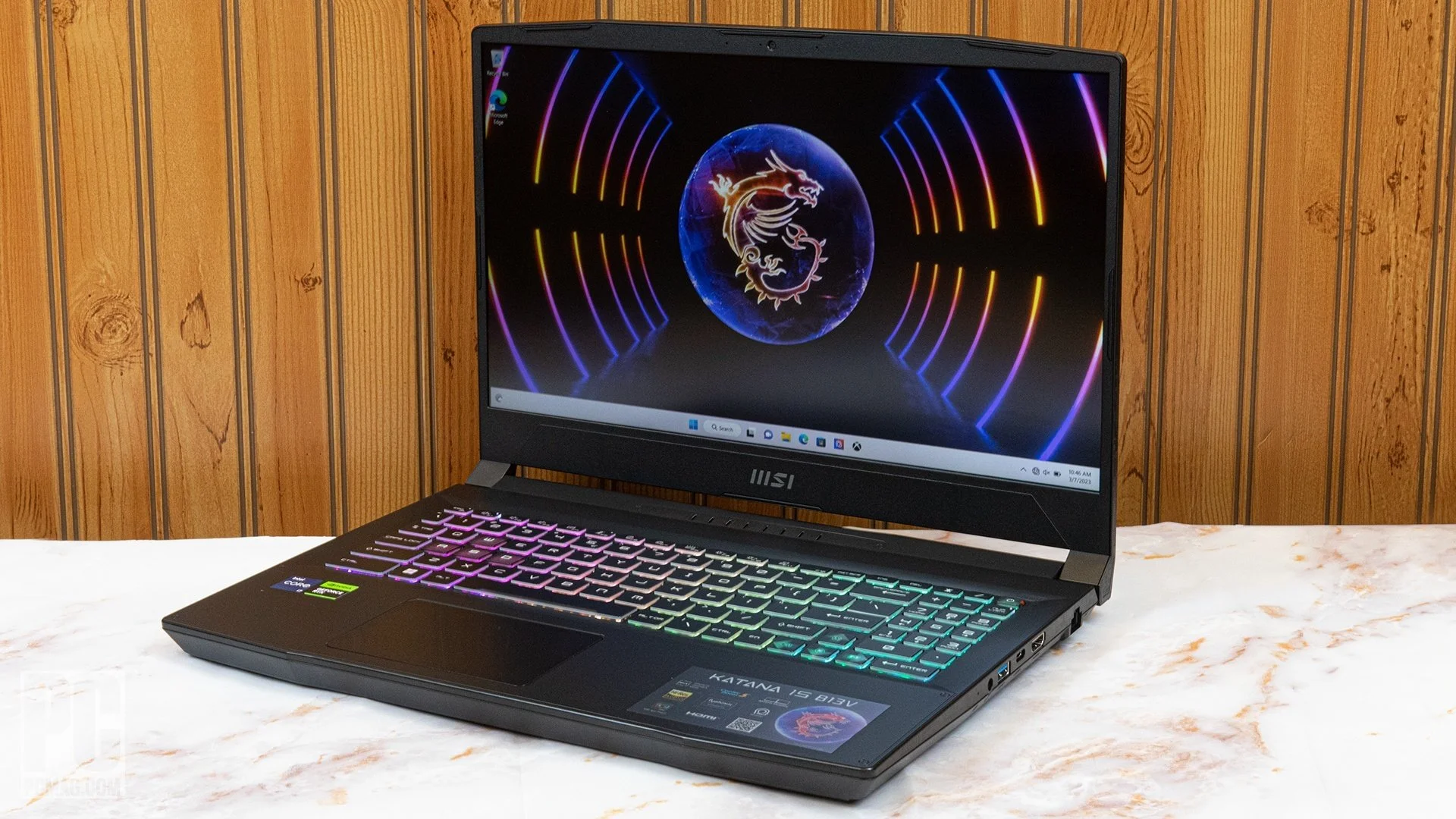
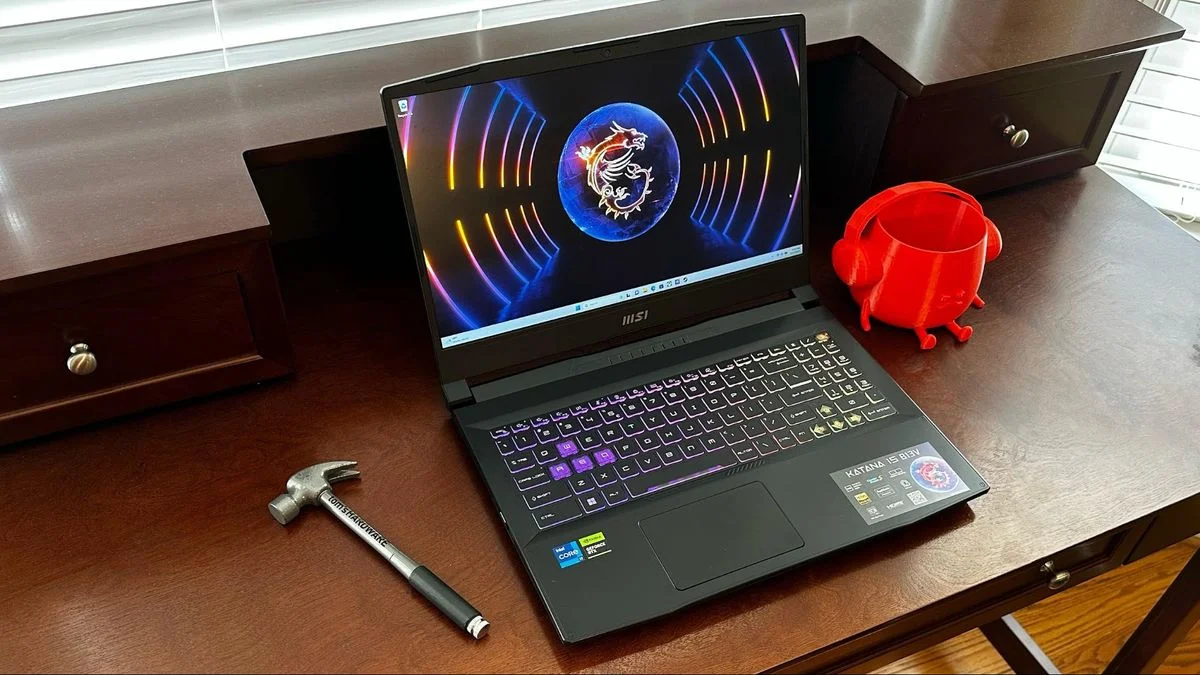
The MSI Katana 15 (2023) embraces a stealthy, utilitarian aesthetic that aligns perfectly with its namesake. Clad in a matte black plastic chassis with subtle geometric angles, it avoids the overly aggressive “gamer” look that dominated previous decades. However, the reliance on plastic does mean it acts as a magnet for fingerprints and exhibits a noticeable amount of flex on the lid and keyboard deck. While it won’t win any premium material awards, the build remains sufficiently robust for daily commutes in a backpack.
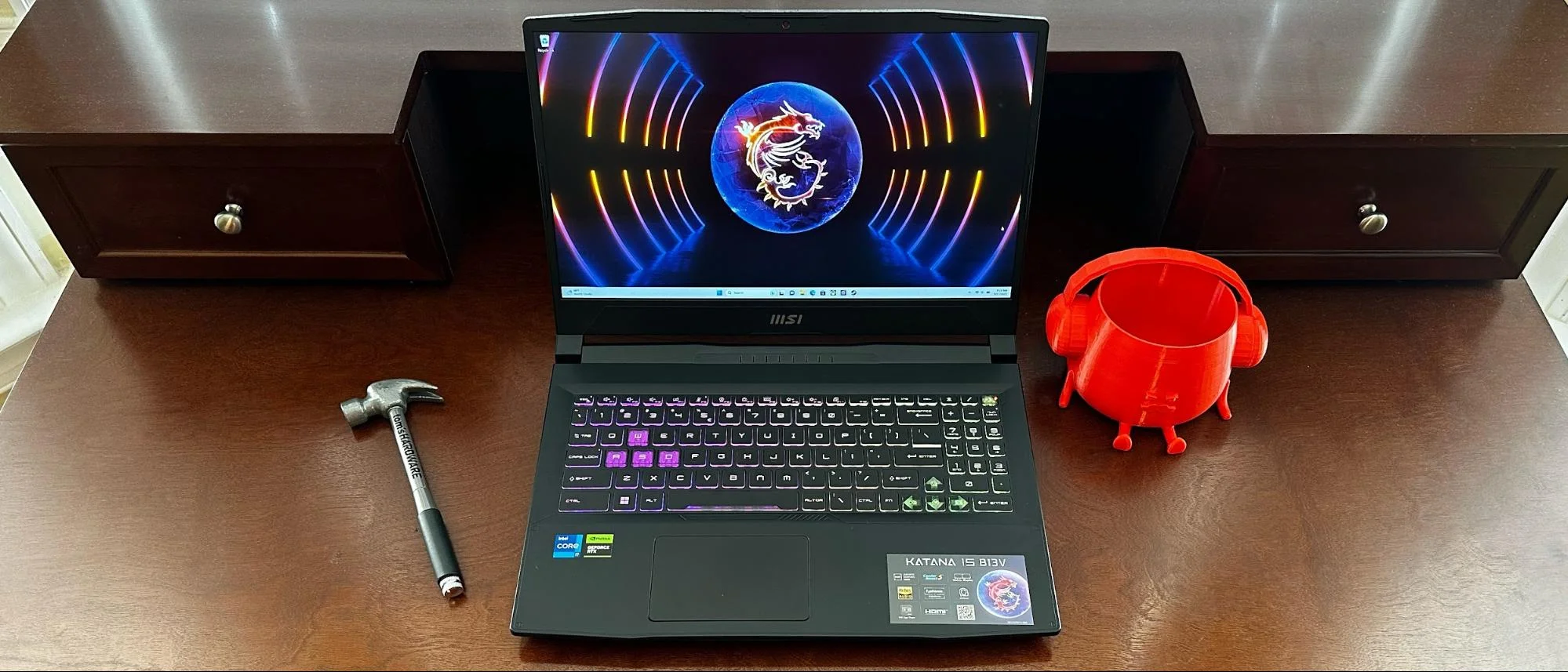
Ergonomically, the Katana 15 gets the fundamentals right. The 4-zone RGB keyboard, featuring translucent WASD keycaps, offers satisfying tactile feedback with a respectable 1.7mm of key travel, making it highly comfortable for both extended typing sessions and frantic gaming. Unfortunately, the trackpad is decidedly mediocre; it is relatively small by modern standards and feels somewhat spongy, encouraging users to connect a dedicated gaming mouse almost immediately. At just under five pounds, it sits comfortably in the middle of the pack for 15-inch portability.
Performance
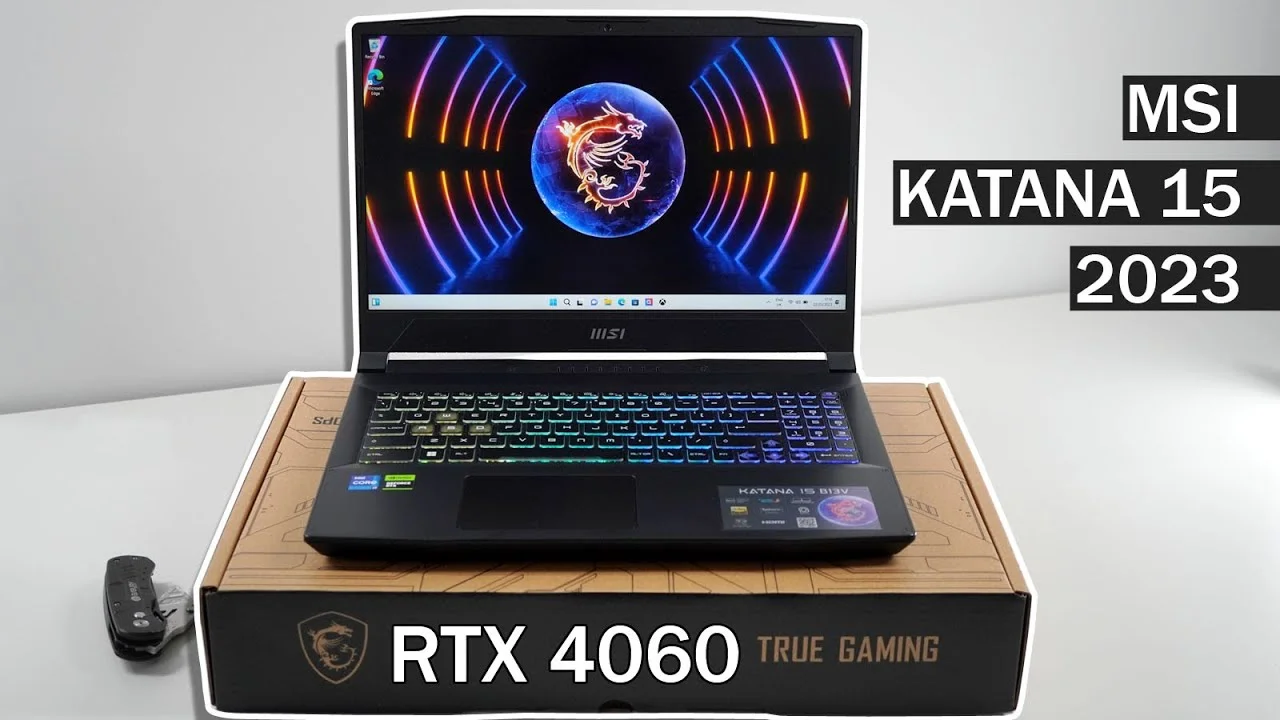
When looking at raw performance, the MSI Katana 15 punches well above its weight class. Equipped with the Intel Core i7-13620H and an NVIDIA GeForce RTX 40-series GPU (our review unit featured the RTX 4070), it handles 1080p gaming with incredible efficiency. Modern AAA titles comfortably push past 60 frames per second on high settings, heavily bolstered by NVIDIA’s DLSS 3 and Frame Generation technologies. The 144Hz refresh rate display pairs perfectly with this hardware, delivering buttery-smooth motion in fast-paced esports titles like Valorant and Apex Legends.
In synthetic benchmarks, the Katana 15 continues to impress even by 2026 standards. Cinebench R23 multi-core scores easily clear the 14,000 mark, proving that this machine is more than capable of handling productivity tasks, light video editing, and intensive multitasking. The 1TB PCIe Gen4 SSD ensures snappy load times and rapid file transfers, keeping the overall system feeling incredibly responsive.
However, this performance comes at the cost of thermals and noise. Under heavy loads, the Cooler Boost 5 dual-fan system spins up aggressively, sounding akin to a miniature jet engine. While it successfully prevents catastrophic thermal throttling, the chassis—particularly the area directly above the keyboard—can get uncomfortably warm during marathon gaming sessions.
Features & Software
The Katana 15 operates via MSI Center, a comprehensive software suite that has thankfully become less bloated over the years. It allows users to seamlessly monitor system vitals, switch between performance profiles, and customize the 4-zone RGB keyboard lighting via Mystic Light. The inclusion of a MUX switch is a standout feature, allowing gamers to bypass the integrated graphics to squeeze every last drop of performance from the dedicated RTX GPU.
Audio and connectivity are standard but highly functional. The dual 2W speakers lack significant bass and easily get drowned out by the fan noise, making a good gaming headset essential. Port selection is generous, featuring an RJ45 LAN port, HDMI 2.1, and multiple USB-A and USB-C ports, though the omission of Thunderbolt 4 support remains a slight disappointment for power users aiming to run advanced docking stations.
Value Proposition
As we look at the MSI Katana 15 from a 2026 perspective, its value proposition is stronger than ever. Originally positioned as an accessible entry point for RTX 40-series hardware, its current legacy market price makes it an absolute steal for 1080p gamers. You are paying strictly for internal processing power rather than premium chassis materials or top-tier displays.
For users who prioritize framerates over luxury finishes, the Katana 15 is a highly pragmatic investment. It strips away the unnecessary frills, focusing entirely on delivering a solid core gaming experience. While it compromises on battery life and screen vibrancy, it channels its budget exactly where it matters most: the CPU and GPU.
How It Compares
When pitted against the Acer Nitro 5 (2023), the MSI Katana 15 generally offers slightly better keyboard ergonomics and a more subtle design, though the Nitro often provides a brighter, more color-accurate display panel. Compared to the ASUS TUF Gaming A15, the Katana struggles notably in the battery department. The ASUS TUF’s massive 90Whr battery easily outpaces the Katana’s meager 53.5Whr capacity, making the ASUS a vastly superior choice for users needing extended off-wall longevity. However, MSI’s seamless implementation of the MUX switch and aggressive cooling profiles often gives it a fractional edge in raw sustained gaming frame rates.
Pros and Cons
Pros
- Excellent 1080p gaming performance powered by RTX 40-series GPUs and DLSS 3.
- Highly comfortable keyboard with satisfying key travel and 4-zone RGB lighting.
- Inclusion of a MUX switch to easily maximize graphical output.
- Easily upgradable RAM and M.2 storage slots for long-term future-proofing.
Cons
- Disappointing battery life due to the severely undersized 53.5Whr capacity.
- The 1080p display is relatively dim and lacks wide color gamut coverage.
- Extremely loud cooling fans under heavy gaming workloads.
- The all-plastic build acts as a major magnet for oily fingerprints.
FAQ
Q: Can you upgrade the RAM and storage on the MSI Katana 15?
A: Yes, the laptop features two SODIMM slots that support up to 64GB of DDR5 RAM, as well as two M.2 SSD slots for easily expanding your storage.
Q: Does the MSI Katana 15 (2023) support Thunderbolt 4?
A: No, the Katana 15 features standard USB-C (USB 3.2 Gen 1) but does not include Thunderbolt 4 support.
Q: How is the battery life on the MSI Katana 15?
A: Battery life is quite poor. You can expect around 3 to 4 hours of light productivity or web browsing, and less than an hour when gaming off the wall charger.
Q: Is the display good enough for professional photo or video editing?
A: No, the 144Hz IPS-level display only covers roughly 45% of the NTSC color gamut, making it unsuitable for color-accurate professional creative work.
Verdict
The MSI Katana 15 (2023) is an excellent choice for budget-conscious gamers who prioritize high framerates and raw internal performance over premium build materials. While its dim display and brief battery life are notable drawbacks, its sheer gaming prowess makes it a highly capable 1080p machine even years after its release. It is best suited for players who intend to keep it securely plugged into a dedicated desk setup.
Where to Buy
Pros
- ✓ Excellent 1080p gaming performance powered by RTX 40-series GPUs and DLSS 3.
- ✓ Highly comfortable keyboard with satisfying key travel and 4-zone RGB lighting.
- ✓ Inclusion of a MUX switch to easily maximize graphical output.
- ✓ Easily upgradable RAM and M.2 storage slots for long-term future-proofing.
Cons
- ✗ Disappointing battery life due to the severely undersized 53.5Whr capacity.
- ✗ The 1080p display is relatively dim and lacks wide color gamut coverage.
- ✗ Extremely loud cooling fans under heavy gaming workloads.
- ✗ The all-plastic build acts as a major magnet for oily fingerprints.
Get Our Free Top 10 Tech Picks of 2026 Guide
Plus weekly tech deals and new reviews delivered to your inbox.
[cp_email_signup]
No spam. Unsubscribe anytime.
Ready to buy the MSI Katana 15 (2023)?
Affiliate link — we may earn a commission at no extra cost to you.



