
The Alienware AW3423DW continues to hold its ground in 2026 as a premier QD-OLED gaming monitor that balances striking visuals with top-tier performance. By combining deep inky blacks with infinite contrast and a buttery smooth 175Hz refresh rate, this ultrawide powerhouse redefines immersive gaming. Find out if it still claims the crown in an increasingly competitive display market.
Table of Contents
Key Specifications
| Feature | Detail |
|---|---|
| Panel Type | 34-inch QD-OLED (Quantum Dot OLED) |
| Resolution | 3440 x 1440 (UWQHD) |
| Refresh Rate | 175Hz (Native via DisplayPort) |
| Response Time | 0.1ms (GtG) |
| Curvature | 1800R |
| HDR Support | DisplayHDR True Black 400 / HDR Peak 1000 |
| Variable Refresh Rate | NVIDIA G-SYNC Ultimate |
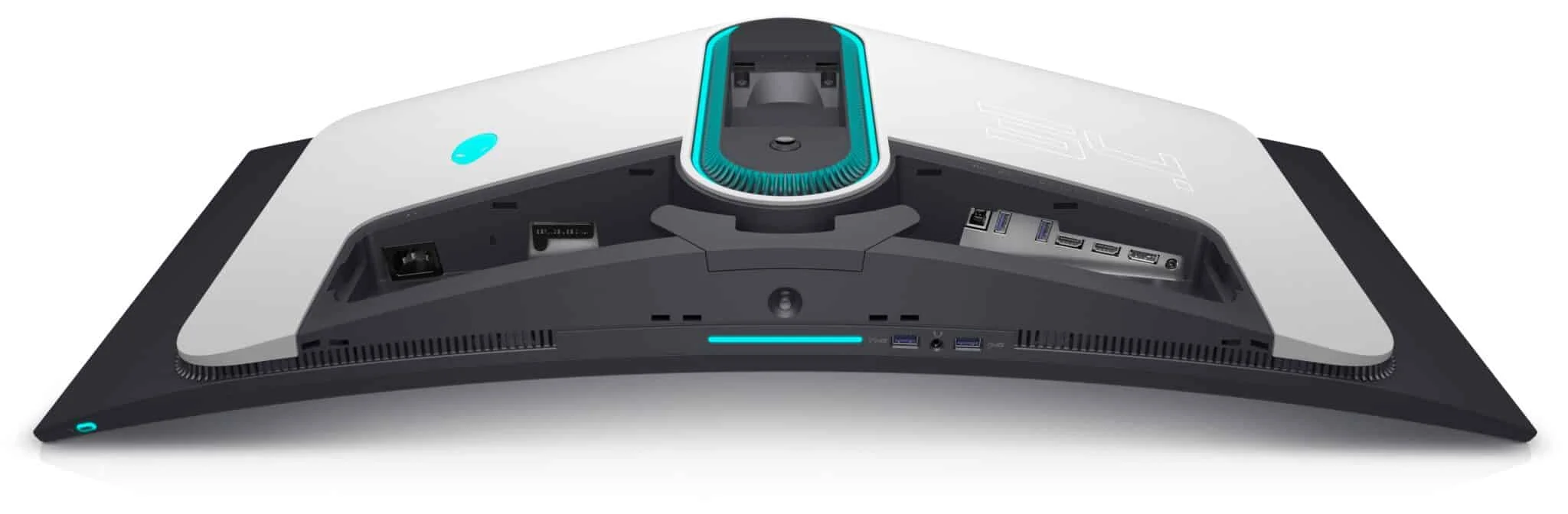
| Ports | 2x HDMI 2.0, 1x DisplayPort 1.4, 4x USB 3.2 Gen 1 Type-A |
Design & Build Quality
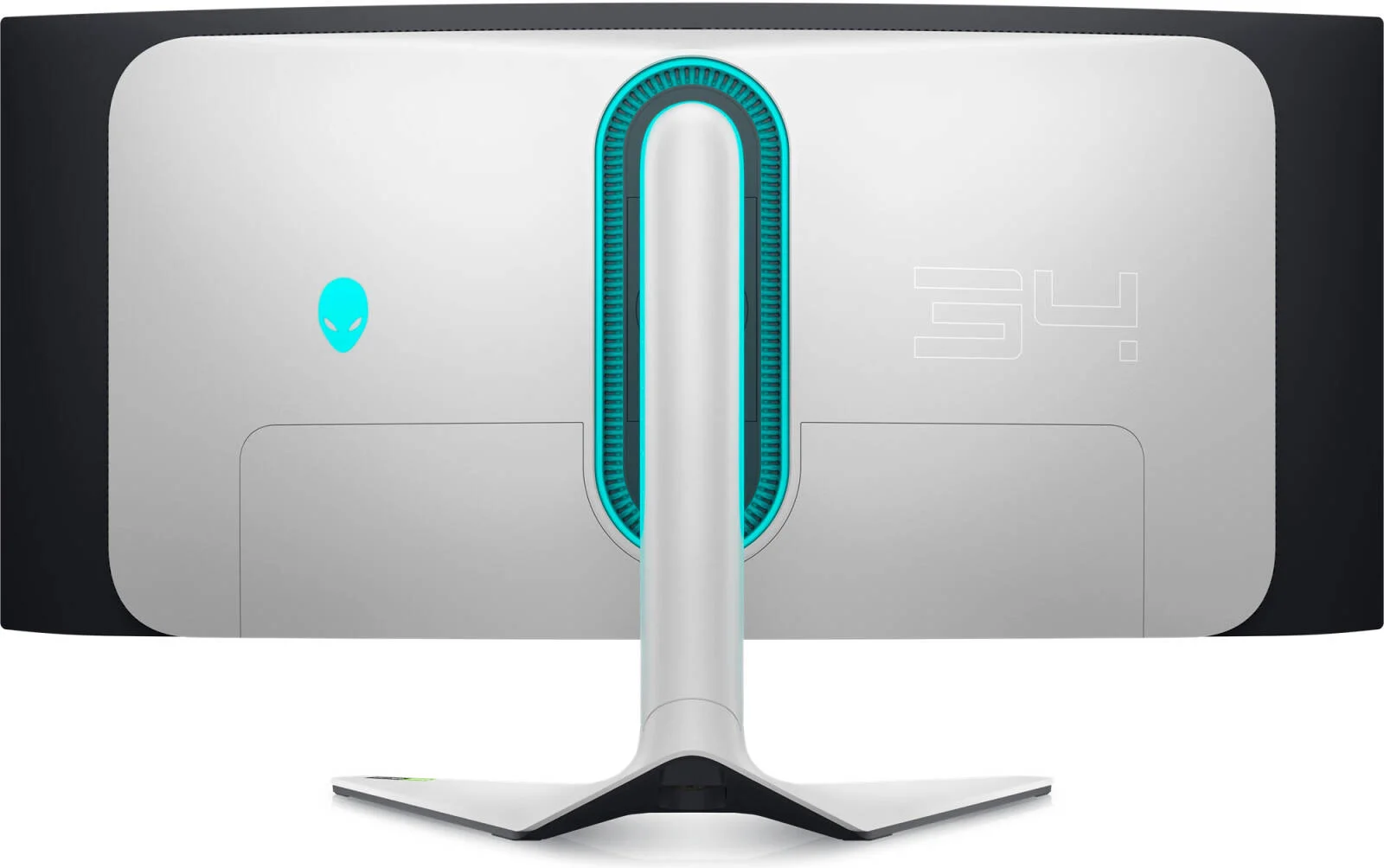
Alienware has long been synonymous with striking, sci-fi-inspired aesthetics, and the AW3423DW proudly carries that torch. Encased in Dell’s signature “Lunar Light” colorway, the monitor features a sleek, slightly aggressive look with an ovular LED ring on the back and a subtle, customizable Alienware logo. Despite its gamer-centric pedigree, the design is sophisticated enough to blend into a modern enthusiast workspace without feeling overtly gaudy. The 1800R curve strikes a comfortable balance, wrapping around your peripheral vision just enough to pull you into the action without distorting straight lines for productivity tasks.
Build quality is exceptional, featuring premium plastics and a robust, heavily weighted stand that prevents any unwanted wobbling during intense gaming sessions. The stand offers an impressive range of ergonomic adjustments, including 110mm of height adjustment, tilt, and swivel capabilities. Cable management is smartly integrated, routing cords through the central pillar and hiding the generous array of I/O ports behind a snap-on plastic cover.
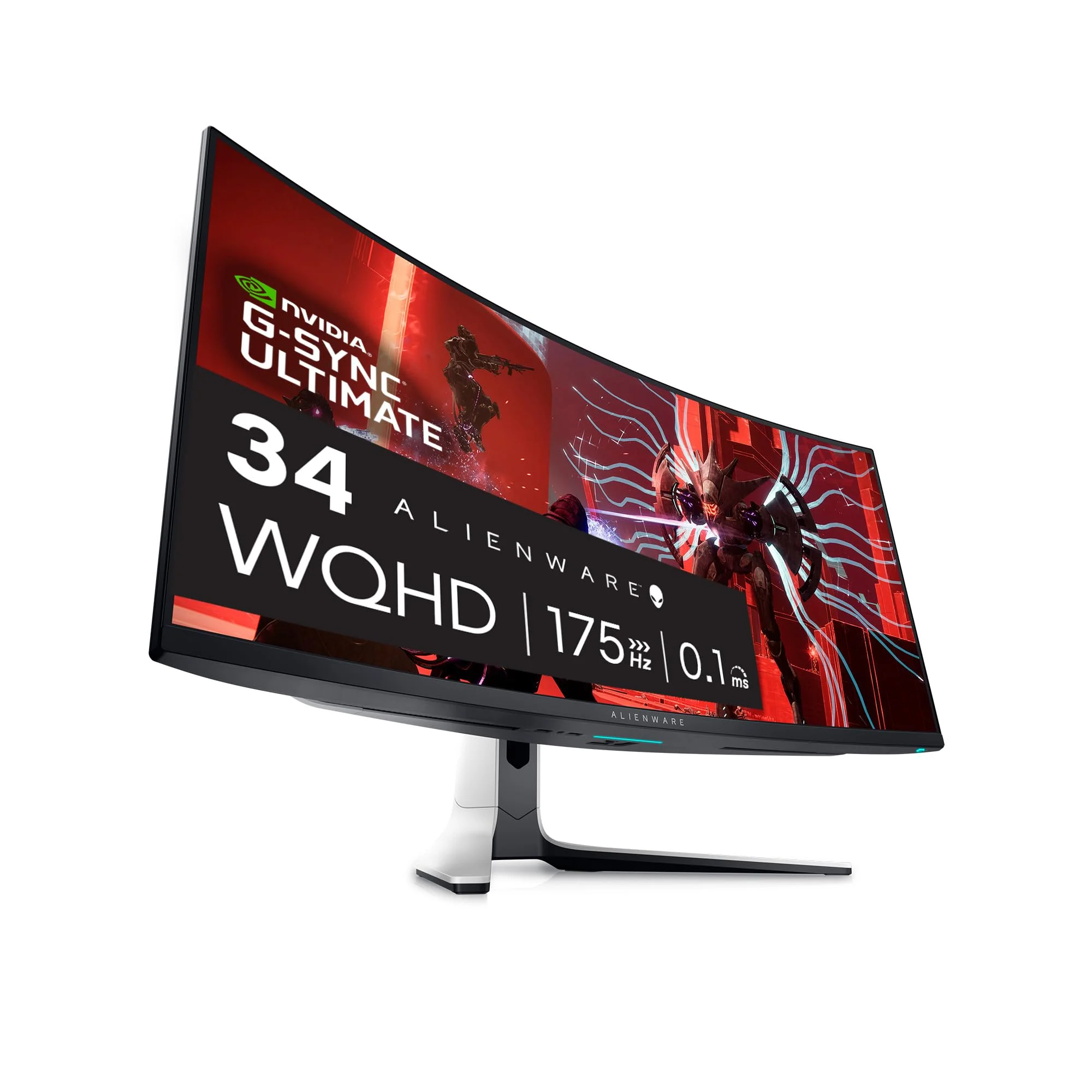
While the monitor is undeniably bulky at the rear to house the G-Sync Ultimate module and internal cooling fan, the overall footprint remains surprisingly manageable. However, it is worth noting that the glossy panel coating, while essential for the stunning QD-OLED color pop, does demand mindful placement away from direct sunlight to avoid distracting ambient reflections.
Performance
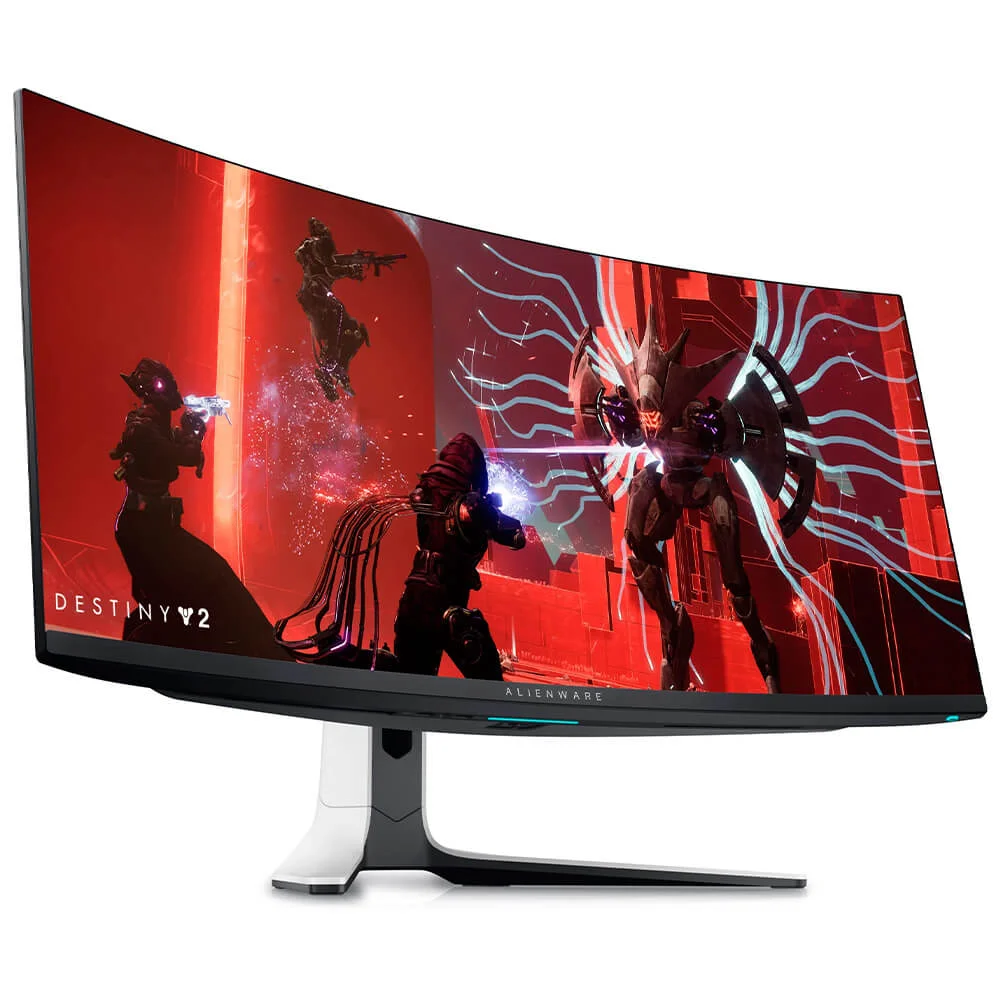
Where the Alienware AW3423DW truly shines is in its raw panel performance. Leveraging Samsung’s Quantum Dot OLED technology, this monitor delivers an unparalleled visual experience characterized by infinite contrast ratios and per-pixel dimming. In a dark room, playing atmospheric titles like Cyberpunk 2077 or Alan Wake 2 is a revelation; the deep, inky blacks effortlessly transition into blindingly bright neon highlights thanks to its HDR Peak 1000 mode. The color gamut coverage is massive, hitting 99.3% DCI-P3, ensuring that every frame bursts with lifelike, hyper-accurate vibrancy.
Motion clarity on the AW3423DW is nothing short of breathtaking. With a near-instantaneous 0.1ms gray-to-gray response time combined with a buttery smooth 175Hz refresh rate, motion blur and ghosting are virtually eliminated. Fast-paced competitive shooters and high-speed racing simulators feel remarkably crisp, offering a level of fluidity that traditional LCD panels simply cannot match. The inclusion of hardware-level NVIDIA G-Sync Ultimate ensures a tear-free experience, dynamically matching your frame rates perfectly down to the lowest thresholds.
It is important to address text clarity, which remains a minor hurdle for QD-OLEDs utilizing this specific subpixel layout. While gaming and media consumption are flawless, prolonged reading or heavy productivity work might reveal subtle color fringing around text edges. However, in 2026, Windows scaling updates and ClearType tweaks have mitigated this issue significantly, making it more of a nitpick than a dealbreaker for most hybrid users.
Features & Software
Navigating the AW3423DW’s settings is a breeze thanks to the intuitive centrally located OSD joystick. The monitor comes packed with gaming-specific features, including customizable crosshairs, dark stabilizers, and AlienFX RGB lighting integration. What truly stands out, however, is Dell’s proactive approach to OLED maintenance. The built-in panel preservation features, such as Pixel Refresh and Panel Refresh, run quietly during standby modes to actively mitigate the risk of screen burn-in.
The software experience is complemented by the Alienware Command Center, which allows users to sync the monitor’s ambient lighting with other Alienware peripherals. Additionally, an integrated ambient light sensor dynamically adjusts screen brightness based on your room’s conditions, though purists will likely prefer locking in their own calibrated settings for a consistent HDR gaming experience.
Value Proposition
When the Alienware AW3423DW first launched, it commanded an exorbitant early-adopter premium. Fast forward to 2026, and the pricing has stabilized, making it a highly compelling investment for enthusiasts who refuse to compromise on visual fidelity. While it still commands a premium over standard IPS or VA ultrawide displays, the dramatic leap in HDR performance, color volume, and motion clarity more than justifies the cost.
Dell also backs this monitor with an industry-leading three-year warranty that specifically covers OLED burn-in. This peace of mind significantly elevates its value proposition, removing the primary anxiety associated with adopting OLED technology for PC usage and cementing the AW3423DW as a safe, long-term fixture for your battle station.
How It Compares
Compared to the Samsung Odyssey OLED G8, the AW3423DW offers a dedicated G-Sync Ultimate module and a slightly more robust warranty, though the Samsung counters with a slimmer aesthetic, a micro-HDMI/mini-DP port layout, and integrated smart TV features. Both utilize similar QD-OLED panels, but Alienware’s out-of-the-box color calibration tends to be slightly more accurate for HDR content.
When stacked against the newer LG UltraGear 34GS95QE (which uses a WOLED panel), the Alienware pulls ahead in color luminance and peak brightness in vibrant scenes. While LG’s WOLED boasts a higher 240Hz refresh rate and a more aggressive 800R curve, the QD-OLED technology in the AW3423DW remains the superior choice for players who prioritize cinematic color volume and high-impact HDR over sheer competitive refresh rates.
Pros and Cons
Pros
- Delivers unmatched infinite contrast and deep, inky blacks perfect for immersive HDR gaming.
- Features a near-instantaneous 0.1ms response time and 175Hz refresh rate for flawless motion clarity.
- Covers an expansive 99.3% DCI-P3 color gamut, producing incredibly vibrant and accurate images.
- Includes an industry-leading three-year warranty that explicitly covers OLED burn-in.
Cons
- Exhibits minor text fringing due to the triangular RGB subpixel layout, making it less ideal for heavy text-based productivity.
- Lacks HDMI 2.1 ports, meaning current-generation console gamers are restricted to a maximum of 60Hz at this resolution.
- Employs an internal fan for the G-Sync module which can generate subtle but audible noise in completely silent rooms.
FAQ
Q: Does the Alienware AW3423DW suffer from OLED burn-in?
A: Like all OLED panels, the inherent risk exists, but Alienware includes active pixel shifting, scheduled panel refreshes, and an exceptional three-year burn-in warranty to minimize this concern.
Q: Can I use this monitor with a PlayStation 5 or Xbox Series X?
A: You can, but it is not optimal. The monitor lacks HDMI 2.1, meaning consoles are limited to 60Hz, and the 21:9 aspect ratio will result in black bars on the sides of the screen.
Q: Does it have built-in speakers?
A: No, the Alienware AW3423DW does not feature built-in speakers, so you will need a dedicated gaming headset or external desktop speakers for audio.
Q: What is the difference between the AW3423DW and the AW3423DWF?
A: The DW model includes a physical NVIDIA G-Sync Ultimate module and peaks at 175Hz, while the slightly cheaper DWF model drops the hardware module for FreeSync Premium Pro, peaks at 165Hz, and features a slimmer profile.
Verdict
The Alienware AW3423DW remains a masterclass in display technology, offering an intoxicating blend of pristine QD-OLED visuals, phenomenal motion handling, and robust build quality. It is best suited for PC gaming enthusiasts and media consumers who demand the absolute peak of HDR performance and are willing to overlook minor text fringing. If your priority is cinematic PC gaming with unrivaled contrast and speed, this monitor deserves a permanent spot on your desk.
Where to Buy
Pros
- ✓ Delivers unmatched infinite contrast and deep, inky blacks perfect for immersive HDR gaming.
- ✓ Features a near-instantaneous 0.1ms response time and 175Hz refresh rate for flawless motion clarity.
- ✓ Covers an expansive 99.3% DCI-P3 color gamut, producing incredibly vibrant and accurate images.
- ✓ Includes an industry-leading three-year warranty that explicitly covers OLED burn-in.
Cons
- ✗ Exhibits minor text fringing due to the triangular RGB subpixel layout, making it less ideal for heavy text-based productivity.
- ✗ Lacks HDMI 2.1 ports, meaning current-generation console gamers are restricted to a maximum of 60Hz at this resolution.
- ✗ Employs an internal fan for the G-Sync module which can generate subtle but audible noise in completely silent rooms.
Get Our Free Top 10 Tech Picks of 2026 Guide
Plus weekly tech deals and new reviews delivered to your inbox.
[cp_email_signup]
No spam. Unsubscribe anytime.
Ready to buy the Alienware AW3423DW?
Affiliate link — we may earn a commission at no extra cost to you.