










The Framework Laptop 13 continues to redefine consumer electronics by proving that repairability and premium performance can effortlessly coexist. With the 2025 batch bringing updated processor architectures and refined display options, this modular machine is more capable than ever. Discover if the ultimate DIY laptop is finally ready to replace your traditional ultrabook.
Table of Contents
Key Specifications
| Feature | Detail |
|---|---|
| Processor Options | Intel Core Ultra Series or AMD Ryzen 8040 Series |
| Display | 13.5-inch 3:2 aspect ratio, 2880 x 1920 resolution, 120Hz refresh rate |
| Memory | Up to 96GB DDR5 (User upgradeable) |
| Storage | Up to 4TB NVMe PCIe 4.0 SSD (User upgradeable) |
| Ports | 4x Hot-swappable Expansion Card slots |
| Battery | 61Wh with fast charging support |
| Weight | 1.3 kg (2.87 lbs) |
Design & Build Quality
The Framework Laptop 13 (2025 Batch) retains the sleek, minimalist aesthetic that made its predecessors so recognizable, but with subtle refinements that elevate the overall feel. Constructed from a CNC-machined aluminum chassis, the laptop feels robust and premium to the touch. Framework has managed to engineer a highly rigid frame, entirely avoiding the flex often associated with modular or heavily repairable devices. At just 1.3 kg, it slides comfortably into any modern backpack, making it a stellar companion for commuting tech enthusiasts.
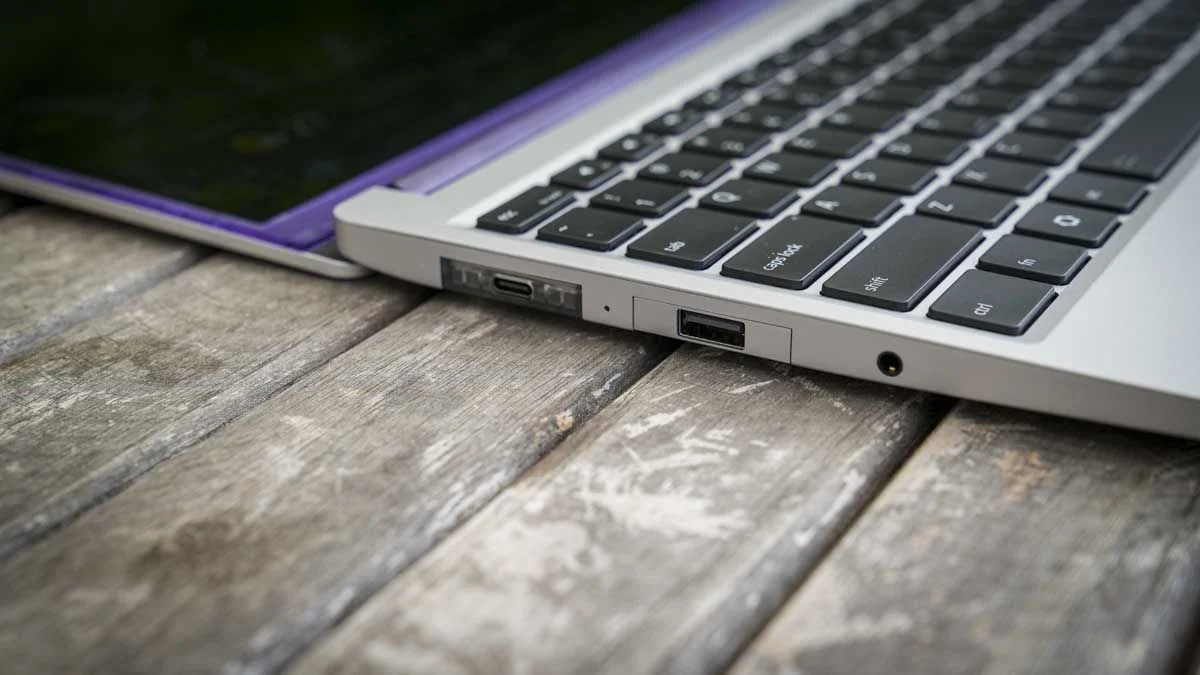
The crown jewel of the design remains the Expansion Card system. Instead of being stuck with the ports chosen by a manufacturer, you get four bays to populate exactly as you see fit. Whether you need an HDMI port for a presentation, a microSD slot for photography, or four USB-C ports for maximum peripheral connectivity, the power is entirely in your hands. In this latest iteration, the physical sliding mechanisms feel slightly smoother, securing the modules with a satisfying, magnetic click.
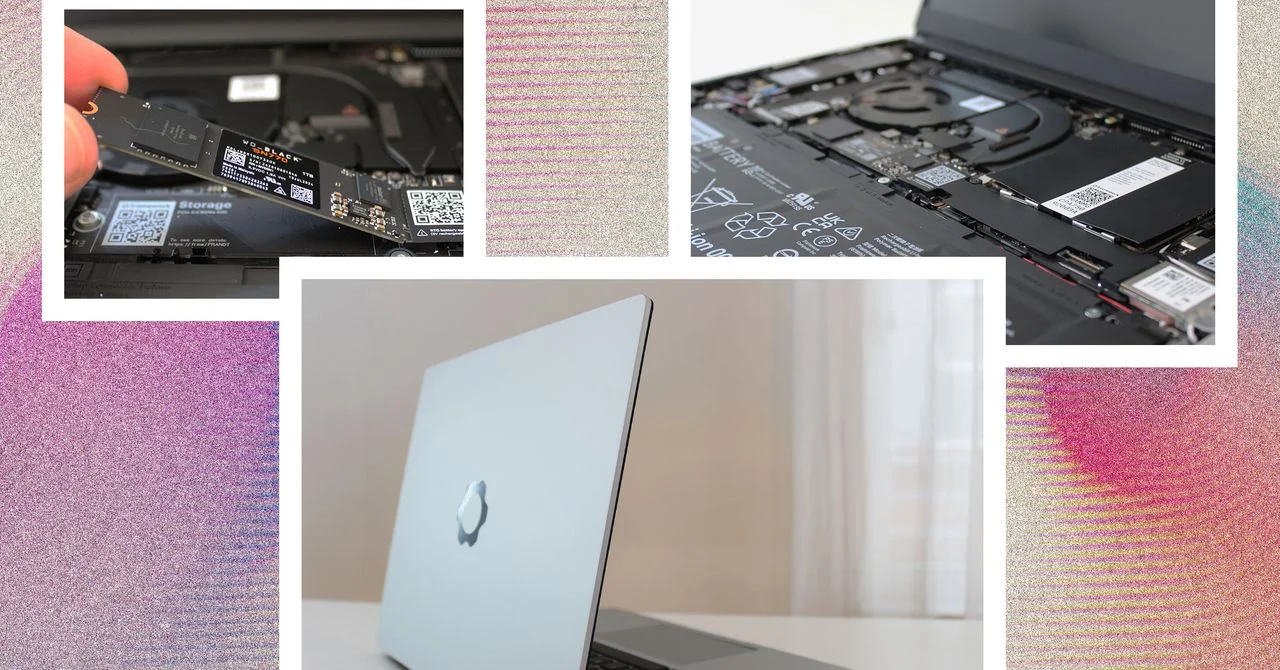
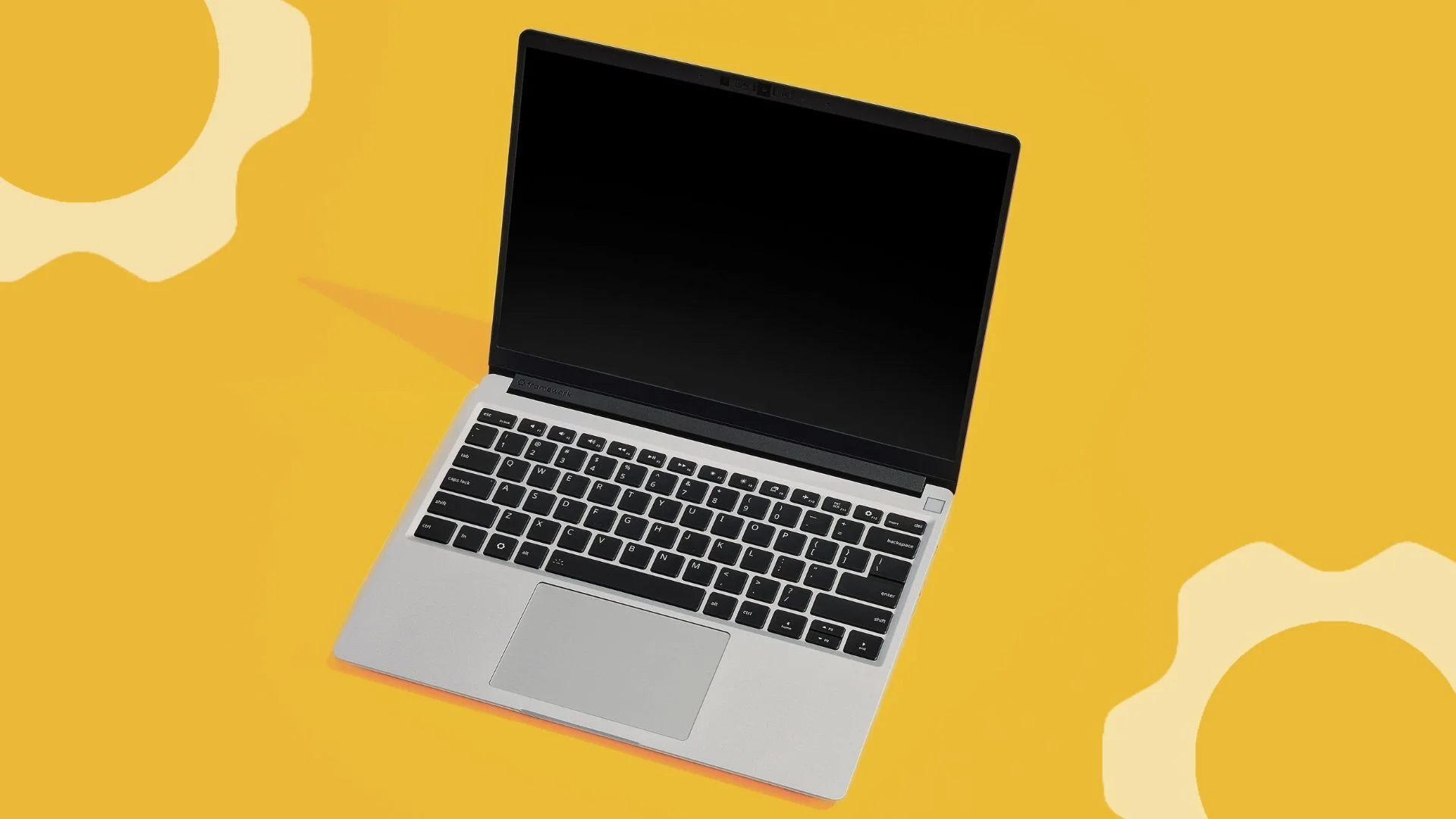
Ergonomically, the laptop is a joy to use. The 13.5-inch display features a productivity-focused 3:2 aspect ratio, giving you significantly more vertical real estate for coding, writing, or web browsing. Pair this with a keyboard that offers a deep 1.5mm of key travel and a spacious, responsive glass trackpad, and the Framework 13 easily stands toe-to-toe with the most premium ultrabooks on the market today.
Performance
Under the hood, the 2025 Batch of the Framework Laptop 13 offers a choice between Intel’s latest Core Ultra processors and AMD’s Ryzen 8040 series. For this review, we tested the AMD Ryzen 7 configuration, and the real-world performance is nothing short of exceptional. Everyday tasks, heavy multitasking, and compiling code are handled with breezy efficiency. The inclusion of an integrated NPU (Neural Processing Unit) also means the laptop handles modern AI workloads locally without unnecessarily draining the battery.
When pushed with heavier workloads, the upgraded thermal design of the 2025 batch becomes apparent. Framework has tweaked the fan curve and heat pipe layout, resulting in a machine that runs cooler and quieter under sustained loads than previous generations. While the fan is certainly audible during intensive tasks like light video rendering or gaming, it avoids the high-pitched whine that plagues many thin-and-light laptops.
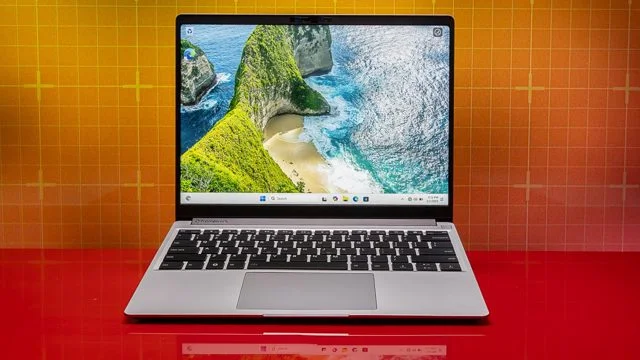
Graphics performance relies on integrated solutions—either Intel Arc or AMD Radeon 780M, depending on your mainboard choice. While this isn’t a dedicated gaming rig, it comfortably chews through esports titles, indie games, and older AAA releases at respectable frame rates. For the average tech-savvy user who wants to code by day and enjoy some light gaming by night, the Framework 13 delivers plenty of horsepower.
Features & Software
The software experience on the Framework Laptop 13 is refreshingly bloatware-free. Whether you opt for the pre-installed Windows 11 Home/Pro or decide on the DIY Edition to install your own OS, the machine stays out of your way. Framework’s ongoing commitment to the Linux community is outstanding; distributions like Ubuntu and Fedora work flawlessly straight out of the box, with full support for the Wi-Fi card, fingerprint reader, and sleep states.
Standout hardware features include the physical privacy switches for the 1080p webcam and microphone. Unlike software-level toggles, these hard switches physically disconnect power to the sensors, offering ultimate peace of mind for privacy-conscious users. Additionally, the new 120Hz display panel makes UI navigation incredibly fluid, bridging the gap between high-end smartphones and premium laptops.
Value Proposition
At first glance, the initial purchase price of the Framework Laptop 13 sits comfortably in the premium ultrabook tier, which might seem steep for budget-conscious buyers. However, evaluating the Framework strictly on its initial cost completely misses the point. The true value proposition of this machine lies in its longevity and total cost of ownership over a five to ten-year period.
Instead of replacing the entire laptop when it feels sluggish three years down the line, you can simply purchase a new mainboard for a fraction of the cost of a new machine. You can even repurpose your old mainboard as a standalone mini-PC using cases sold in the Framework Marketplace. When you factor in the ability to easily replace a degrading battery or a cracked screen using a single screwdriver (included in the box), the long-term return on investment is unmatched in the industry.
How It Compares
When pitted against the Apple MacBook Air M3/M4, the Framework 13 offers a starkly different philosophy. The MacBook Air boasts superior battery life and exceptional fanless cooling, but it is a completely sealed black box; if a port breaks or you need more RAM, you have to buy a completely new laptop. The Framework prioritizes your ownership and flexibility above all else.
Against the Dell XPS 13, the Framework holds its own surprisingly well. The XPS 13 leans heavily into a futuristic, ultra-minimalist design that sacrifices ports and repairability for aesthetics. While the Dell may look slightly sleeker in a coffee shop, the Framework offers a vastly superior keyboard, a far better webcam, and the invaluable ability to actually connect your peripherals without carrying a dongle hub.
Pros and Cons
Pros
- The modular port system allows for unparalleled customization and adaptability.
- The commitment to the “right to repair” means almost every component is user-replaceable.
- The 3:2, 120Hz display is bright, crisp, and perfect for productivity tasks.
- Hardware privacy switches for the camera and microphone provide excellent security.
- Official support for popular Linux distributions out of the box is a massive win for developers.
Cons
- Battery life, while improved over older batches, still falls short of ARM-based competitors.
- The built-in bottom-firing speakers remain slightly underwhelming and lack bass response.
- The overall chassis design, though durable, looks a bit utilitarian compared to modern ultra-premium rivals.
FAQ
Q: Can I upgrade the processor later?
A: Yes. Because the processor is soldered to the mainboard, you upgrade the CPU by swapping out the entire mainboard, which is a straightforward process requiring only one screwdriver.
Q: Does the Framework Laptop 13 support Linux?
A: Absolutely. Framework officially tests and supports major distributions like Ubuntu and Fedora, ensuring all hardware components function properly without needing complex workarounds.
Q: Are the expansion cards hot-swappable?
A: Yes, you can plug and unplug different ports—such as swapping an HDMI card for an extra USB-C card—while the laptop is running, just like traditional USB flash drives.
Q: What is the DIY Edition?
A: The DIY Edition ships unassembled without an operating system, memory, or storage, allowing you to bring your own components and OS to save money and customize the build from day one.
Verdict
The Framework Laptop 13 (2025 Batch) is the ultimate choice for tech enthusiasts, developers, and eco-conscious users who demand absolute control over their hardware. If you value the right to repair and want a highly capable, premium ultrabook designed to evolve alongside your needs, this is a phenomenal, future-proof investment.
Where to Buy
Pros
- ✓ The modular port system allows for unparalleled customization and adaptability.
- ✓ The commitment to the “right to repair” means almost every component is user-replaceable.
- ✓ The 3:2, 120Hz display is bright, crisp, and perfect for productivity tasks.
- ✓ Hardware privacy switches for the camera and microphone provide excellent security.
- ✓ Official support for popular Linux distributions out of the box is a massive win for developers.
Cons
- ✗ Battery life, while improved over older batches, still falls short of ARM-based competitors.
- ✗ The built-in bottom-firing speakers remain slightly underwhelming and lack bass response.
- ✗ The overall chassis design, though durable, looks a bit utilitarian compared to modern ultra-premium rivals.
Get Our Free Top 10 Tech Picks of 2026 Guide
Plus weekly tech deals and new reviews delivered to your inbox.
[cp_email_signup]
No spam. Unsubscribe anytime.
Ready to buy the Framework Laptop 13 (2025 Batch)?
Affiliate link — we may earn a commission at no extra cost to you.



