










Looking for an affordable entry into 4K curved displays in 2026? The Samsung UR59C continues to offer an immersive, high-resolution experience for content creators and office users alike. Read our comprehensive review to see if this 32-inch VA panel monitor still holds its ground against modern competition.
Table of Contents
Key Specifications
| Feature | Detail |
|---|---|
| Screen Size | 31.5 Inches |
| Resolution | 4K UHD (3840 x 2160) |
| Panel Type | VA (Vertical Alignment) |
| Curvature | 1500R |
| Refresh Rate | 60Hz |
| Response Time | 4ms (GTG) |
| Contrast Ratio | 2500:1 |
| Ports | 1x HDMI 2.0, 1x DisplayPort 1.2, 1x 3.5mm Headphone Jack |
Design & Build Quality
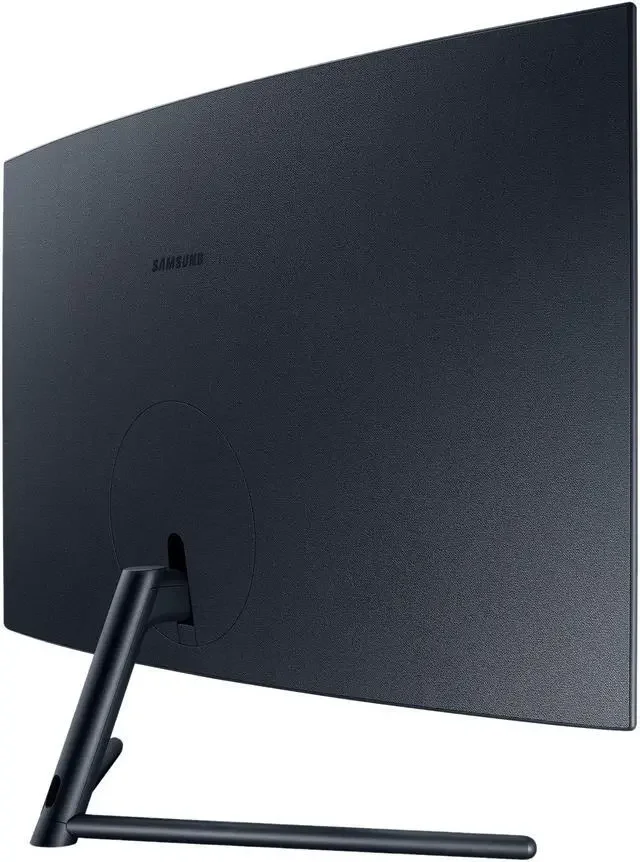
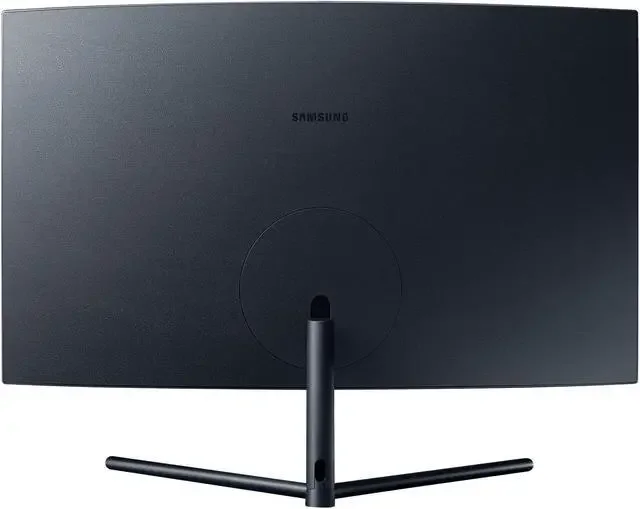
The Samsung UR59C embraces a sleek, minimalist aesthetic that looks right at home in a modern 2026 office setup. The 1500R curvature is housed within surprisingly slim top and side bezels, maximising the 32-inch screen real estate while pulling the edges of the display into your peripheral vision. The rear of the monitor features a subtle, fabric-like textured plastic that avoids the cheap, glossy look common in budget displays, while the slender Y-shaped metal stand provides a surprisingly sturdy base despite its minimal desk footprint.
However, the monitor’s design heavily prioritises form over function when it comes to ergonomics. The included stand only allows for basic tilt adjustments (-1° to +17°); there is no swivel or height adjustment whatsoever. If you are exceptionally tall or have a specific ergonomic desk configuration, you might find it challenging to align the screen with your natural eye level.
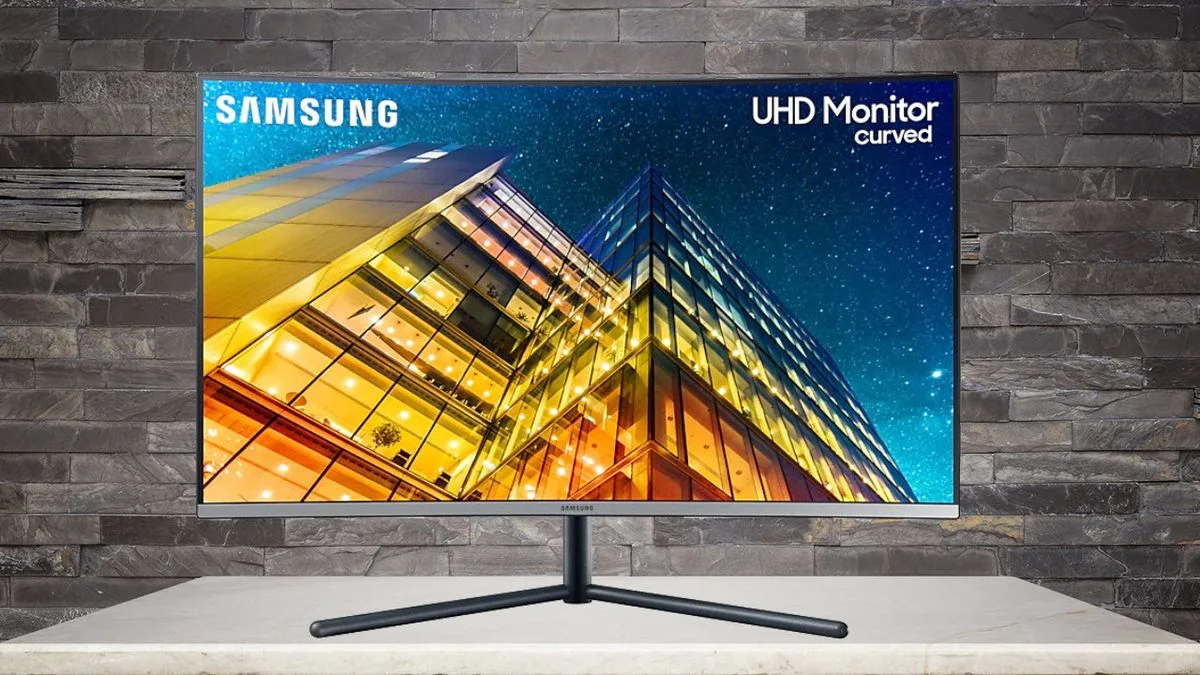
Furthermore, Samsung made the controversial decision to omit VESA mounting support entirely. If you were hoping to slap this panel onto an articulated monitor arm or a multi-monitor stand, you are out of luck unless you resort to clunky third-party adapter brackets. Despite these physical limitations, the overall build quality feels remarkably premium for a monitor in this price bracket, with minimal chassis flex and high-quality finishes throughout.
Performance
When it comes to visual fidelity, the UR59C punches above its weight class thanks to its 4K UHD resolution and high-quality VA panel. Delivering a pixel density of roughly 140 PPI, text rendering is phenomenally crisp, making this an absolute joy for programmers, writers, and heavy spreadsheet users. The hallmark of the VA panel is its superb 2500:1 contrast ratio, which produces deep, inky blacks that IPS panels simply cannot match. Watching 4K movies or working in dark mode interfaces yields a beautifully rich and dynamic picture.
For gamers in 2026, the UR59C requires tempered expectations. Capped at a 60Hz refresh rate with a 4ms response time, this is not a monitor built for competitive, high-framerate esports titles. There is no variable refresh rate (VRR) tech like AMD FreeSync or Nvidia G-Sync, meaning screen tearing can be an issue if your GPU struggles to lock at 60 FPS in 4K. That said, for casual, visually driven single-player games like RPGs or flight simulators, the 1500R curve and massive 4K resolution create a deeply immersive experience.
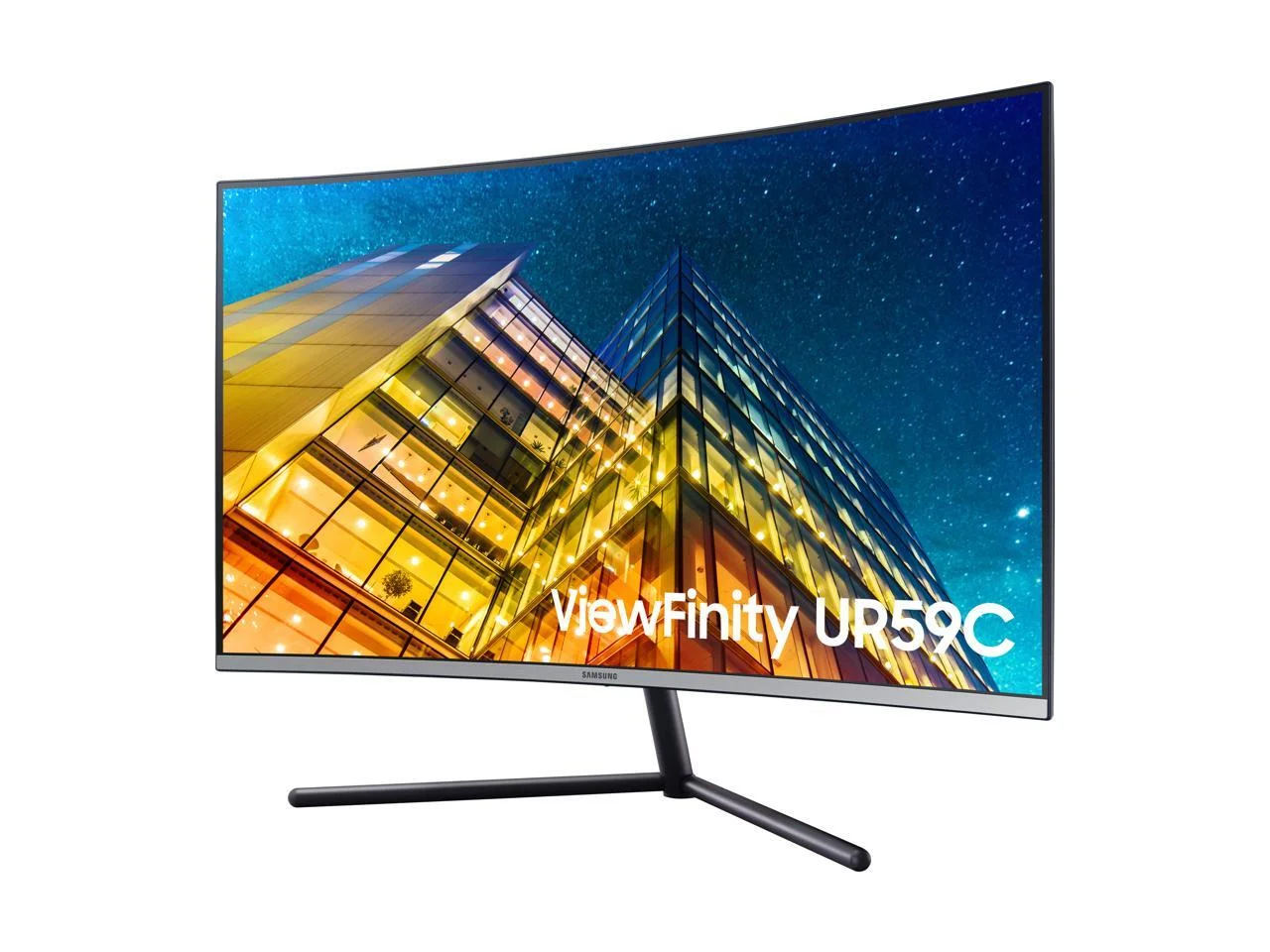
Viewing angles on VA panels are traditionally a weak point, exhibiting colour shift when viewed off-axis. Samsung cleverly mitigates this flaw with the monitor’s aggressive 1500R curve. By bending the edges of the display inward, the panel ensures that light hits your eyes at a perpendicular angle even at the far edges of the screen, preserving colour uniformity and reducing eye strain during long productivity sessions.
Features & Software
The UR59C keeps its feature set relatively streamlined, focusing on core functionality. The standout software feature is Picture-by-Picture (PbP), which allows you to connect two entirely different devices—such as a desktop PC and a Mac laptop—and display them side-by-side on the screen at their native resolutions. It essentially acts as a dual-monitor setup without the physical bezel down the middle, making it a brilliant tool for multitaskers.
Navigating the On-Screen Display (OSD) is handled via a highly intuitive joystick located on the rear right side of the monitor. Samsung’s menu system is snappy and logically laid out, offering a dedicated “Game Mode” that dynamically optimises screen contrast for spotting enemies in dark areas. However, as standard expectations have evolved by 2026, the lack of modern conveniences like a USB hub, USB-C connectivity with power delivery, or built-in speakers is noticeably felt.
Value Proposition
Positioned firmly in the budget-to-midrange 4K category, the Samsung UR59C offers a highly specific, yet compelling value proposition. You are paying strictly for the massive, pixel-dense 32-inch canvas, the immersive 1500R curvature, and excellent VA contrast. By stripping away extraneous features like high refresh rates, HDR certification, and ergonomic stands, Samsung manages to keep the cost incredibly competitive.
If you are a remote worker, student, or casual content consumer seeking expansive screen real estate without breaking the bank, the UR59C provides fantastic bang for your buck. However, power users needing single-cable USB-C setups or pro-gamers demanding 144Hz+ speeds will need to look towards significantly more expensive tiers.
How It Compares
When compared to the Dell S3221QS, the UR59C faces stiff competition. The Dell also features a 32-inch 4K curved VA panel but includes dual built-in 5W speakers, AMD FreeSync support, and highly coveted VESA mounting capabilities. However, the Dell model frequently retails at a higher price point, leaving the Samsung as the better choice for strict budget seekers.
Alternatively, the LG 32UN500-W is a similarly priced 4K VA monitor that opts for a flat screen rather than a curve. While the LG boasts HDR10 compatibility and built-in speakers, the flat 32-inch VA panel can result in noticeable colour shifting at the edges due to poor off-axis viewing angles—a problem the Samsung UR59C solves gracefully with its 1500R curve.
Pros and Cons
Pros
- The 4K UHD resolution provides exceptionally sharp text and massive screen real estate for productivity.
- The VA panel delivers an excellent 2500:1 contrast ratio, ensuring deep blacks and rich multimedia playback.
- The 1500R curvature perfectly wraps the 32-inch screen around your field of view, drastically reducing eye strain.
- Picture-by-Picture mode is flawlessly implemented for dual-device multitasking.
Cons
- The stand is highly restrictive, offering only basic tilt without height or swivel adjustments.
- The complete lack of VESA mounting support makes it incompatible with aftermarket monitor arms.
- A 60Hz refresh rate and no FreeSync support make it unsuited for modern competitive gaming.
- The monitor lacks modern connectivity options like USB-C and does not include a built-in USB hub.
FAQ
Q: Can I mount the Samsung UR59C to a standard monitor arm?
A: No, the monitor does not have native VESA mounting holes. You would need to purchase a third-party VESA adapter bracket designed specifically for this model.
Q: Is the Samsung UR59C good for console gaming on PS5 or Xbox Series X?
A: It is decent for casual gaming due to the crisp 4K resolution, but because it lacks HDMI 2.1, it cannot support 4K at 120Hz. You will be capped at 4K 60Hz.
Q: Does this monitor have built-in speakers?
A: No, the Samsung UR59C does not have built-in speakers, but it does include a 3.5mm headphone jack to pass through audio from your HDMI or DisplayPort connection.
Q: Can I connect my laptop via USB-C?
A: No, the monitor only accepts inputs via HDMI 2.0 or DisplayPort 1.2. You will need a USB-C to HDMI or DisplayPort adapter to connect a modern laptop.
Verdict
The Samsung UR59C remains an excellent, budget-friendly 4K display for productivity-focused users and casual multimedia consumers in 2026. While its lack of VESA support and strict 60Hz refresh rate hold it back from being a true all-rounder, the gorgeous 1500R curve and deep VA contrast make it a highly immersive screen for office work and movies. If you want maximum high-resolution screen space without a premium price tag, this monitor is a superb investment.
Where to Buy
Pros
- ✓ The 4K UHD resolution provides exceptionally sharp text and massive screen real estate for productivity.
- ✓ The VA panel delivers an excellent 2500:1 contrast ratio, ensuring deep blacks and rich multimedia playback.
- ✓ The 1500R curvature perfectly wraps the 32-inch screen around your field of view, drastically reducing eye strain.
- ✓ Picture-by-Picture mode is flawlessly implemented for dual-device multitasking.
Cons
- ✗ The stand is highly restrictive, offering only basic tilt without height or swivel adjustments.
- ✗ The complete lack of VESA mounting support makes it incompatible with aftermarket monitor arms.
- ✗ A 60Hz refresh rate and no FreeSync support make it unsuited for modern competitive gaming.
- ✗ The monitor lacks modern connectivity options like USB-C and does not include a built-in USB hub.
Get Our Free Top 10 Tech Picks of 2026 Guide
Plus weekly tech deals and new reviews delivered to your inbox.
[cp_email_signup]
No spam. Unsubscribe anytime.
Ready to buy the Samsung UR59C?
Affiliate link — we may earn a commission at no extra cost to you.



