










The Corsair Xeneon 32QHD165 steps into the premium monitor market with an aggressive blend of high-refresh-rate performance and striking aesthetics. Designed with both gamers and content creators in mind, this 32-inch 1440p display promises a no-compromise visual experience. Find out if Corsair’s ambitious entry into the gaming monitor arena truly justifies its premium price tag.
Table of Contents
Key Specifications
| Feature | Detail |
|---|---|
| Panel Type | 32-inch Fast IPS (Quantum Dot) |
| Resolution | 2560 x 1440 (QHD) |
| Refresh Rate | 165Hz |
| Response Time | 1ms (MPRT), <3ms (GtG) |
| Color Gamut | 100% sRGB, 100% Adobe RGB, 98% DCI-P3 |
| HDR Support | VESA DisplayHDR 400 |
| Connectivity | 2x HDMI 2.0, 1x DP 1.4, 1x USB-C (DP Alt Mode), 2x USB-A |
| Adaptive Sync | AMD FreeSync Premium, NVIDIA G-Sync Compatible |
Design & Build Quality
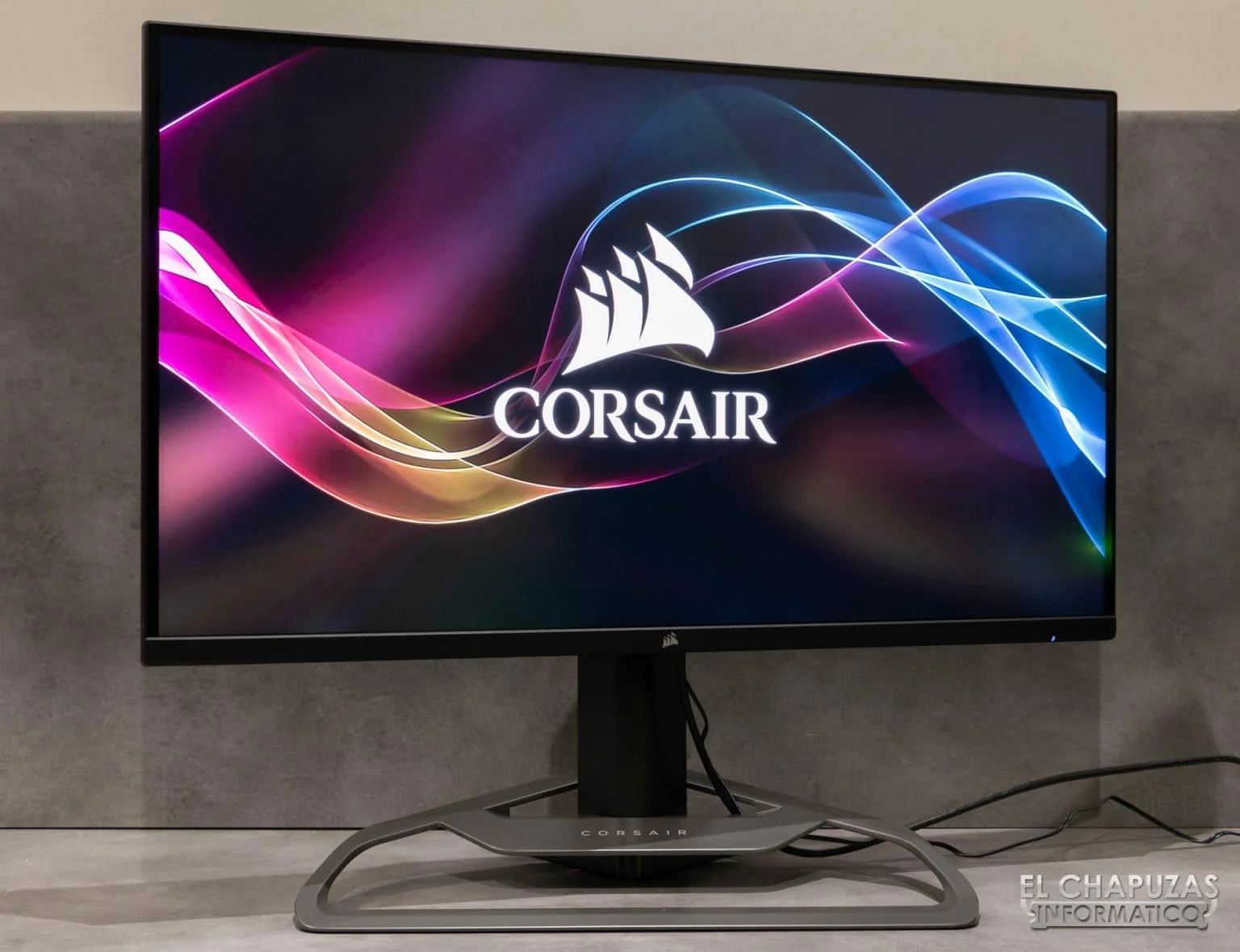
The Corsair Xeneon 32QHD165 makes a striking first impression with its robust, industrial aesthetic that leans heavily into Corsair’s signature premium design language. The display features an ultra-thin bezel that maximizes the immersive 32-inch screen real estate, ensuring that modern dual-monitor setups look incredibly seamless. What truly anchors the design, however, is the phenomenally engineered die-cast aluminum stand. It provides an exceptionally stable foundation while integrating a clever built-in cable management channel that keeps your 2026 battle station looking pristine and free of clutter.
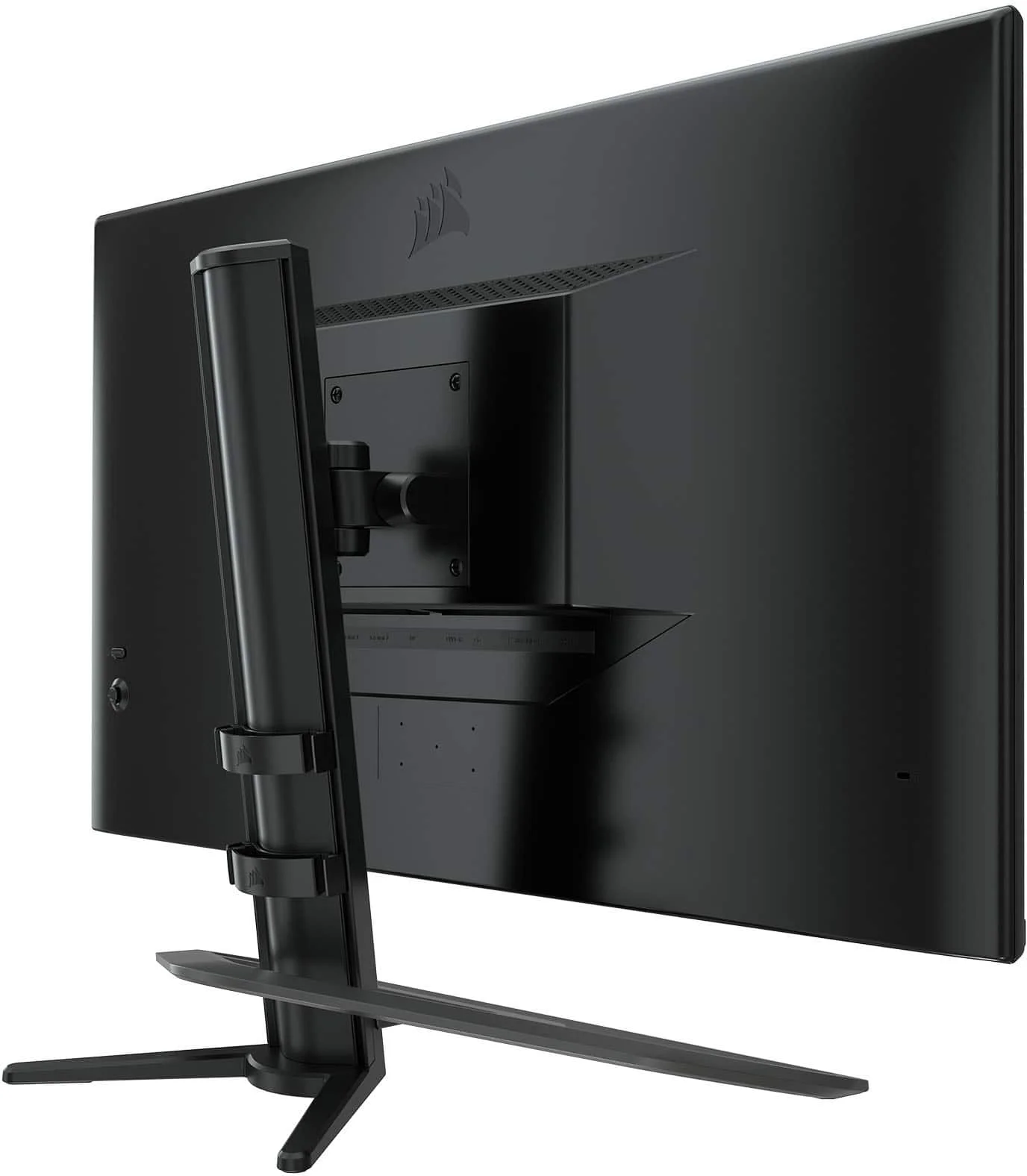
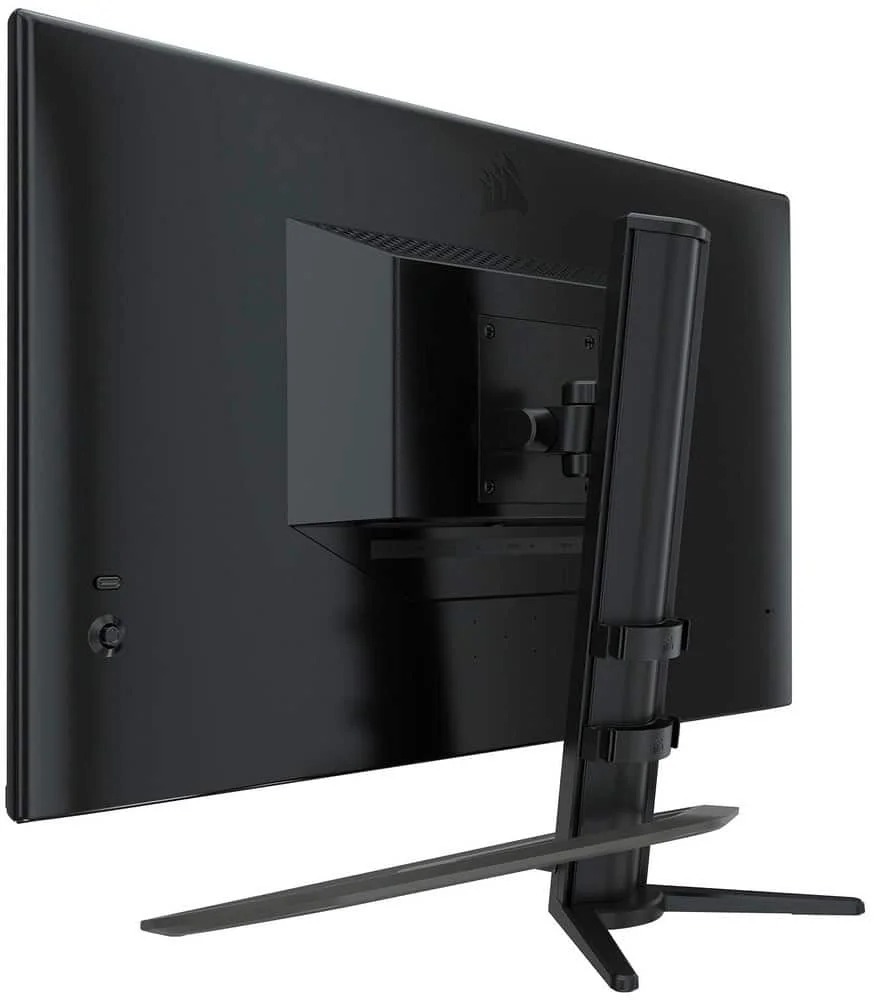
Ergonomically, the monitor offers a comprehensive suite of mechanical adjustments, including generous tilt, swivel, and 110mm of height adjustment, ensuring maximum comfort for extended gaming sessions or marathon video editing workflows. Uniquely, the stand also features an integrated multi-mount thread at the very top, allowing content creators to seamlessly attach a DSLR camera, ring light, or external microphone directly to the monitor via Elgato’s mounting ecosystem. For those who prefer custom desk setups, Corsair has thoughtfully included standard 100x100mm VESA compatibility, giving you the flexibility to use premium third-party monitor arms.
Performance
When it comes to raw gaming speed, the Xeneon 32QHD165 delivers an exceptionally fluid experience tailored for both competitive esports and demanding AAA titles. The Fast IPS panel boasts a native 165Hz refresh rate paired with a snappy 1ms MPRT response time, virtually eliminating ghosting and motion blur in fast-paced scenarios. Whether you are flick-shotting in high-stakes tactical shooters or navigating the sweeping, visually dense landscapes of modern RPGs, the frame delivery remains flawlessly smooth. Furthermore, it is fully certified for both AMD FreeSync Premium and NVIDIA G-Sync compatibility, guaranteeing a tear-free experience regardless of your chosen GPU.
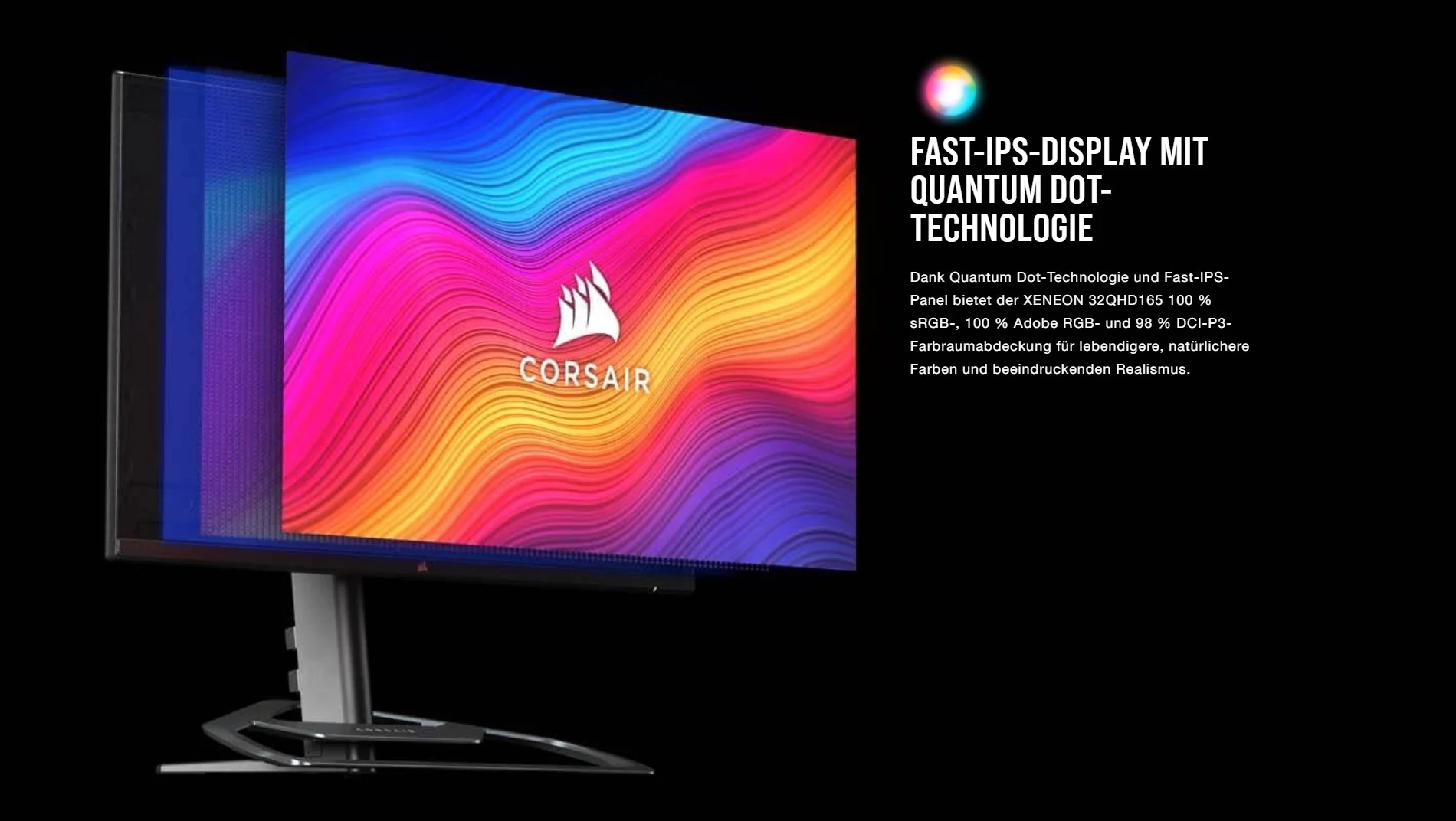
Beyond pure speed, this monitor genuinely shines in its visual fidelity. The 2560 x 1440 (QHD) resolution strikes the perfect balance for a 32-inch display, offering sharp, legible details without demanding the crushing GPU overhead required by native 4K gaming. Utilizing advanced Quantum Dot technology, the panel covers an astounding 100% of the Adobe RGB and sRGB color spaces, alongside 98% of DCI-P3. This impressive out-of-the-box color accuracy makes the Xeneon a phenomenal hybrid choice for both gaming and professional color-critical workflows like video editing and photography.
If there is a noticeable performance caveat to be found, it lies within its high dynamic range capabilities. Limited to VESA DisplayHDR 400 with basic edge-lit dimming rather than the full-array local dimming (FALD) or organic pixel illumination found on high-end OLED panels, the HDR experience feels more like an afterthought than a transformative visual upgrade. While colors do receive a slight punchiness in supported titles, the monitor fundamentally lacks the deep, inky blacks and searing peak brightness required to deliver a truly cinematic HDR presentation.
Features & Software
One of the primary reasons to invest in the Corsair ecosystem is the unparalleled software integration, and the Xeneon 32QHD165 takes full advantage of Corsair’s ubiquitous iCUE suite. Instead of exclusively fumbling with the traditional rear-mounted OSD joystick—which is thankfully still present and quite intuitive—users can seamlessly manage picture profiles, adjust refresh rates, and tweak color settings directly from their Windows desktop using iCUE. This software control is a massive quality-of-life improvement for power users who frequently switch between custom visual profiles for gaming, reading, and color grading. Additionally, the inclusion of a USB-C port with DisplayPort Alt Mode allows for rapid connectivity with modern laptops, streamlining cable management for hybrid workers.
Value Proposition
The Corsair Xeneon 32QHD165 commands a premium price tag, placing it in direct contention with some of the most established heavyweights in the high-end display market. While it certainly isn’t the most budget-friendly 1440p 165Hz option available in 2026, buyers are paying a justified premium for its spectacular build quality, gorgeous Quantum Dot color accuracy, and the robust multi-mount stand designed specifically for creators. If you are already deeply entrenched in the Corsair hardware ecosystem or require a monitor that expertly straddles the line between professional creative work and high-refresh-rate gaming, the investment feels entirely worthwhile.
How It Compares
When pitted against the ASUS ROG Swift PG329Q, the Corsair Xeneon holds its own with superior overall color accuracy and a much more versatile stand catered to content creators, though the ASUS edges it out slightly with a marginally higher overclocked refresh rate (175Hz). Against the highly popular LG 32GP850-B, the Corsair display offers significantly better build materials, a sturdier aluminum base, and the unmatched convenience of iCUE software integration. However, the LG remains a formidable competitor for pure value seekers, as it achieves very similar raw gaming performance at a notably lower retail price.
Pros and Cons
Pros
- The Quantum Dot technology delivers phenomenal color accuracy that is perfect for professional content creation.
- The die-cast aluminum stand features excellent cable management and a highly useful integrated multi-mount thread for cameras.
- iCUE software integration allows for seamless, frustration-free desktop management of all monitor visual settings.
- The Fast IPS panel provides outstanding motion clarity with a fluid 165Hz refresh rate and minimal ghosting.
Cons
- The DisplayHDR 400 certification falls short of delivering a true, high-contrast HDR gaming experience.
- It carries a premium price tag that makes it noticeably more expensive than similarly specced competitors.
- The included USB-C port only offers 15W of power delivery, which is entirely insufficient for charging most modern laptops.
- The massive footprint of the cast aluminum stand requires a significantly deep desk to comfortably accommodate it.
FAQ
Q: Does the Corsair Xeneon 32QHD165 have built-in speakers?
A: No, this monitor does not feature built-in speakers, but it does include a standard 3.5mm audio jack to seamlessly route sound to your gaming headset or external desktop speakers.
Q: Can I mount a webcam or DSLR directly to the monitor?
A: Yes, the top of the monitor stand includes a standard 1/4-inch threaded mount specifically designed to hold a camera, ring light, or microphone using Elgato’s multi-mount accessory system.
Q: Is this monitor compatible with the latest consoles?
A: Yes, it supports 1440p resolution at 120Hz for both the PlayStation 5 and Xbox Series X, though it lacks HDMI 2.1 ports for 4K downsampling at high refresh rates.
Q: Do I have to use iCUE software to change the monitor settings?
A: Not at all. While iCUE offers a highly convenient desktop interface, you can still easily navigate all display settings using the physical five-way OSD joystick located on the rear right side of the panel.
Verdict
The Corsair Xeneon 32QHD165 is a meticulously crafted display that successfully bridges the gap between competitive gaming and professional color work. Its robust physical design, exceptional Quantum Dot color accuracy, and intelligent iCUE software integration make it a top-tier choice for streamers and hybrid content creators. If you are willing to overlook its lackluster HDR performance and premium price, this monitor stands as an incredibly versatile centerpiece for any modern enthusiast’s battle station.
Where to Buy
Pros
- ✓ The Quantum Dot technology delivers phenomenal color accuracy that is perfect for professional content creation.
- ✓ The die-cast aluminum stand features excellent cable management and a highly useful integrated multi-mount thread for cameras.
- ✓ iCUE software integration allows for seamless, frustration-free desktop management of all monitor visual settings.
- ✓ The Fast IPS panel provides outstanding motion clarity with a fluid 165Hz refresh rate and minimal ghosting.
Cons
- ✗ The DisplayHDR 400 certification falls short of delivering a true, high-contrast HDR gaming experience.
- ✗ It carries a premium price tag that makes it noticeably more expensive than similarly specced competitors.
- ✗ The included USB-C port only offers 15W of power delivery, which is entirely insufficient for charging most modern laptops.
- ✗ The massive footprint of the cast aluminum stand requires a significantly deep desk to comfortably accommodate it.
Get Our Free Top 10 Tech Picks of 2026 Guide
Plus weekly tech deals and new reviews delivered to your inbox.
[cp_email_signup]
No spam. Unsubscribe anytime.
Ready to buy the Corsair Xeneon 32QHD165?
Affiliate link — we may earn a commission at no extra cost to you.



