










The Lenovo ThinkPad X1 Carbon Gen 11 remains a titan in the premium business laptop space, balancing legendary durability with feather-light portability. In an era where ultrabooks often sacrifice function for form, this iconic machine proves you can have an exceptional typing experience without compromising on connectivity.
Table of Contents
Key Specifications
| Feature | Detail |
|---|---|
| Processor | Up to 13th Gen Intel Core i7-1370P vPro |
| Graphics | Integrated Intel Iris Xe Graphics |
| Display | 14-inch 16:10 (Up to 2.8K OLED or WUXGA IPS) |
| Memory | Up to 64GB LPDDR5x (Soldered) |
| Storage | Up to 2TB PCIe Gen 4 NVMe SSD |
| Weight | Starting at 1.12 kg (2.48 lbs) |
| Battery | 57Wh (Up to 14 hours depending on display) |
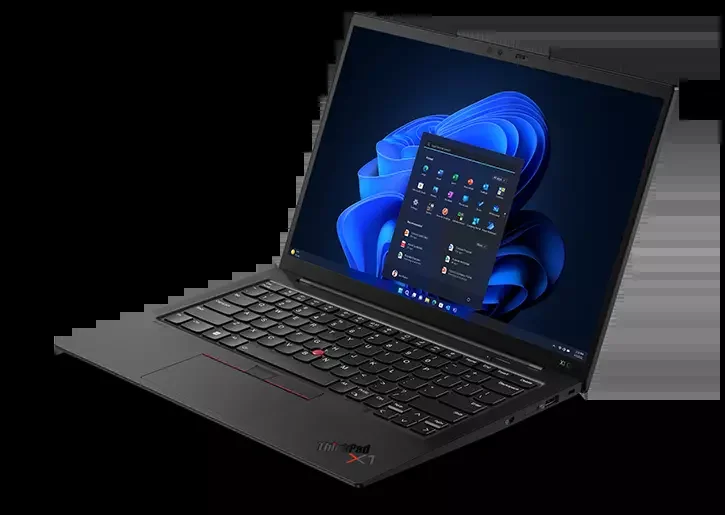
| Ports | 2x Thunderbolt 4, 2x USB-A 3.2 Gen 1, 1x HDMI 2.1, 3.5mm Audio |
Design & Build Quality
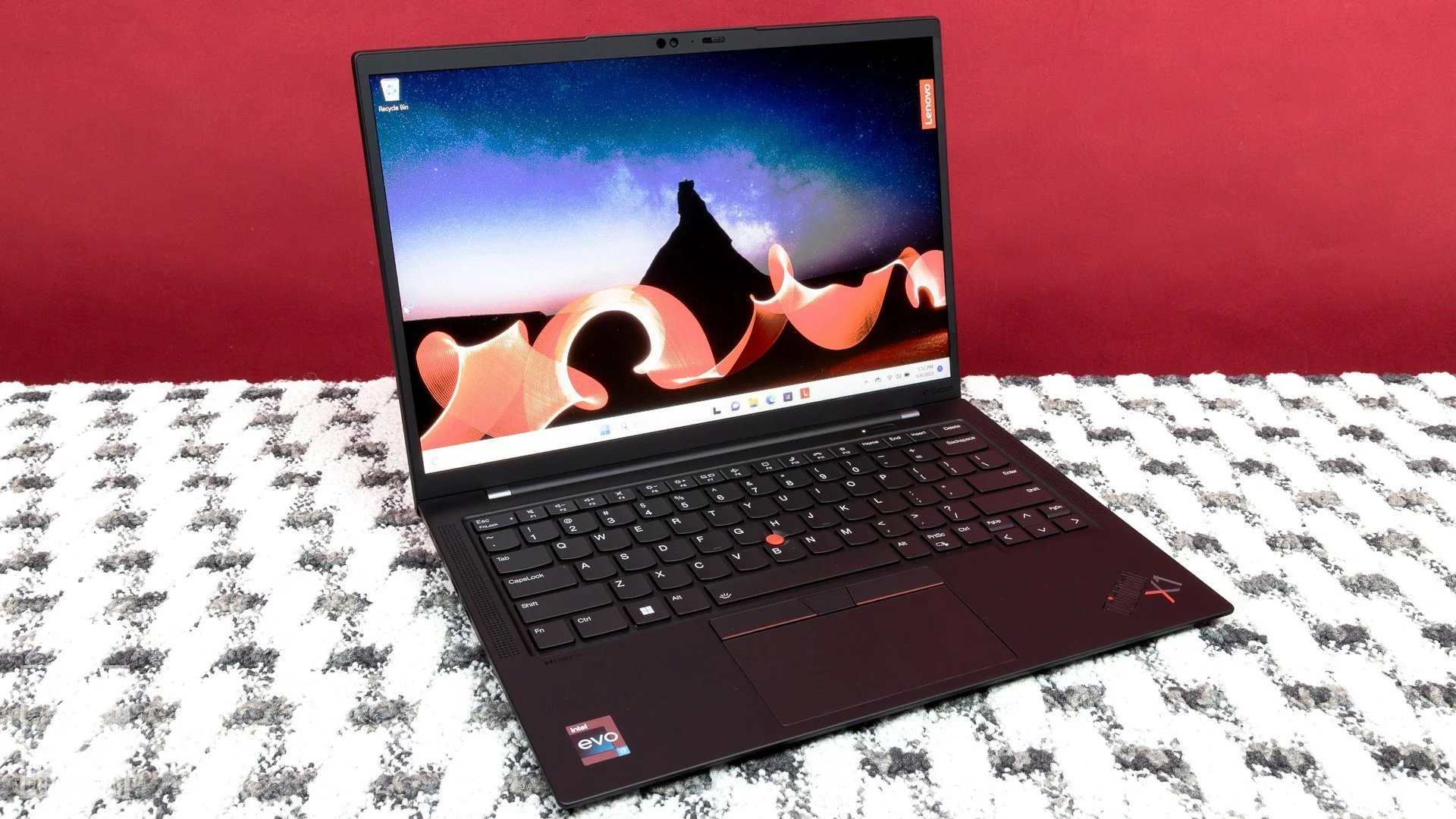
Lenovo has long perfected the art of creating machines that mean business, and the ThinkPad X1 Carbon Gen 11 is no exception. Clad in its signature matte black carbon fiber weave, the chassis is an engineering marvel that continues to defy expectations. Starting at a mere 1.12 kilograms (2.48 lbs), it is impossibly light, yet it meets rigorous MIL-STD 810H durability standards. You can comfortably toss it into a messenger bag without a second thought, confident it will survive the chaotic commute of a modern professional.
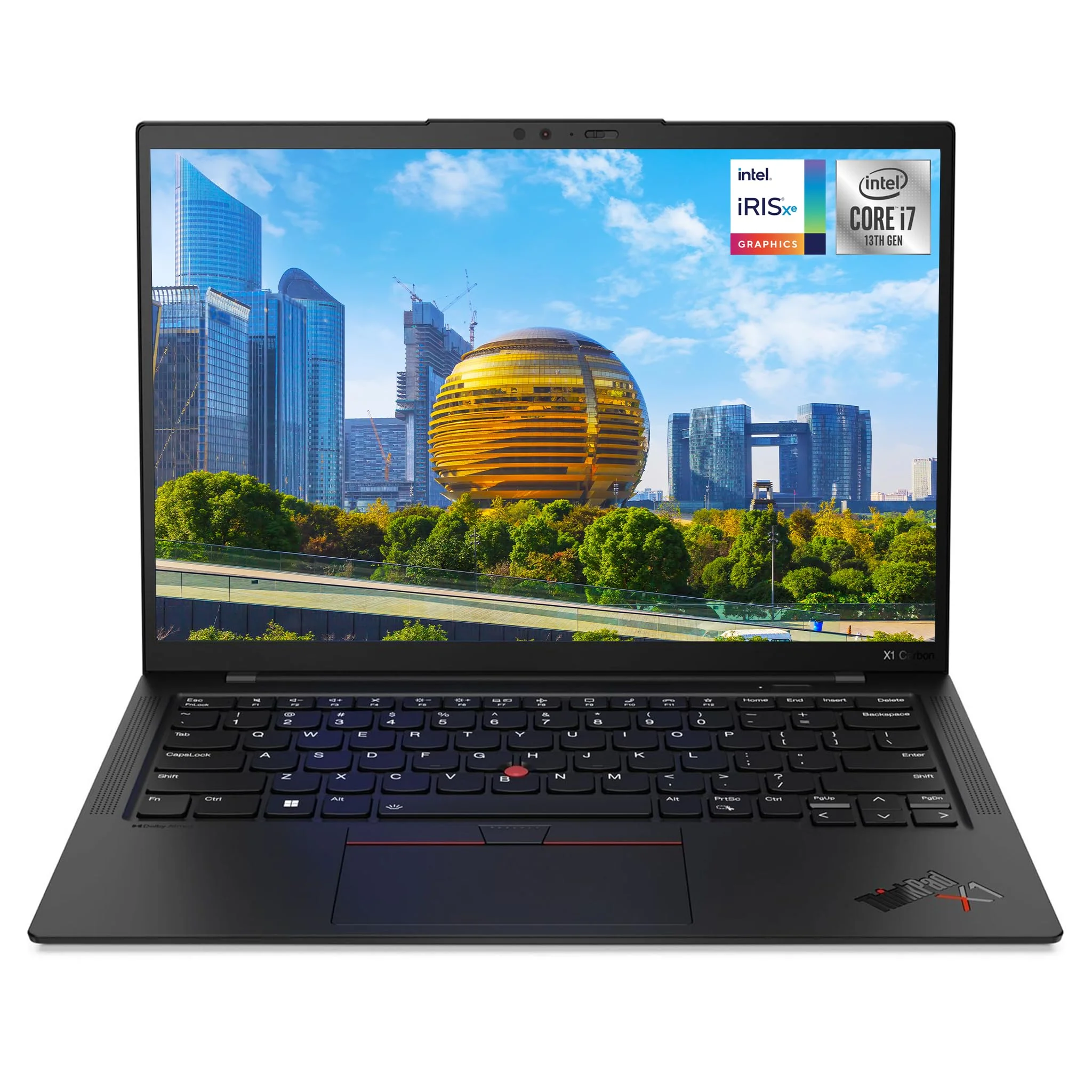
Ergonomics remain the undisputed crown jewel of the ThinkPad lineage. The Gen 11 retains the legendary scalloped keyboard with its deep 1.5mm key travel, providing an incredibly tactile typing experience that makes drafting lengthy code or reports a genuine pleasure. Accompanied by the iconic red TrackPoint and a generously sized glass touchpad, navigation feels precise and intuitive. Despite the slim profile, Lenovo still manages to provide a robust I/O selection—eliminating the dreaded dongle-life that plagues competing ultrabooks.
Performance
Under the hood, the ThinkPad X1 Carbon Gen 11 is powered by Intel’s 13th Generation Raptor Lake processors, scaling up to the formidable Core i7-1370P vPro. In 2026, while newer architectures exist in the broader market, this silicon continues to chew through demanding enterprise workloads with remarkable efficiency. When paired with up to 64GB of lightning-fast LPDDR5x RAM, the laptop effortlessly handles rigorous multitasking. Whether you are running complex virtual machines, juggling dozens of browser tabs, or crunching massive datasets, the Gen 11 does not stutter.
In synthetic benchmarks, the Gen 11 delivers highly respectable multi-core scores that position it near the top of its class for ultrathin machines. The PCIe Gen 4 NVMe SSD ensures that boot times and data transfers are nearly instantaneous. However, it is worth noting that the integrated Intel Iris Xe graphics are strictly meant for productivity and media consumption. While it can handle light photo editing or rendering presentations, this isn’t a machine built for heavy video editing or modern AAA gaming.
Thermal management is efficiently handled by a dual-fan cooling system that pulls air through the keyboard. Under normal productivity loads, the machine remains whisper-quiet and comfortably cool to the touch. Only when pushed to its absolute limits during sustained synthetic stress tests does the fan noise become noticeable, though it rarely throttles aggressively enough to impact real-world workflows.
Features & Software
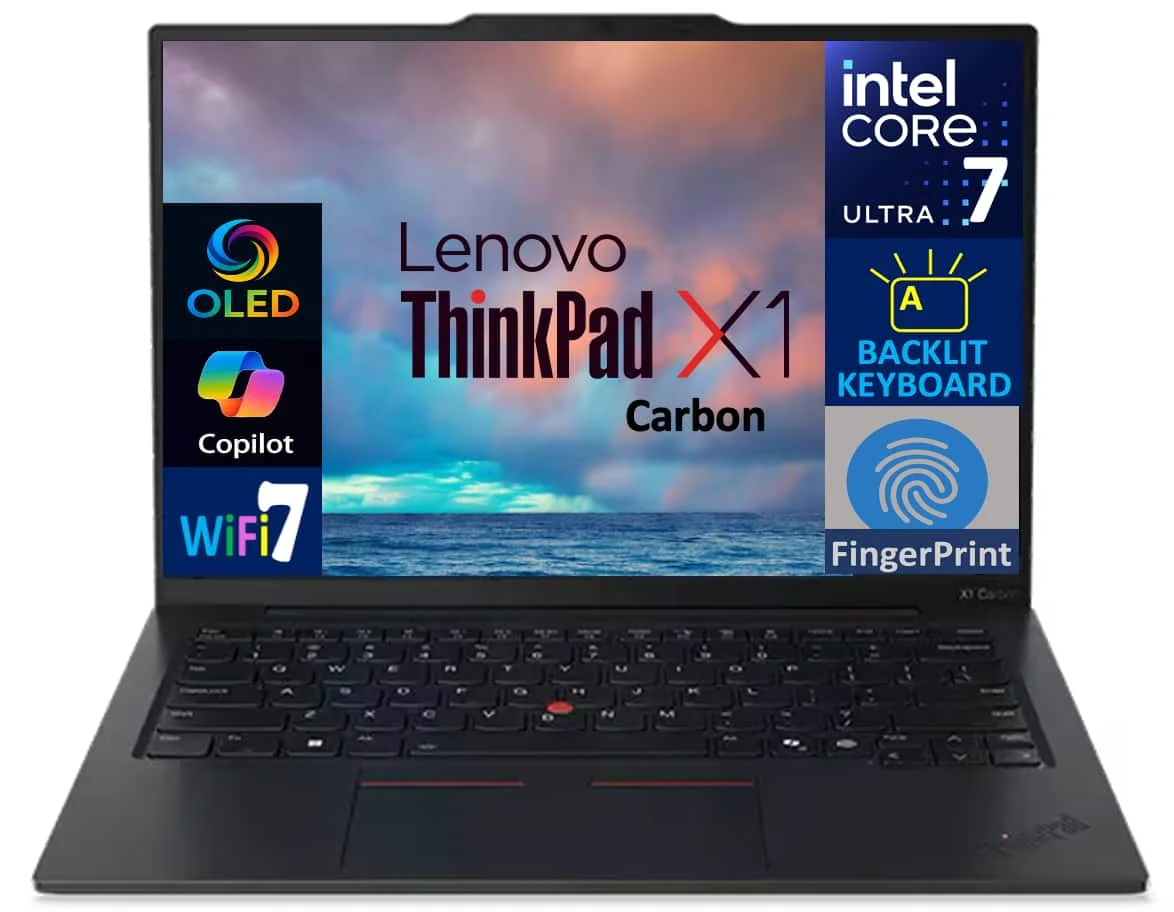
Lenovo’s emphasis on enterprise-grade security sets the X1 Carbon Gen 11 apart from conventional consumer laptops. The inclusion of the discrete Trusted Platform Module (dTPM 2.0), a fingerprint reader integrated directly into the power button, and an IR webcam with a physical privacy shutter provides robust, multi-layered protection. Additionally, the Lenovo Commercial Vantage software offers a clean, bloat-free hub for system updates, hardware diagnostics, and granular battery management, allowing you to cap charge limits to extend battery longevity over years of use.
The multimedia experience has also seen thoughtful refinements. The 14-inch 16:10 display options, particularly the gorgeous 2.8K OLED panel, deliver deep blacks and exceptional color accuracy, making it just as capable for unwinding with movies as it is for reading spreadsheets. Paired with a 1080p MIPI webcam equipped with Computer Vision for automatic lock/unlock based on your presence, and a quad-speaker array featuring Dolby Atmos, the Gen 11 excels in the era of hybrid work and endless video conferencing.
Value Proposition
The ThinkPad X1 Carbon Gen 11 commands a premium price tag, reflecting its status as a top-tier enterprise machine. For casual users, the cost of entry might be difficult to justify. However, for executives, developers, and power users who rely on their machines for their livelihood, the return on investment is evident. You are paying for unmatched reliability, class-leading input devices, and a comprehensive port selection that streamlines your day-to-day operations.
When viewed from a 2026 perspective, its value proposition holds remarkably strong. While consumer-focused laptops might offer slightly better display-to-price ratios or more robust integrated graphics, they rarely match the X1 Carbon’s trifecta of weight, durability, and typing comfort. It is an investment in productivity rather than just a purchase of hardware.
How It Compares
When pitted against the Apple MacBook Air M3, the ThinkPad X1 Carbon Gen 11 offers superior port variety and arguably a much better typing experience, though the MacBook reigns supreme in raw battery life and fanless thermal performance. Compared to the Dell XPS 13 Plus, the X1 Carbon firmly wins on practicality; it retains physical function keys and a highly responsive haptic-free touchpad, whereas the XPS prioritizes a futuristic aesthetic at the occasional cost of daily usability.
Pros and Cons
Pros
- The carbon fiber and magnesium chassis is incredibly lightweight without compromising structural integrity.
- It features arguably the best laptop keyboard on the market, offering deeply satisfying key travel.
- A generous selection of legacy and modern ports eliminates the need for external docks.
- The optional 2.8K OLED display delivers stunning contrast and vivid colors for both work and media.
Cons
- The premium price tag makes it a tough sell for general consumers or students on a budget.
- Integrated Intel Iris Xe graphics are underwhelming for those needing to do 3D rendering or heavy video editing.
- The matte black finish is a notorious fingerprint magnet that requires frequent wiping.
- Battery life takes a noticeable hit if you opt for the high-resolution OLED display panel.
FAQ
Q: Can the RAM on the Lenovo ThinkPad X1 Carbon Gen 11 be upgraded?
A: No, the RAM is soldered to the motherboard. You must select your desired amount of memory at the time of purchase.
Q: Does it have a touchscreen option?
A: Yes, Lenovo offers specific display configurations for the Gen 11 that include touch functionality, though the premium 2.8K OLED option is typically non-touch.
Q: Is the battery life sufficient for a full workday?
A: If you choose the WUXGA (1920×1200) display, the 57Wh battery easily lasts 10 to 12 hours. However, the OLED model will drain the battery faster, typically yielding around 7 to 8 hours under normal use.
Q: Does the X1 Carbon Gen 11 support cellular connectivity?
A: Yes, it can be configured with optional 4G LTE or 5G WWAN modules, allowing you to stay connected without relying on public Wi-Fi hotspots.
Verdict
The Lenovo ThinkPad X1 Carbon Gen 11 is the ultimate tool for on-the-go professionals, writers, and executives who refuse to compromise on typing comfort or port selection. While its high price and basic integrated graphics deter budget buyers and creative editors, its sheer durability and lightweight design make it a flawless productivity workhorse. If you demand premium engineering and legendary reliability in 2026, this laptop remains worth every penny.
Where to Buy
Pros
- ✓ The carbon fiber and magnesium chassis is incredibly lightweight without compromising structural integrity.
- ✓ It features arguably the best laptop keyboard on the market, offering deeply satisfying key travel.
- ✓ A generous selection of legacy and modern ports eliminates the need for external docks.
- ✓ The optional 2.8K OLED display delivers stunning contrast and vivid colors for both work and media.
Cons
- ✗ The premium price tag makes it a tough sell for general consumers or students on a budget.
- ✗ Integrated Intel Iris Xe graphics are underwhelming for those needing to do 3D rendering or heavy video editing.
- ✗ The matte black finish is a notorious fingerprint magnet that requires frequent wiping.
- ✗ Battery life takes a noticeable hit if you opt for the high-resolution OLED display panel.
Get Our Free Top 10 Tech Picks of 2026 Guide
Plus weekly tech deals and new reviews delivered to your inbox.
[cp_email_signup]
No spam. Unsubscribe anytime.
Ready to buy the Lenovo ThinkPad X1 Carbon Gen 11?
Affiliate link — we may earn a commission at no extra cost to you.



