
The Lenovo ThinkPad X1 Carbon Gen 12 marks a significant evolution for the iconic business laptop lineup, blending Intel’s Core Ultra processing power with a refreshed design. With an upgraded haptic trackpad and an exquisite OLED display option, it promises top-tier productivity for demanding professionals. Let’s find out if this premium ultrabook still holds the crown in 2026.
Table of Contents
Key Specifications
| Feature | Detail |
|---|---|
| Processor | Up to Intel Core Ultra 7 155H (with Intel AI Boost NPU) |
| Display | 14-inch 2.8K (2880 x 1800) OLED, 120Hz, Anti-glare |
| RAM | Up to 64GB LPDDR5x (Soldered) |
| Storage | Up to 2TB PCIe Gen 4 NVMe SSD |
| Weight | From 2.42 lbs (1.09 kg) |
| Battery | 57Whr with Rapid Charge support |
| Ports | 2x Thunderbolt 4, 2x USB-A 3.2, 1x HDMI 2.1, 3.5mm Audio Jack |
Design & Build Quality
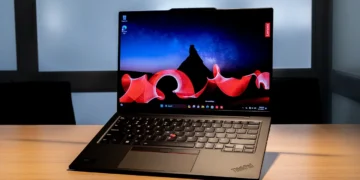
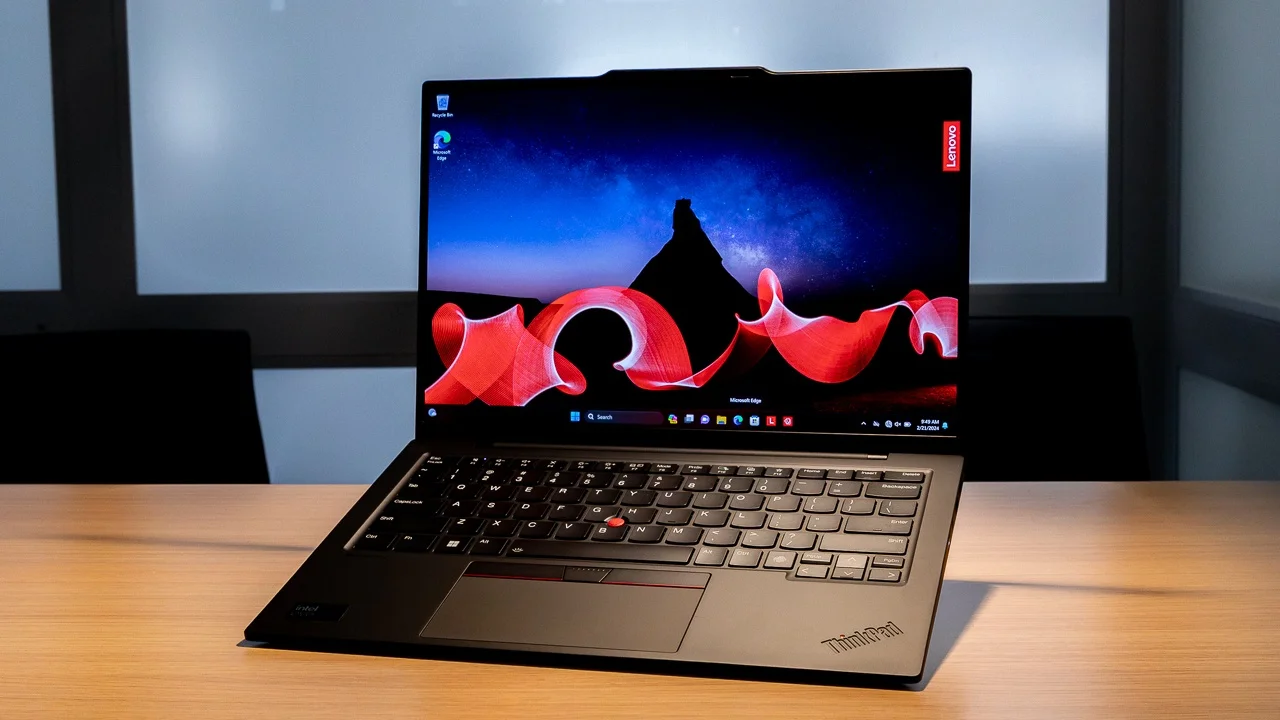
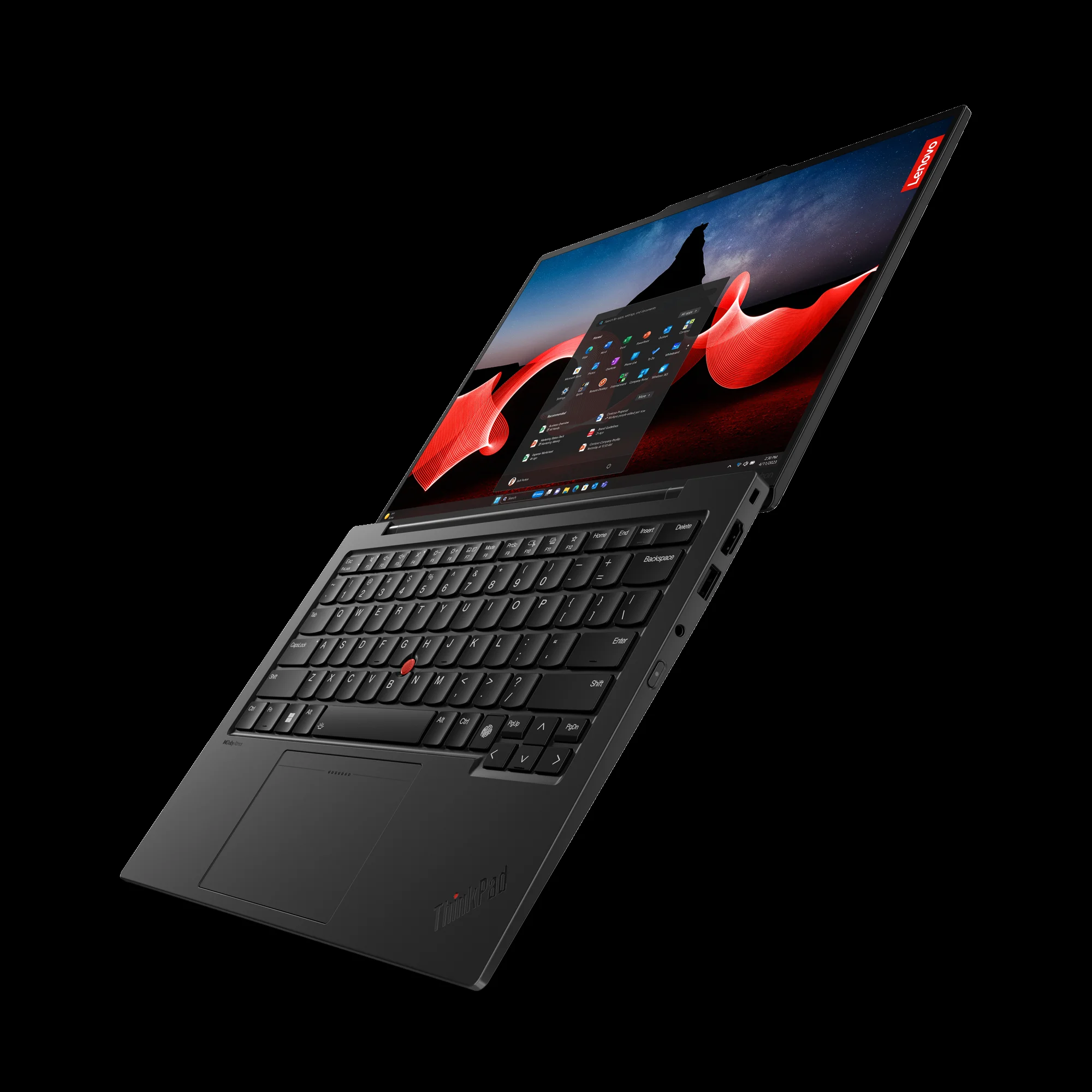
The ThinkPad X1 Carbon has always been the gold standard for stealthy corporate elegance, and the Gen 12 continues this legacy with a few modern twists. Constructed from a premium blend of carbon fiber and magnesium alloy, the chassis remains astonishingly light at just 2.42 pounds, yet it retains the rigid MIL-STD 810H durability the brand is famous for. The matte black finish is as sophisticated as ever, though it continues to attract fingerprints despite Lenovo’s ongoing anti-smudge efforts.
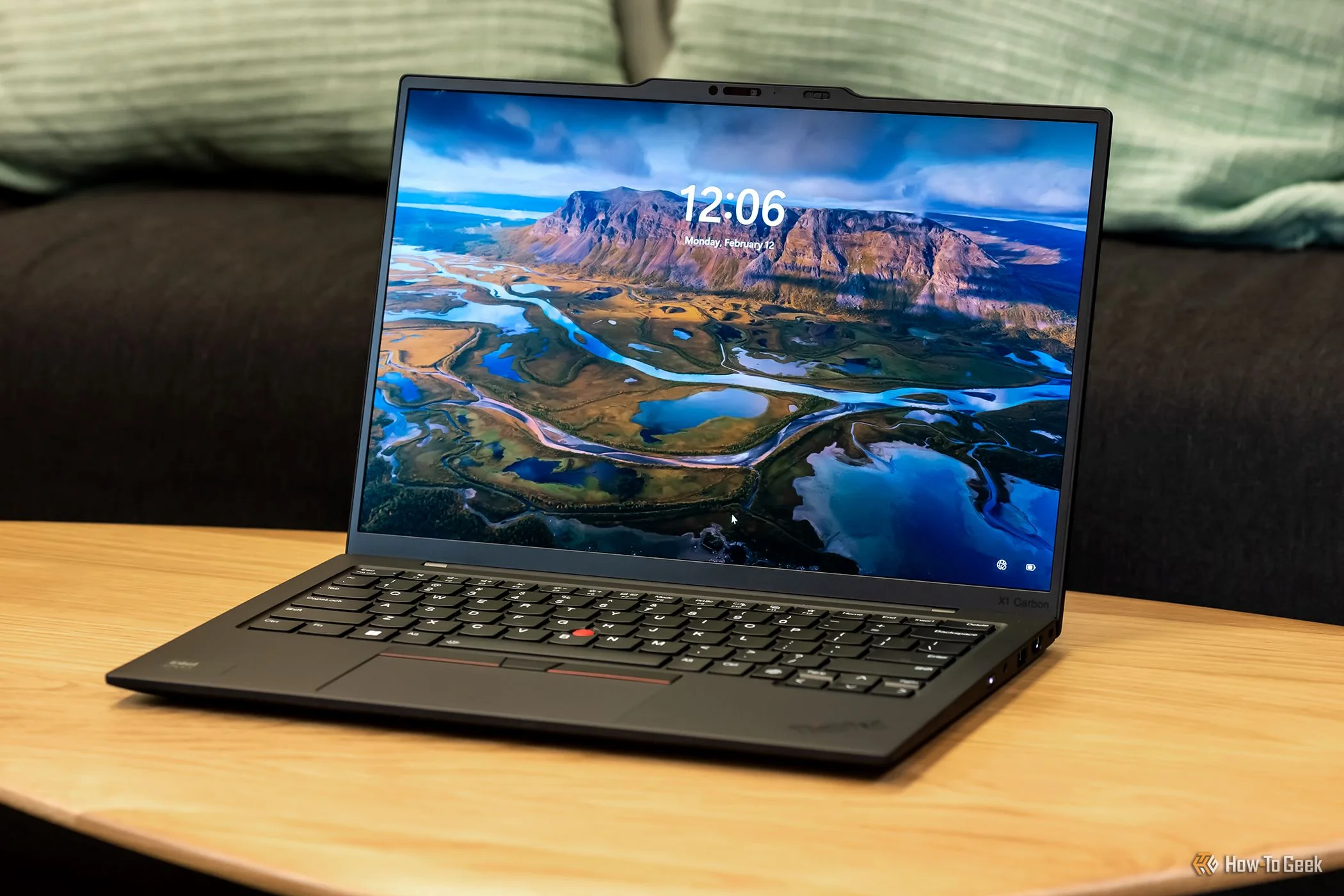
Ergonomically, Lenovo has implemented one of the most significant changes in the ThinkPad’s recent history: swapping the traditional physical trackpad buttons for a seamless glass haptic touchpad. Purists will be relieved to know the iconic red TrackPoint remains nestled in the keyboard, and the haptic feedback perfectly simulates physical clicks. The legendary keyboard itself retains its tactile, comfortable keystrokes, though the key travel has been slightly reduced compared to much older iterations, aligning with modern ultrabook standards while remaining best-in-class.
Performance
Powered by Intel’s Core Ultra “Meteor Lake” processors—featuring an integrated NPU (Neural Processing Unit) designed specifically for AI workloads—the Gen 12 is a formidable workhorse. In real-world usage, the Core Ultra 7 155H effortlessly chews through heavy multitasking. Whether you are juggling dozens of Chrome tabs, compiling code, or running large Excel macros, the X1 Carbon remains snappy and highly responsive. The inclusion of Intel Arc integrated graphics also provides a welcome boost for light photo editing and rendering tasks, though it is not intended for hardcore gaming.
Benchmark results align with expectations for a premium thin-and-light device in 2026. The X1 Carbon handles sustained loads impressively well, utilizing a revamped dual-fan cooling system that intelligently pulls air through the keyboard deck. While the fans do spin up during intensive tasks like video encoding, they manage to keep the chassis from becoming uncomfortably hot. Crucially, the NPU significantly offloads background tasks such as video background blurring and audio framing during Zoom calls, keeping the primary CPU cores free for your actual workflow and preserving battery life.
Features & Software
Lenovo’s Commercial Vantage software remains one of the cleanest and most useful OEM utilities on the market, offering granular control over power profiles, battery charging thresholds, and firmware updates without pushing unnecessary bloatware. The Gen 12 also shines with its upgraded 8MP MIPI computer vision webcam, which delivers incredibly crisp video quality for remote meetings and highly reliable Windows Hello facial recognition in low-light environments.
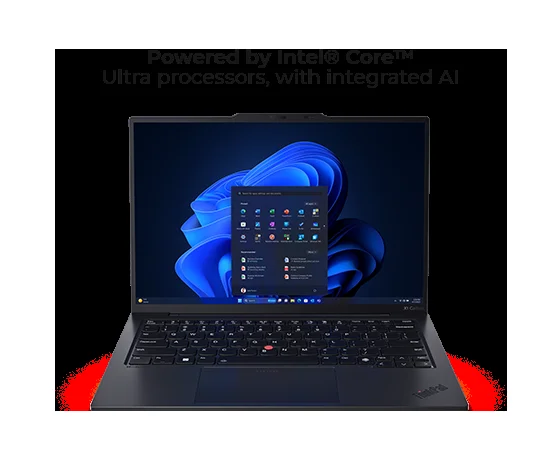
A standout hardware feature of this generation is the stunning 2.8K 120Hz OLED display option. It covers 100% of the DCI-P3 color gamut, providing inky blacks, vibrant colors, and smooth scrolling that dramatically elevates the daily user experience. When paired with Wi-Fi 7 readiness and optional 5G connectivity, the feature set is tailored perfectly for the modern, highly mobile professional who demands connectivity anywhere in the world.
Value Proposition
The Lenovo ThinkPad X1 Carbon Gen 12 carries a premium price tag, often starting well above the $1,500 mark and scaling past $2,500 for high-end configurations. When evaluating its value, it is important to realize you aren’t just paying for raw silicon; you are investing in an elite business ecosystem, unparalleled build quality, and comprehensive enterprise-grade security features.
Compared to typical consumer ultrabooks, the cost might seem steep. However, for corporate buyers, developers, and power users who demand reliable after-sales support, robust port selection (including legacy USB-A and full-size HDMI), and top-tier input devices, the X1 Carbon firmly justifies its premium. It remains the definitive executive laptop where productivity and ultimate portability intersect without compromise.
How It Compares
When pitted against the Dell XPS 14, the ThinkPad X1 Carbon Gen 12 wins decisively on weight, keyboard ergonomics, and practical port selection. While the XPS 14 offers a sleeker, hyper-modern aesthetic and slightly beefier dedicated GPU options, it forces users into a dongle-heavy lifestyle and weighs significantly more in a backpack. Alternatively, compared to the Apple MacBook Air 15 (M3), the ThinkPad offers superior enterprise manageability, cellular connectivity options, and an arguably better typing experience. However, the MacBook Air still holds an edge in sheer battery life and fanless, silent operation, making the choice heavily dependent on your preferred operating system and exact travel needs.
Pros and Cons
Pros
- The carbon fiber and magnesium chassis is incredibly lightweight yet highly durable.
- The 120Hz OLED display option offers stunning contrast and excellent color accuracy.
- The legendary keyboard paired with the new glass haptic trackpad creates a flawless input experience.
- The port selection is excellent, featuring dual Thunderbolt 4, USB-A, and a full-size HDMI port.
Cons
- The premium pricing structure puts it out of reach for budget-conscious buyers.
- The classic matte black exterior is highly susceptible to fingerprint smudges and oils.
- Battery life takes a noticeable hit if you opt for the high-resolution 2.8K OLED display.
FAQ
Q: Can you upgrade the RAM in the ThinkPad X1 Carbon Gen 12?
A: No, the LPDDR5x RAM is soldered to the motherboard, so you must configure it with the amount you will need at the time of purchase.
Q: Does the Gen 12 model still have the TrackPoint red nub?
A: Yes, the classic red TrackPoint remains integrated into the keyboard for those who prefer navigating without taking their hands off the home row.
Q: How is the battery life on the OLED model?
A: The 57Whr battery generally yields around 7 to 8 hours of real-world productivity use on the OLED model, which is decent but falls short of the longer-lasting IPS display configurations.
Q: Does it support Wi-Fi 7?
A: Yes, the ThinkPad X1 Carbon Gen 12 includes hardware support for Wi-Fi 7, effectively future-proofing your high-speed wireless connectivity.
Verdict
The Lenovo ThinkPad X1 Carbon Gen 12 is the ultimate status-symbol ultrabook for executives, developers, and frequent business travelers who refuse to compromise on build quality or inputs. If you have the budget and demand a featherlight machine with a world-class keyboard and modern AI-ready performance, this laptop is an exceptional investment.
Where to Buy
Pros
- ✓ The carbon fiber and magnesium chassis is incredibly lightweight yet highly durable.
- ✓ The 120Hz OLED display option offers stunning contrast and excellent color accuracy.
- ✓ The legendary keyboard paired with the new glass haptic trackpad creates a flawless input experience.
- ✓ The port selection is excellent, featuring dual Thunderbolt 4, USB-A, and a full-size HDMI port.
Cons
- ✗ The premium pricing structure puts it out of reach for budget-conscious buyers.
- ✗ The classic matte black exterior is highly susceptible to fingerprint smudges and oils.
- ✗ Battery life takes a noticeable hit if you opt for the high-resolution 2.8K OLED display.
Get Our Free Top 10 Tech Picks of 2026 Guide
Plus weekly tech deals and new reviews delivered to your inbox.
[cp_email_signup]
No spam. Unsubscribe anytime.
Ready to buy the Lenovo ThinkPad X1 Carbon Gen 12?
Affiliate link — we may earn a commission at no extra cost to you.