

The Dell XPS 13 (9340) arrives in 2026 as a bold refinement of an already iconic ultrabook, boasting Intel’s latest Core Ultra processors and a strikingly minimalist design. While it pushes the boundaries of ultra-portable computing, its futuristic touch-based function row and invisible trackpad might divide the crowd. Read on to find out if Dell’s premium flagship is the right choice for your next mobile workstation.
Table of Contents
Key Specifications
| Feature | Detail |
|---|---|
| Processor | Up to Intel Core Ultra 9 185H |
| RAM | 16GB / 32GB / 64GB LPDDR5x (Soldered) |
| Storage | 512GB / 1TB / 2TB / 4TB PCIe 4.0 NVMe SSD |
| Display | 13.4″ FHD+ Non-Touch, QHD+ Touch, or 3K OLED Touch (120Hz) |
| Graphics | Intel Arc Graphics (Integrated) |
| Ports | 2x Thunderbolt 4 (USB Type-C) |
| Weight | 2.6 lbs (1.17 kg) |
| Battery | 55 Whr with 60W ExpressCharge |
Design & Build Quality
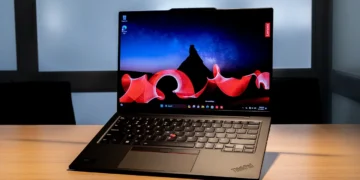
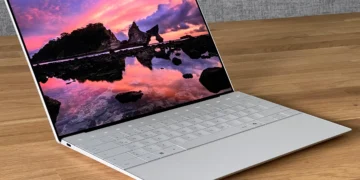
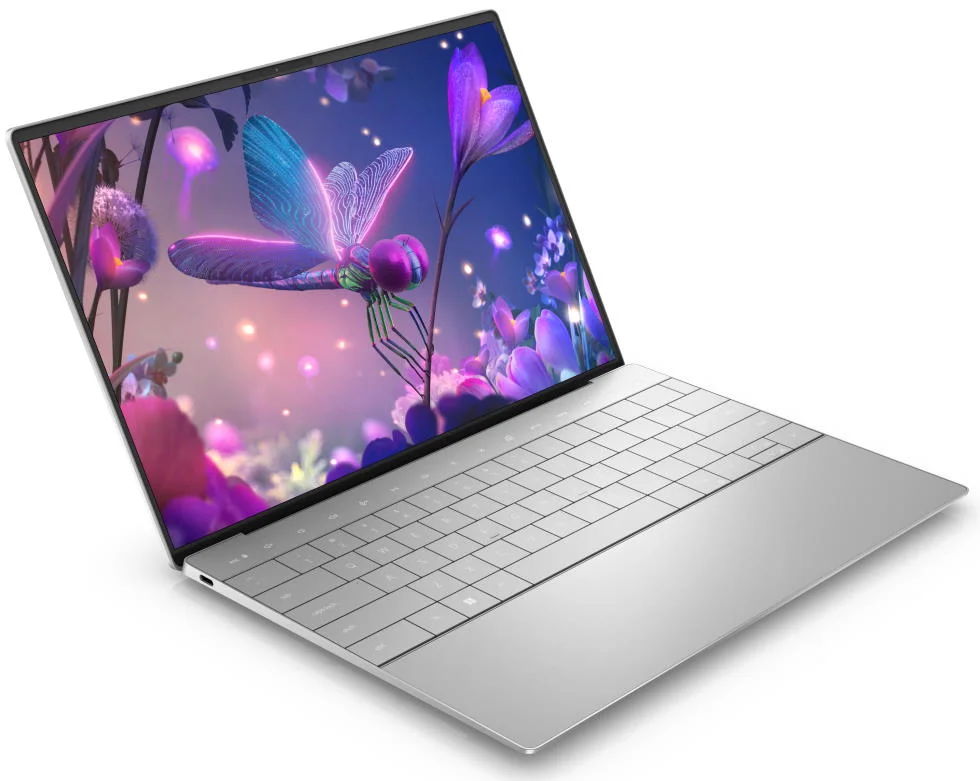
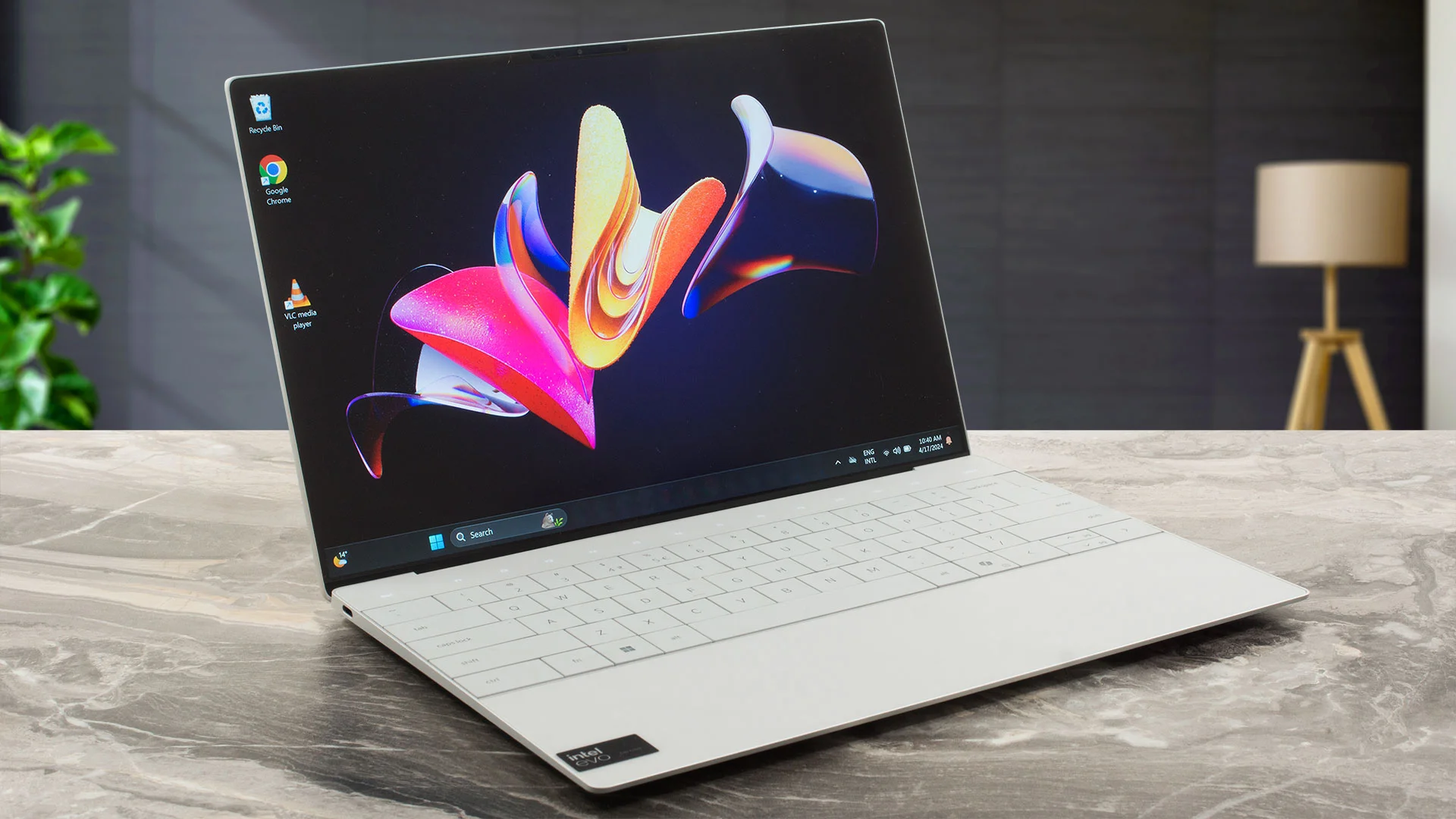
The Dell XPS 13 (9340) continues Dell’s aggressive push into minimalist, futuristic aesthetics. Crafted from CNC-machined aluminum and Gorilla Glass 3, the chassis feels incredibly rigid and premium, maintaining a remarkably slim profile at just 0.60 inches thick. Available in sleek Platinum and Graphite colorways, the 2026 iteration eliminates virtually all chassis flex, resulting in a device that feels less like a traditional laptop and more like a solid slab of futuristic technology.
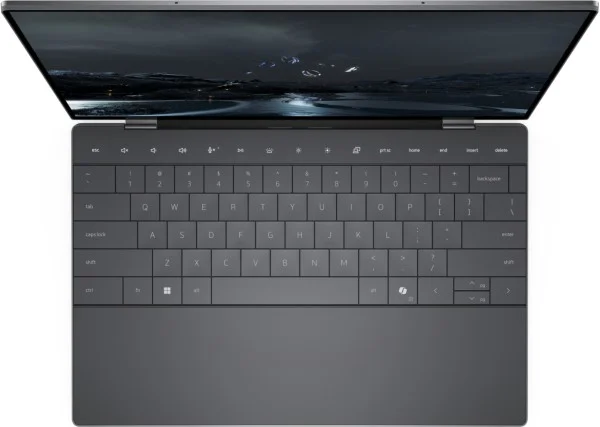
Opening the lid reveals the 9340’s most polarizing design choices: the edge-to-edge zero-lattice keyboard, a seamless glass palm rest housing an invisible haptic trackpad, and a capacitive touch function row. The keyboard offers surprisingly satisfying key travel despite how flat it looks, allowing for swift, comfortable typing sessions. However, the invisible trackpad requires a distinct learning curve to build muscle memory, as there are no tactile ridges to tell your fingers where the tracking area begins or ends.
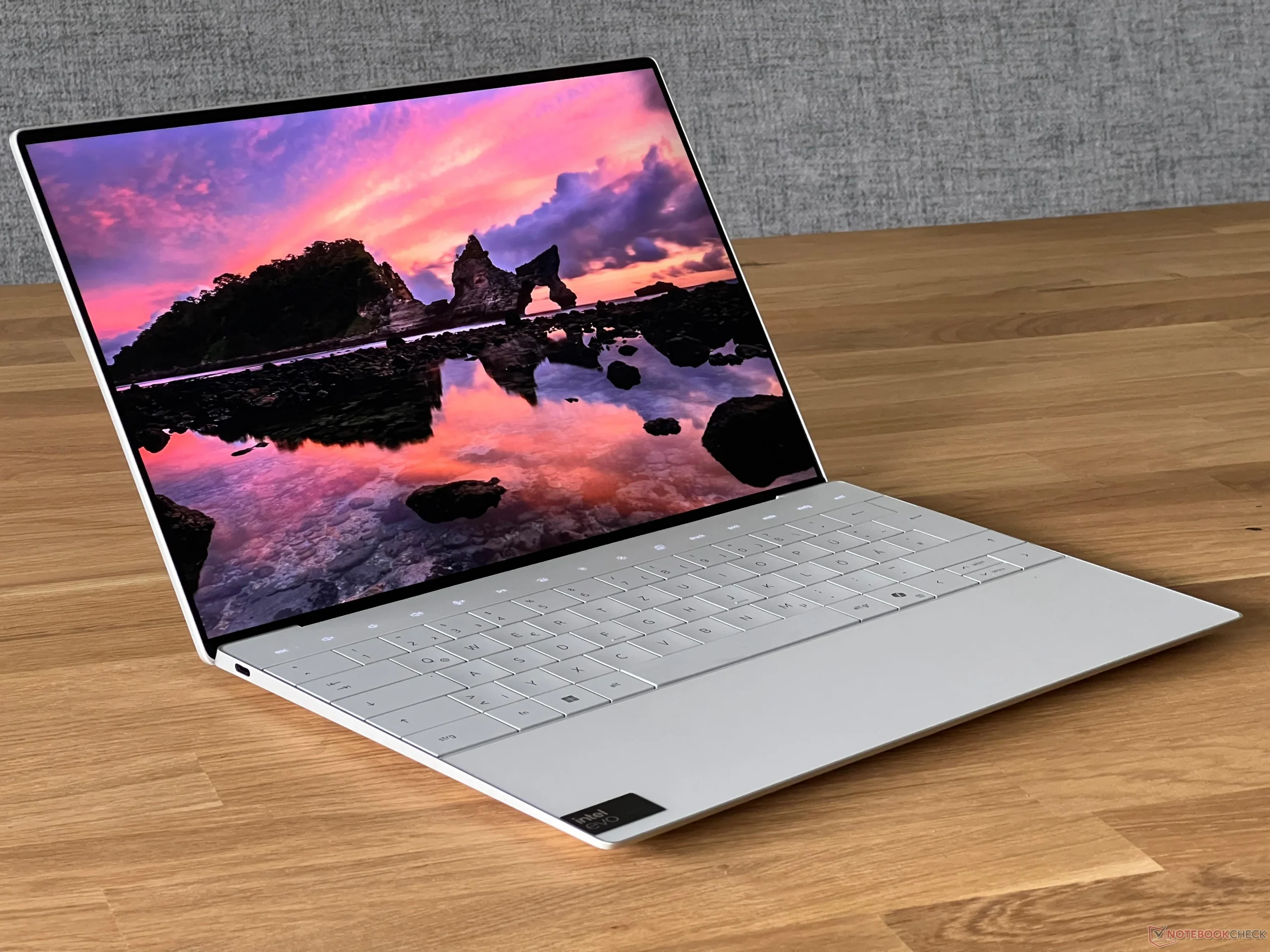
While visually stunning, these streamlined design choices remain controversial. The lack of tactile boundaries on the touchpad and the missing physical Escape key demand an adjustment period for touch typists and developers alike. Nevertheless, it remains one of the most visually striking pieces of hardware on the market today.
Performance
Under the hood, the 2026 Dell XPS 13 (9340) leverages Intel’s Core Ultra architecture (Meteor Lake), outfitting most configurations with the highly capable Core Ultra 7 155H or the top-tier Ultra 9. This architecture brings a dedicated NPU (Neural Processing Unit) for on-device AI workloads, drastically improving power efficiency while accelerating local AI tasks like Windows Studio Effects without taxing the CPU. In synthetic benchmarks, multi-core performance sees a notable bump over previous generations, effortlessly handling heavy web browsing, massive spreadsheets, and photo editing in Adobe Lightroom.
Graphics performance is handled by the integrated Intel Arc GPU, which represents a massive leap forward from older Iris Xe graphics. While this isn’t a gaming rig by any stretch, it is more than capable of handling 1080p gaming on medium settings for popular esports titles, as well as smoothly driving dual 4K external monitors. Thermal management is controlled by dual fans and a hidden exhaust system that keeps the palm rest cool, though the laptop will audibly ramp up its fan speed under sustained synthetic loads or 4K video rendering.
Perhaps the most impressive performance metric is the battery life. Thanks to the highly efficient Core Ultra chips and a well-optimized 55Whr battery, the XPS 13 easily pushes past the 14-hour mark in real-world productivity tests when equipped with the FHD+ display. The 3K OLED variant, while visually breathtaking with its perfect blacks and vibrant colors, will shave a few hours off that longevity, though it still comfortably survives a full workday on a single charge.
Features & Software
The XPS 13 (9340) comes relatively free of third-party bloatware, running Windows 11 with seamless integration of Microsoft’s Copilot, accessible via a dedicated hardware key. Dell’s proprietary software suite, MyDell, has been thoughtfully streamlined for 2026, offering an intuitive hub to manage audio profiles, battery charging thresholds, and thermal performance modes.
A standard 1080p webcam with Windows Hello IR facial recognition ensures snappy and secure logins, complemented by a fast fingerprint reader built into the power button. Additionally, the quad-speaker array, finely tuned by Waves MaxxAudio, is a standout feature. It delivers surprisingly punchy bass, distinct stereo separation, and crisp vocals, offering one of the best audio experiences available in an ultra-compact chassis.
Value Proposition
Starting at a premium price point, the Dell XPS 13 (9340) is an investment in bleeding-edge design and uncompromising ultra-portability. You are undoubtedly paying an “early adopter” tax for the seamless glass aesthetic, the capacitive touch row, and the miniaturization of the internal components.
However, for professionals, digital nomads, and executives who value portability and premium build quality, the high entry price makes sense. If you want a laptop that turns heads in the boardroom while providing robust Intel Core Ultra performance and stellar battery life, the XPS 13 delivers on its luxury promise.
How It Compares
When placed against the Apple MacBook Air (M3), the XPS 13 (9340) holds its own in terms of aesthetics and multi-core performance, though Apple still retains a slight edge in fanless, sustained thermal efficiency and overall trackpad reliability. Alternatively, compared to the Lenovo ThinkPad X1 Carbon Gen 14, the XPS 13 offers a much more modern, striking design and vastly superior audio. However, the ThinkPad comfortably wins out on utility and port selection, offering the legacy USB-A and HDMI ports that the XPS 13 sorely lacks.
Pros and Cons
Pros
- Features a stunning, minimalist CNC aluminum and glass design that feels incredibly premium.
- Delivers excellent all-day battery life and efficient performance via Intel Core Ultra processors.
- Includes a gorgeous optional 3K OLED display with vibrant colors and a smooth 120Hz refresh rate.
- Offers surprisingly loud and rich audio from a very compact ultraportable chassis.
Cons
- Lacks physical function and escape keys, which can be frustrating for power users and developers.
- Features a highly limited port selection with only two Thunderbolt 4 ports and absolutely no headphone jack.
- Utilizes an invisible glass trackpad that lacks tactile borders, requiring a steep learning curve.
- Restricts user upgrades by soldering the RAM and Wi-Fi card directly to the motherboard.
FAQ
Q: Does the Dell XPS 13 (9340) have a headphone jack?
A: No, Dell has removed the 3.5mm headphone jack on this model, so you will need to use Bluetooth headphones or a USB-C audio dongle.
Q: Can I upgrade the RAM or storage after purchase?
A: The RAM is soldered to the motherboard and cannot be upgraded later, but the M.2 PCIe NVMe SSD is user-replaceable if you wish to expand your storage down the line.
Q: Is the invisible trackpad hard to use?
A: It takes a few days of getting used to since there are no physical borders, but the haptic feedback is excellent and provides a satisfying click once you learn its spatial boundaries.
Q: Does the capacitive touch row stay lit up all the time?
A: The touch row is backlit and will dynamically switch between media controls and standard F-keys depending on your active software and whether you are holding the Fn key.
Verdict
The Dell XPS 13 (9340) is an exceptional ultraportable laptop designed for forward-thinking professionals and executives who prioritize sleek aesthetics, mobility, and all-day battery life. While the limited port selection and divisive invisible trackpad might deter legacy hardware users, its superb Intel Core Ultra performance and gorgeous display make it one of the best premium Windows laptops of 2026.
Where to Buy
Pros
- ✓ Features a stunning, minimalist CNC aluminum and glass design that feels incredibly premium.
- ✓ Delivers excellent all-day battery life and efficient performance via Intel Core Ultra processors.
- ✓ Includes a gorgeous optional 3K OLED display with vibrant colors and a smooth 120Hz refresh rate.
- ✓ Offers surprisingly loud and rich audio from a very compact ultraportable chassis.
Cons
- ✗ Lacks physical function and escape keys, which can be frustrating for power users and developers.
- ✗ Features a highly limited port selection with only two Thunderbolt 4 ports and absolutely no headphone jack.
- ✗ Utilizes an invisible glass trackpad that lacks tactile borders, requiring a steep learning curve.
- ✗ Restricts user upgrades by soldering the RAM and Wi-Fi card directly to the motherboard.
Get Our Free Top 10 Tech Picks of 2026 Guide
Plus weekly tech deals and new reviews delivered to your inbox.
[cp_email_signup]
No spam. Unsubscribe anytime.
Ready to buy the Dell XPS 13 (9340)?
Affiliate link — we may earn a commission at no extra cost to you.