










The LG UltraGear 32GP850-B continues to be a dominant force in the 1440p gaming monitor market, blending an expansive 32-inch Nano IPS display with blistering refresh rates. Whether you are a competitive esports enthusiast or a narrative gamer looking for immersive visuals, this monitor promises to elevate your setup. Read our full review to see if it still holds the crown in 2026.
Table of Contents
Key Specifications
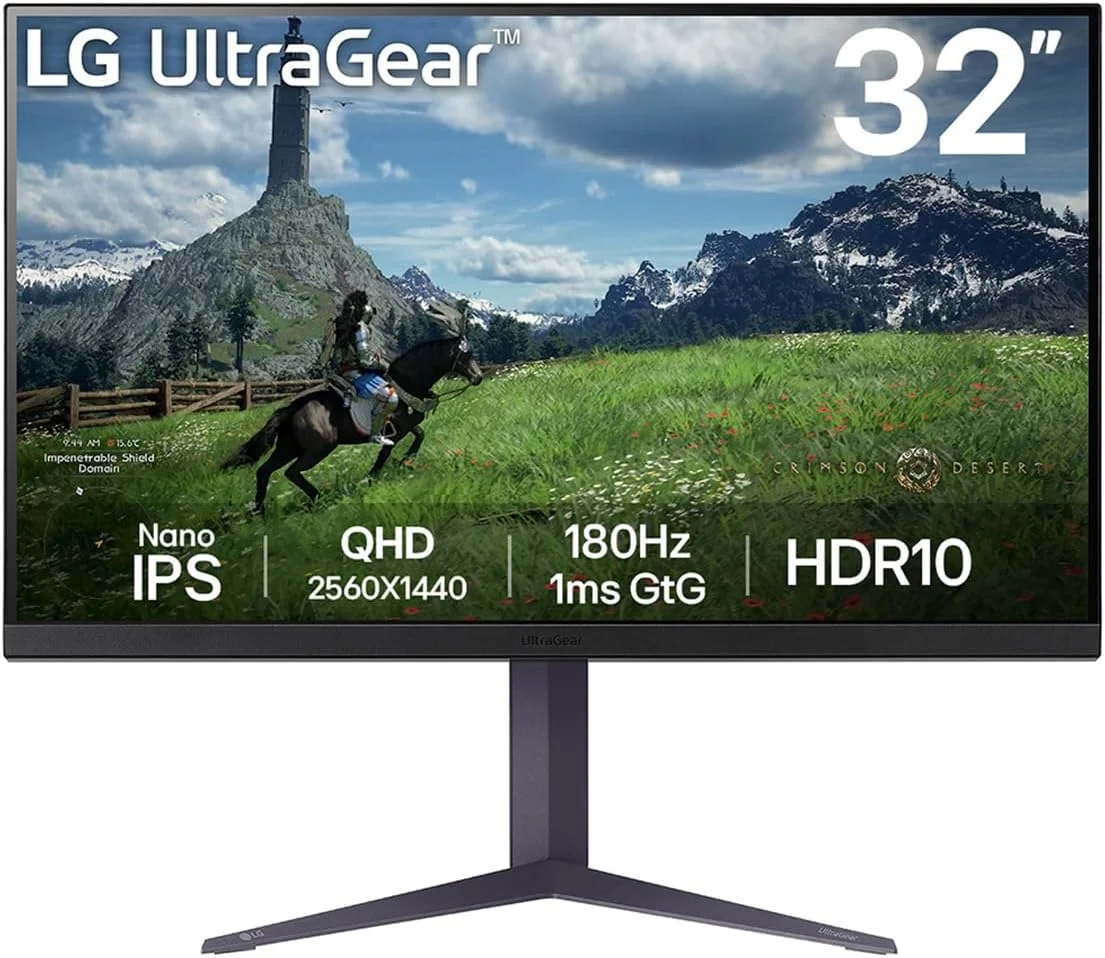
| Feature | Detail |
|---|---|
| Panel Type | 31.5-inch Nano IPS |
| Resolution | 2560 x 1440 (QHD) |
| Refresh Rate | 165Hz (Overclockable to 180Hz via DP) |
| Response Time | 1ms (GtG) |
| Adaptive Sync | NVIDIA G-Sync Compatible, AMD FreeSync Premium |
| HDR Support | VESA DisplayHDR 400 |
| Connectivity | 2x HDMI 2.0, 1x DisplayPort 1.4, 2x USB 3.0 Downstream, 1x 3.5mm Audio |
Design & Build Quality
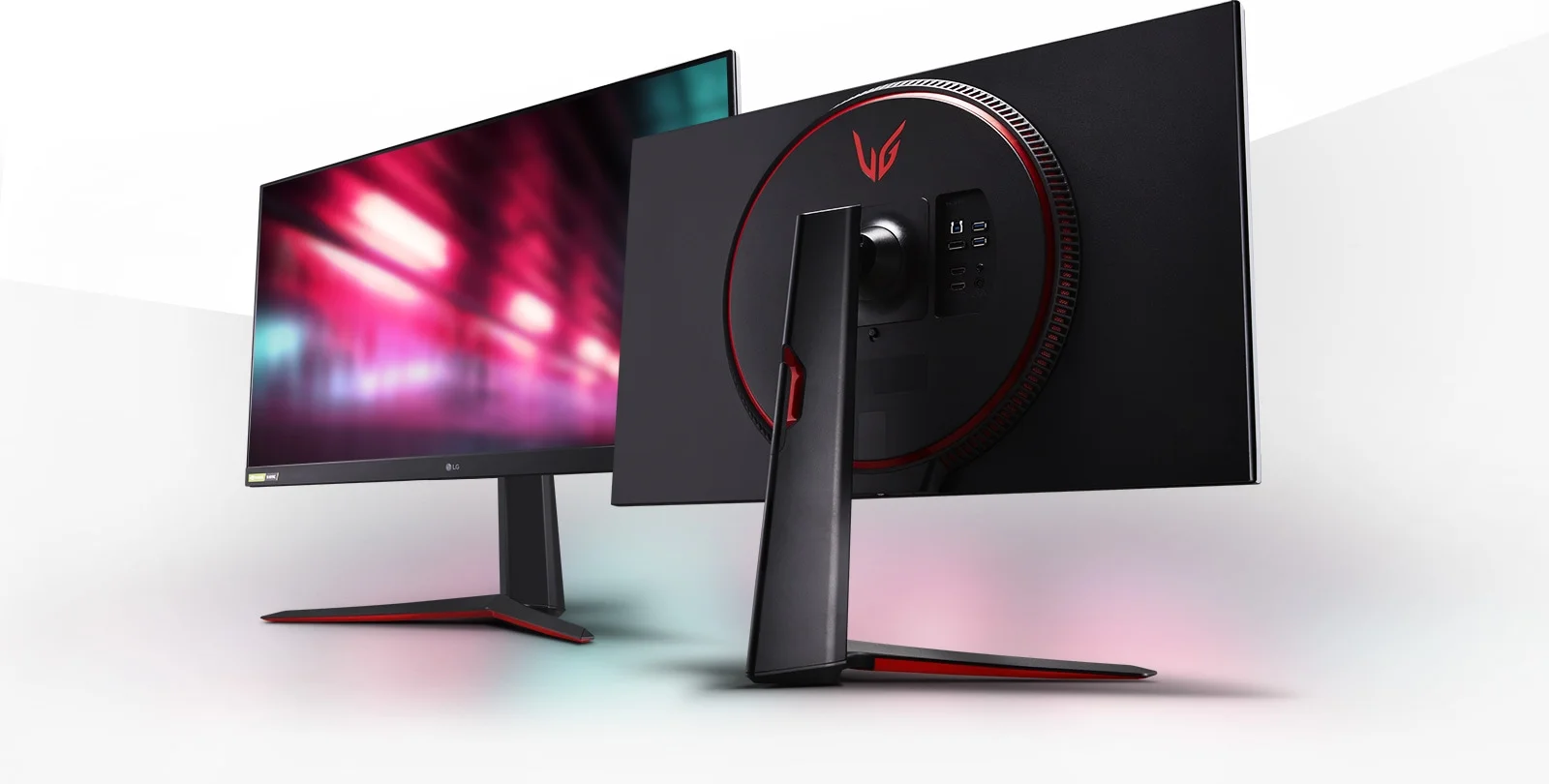
LG has refined its UltraGear design language to strike a brilliant balance between aggressive gamer aesthetics and clean, minimalist workstation vibes. The 32GP850-B features virtually borderless edges on three sides, drawing your eyes naturally to the expansive 31.5-inch panel. The rear chassis sports LG’s signature red-and-black colour scheme with a textured, matte finish that successfully resists fingerprints while housing the distinctive circular ventilation ring.
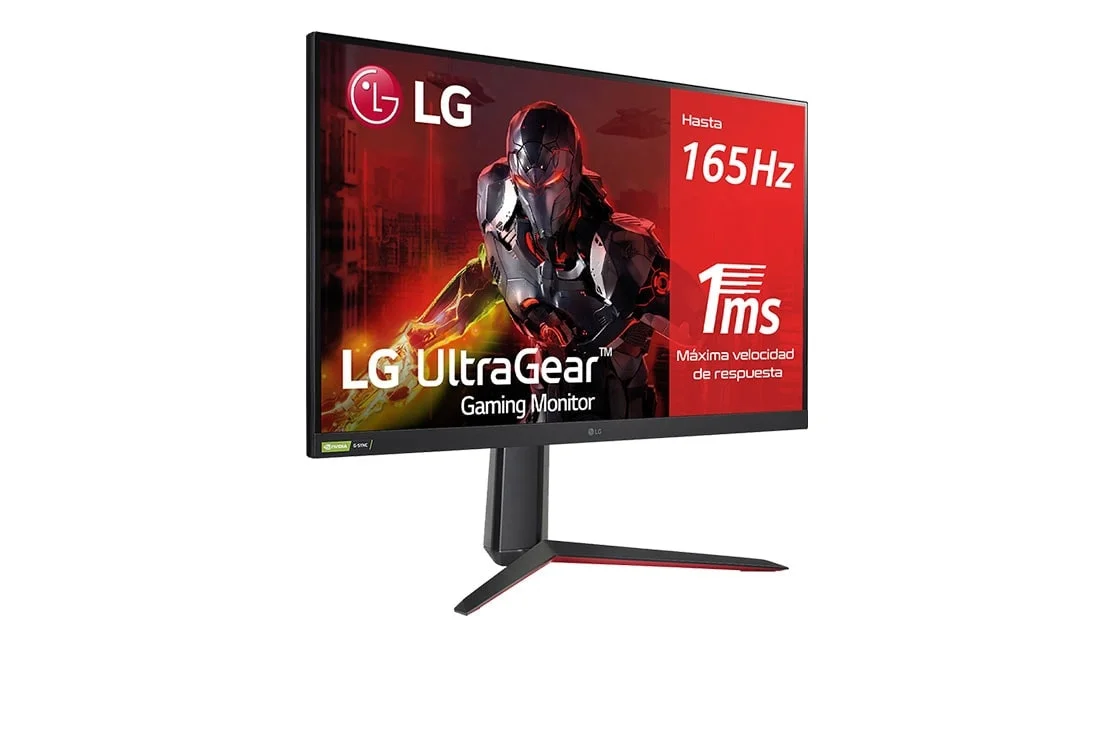
Ergonomics on this model are solid, though slightly limited for a display of this size. The V-shaped stand provides excellent stability with virtually no wobble during intense gaming sessions. It offers generous height adjustment, smooth tilt, and the ability to pivot 90 degrees into portrait mode—perfect for side-monitor setups or reading long streams of code. However, the glaring omission of swivel adjustments means you will have to move the entire base to share your screen with a player next to you.
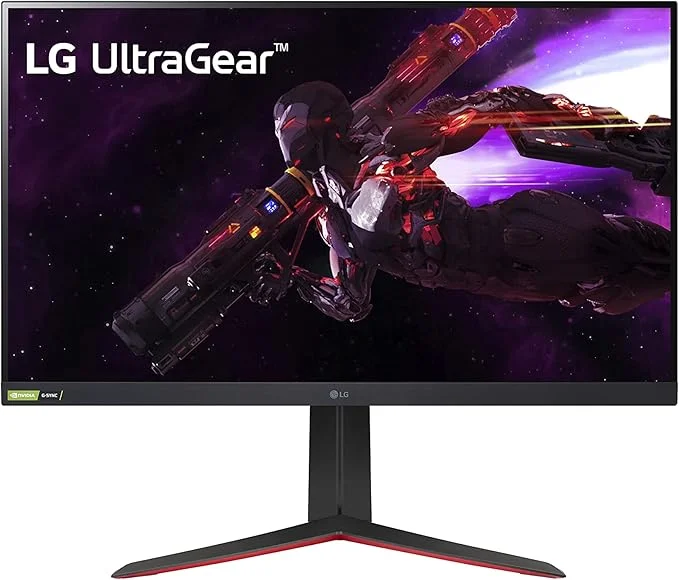
Material choice is heavily reliant on plastic, which is entirely standard at this price point, but it does not feel cheap or hollow. The included cable management clip is basic but highly functional, keeping your desk reasonably clutter-free. VESA 100x100mm mounting is fully supported for those who prefer to use a dedicated monitor arm to reclaim valuable desk space.
Performance
When it comes to real-world gaming performance, the LG 32GP850-B is a powerhouse that leverages the full potential of Nano IPS technology. With a native 165Hz refresh rate that can be overclocked to 180Hz through the OSD, motion handling is incredibly fluid. During our 2026 benchmark tests playing fast-paced shooters like Valorant and Apex Legends, the 1ms Gray-to-Gray (GtG) response time successfully eliminated ghosting and motion blur. You get crystal-clear target acquisition, even during the most chaotic, fast-moving flick-shots.
The 2560 x 1440 (QHD) resolution hits the sweet spot for modern PC gaming, especially on a 32-inch screen. While pixel density sits at roughly 93 PPI—slightly lower than a 27-inch 1440p counterpart—the sharpness remains highly respectable at normal viewing distances. Colour reproduction is where the Nano IPS panel truly shines, boasting 98% coverage of the DCI-P3 colour gamut. This results in vibrant, punchy colours and deep saturation that make atmospheric RPGs and open-world adventures visually spectacular.
Adaptive sync performance is flawless across the board. Being officially validated as NVIDIA G-Sync Compatible and supporting AMD FreeSync Premium, the monitor delivers perfectly tear-free gaming regardless of your GPU allegiance. The only performance drawback lies in its contrast ratio. Typical of IPS panels, the 1000:1 contrast means blacks can appear slightly grey in dark rooms, and while it carries a DisplayHDR 400 certification, the HDR experience lacks the local dimming zones necessary for true high-dynamic-range brilliance.
Features & Software
Navigating the settings on the 32GP850-B is a breeze thanks to LG’s intuitive On-Screen Display (OSD) and the highly responsive joystick located beneath the bottom bezel. The UI is snappy and explicitly geared towards gamers, featuring a dashboard that constantly displays your current refresh rate, Adaptive Sync status, and selected picture profile. If you prefer to tweak settings using your mouse, LG’s robust OnScreen Control software allows you to adjust brightness, contrast, and split-screen configurations directly from your desktop.
Standout gaming features include the Black Stabilizer, which intelligently brightens dark corners without blowing out highlights—a massive advantage in competitive multiplayer games. It also features a built-in crosshair overlay and a real-time FPS counter. The inclusion of a USB 3.0 hub on the rear is a welcome convenience for routing peripherals, though the lack of HDMI 2.1 might disappoint console gamers hoping for seamless 4K 120Hz output from current-gen systems.
Value Proposition
In 2026, the 1440p monitor market is more saturated than ever, yet the LG UltraGear 32GP850-B maintains an incredibly strong value proposition. At its current price point, it occupies a perfect sweet spot between budget entry-level displays and ultra-premium OLED or Mini-LED monitors. You are paying for top-tier motion clarity, exceptional colour accuracy, and reliable build quality without the exorbitant premium of newer panel technologies.
While 4K is becoming increasingly accessible, 1440p at 180Hz remains the performance darling for the vast majority of PC gamers who want high framerates without requiring a flagship GPU. For users who want a larger screen for dual-purpose productivity and play, the 32GP850-B offers fantastic bang for your buck, effortlessly justifying its price tag even if it skips out on high-end HDR capabilities.
How It Compares
When pitted against the Gigabyte M32Q, the LG 32GP850-B holds its ground with noticeably better colour vibrancy thanks to the Nano IPS panel, though the Gigabyte offers the added utility of a built-in KVM switch, which is a major boon for those balancing a work laptop and a gaming PC. On the other hand, compared to the Dell S3222DGM, which utilizes a VA panel, the LG is vastly superior in motion handling and viewing angles. However, the Dell easily wins in dark-room performance, delivering much deeper blacks and a higher contrast ratio that IPS panels simply cannot match. Ultimately, the LG remains the superior choice for fast-paced gaming and colour-critical content consumption.
Pros and Cons
Pros
- The Nano IPS panel delivers stunning, vibrant colours with 98% DCI-P3 coverage.
- Overclockable 180Hz refresh rate and 1ms GtG response time ensure incredibly smooth motion handling.
- G-Sync and FreeSync Premium compatibility provide a flawless, tear-free gaming experience.
- The intuitive OSD joystick and OnScreen Control software make adjusting settings effortless.
Cons
- The IPS panel’s low 1000:1 contrast ratio results in greyish blacks during dark room viewing.
- The VESA DisplayHDR 400 certification is essentially meaningless without local dimming zones.
- The stand lacks swivel adjustments, which heavily limits ergonomic flexibility for dual-monitor setups.
- The omission of HDMI 2.1 ports prevents current-gen consoles from utilizing their full graphical potential.
FAQ
Q: Does the LG 32GP850-B have built-in speakers?
A: No, this monitor does not have integrated speakers. However, it does feature a 3.5mm audio out port to easily connect your headphones or external desktop speakers.
Q: Can the monitor be mounted on a monitor arm?
A: Yes, the display is fully compatible with standard VESA 100x100mm mounts, making it very easy to attach to third-party monitor arms or wall brackets.
Q: Is this monitor good for PS5 or Xbox Series X?
A: While it is an excellent PC monitor, it lacks HDMI 2.1. It can accept a 4K signal and downscale it to 1440p, or play native 1440p at 120Hz, but you will not get native 4K at 120Hz.
Q: How do I enable the 180Hz overclock?
A: To reach 180Hz, you must use the DisplayPort connection and enable the Overclock feature directly within the monitor’s OSD (On-Screen Display) settings menu.
Verdict
The LG UltraGear 32GP850-B is a fantastic choice for PC gamers who want an expansive, immersive 32-inch screen without sacrificing the blazing speed required for competitive shooters. While its contrast ratio and HDR performance leave something to be desired for cinematic viewing, its exceptional colour accuracy and motion clarity make it a rock-solid investment. If your primary focus is fast-paced gaming and vibrant visuals at 1440p, this monitor remains a top-tier contender in 2026.
Where to Buy
Pros
- ✓ The Nano IPS panel delivers stunning, vibrant colours with 98% DCI-P3 coverage.
- ✓ Overclockable 180Hz refresh rate and 1ms GtG response time ensure incredibly smooth motion handling.
- ✓ G-Sync and FreeSync Premium compatibility provide a flawless, tear-free gaming experience.
- ✓ The intuitive OSD joystick and OnScreen Control software make adjusting settings effortless.
Cons
- ✗ The IPS panel’s low 1000:1 contrast ratio results in greyish blacks during dark room viewing.
- ✗ The VESA DisplayHDR 400 certification is essentially meaningless without local dimming zones.
- ✗ The stand lacks swivel adjustments, which heavily limits ergonomic flexibility for dual-monitor setups.
- ✗ The omission of HDMI 2.1 ports prevents current-gen consoles from utilizing their full graphical potential.
Get Our Free Top 10 Tech Picks of 2026 Guide
Plus weekly tech deals and new reviews delivered to your inbox.
[cp_email_signup]
No spam. Unsubscribe anytime.
Ready to buy the LG UltraGear 32GP850-B?
Affiliate link — we may earn a commission at no extra cost to you.



