



Looking for the ultimate 4K productivity monitor in 2026? The Dell UltraSharp U2723QE leverages IPS Black technology to deliver unprecedented contrast and color accuracy for creative professionals. Discover why this USB-C hub monitor remains a top-tier choice for modern, single-cable workstations.
Table of Contents
Key Specifications
| Feature | Detail |
|---|---|
| Screen Size | 27 inches |
| Resolution | 4K UHD (3840 x 2160) |
| Panel Type | IPS Black |
| Contrast Ratio | 2000:1 |
| Refresh Rate | 60Hz |
| Color Gamut | 100% sRGB, 100% Rec.709, 98% DCI-P3 |
| Connectivity | USB-C (90W PD), DP 1.4 (In/Out), HDMI 2.0, RJ45 Ethernet, 5x USB-A 3.2, 1x USB-C 3.2, Audio Line-out |
| Extra Features | Built-in KVM Switch, Daisy Chaining (MST) |
Design & Build Quality
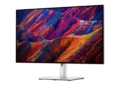
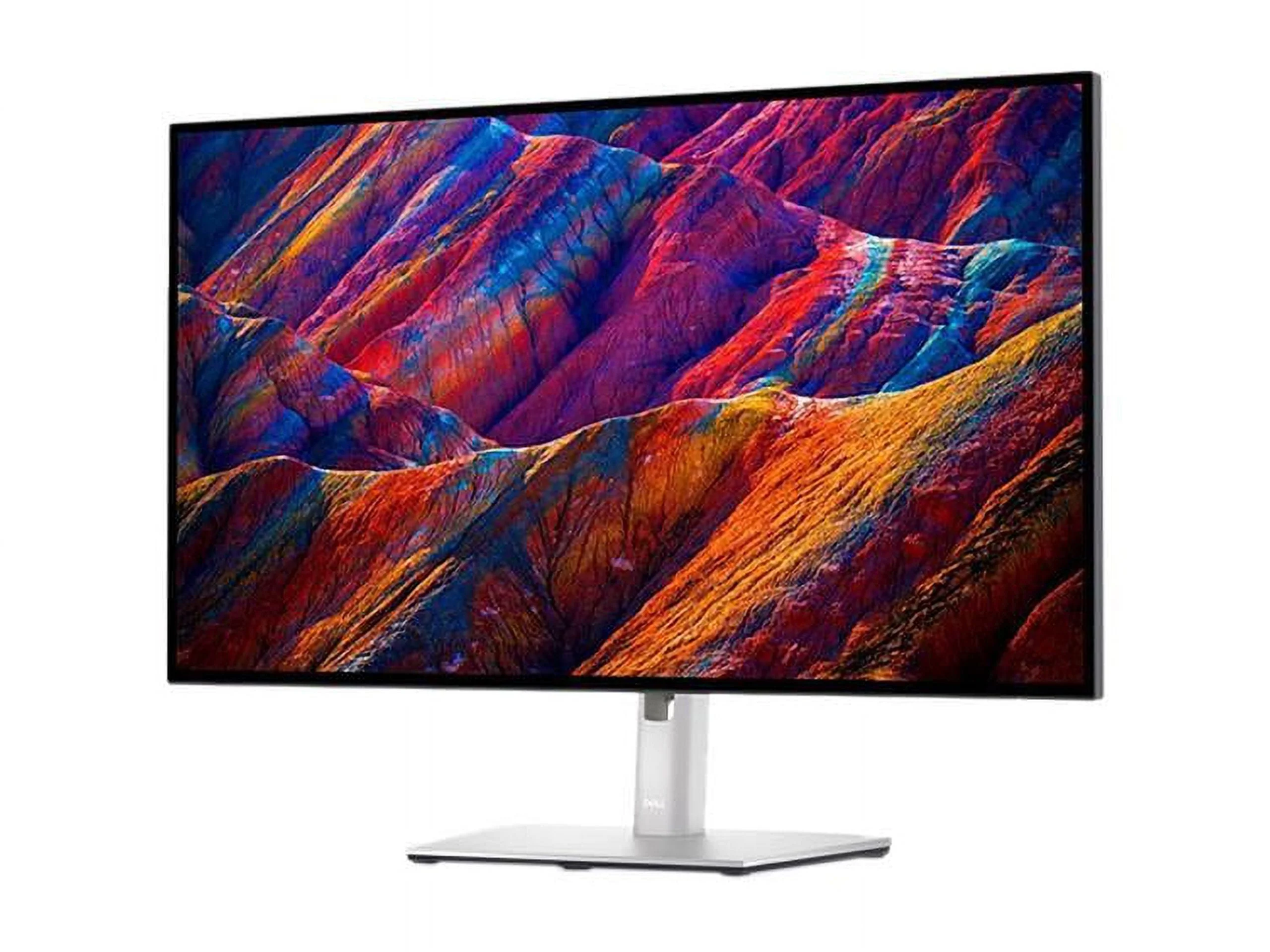
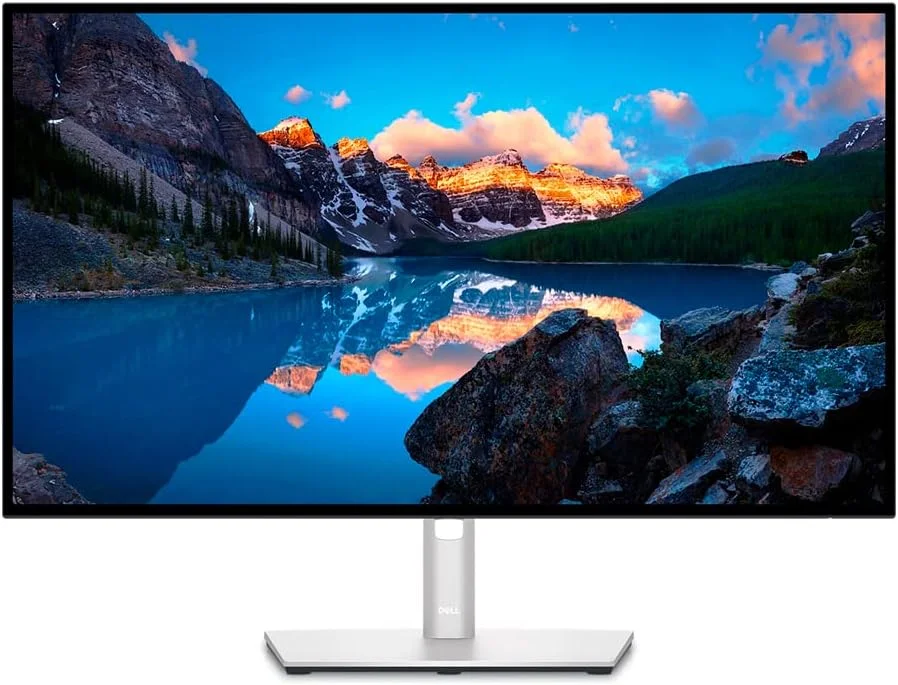
The Dell UltraSharp U2723QE retains the brand’s signature aesthetic, sporting a sophisticated platinum silver finish that feels right at home in any premium 2026 workstation setup. The chassis is remarkably sleek, featuring an InfinityEdge design with ultra-thin bezels on all four sides that make it perfect for seamless multi-monitor configurations. Dell has also maintained its commitment to sustainability, utilizing a high percentage of recycled plastics and aluminum in the monitor’s construction without compromising its rigid, high-end feel.
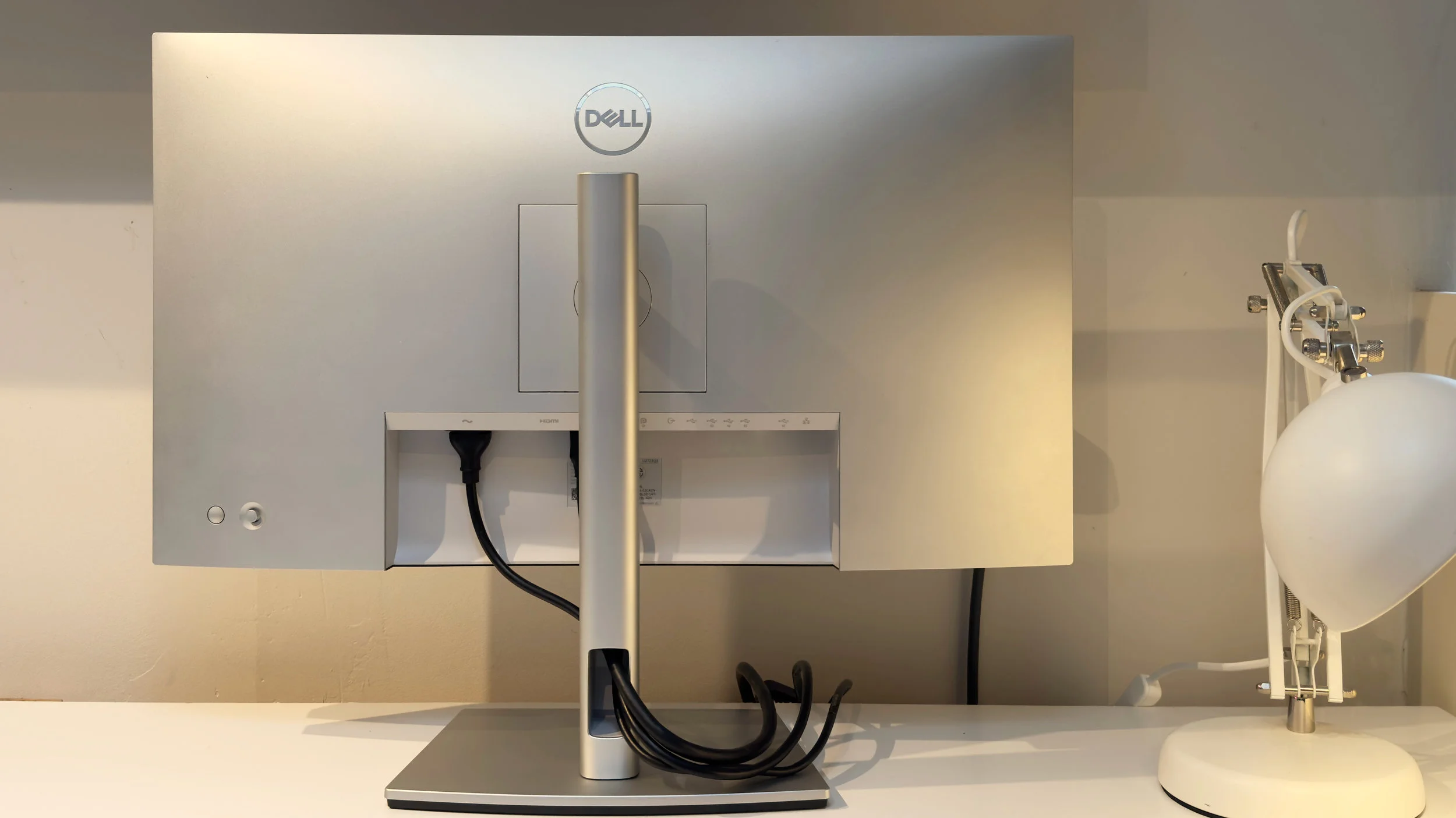
Ergonomics are top-tier, as expected from the UltraSharp lineup. The robust stand offers a comprehensive range of adjustments, including a generous 150mm height adjustment, swivel, tilt, and bidirectional pivot for portrait mode viewing. A cleverly designed cable management slot in the stand’s neck ensures your desk remains clutter-free. Navigating the OSD (On-Screen Display) is a breeze thanks to the tactile joystick positioned intuitively on the rear right side, which eliminates the frustration often associated with multi-button arrays.
Performance
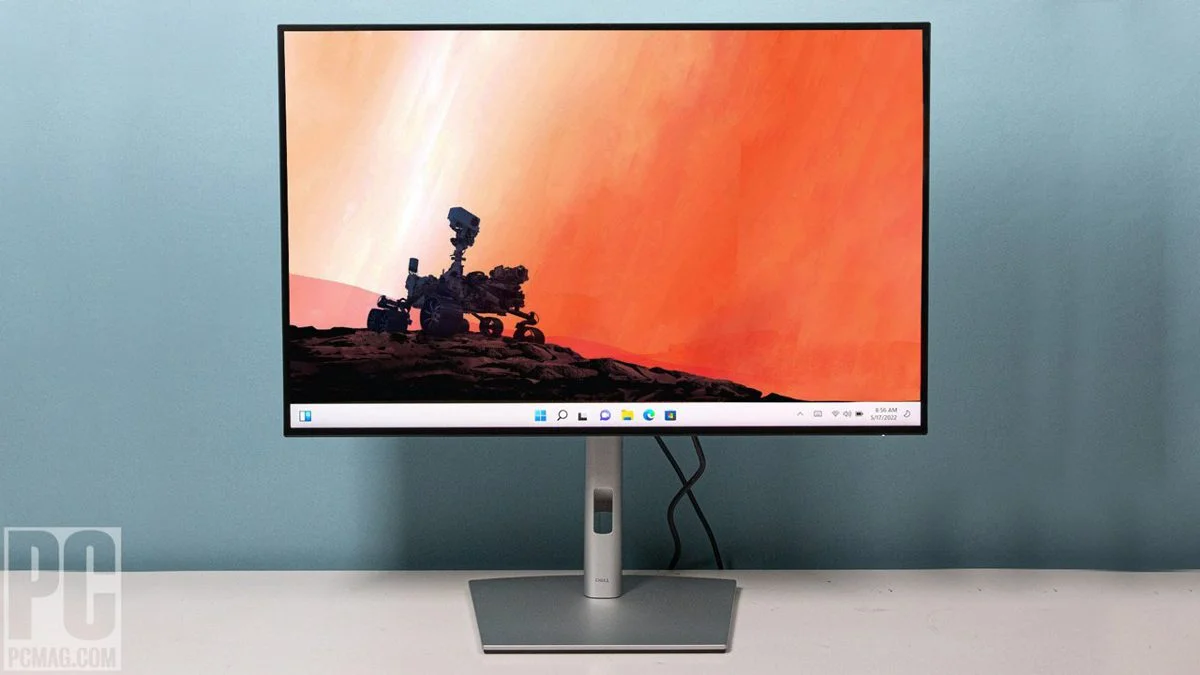
When it comes to visual performance, the defining feature of the U2723QE is undoubtedly its LG-manufactured IPS Black panel. Traditional IPS monitors have long suffered from grayish blacks in dark rooms due to a standard 1000:1 contrast ratio. The U2723QE doubles that to a stunning 2000:1, delivering noticeably deeper, inkier blacks that bridge the gap between traditional IPS and OLED displays. Combined with its razor-sharp 4K UHD (3840 x 2160) resolution, text clarity is immaculate, making long hours of coding, writing, or editing incredibly easy on the eyes.
For color-critical work, this monitor performs exceptionally well straight out of the box. Covering 100% of sRGB, 100% of Rec. 709, and an impressive 98% of the DCI-P3 color gamut, it provides the accuracy required by photographers, video editors, and digital artists. While it is VESA DisplayHDR 400 certified, HDR performance is relatively basic due to the lack of local dimming, but it still provides a slight pop of brightness to supported content.
However, it is vital to set expectations regarding motion handling and speed. Capped at a 60Hz refresh rate and featuring a standard 5ms (Fast) to 8ms (Normal) response time, this is strictly a productivity and creative display. While casual gaming is certainly possible, competitive gamers accustomed to 144Hz or higher will notice motion blur and a lack of fluidity. For its intended audience of professionals, however, the visual fidelity is essentially flawless.
Features & Software
What transforms the U2723QE from a mere screen into a complete workstation hub is its staggering array of connectivity options. It acts as a full-fledged docking station, featuring a USB-C upstream port that delivers up to 90W of Power Delivery to charge your laptop, an RJ45 Ethernet port for stable wired networking, and a plethora of high-speed USB-A and USB-C downstream ports. It also supports DisplayPort Out, allowing you to daisy-chain a second 4K monitor seamlessly without needing additional outputs from your host machine.
The built-in KVM (Keyboard, Video, and Mouse) switch is a massive productivity booster, allowing you to control two different PCs using a single keyboard and mouse connected directly to the monitor. This hardware feature is perfectly complemented by the Dell Display Manager software. Consistently updated for 2026, the software allows for advanced window snapping (Easy Arrange), automated KVM switching based on active inputs, and per-application color profile assignments, vastly streamlining complex workflows.
Value Proposition
Priced at a premium tier for a 60Hz 27-inch display, the Dell UltraSharp U2723QE requires a specific type of user to justify its cost. However, when you factor in the value of what you are actually getting, the proposition becomes highly compelling. Because it features a built-in KVM switch, an Ethernet port, and a 90W USB-C hub, it essentially eliminates the need to purchase a standalone premium docking station, which can easily run upwards of $250 on its own.
If your priority is pure screen real estate or high refresh rates for gaming, cheaper alternatives certainly exist on the market. But for professionals who value a single-cable workstation setup, impeccable color accuracy, and the superior contrast of IPS Black technology, the U2723QE pays for itself in enhanced workflow efficiency and workspace minimalism.
How It Compares
When stacked against the ASUS ProArt PA279CV, the Dell U2723QE easily wins out in contrast and connectivity. While the ASUS is a favorite for budget-conscious creatives, its standard IPS panel maxes out at a 1000:1 contrast ratio, looking significantly more washed out in dark environments compared to Dell’s IPS Black panel. Additionally, the ASUS lacks the built-in Ethernet and KVM capabilities found on the Dell.
A closer rival is the LG 27UQ850, which also utilizes an IPS Black panel and offers 90W USB-C connectivity. Both monitors offer identical visual fidelity and 2000:1 contrast ratios. However, the Dell edges out the LG in overall build quality, superior ergonomic stand adjustments, and the inclusion of a daisy-chaining DisplayPort Out, making the UltraSharp the better buy for dual-monitor power users.
Pros and Cons
Pros
- Features a stunning IPS Black panel that delivers an exceptional 2000:1 contrast ratio for deep, rich blacks.
- Acts as a complete productivity hub with 90W USB-C Power Delivery, RJ45 Ethernet, and a hardware KVM switch.
- Offers superb out-of-the-box color accuracy covering 98% of the DCI-P3 color space.
- Boasts an ultra-thin InfinityEdge design that is perfect for seamless dual-monitor setups via DisplayPort daisy-chaining.
Cons
- Limited to a 60Hz refresh rate, making it unsuitable for competitive gaming or ultra-smooth UI scrolling.
- HDR performance is underwhelming due to the low DisplayHDR 400 certification and lack of local dimming.
- Carries a premium price tag compared to standard 4K 60Hz productivity monitors.
- Does not include built-in speakers, requiring external audio solutions for multimedia consumption.
FAQ
Q: Does the Dell U2723QE have built-in speakers?
A: No, the U2723QE does not feature integrated speakers, though it does have a 3.5mm audio line-out port to connect external speakers or headphones.
Q: Can I game on the Dell U2723QE?
A: While you can play casual or single-player games comfortably at 4K, its 60Hz refresh rate and slower response time make it far from ideal for fast-paced or competitive gaming.
Q: What is IPS Black technology?
A: IPS Black is a panel technology manufactured by LG that significantly minimizes light leakage, doubling the contrast ratio of traditional IPS panels from 1000:1 to 2000:1 for deeper blacks and more vibrant colors in dark environments.
Q: Does it support Apple MacBooks?
A: Yes, it works seamlessly with MacBooks via a single USB-C cable, providing display output, data transfer, and up to 90W of charging power simultaneously.
Verdict
The Dell UltraSharp U2723QE is a masterclass in professional display design, offering creators and remote workers the perfect blend of rich IPS Black contrast and all-in-one hub connectivity. While high-refresh-rate gamers should look elsewhere, professionals seeking a clutter-free, highly accurate, and feature-dense 4K workstation monitor will find this to be an invaluable investment. It stands comfortably as one of the best productivity monitors available in 2026.
Where to Buy
Pros
- ✓ Features a stunning IPS Black panel that delivers an exceptional 2000:1 contrast ratio for deep, rich blacks.
- ✓ Acts as a complete productivity hub with 90W USB-C Power Delivery, RJ45 Ethernet, and a hardware KVM switch.
- ✓ Offers superb out-of-the-box color accuracy covering 98% of the DCI-P3 color space.
- ✓ Boasts an ultra-thin InfinityEdge design that is perfect for seamless dual-monitor setups via DisplayPort daisy-chaining.
Cons
- ✗ Limited to a 60Hz refresh rate, making it unsuitable for competitive gaming or ultra-smooth UI scrolling.
- ✗ HDR performance is underwhelming due to the low DisplayHDR 400 certification and lack of local dimming.
- ✗ Carries a premium price tag compared to standard 4K 60Hz productivity monitors.
- ✗ Does not include built-in speakers, requiring external audio solutions for multimedia consumption.
Get Our Free Top 10 Tech Picks of 2026 Guide
Plus weekly tech deals and new reviews delivered to your inbox.
[cp_email_signup]
No spam. Unsubscribe anytime.
Ready to buy the Dell UltraSharp U2723QE?
Affiliate link — we may earn a commission at no extra cost to you.