










The Razer DeathAdder V3 Pro sheds weight and unnecessary flashy features to deliver a hyper-focused, competitive gaming mouse. With its revamped ergonomic shape and top-tier sensor technology, it represents a massive evolution for one of the most iconic peripherals in PC gaming. Read on to see if this premium wireless mouse is the ultimate upgrade for your setup.
Table of Contents
Key Specifications
| Feature | Detail |
|---|---|
| Sensor | Focus Pro 30K Optical Sensor |
| Weight | 63g (Black) / 64g (White) |
| Switches | Optical Mouse Switches Gen-3 |
| Battery Life | Up to 90 hours (at 1000 Hz) |
| Polling Rate | Up to 8000 Hz (with HyperPolling dongle) |
| Connectivity | Razer HyperSpeed Wireless, Type-C wired |
| Dimensions | 128 mm x 68 mm x 44 mm |
Design & Build Quality
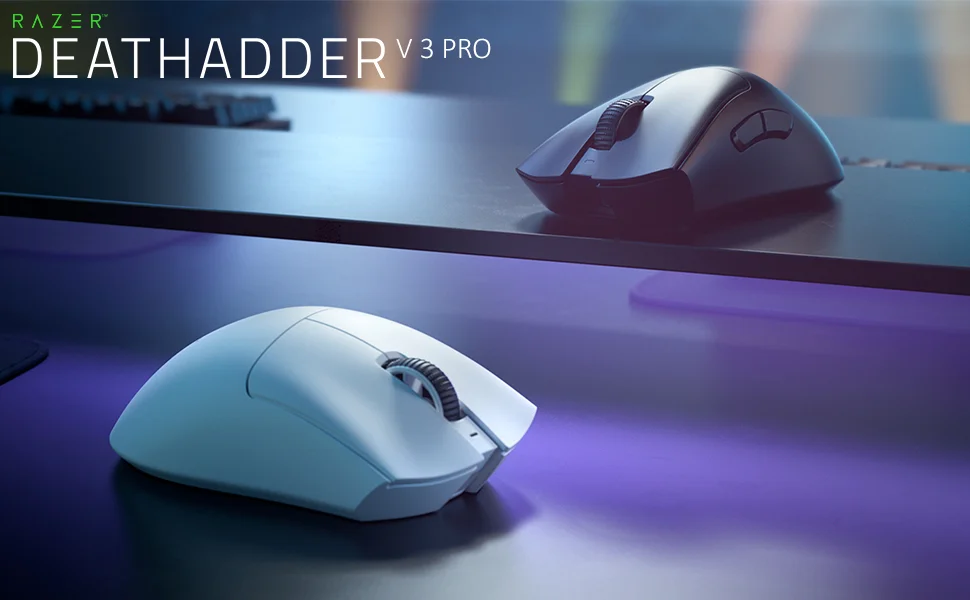
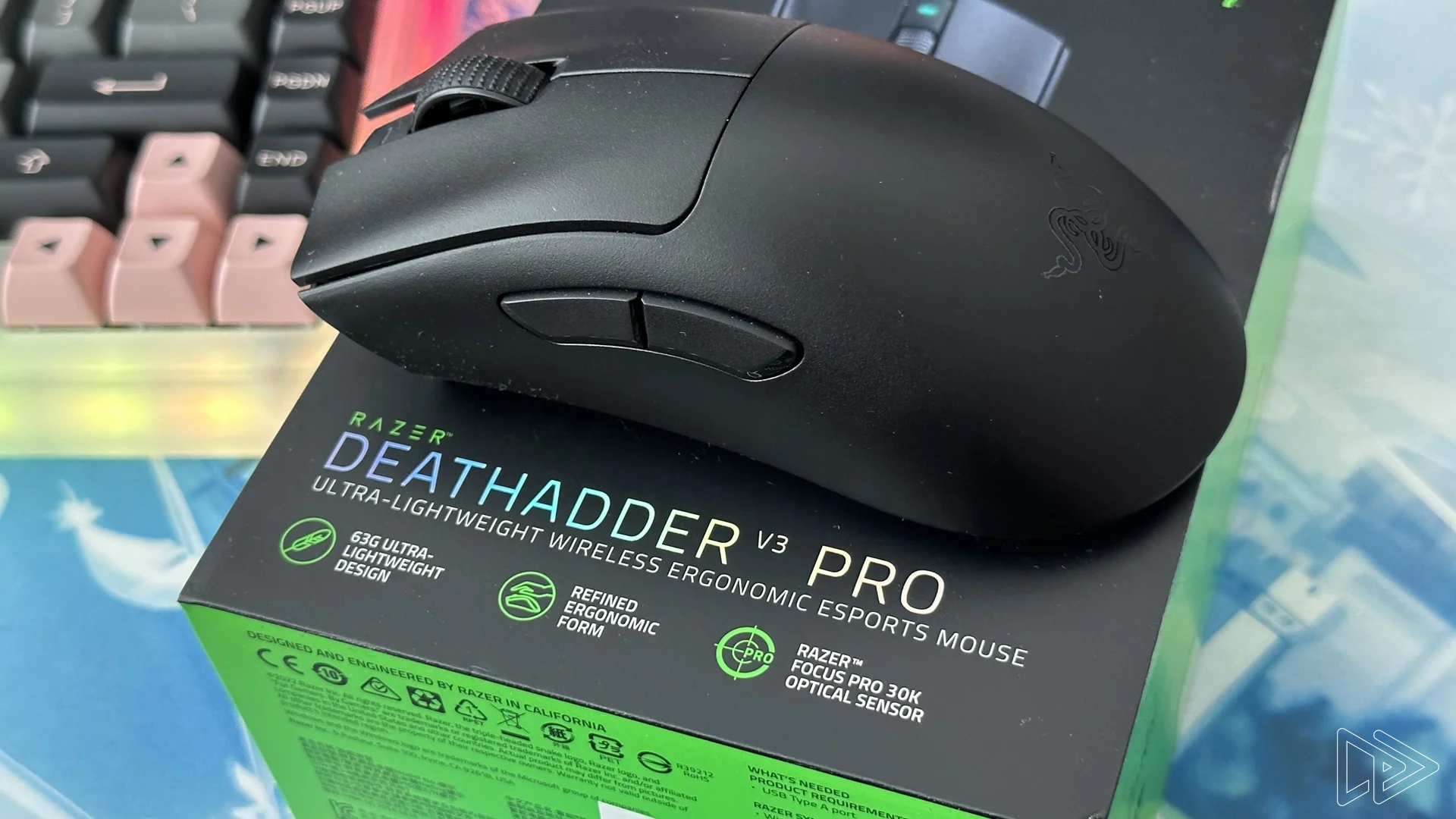
Razer took a significant risk by altering the iconic, sweeping curves of the traditional DeathAdder, but the resulting V3 Pro is an ergonomic triumph. The side flares have been subtly dialled back, and the hump shifted slightly higher to better accommodate a wider range of grip styles, particularly palm and relaxed claw. By shedding the RGB lighting entirely, the mouse drops to an astonishingly light 63 grams, making it feel almost weightless in the hand without compromising structural integrity.
Build quality remains uncompromisingly premium, living up to its top-tier price tag. The matte, micro-textured finish provides an excellent grip even during sweaty gaming sessions, entirely negating the need for aftermarket grip tape for most users. Furthermore, the optical Gen-3 switches feel crisp and tactile with no pre-travel, while the lack of mechanical parts means you won’t be dealing with dreaded double-clicking issues down the line.
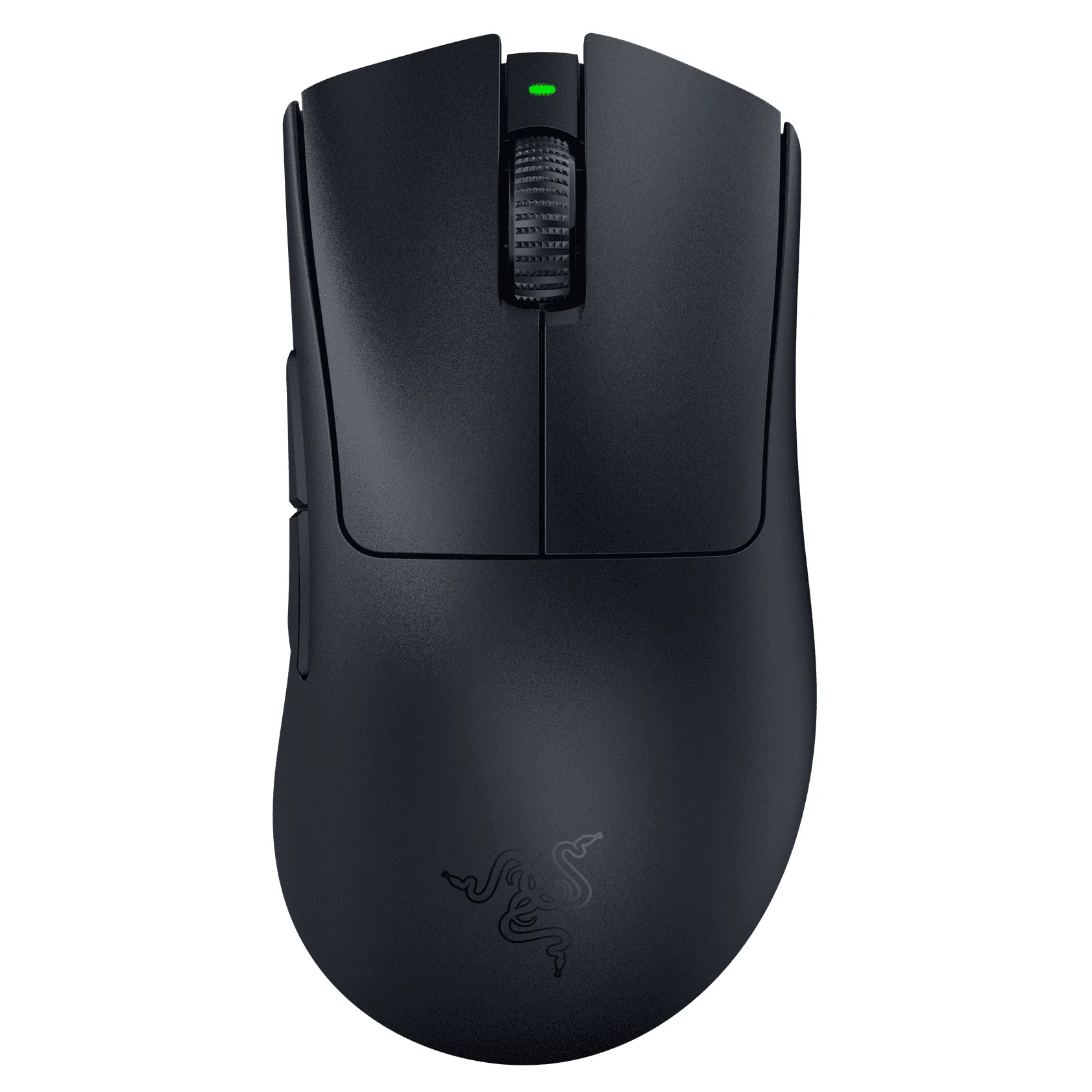
Underneath, the 100% PTFE skates ensure a buttery smooth glide across both hard and cloth pads. It is a strictly minimalist approach—there are no superfluous buttons or aggressive gamer aesthetics—resulting in a sleek, refined chassis purpose-built for high-level competitive play.
Performance
When it comes to real-world performance, the DeathAdder V3 Pro is nothing short of exceptional. Powered by Razer’s Focus Pro 30K Optical Sensor, the tracking is flawless, boasting 99.8% resolution accuracy. Whether you are executing minute micro-adjustments in tactical shooters like Valorant or frantic, sweeping flicks in fast-paced arena combat, the sensor handles everything with pixel-perfect precision and zero spin-outs.
The wireless technology is equally impressive, utilizing Razer’s proprietary HyperSpeed connectivity to deliver latency-free inputs that rival any wired alternative on the market. Out of the box, it supports a 1000 Hz polling rate, but for the most discerning esports professionals playing in 2026, it can be paired with the HyperPolling Wireless Dongle to achieve a staggering 8000 Hz. This dramatically reduces input delay to practically imperceptible levels, assuming your PC hardware and monitor refresh rate can keep up.
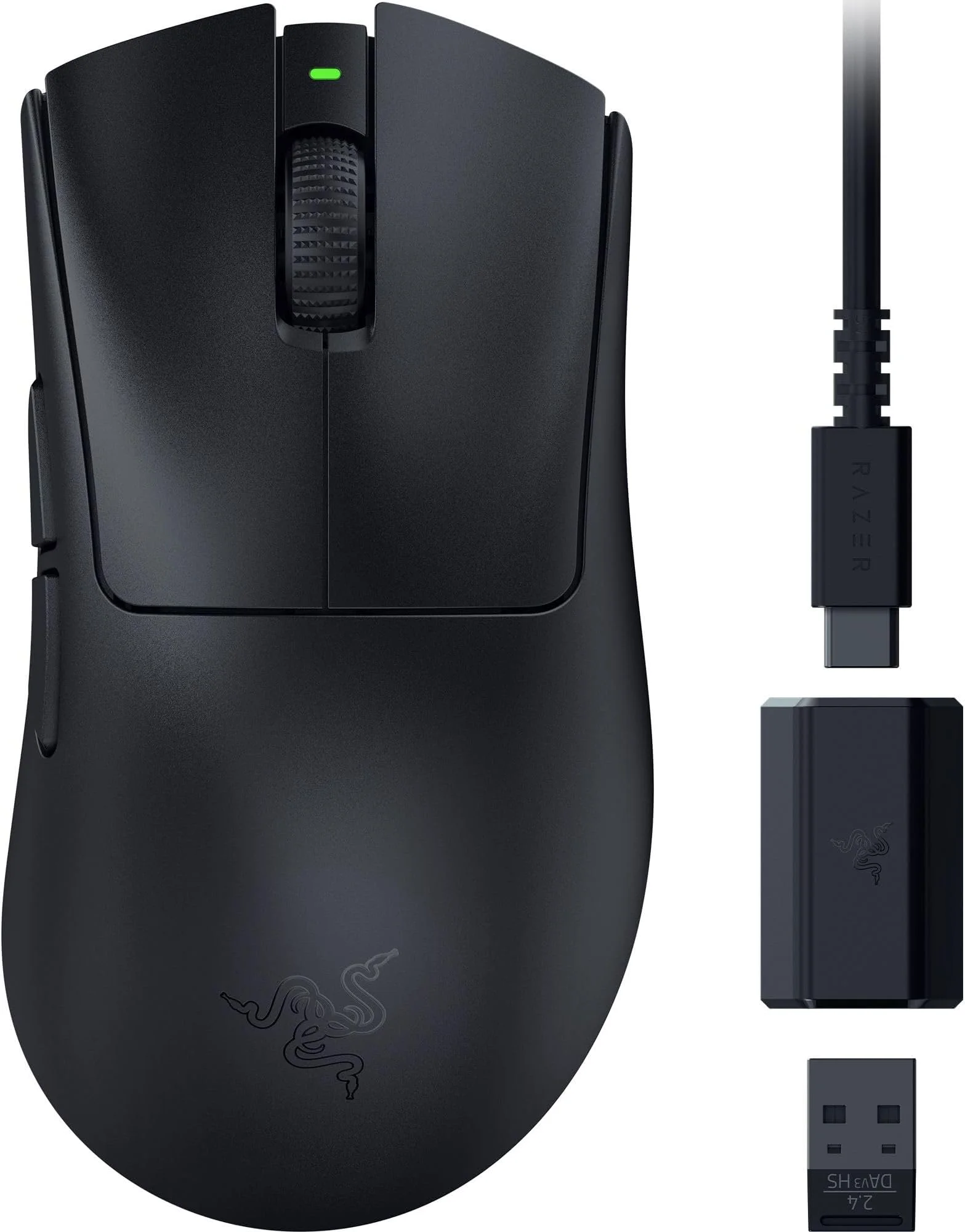
Battery life is robust for a mouse this light and powerful. Operating at the standard 1000 Hz polling rate yields roughly 90 hours of uninterrupted gameplay, meaning you will only need to plug it into the included USB-C paracord cable once every couple of weeks. However, be aware that pushing the polling rate to 8000 Hz will drastically reduce this lifespan to around 17 hours, requiring much more frequent charging.
Features & Software
The DeathAdder V3 Pro interfaces seamlessly with Razer Synapse, giving you granular control over your peripheral. You can customize lift-off and landing distances through asymmetric cut-off, adjust DPI stages, and reassign the five programmable buttons to fit your workflow. While Synapse has historically been a polarizing piece of software due to its resource footprint, the 2026 iterations have become significantly more streamlined and less intrusive on system memory.
One of the standout features is the on-board memory, which saves your last used Razer Synapse profile directly to the mouse. This means you can configure your DPI, polling rate, and lift-off distance on your main rig, then take the mouse to a tournament or a secondary PC without ever needing to reinstall the software. It is a clean, bloat-free experience that aligns perfectly with the device’s minimalist design philosophy.
Value Proposition
At its premium price point, the Razer DeathAdder V3 Pro is undeniably an investment. It explicitly sheds features typically found in premium mice, such as Bluetooth connectivity, RGB lighting, and an integrated DPI button on the top shell, focusing entirely on raw performance metrics. For casual gamers, this might seem like a step backward in terms of raw feature count for the money.
However, for competitive gamers and esports enthusiasts, the value proposition is crystal clear. You are paying for top-of-the-line sensor technology, industry-leading weight reduction without relying on a flimsy honeycomb shell, and superb right-handed ergonomics. When measured against its direct high-end competitors, the DeathAdder V3 Pro justifies its cost by delivering an uncompromising, tier-one tool designed specifically for climbing the ranked ladder.
How It Compares
The most direct comparison in the current market is the Logitech G Pro X Superlight 2. While the Superlight 2 opts for a safer, ambidextrous shape that fits nearly everyone, the DeathAdder V3 Pro provides a much more supportive, ergonomic fit exclusively for right-handed users. Furthermore, Razer’s optical switches feel slightly more tactile and are completely immune to double-clicking, giving it a slight edge in longevity. Compared to the Zowie EC2-CW, another ergonomic titan, the DeathAdder V3 Pro is significantly lighter and boasts far superior sensor and polling rate capabilities, making it the more technologically advanced option for 2026.
Pros and Cons
Pros
- It offers class-leading tracking with the Focus Pro 30K sensor and up to 8000 Hz wireless polling capabilities.
- The design features an incredibly lightweight 63g chassis without resorting to an open honeycomb shell.
- It utilizes Optical Gen-3 switches that eliminate double-clicking issues and provide crisp, tactile feedback.
- The refined ergonomic shape provides incredibly comfortable support tailored perfectly for right-handed users.
Cons
- It carries a very high premium price tag that may easily alienate casual gamers on a budget.
- The design lacks RGB lighting and Bluetooth connectivity, stripping away common everyday convenience features.
- The HyperPolling dongle required to unlock the true 8000 Hz polling rate must be purchased separately.
- The DPI button is located entirely on the underside of the mouse, making on-the-fly adjustments difficult mid-game.
FAQ
Q: Does the Razer DeathAdder V3 Pro have RGB lighting?
A: No, Razer removed all RGB lighting to reduce the overall weight of the mouse and maximize battery life.
Q: Is the DeathAdder V3 Pro suitable for left-handed users?
A: No, this mouse features an asymmetrical ergonomic shape specifically designed for right-handed users. Left-handed gamers should look into ambidextrous options like the Razer Viper V2 Pro.
Q: Can I use the DeathAdder V3 Pro while it is charging?
A: Yes, it comes with a highly flexible Razer Speedflex Type-C cable, allowing you to use it as a wired mouse while it charges without experiencing significant cable drag.
Q: Do I need the 8000 Hz HyperPolling dongle?
A: It is entirely optional. The mouse performs exceptionally well at the standard 1000 Hz out of the box, and the 8000 Hz dongle is primarily recommended for professional esports players with top-tier monitors.
Verdict
The Razer DeathAdder V3 Pro is a masterclass in esports peripheral design, making it the ultimate choice for right-handed competitive gamers who prioritize raw performance and flawless ergonomics. While the premium price and lack of casual features may deter some, dedicated FPS players will find its lightweight build and pinpoint accuracy entirely worth the investment.
Where to Buy
Pros
- ✓ It offers class-leading tracking with the Focus Pro 30K sensor and up to 8000 Hz wireless polling capabilities.
- ✓ The design features an incredibly lightweight 63g chassis without resorting to an open honeycomb shell.
- ✓ It utilizes Optical Gen-3 switches that eliminate double-clicking issues and provide crisp, tactile feedback.
- ✓ The refined ergonomic shape provides incredibly comfortable support tailored perfectly for right-handed users.
Cons
- ✗ It carries a very high premium price tag that may easily alienate casual gamers on a budget.
- ✗ The design lacks RGB lighting and Bluetooth connectivity, stripping away common everyday convenience features.
- ✗ The HyperPolling dongle required to unlock the true 8000 Hz polling rate must be purchased separately.
- ✗ The DPI button is located entirely on the underside of the mouse, making on-the-fly adjustments difficult mid-game.
Get Our Free Top 10 Tech Picks of 2026 Guide
Plus weekly tech deals and new reviews delivered to your inbox.
[cp_email_signup]
No spam. Unsubscribe anytime.
Ready to buy the Razer DeathAdder V3 Pro?
Affiliate link — we may earn a commission at no extra cost to you.



