


The Apple iPad Air (M4, 2026) pushes the mid-premium tablet category closer to Pro territory with flagship-class performance, a refined design, and a polished software experience. It delivers more power than most users will ever need, while staying lighter on the wallet than the iPad Pro. For students, creators, and mobile professionals, this is one of the most compelling tablets of 2026.
Table of Contents
Key Specifications
| Feature | Detail |
|---|---|
| Model | Apple iPad Air (M4, 2026) |
| Display | 11-inch or 13-inch Liquid Retina display |
| Processor | Apple M4 chip |
| Storage | 128GB, 256GB, 512GB, 1TB |
| RAM | 8GB or 16GB depending on configuration |
| Rear Camera | 12MP wide camera with 4K video recording |
| Front Camera | 12MP ultra-wide landscape camera with Center Stage |
| Connectivity | Wi‑Fi 6E, Bluetooth 5.4, optional 5G |
| Ports | USB‑C |
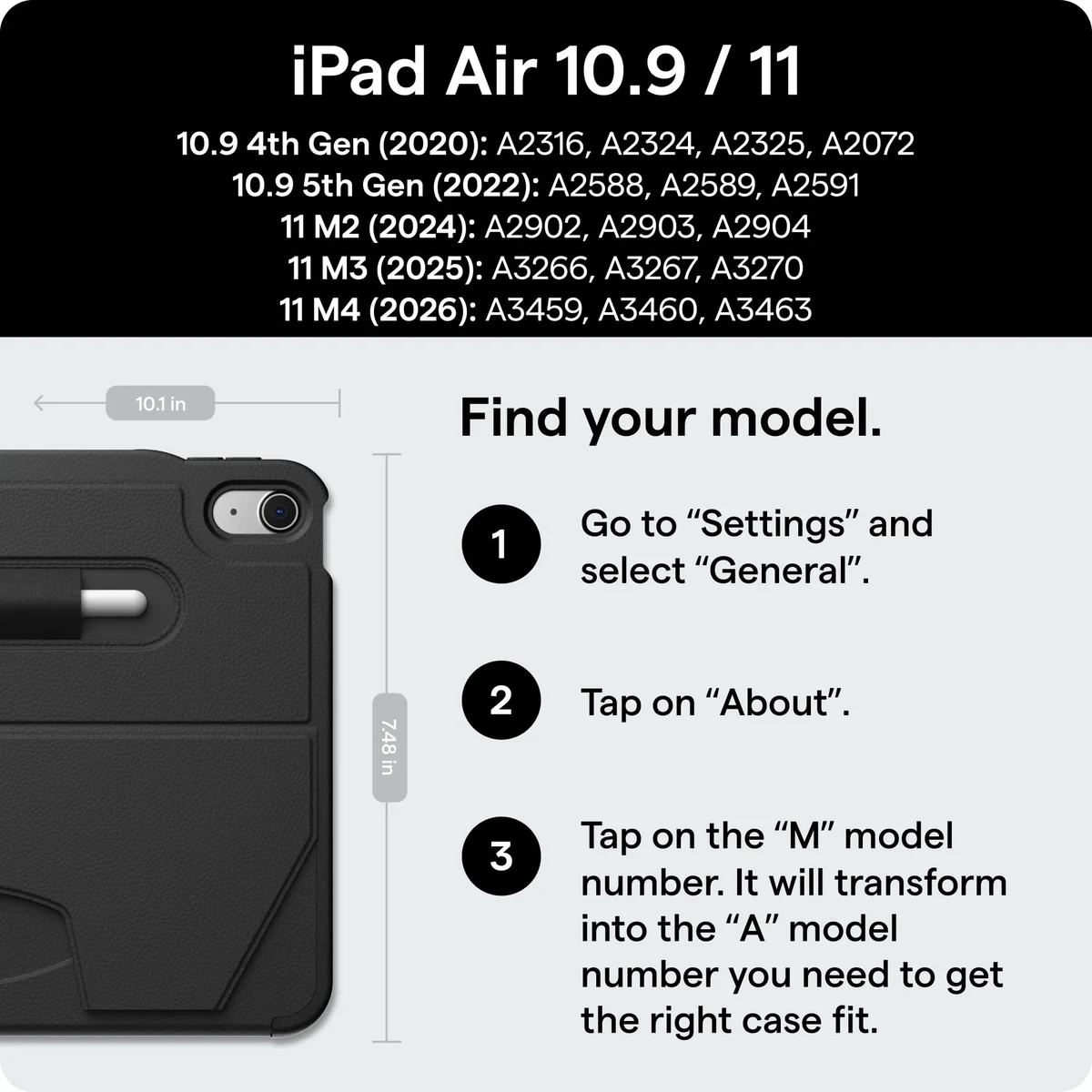
| Accessories | Supports Apple Pencil Pro and Magic Keyboard |
| Battery Life | Up to 10 hours web browsing or video playback |
| Operating System | iPadOS 26 |
Design & Build Quality
Apple hasn’t radically reinvented the iPad Air’s look, but the 2026 model feels more refined in the hand and more mature as a premium productivity device. The flat-edge aluminum chassis remains one of the best designs in the tablet market, balancing rigidity, low weight, and a clean industrial aesthetic. Whether you choose the 11-inch model for portability or the 13-inch version for multitasking and creative work, the iPad Air continues to hit a sweet spot between sleekness and usability.
Fit and finish are predictably excellent. The enclosure feels dense without being heavy, and the recycled aluminum construction adds to its premium appeal. The touch ID sensor integrated into the top button remains fast and reliable, especially for users who prefer it over facial authentication in mixed-use environments such as classrooms, offices, or travel. Apple’s button placement, speaker tuning, and accessory alignment are all polished in the way you’d expect from a mature hardware platform.
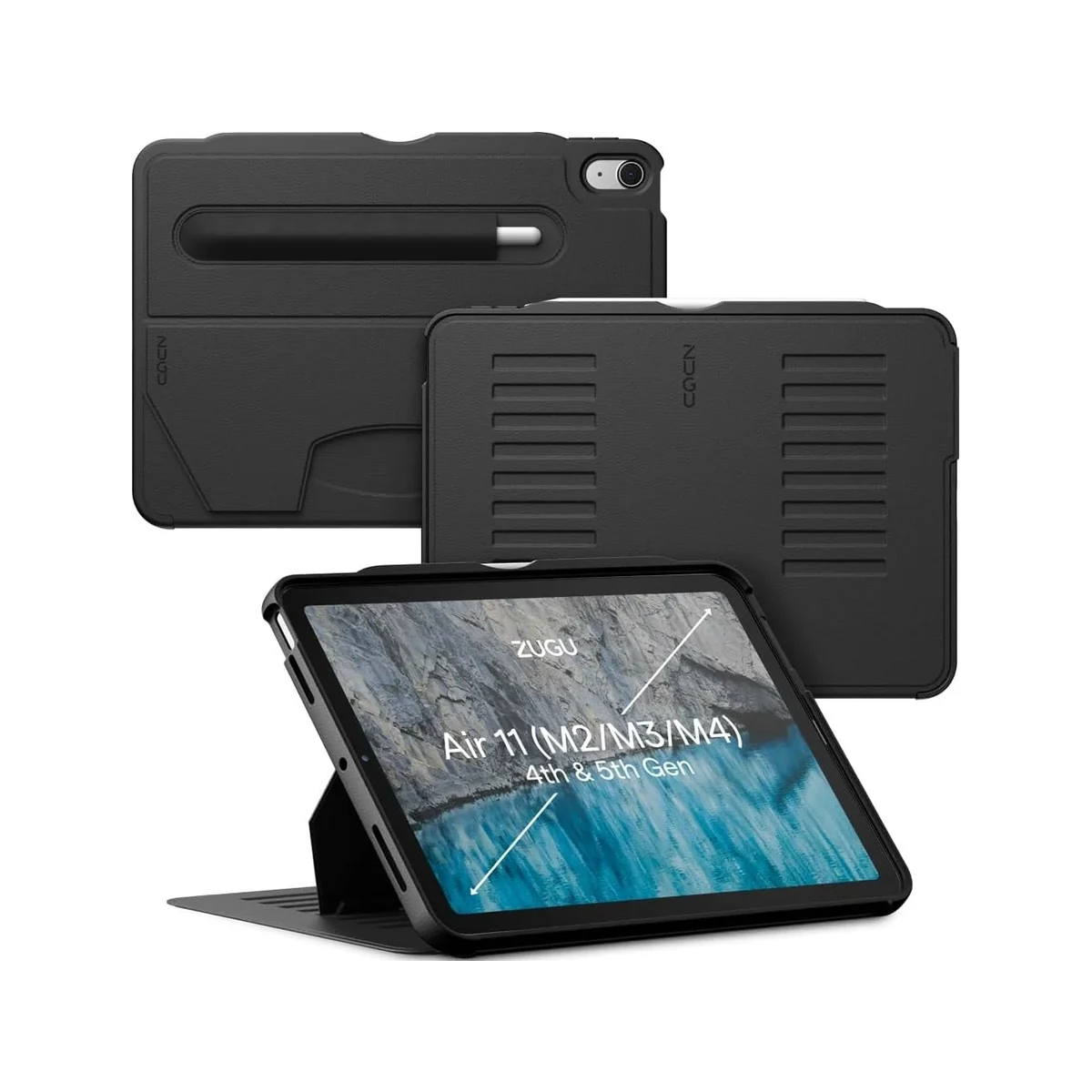
Ergonomically, the iPad Air (M4, 2026) is easy to recommend. It’s comfortable for handheld reading, sketching, and media consumption, while still capable of transforming into a light laptop alternative with the Magic Keyboard. The bezels are slim enough to feel modern without making the device awkward to grip, and the overall weight distribution is excellent. It’s a tablet that disappears in use, which is one of the highest compliments you can give a mobile device.
Performance
The biggest story here is the M4 chip. In day-to-day use, the iPad Air feels exceptionally fast, whether you’re hopping between apps, editing high-resolution photos, working with layered illustrations, or juggling browser tabs alongside video calls. App launch times are nearly instant, multitasking is fluid, and even demanding creative workflows feel comfortably within the tablet’s limits. For most users, this level of performance will feel excessive in the best possible way.
Synthetic benchmark results place the iPad Air well ahead of most Android tablets and even many ultraportable laptops in burst performance. CPU-heavy tasks such as exporting video clips, processing RAW images, and handling complex note-taking or CAD-style apps benefit noticeably from the M4’s efficiency and headroom. GPU performance is equally impressive for a thin tablet, making it a strong option for 3D visualization, high-end gaming, and graphics-intensive apps optimized for Apple silicon.
What stands out even more than peak speed is consistency. The iPad Air maintains responsiveness under sustained use, and thermal management is solid for a fanless device. Battery efficiency also remains a strength, with the M4 delivering impressive endurance during mixed workloads. If you’re upgrading from an older A-series iPad or even an early M1 model, the jump in responsiveness and future-proofing is meaningful, especially for users who plan to keep their tablet for several years.
Features & Software
Running iPadOS 26, the iPad Air benefits from Apple’s increasingly mature tablet software ecosystem. Stage Manager, improved external display support, better file handling, and stronger pro-app optimization make the device more credible as a work machine than earlier Air generations. Combined with Apple Pencil Pro support, the tablet is equally at home in digital art, handwritten note-taking, document markup, and content planning.
The broader Apple ecosystem remains one of the iPad Air’s biggest advantages. Features like Handoff, Universal Clipboard, AirDrop, iCloud sync, and seamless pairing with AirPods and Macs make the experience feel cohesive rather than isolated. The App Store still offers the best tablet-optimized app selection in the industry, and that matters more than raw hardware when evaluating long-term usability. The result is a device that feels polished, dependable, and deeply integrated into modern workflows.
Value Proposition
The iPad Air (M4, 2026) sits in a very attractive position in Apple’s lineup. It delivers a large portion of the iPad Pro experience, including elite-class silicon, premium build quality, and strong accessory support, without pushing buyers into the highest pricing tier. For users who want serious performance but don’t necessarily need the Pro’s display technology or extra camera and audio refinements, the Air is the smarter buy.
Against the wider tablet market, the value proposition is equally strong, though not perfect. It’s more expensive than many Android alternatives, especially once you add accessories, but it justifies much of that premium through software longevity, app quality, and class-leading performance. If your priorities include long-term support, productivity, and creative flexibility, the iPad Air earns its price more convincingly than many rivals.
How It Compares
Compared with the Apple iPad Pro 11-inch (M4), the iPad Air (M4, 2026) offers similar day-to-day speed for most users at a more approachable price. The Pro still wins on display quality, speaker performance, and premium extras, but the Air gets surprisingly close where it matters most. Unless you specifically want the best possible screen or more advanced pro-tier hardware features, the Air is the more rational purchase.
Against the Samsung Galaxy Tab S10, the iPad Air has a clear edge in raw chip performance, tablet-optimized apps, and long-term software ecosystem integration. Samsung’s tablet remains a strong competitor with its excellent AMOLED display, desktop-style DeX mode, and included stylus value, but Apple’s app experience and silicon efficiency give the iPad Air a more polished feel for demanding users.
Pros and Cons
Pros
- The M4 chip delivers outstanding performance for productivity, creative work, and gaming.
- The aluminum design feels premium, durable, and comfortable to use for long sessions.
- iPadOS 26 and Apple’s app ecosystem provide one of the best tablet software experiences available.
- Support for Apple Pencil Pro and Magic Keyboard makes it highly versatile for work and study.
- Battery life remains reliable even with demanding mixed-use workloads.
Cons
- Accessory costs add up quickly, especially if you buy the Pencil and Magic Keyboard separately.
- The display is excellent, but it still falls short of the iPad Pro’s higher-end panel technology.
- iPadOS remains more flexible than before, yet some desktop-class workflows still feel constrained.
- Base pricing is competitive for Apple, but still expensive compared with strong Android alternatives.
- USB‑C is welcome, but the port selection remains limited for power users.
FAQ
Q: Is the Apple iPad Air (M4, 2026) good for students?
A: Yes. Its strong battery life, lightweight design, Apple Pencil support, and excellent note-taking and productivity apps make it a great choice for students.
Q: Can the iPad Air (M4, 2026) replace a laptop?
A: For many users, yes. It handles email, web work, documents, video calls, note-taking, and creative tasks very well, though some advanced desktop workflows may still require a traditional laptop.
Q: Is the M4 chip overkill in an iPad Air?
A: For casual users, probably. But for creators, multitaskers, and buyers who want a tablet that will stay fast for years, the extra performance is a major advantage.
Q: Does the iPad Air (M4, 2026) support Apple Pencil Pro?
A: Yes. It supports Apple Pencil Pro, making it an excellent option for sketching, annotations, and precision input.
Q: Should I buy the iPad Air or the iPad Pro in 2026?
A: If you want the best balance of price and performance, buy the iPad Air. If display quality and premium extras matter most, the iPad Pro is still the top-tier option.
Verdict
The Apple iPad Air (M4, 2026) is one of the best tablets for people who want near-Pro performance without paying full Pro prices. It’s ideal for students, creatives, and professionals who value speed, portability, and ecosystem integration. For most buyers, this is the sweet spot in Apple’s 2026 iPad lineup.
Pros
- ✓ The M4 chip delivers outstanding performance for productivity, creative work, and gaming.
- ✓ The aluminum design feels premium, durable, and comfortable to use for long sessions.
- ✓ iPadOS 26 and Apple’s app ecosystem provide one of the best tablet software experiences available.
- ✓ Support for Apple Pencil Pro and Magic Keyboard makes it highly versatile for work and study.
- ✓ Battery life remains reliable even with demanding mixed-use workloads.
Cons
- ✗ Accessory costs add up quickly, especially if you buy the Pencil and Magic Keyboard separately.
- ✗ The display is excellent, but it still falls short of the iPad Pro’s higher-end panel technology.
- ✗ iPadOS remains more flexible than before, yet some desktop-class workflows still feel constrained.
- ✗ Base pricing is competitive for Apple, but still expensive compared with strong Android alternatives.
- ✗ USB‑C is welcome, but the port selection remains limited for power users.
Where to Buy the Apple iPad Air (M4, 2026)





Prices may vary. Affiliate links — we may earn a commission at no extra cost to you.
Related Reviews

Affiliate links — we may earn a commission at no extra cost to you.