Tech Essentials






In the ever-evolving landscape of digital creation, a drawing display must offer more than just a vibrant screen; it needs to be an invisible extension of the artist’s hand. The XPpen Artist Pro 16 (Gen 2) arrives not merely as an update, but as a bold statement on precision and control. This device promises a level of nuance that could fundamentally change how creatives interact with their digital canvas.
At the heart of the Artist Pro 16 (Gen 2) experience is the new X3 Pro Smart Chip Stylus, which boasts a staggering 16,384 levels of pressure sensitivity. While the jump from the previous 8K standard might sound like marketing hyperbole, the practical application is surprisingly tangible. For heavy-handed illustrators, the difference may be subtle, but for artists who work with delicate brushwork, light rendering, or subtle hatching, the fidelity is phenomenal. The initial activation force is nearly nonexistent, allowing the pen to register the faintest of touches, giving digital sketching a remarkably analog feel. It’s this nuanced control, rather than the raw number, that makes the stylus a true next-generation tool.
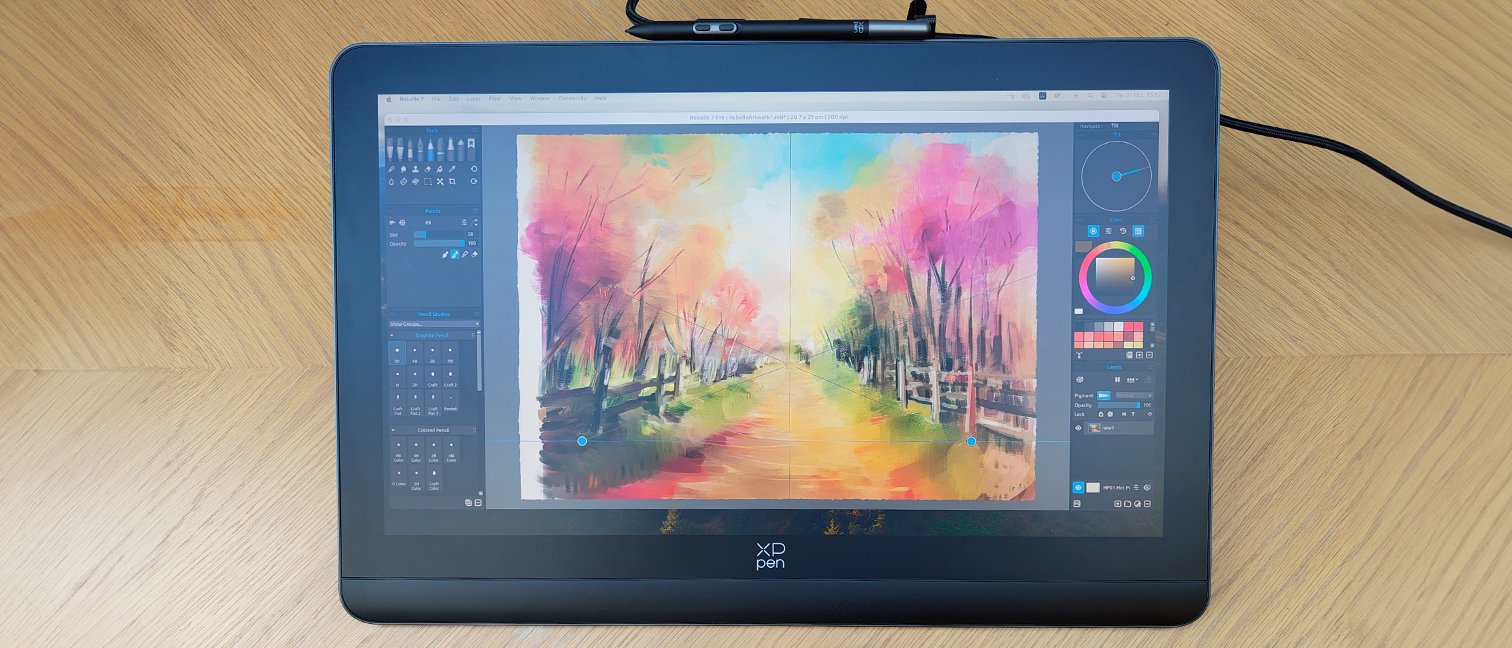
This cutting-edge input is paired with a superb display. The 16-inch screen features a 2560 x 1600 (QHD) resolution in a 16:10 aspect ratio, providing valuable extra vertical real estate compared to standard 16:9 displays. The panel is fully laminated, which all but eliminates parallax and makes the pen tip feel like it’s directly touching the pixels. Colors are vibrant and accurate, with coverage of 99% sRGB and 99% Adobe RGB making it a reliable tool for professional color work. The anti-glare etched glass surface provides just the right amount of tooth, simulating the satisfying friction of drawing on paper while effectively diffusing reflections.
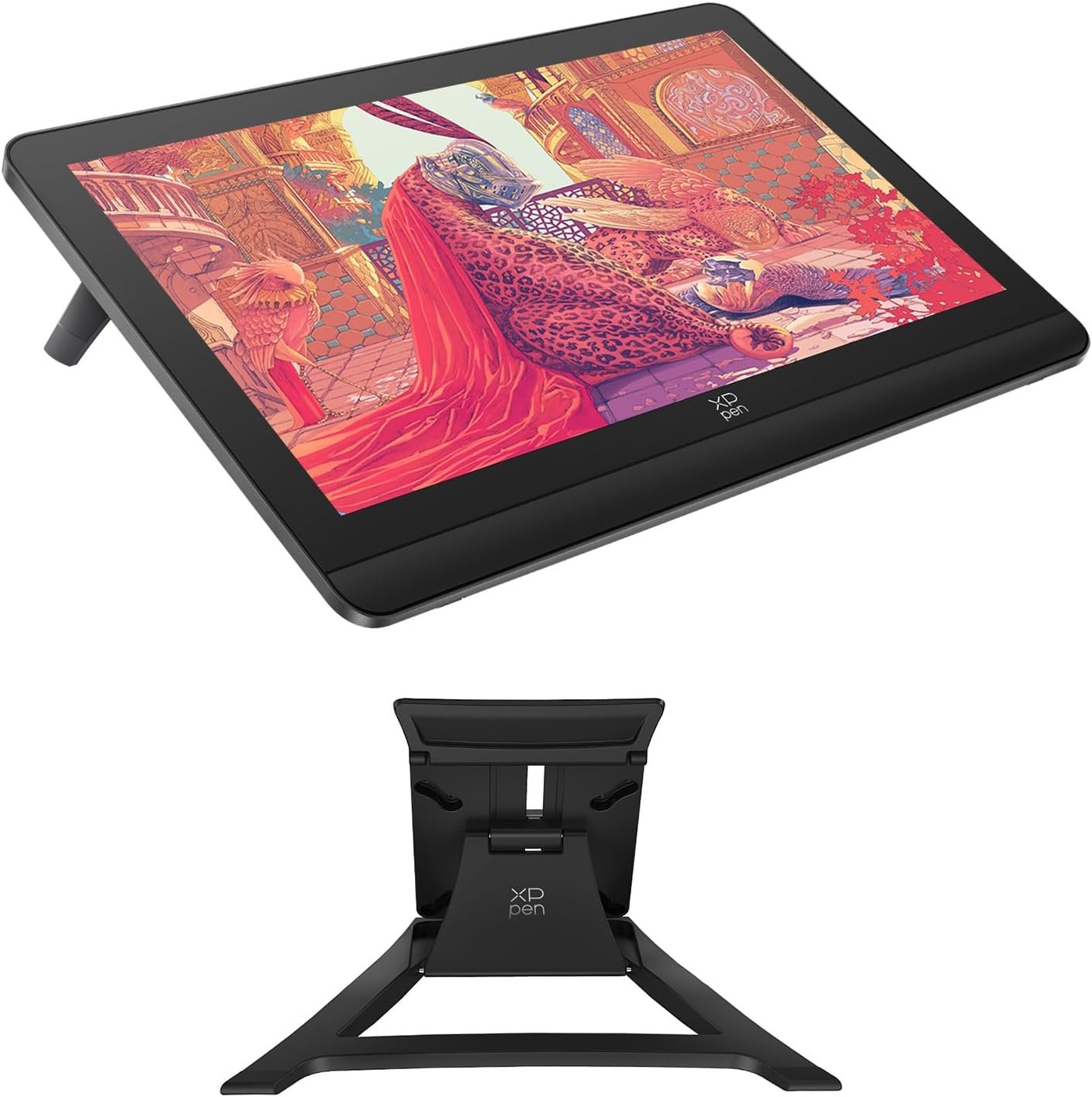
From a design perspective, XPpen has crafted a device that feels every bit as premium as its performance. The sleek, dark grey unibody metal chassis is rigid, cool to the touch, and remarkably thin, enhancing its portability. A small, retractable kickstand is built into the back, offering a comfortable 20-degree drawing angle. While convenient for quick sessions, its single-angle nature is a limitation for those who prefer more ergonomic flexibility. Thankfully, the device is VESA compatible for users who want to mount it on a more adjustable arm.
Instead of integrating shortcut keys into the bezel, which can be restrictive, XPpen includes the wireless X-Remote Control. This small, customizable keypad is a brilliant addition, allowing you to place your shortcuts wherever is most comfortable—on the desk, in your off-hand, or next to the display. Connectivity is handled elegantly via a single USB-C to USB-C cable for modern laptops that support DisplayPort Alternate Mode. For older systems, a more traditional 3-in-1 cable is included, though it does add a bit more clutter to the workspace.
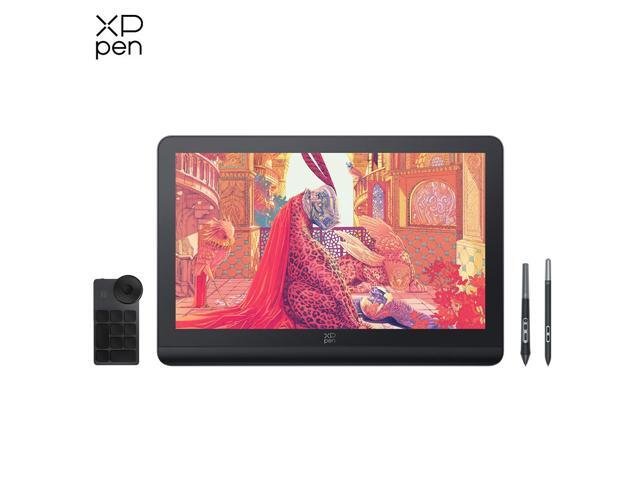
Ultimately, the XPpen Artist Pro 16 (Gen 2) is a formidable contender in the premium drawing display market. It successfully challenges the status quo with a truly innovative stylus, a professional-grade screen, and a thoughtful, modern design. It represents a significant step up from entry-level displays and offers a compelling alternative to more expensive rivals. This display is best suited for the serious digital artist, illustrator, or designer who demands precision and color accuracy and is ready to invest in a tool that can keep pace with their creative ambitions.
Where to Buy:
XPpen Artist Pro 19 (Gen 2) Drawing Display Quick Summary
Key Scores:
-
Value:
88% -
Design:
90% -
Performance:
92% -
Quality:
89% -
Popularity:
85%
Top Pros
- ✅ The stylus provides exceptional control with 16K pressure levels.
- ✅ Its 2.5K laminated display is sharp with excellent color accuracy.
- ✅ The premium unibody metal construction feels solid and modern.
- …
Key Cons
- ❌ The integrated stand offers only a single, non-adjustable angle.
- ❌ The headline 16K pressure sensitivity has diminishing real-world returns.
- ❌ Relying on the 3-in-1 cable for connection can create desktop clutter.