Tech Essentials





In the age of hybrid work and complex desk setups, a powerful docking station is no longer a luxury but a necessity. The Targus USB4 Triple Video Docking Station aims to be the central nervous system for your workspace, promising to wrangle your peripherals and displays with next-generation connectivity. It’s a bold claim for a device that needs to justify its premium position in a crowded market.
The core promise of any high-end dock is single-cable simplicity, and Targus delivers on that with the formidable power of USB4. With 40Gbps of total bandwidth, this dock is built to handle nearly anything you can throw at it. In practice, this translates to a remarkably stable and high-performance experience. Driving two 4K displays at a smooth 60Hz while simultaneously transferring files from a speedy external SSD barely causes the dock to break a sweat. The inclusion of 100W power delivery is a critical feature, ensuring that even power-hungry laptops like a 16-inch MacBook Pro or a mobile workstation can be charged and operated through that single USB4 cable, eliminating the need for a separate power brick.
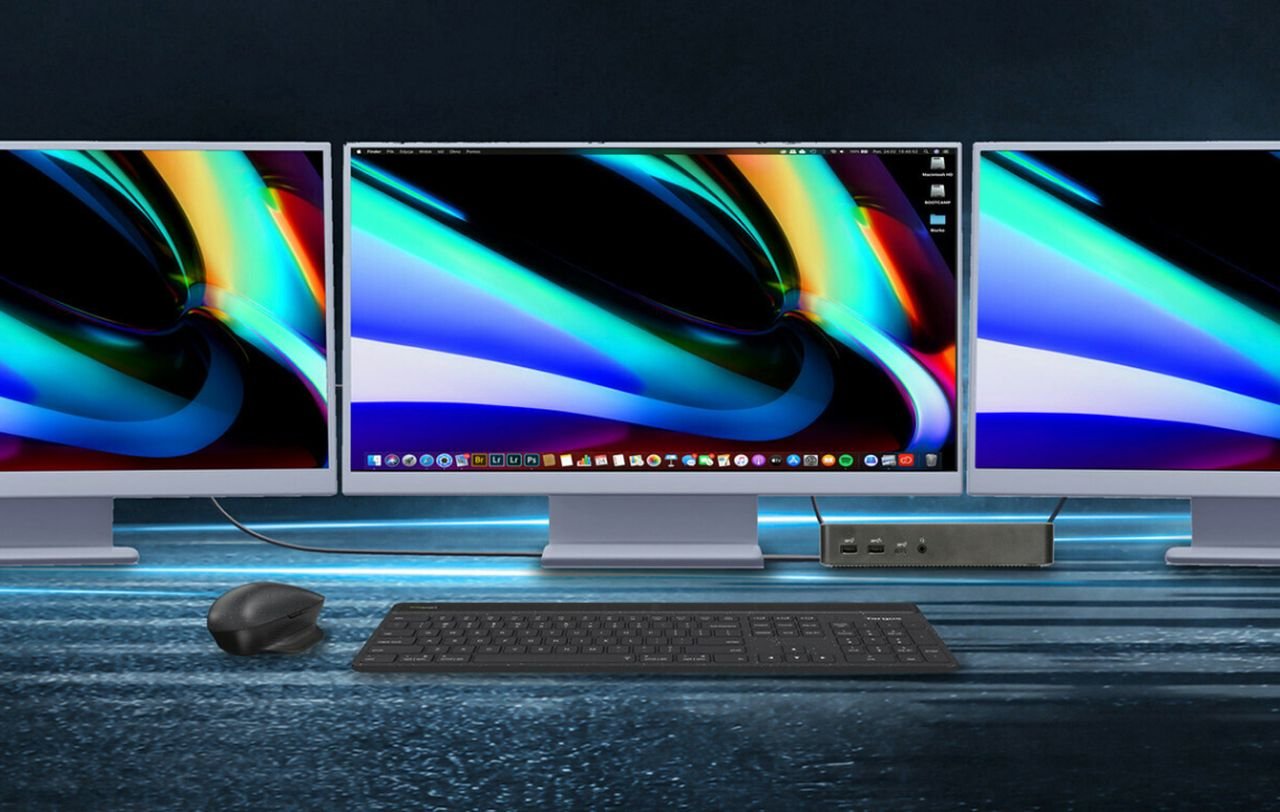
Where this dock truly flexes its muscles is in its triple video output capabilities. It offers a versatile mix of two HDMI 2.1 ports and two DisplayPort 1.4 ports (allowing you to connect up to three displays in various combinations). For a native connection, it can push two 4K displays at 60Hz and a third at 30Hz, which is more than sufficient for most productivity tasks. To achieve a triple 4K at 60Hz setup, the dock leverages DisplayLink technology for the third monitor. While DisplayLink is incredibly effective, it does require a one-time driver installation and utilizes some CPU resources, a minor trade-off for its universal compatibility and expanded display capability.
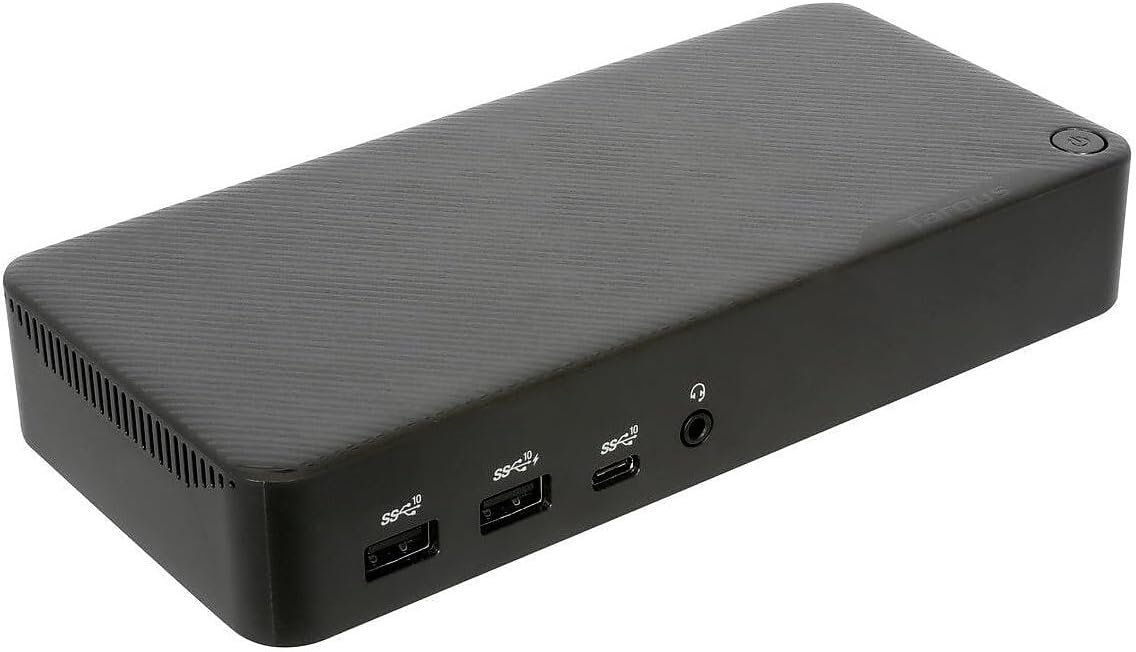
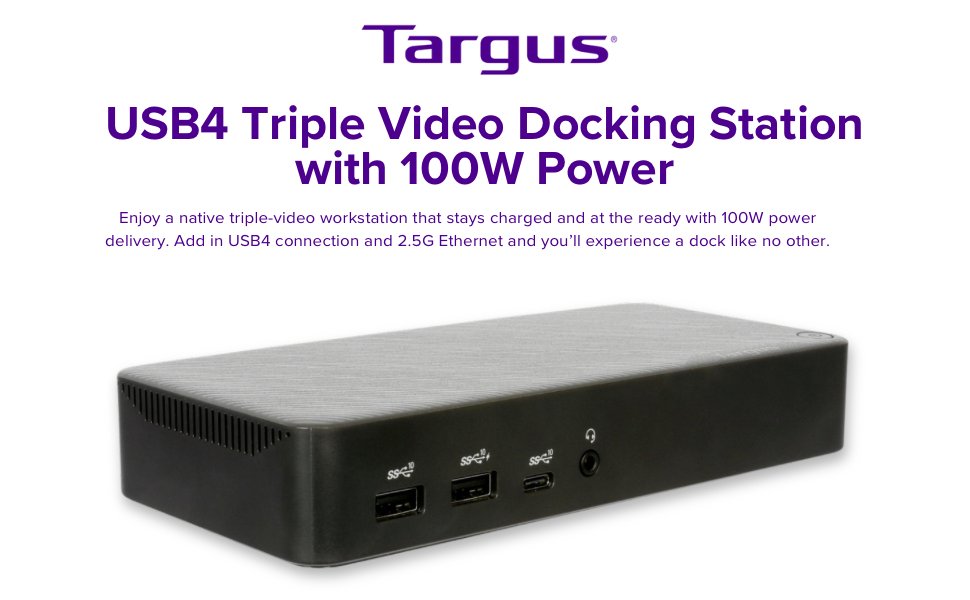
From a design perspective, Targus prioritizes function over form. The docking station is a professional, understated black box with a horizontal orientation that sits neatly on a desk. The build is a durable plastic that feels sturdy enough for daily use, though it lacks the premium heft of aluminum-clad competitors. Port layout is thoughtful, with a front-facing, always-on USB-A port and an audio jack for convenient access, while the plethora of remaining connections—including four more USB-A ports, a 10Gbps USB-C port, and a 2.5 Gigabit Ethernet port—are relegated to the rear for clean cable management. This high-speed Ethernet port is a notable upgrade over the standard gigabit found on many rivals, offering a degree of future-proofing for users with multi-gig home or office networks.
The value proposition here is clear but targeted. At a premium price, this isn’t a casual purchase. It’s an investment in productivity and efficiency for power users who juggle multiple high-resolution displays, fast external storage, and a full suite of peripherals. Its strength lies in its versatility; the USB4 connection ensures it works flawlessly with Thunderbolt 4/3 and standard USB-C laptops, making it an excellent choice for mixed-device households or IT departments managing a diverse fleet of computers. While a dedicated Thunderbolt 4 dock might offer slightly more consistent top-end performance for Apple-centric users, the Targus provides broader compatibility without significant real-world compromises.
Ultimately, the Targus USB4 Triple Video Docking Station is for the professional who demands a powerful, reliable, and comprehensive hub for their digital life. It’s for the developer, the video editor, or the data analyst whose workflow depends on an expansive screen real estate and instantaneous connection to all their tools. If your desk is a command center, this dock is a worthy and capable field marshal.
Where to Buy:
Targus USB4 Triple Video Docking Station Quick Summary
Key Scores:
-
Value:
80% -
Design:
82% -
Performance:
91% -
Quality:
89% -
Popularity:
78%
Top Pros
- ✅ Extensive port selection elegantly manages a wide array of peripherals.
- ✅ USB4 provides a massive 40Gbps bandwidth for demanding tasks.
- ✅ Power delivery of 100W capably charges even high-performance laptops.
- …
Key Cons
- ❌ The premium price point positions it as a significant investment.
- ❌ Its functional design lacks the aesthetic appeal of some competitors.
- ❌ Reliance on DisplayLink for some video outputs requires driver installation.
- …