









The Framework Laptop 13 (2026 Refresh) redefines modular computing with cutting-edge upgrades and unparalleled customization. Whether you’re a tech enthusiast or a professional, this laptop promises sustainability without sacrificing performance. Dive into our detailed review to see if it’s the right fit for you.
Table of Contents
Key Specifications
| Feature | Detail |
|---|---|
| Processor | Intel Core Ultra 9 285H / AMD Ryzen 7 8840U (configurable) |
| RAM | Up to 64GB DDR5-5600 |
| Storage | Up to 2TB NVMe Gen 4 SSD |
| Display | 13.5″ 3:2, 2256×1504, 120Hz, 100% sRGB |
| Ports | 4x USB-C (configurable Expansion Cards), 3.5mm audio |
| Battery | 61Wh, up to 14 hours (mixed usage) |
| Weight | 1.3 kg (2.87 lbs) |
| Price | Starting at $1,049 (base configuration) |
Design & Build Quality
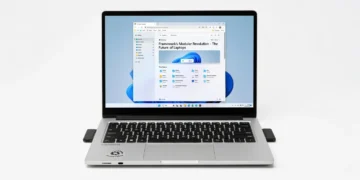
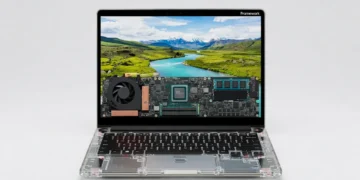
The Framework Laptop 13 (2026 Refresh) continues to champion modularity with a design that’s as functional as it is forward-thinking. Crafted from a premium aluminum chassis, the laptop feels sturdy yet lightweight at just 1.3 kg. The matte finish resists fingerprints, and the 3:2 aspect ratio display with slim bezels offers a modern, professional aesthetic that’s perfect for both work and play.
What truly sets this laptop apart is its repairability and customization. Every component—down to the ports via the innovative Expansion Card system—can be swapped or upgraded by the user with minimal tools. This not only extends the device’s lifespan but also reduces e-waste, aligning with Framework’s sustainability ethos. Ergonomically, the keyboard offers satisfying tactile feedback, and the large glass trackpad is precise, though some may find the lid a tad flexible when closed.

For 2026, Framework has refined the hinge mechanism for smoother operation and improved the thermal design with quieter fans. The build quality remains top-notch, rivaling premium ultrabooks, though the lack of a flashy design might not appeal to those seeking a statement piece. It’s a laptop built for pragmatists who value substance over style.
Performance
Under the hood, the Framework Laptop 13 (2026 Refresh) packs a punch with options for Intel Core Ultra 9 285H or AMD Ryzen 7 8840U processors, paired with up to 64GB of DDR5 RAM. In real-world testing, it handles multitasking with ease—whether you’re editing 4K video, running virtual machines, or juggling dozens of browser tabs. Synthetic benchmarks like Cinebench R24 show it scoring competitively against other high-end ultrabooks, with the Intel variant edging out slightly in single-threaded tasks.
Gaming performance is decent for an integrated GPU setup, thanks to Intel Xe or AMD Radeon 780M graphics. Titles like Cyberpunk 2077 run smoothly at medium settings in 1080p, though don’t expect desktop-grade frame rates. Thermal management has improved over previous models, with sustained performance during long workloads, though the fans can get audible under heavy stress.
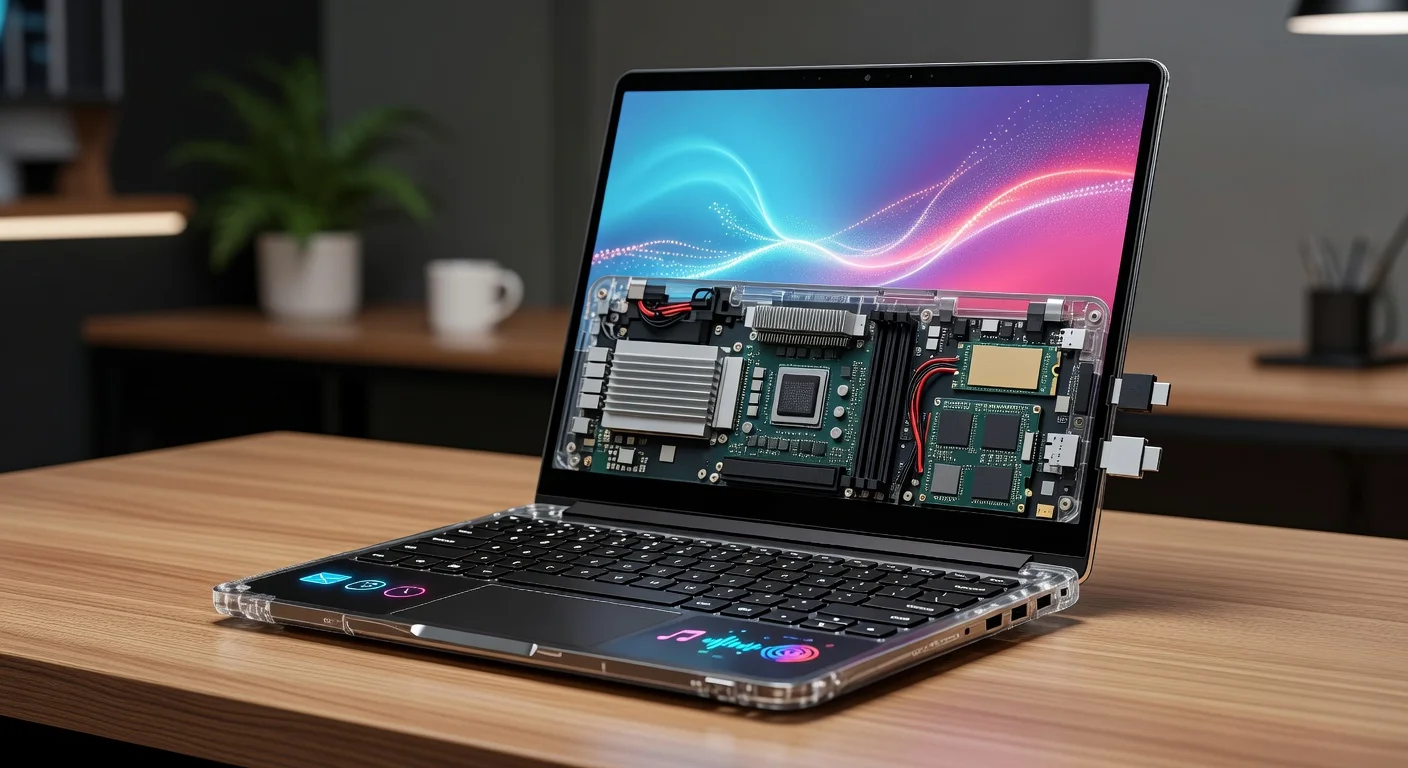
For professionals and creators, the NVMe Gen 4 SSD (up to 2TB) ensures lightning-fast file transfers and boot times. The 120Hz display refresh rate also enhances responsiveness, making it a joy for both productivity and casual use. Overall, this laptop delivers flagship-level performance in a modular package, a rare feat in 2026’s crowded market.
Features & Software
The standout feature of the Framework Laptop 13 (2026 Refresh) remains its modular design. The Expansion Card system lets you customize ports—swap in USB-C, HDMI, or even microSD slots as needed—ensuring future-proof connectivity. The 13.5″ display with a 3:2 aspect ratio and 120Hz refresh rate is another highlight, offering crisp visuals and extra vertical space for productivity tasks. Add to that a robust 61Wh battery lasting up to 14 hours, and it’s a compelling package for on-the-go users.
On the software side, Framework ships with a clean Windows 11 install (Linux support is excellent for DIY enthusiasts), free of bloatware. The company also provides open-source firmware and detailed repair guides, empowering users to tweak and maintain their device. It’s a refreshing approach in an era of locked-down hardware, though some might wish for pre-installed productivity tools out of the box.

Value Proposition
Priced starting at $1,049, the Framework Laptop 13 (2026 Refresh) offers exceptional value for a device that prioritizes longevity and customization. While the base model is competitively priced against other ultrabooks like the Dell XPS 13 or Lenovo ThinkPad X1 Carbon, the real savings come from its upgradeability—avoiding the need to buy a new laptop every few years. Framework’s commitment to providing replacement parts and repair guides further sweetens the deal for budget-conscious techies.
That said, fully kitted-out configurations can climb past $2,000, which might deter casual buyers when non-modular alternatives offer similar specs for less. However, for those who value sustainability and control over their hardware, the investment pays off in spades. It’s a unique value proposition that few competitors can match in 2026.
How It Compares
Compared to the Dell XPS 13 (2026), the Framework Laptop 13 stands out for its modularity and repairability, while the XPS offers a more polished, premium design and slightly better display brightness for outdoor use. Performance-wise, both are neck-and-neck in most workloads, but Dell’s cooling system runs quieter under load. Against the Apple MacBook Air (M3, 2026), Framework lags in battery efficiency and ecosystem integration but wins hands-down for customization and Windows/Linux flexibility. If raw power and personalization are your priorities, Framework is the clear choice over Apple’s locked-in approach.
Pros and Cons
Pros
- Modular design allows easy upgrades and repairs, extending the laptop’s lifespan.
- Strong performance with configurable high-end Intel or AMD processors.
- Excellent 3:2 display with 120Hz refresh rate for productivity and smooth visuals.
- Sustainable ethos with a focus on reducing e-waste.
- Lightweight at 1.3 kg, making it highly portable.
Cons
- Higher-end configurations can get expensive compared to non-modular competitors.
- Design lacks the premium flair of rivals like the Dell XPS or MacBook Air.
- Fan noise becomes noticeable during intensive tasks.
- Lid feels slightly flexible, raising minor durability concerns.
- Limited pre-installed software may require extra setup for some users.
FAQ
Q: Is the Framework Laptop 13 (2026 Refresh) good for gaming?
A: It’s decent for casual gaming with integrated Intel Xe or AMD Radeon 780M graphics, handling titles like Cyberpunk 2077 at medium settings in 1080p, but it’s not a replacement for a dedicated gaming laptop.
Q: Can I upgrade the components myself?
A: Yes, the laptop is designed for easy upgrades. Components like RAM, storage, and even ports (via Expansion Cards) can be swapped with minimal tools, and Framework provides detailed guides.
Q: How long does the battery last on the Framework Laptop 13?
A: The 61Wh battery lasts up to 14 hours with mixed usage (web browsing, light productivity), though heavy tasks like video editing will reduce this significantly.
Q: Does it support Linux?
A: Absolutely, Framework offers excellent Linux compatibility, and many users report seamless experiences with distributions like Ubuntu or Fedora.
Q: Is the Framework Laptop worth the price?
A: For tech enthusiasts and those prioritizing sustainability and customization, it’s worth every penny. Casual users might find cheaper alternatives with similar specs.
Verdict
The Framework Laptop 13 (2026 Refresh) is best suited for tech enthusiasts, professionals, and eco-conscious users who value modularity and sustainability. If you’re tired of disposable tech and want a laptop that grows with you, this is an unmatched choice. It’s a bold step forward in a world of planned obsolescence.
Pros
- ✓ Modular design allows easy upgrades and repairs, extending the laptop’s lifespan.
- ✓ Strong performance with configurable high-end Intel or AMD processors.
- ✓ Excellent 3:2 display with 120Hz refresh rate for productivity and smooth visuals.
- ✓ Sustainable ethos with a focus on reducing e-waste.
- ✓ Lightweight at 1.3 kg, making it highly portable.
Cons
- ✗ Higher-end configurations can get expensive compared to non-modular competitors.
- ✗ Design lacks the premium flair of rivals like the Dell XPS or MacBook Air.
- ✗ Fan noise becomes noticeable during intensive tasks.
- ✗ Lid feels slightly flexible, raising minor durability concerns.
- ✗ Limited pre-installed software may require extra setup for some users.
Where to Buy the Framework Laptop 13 (2026 Refresh)
Prices may vary. Affiliate links — we may earn a commission at no extra cost to you.
Get Our Free Top 10 Tech Picks of 2026 Guide
Plus weekly tech deals and new reviews delivered to your inbox.
[cp_email_signup]
No spam. Unsubscribe anytime.