







The Logitech MX Master 3S remains a benchmark productivity mouse in 2026, blending an 8,000 DPI Darkfield sensor with the revolutionary MagSpeed electromagnetic scroll wheel. Its silent clicks, exceptional ergonomics, and seamless multi-device Flow technology continue to deliver meaningful workflow improvements for designers, developers, and power users. This comprehensive review examines whether the MX Master 3S is still worth its premium price years after launch.
Table of Contents
Key Specifications
| Feature | Detail |
|---|---|
| Sensor | 8,000 DPI Darkfield optical |
| Maximum Speed | 4.2 m/s (300 ips) |
| Programmable Buttons | 7 |
| Scroll Wheel | MagSpeed electromagnetic with SmartShift |
| Connectivity | Bluetooth LE, Logi Bolt USB receiver |
| Battery Life | Up to 70 days |
| Charging | USB-C (1 min = 1 day use) |
| Weight | 141g |
| Dimensions | 84.3 × 51 × 203.5 mm |
Design & Build Quality
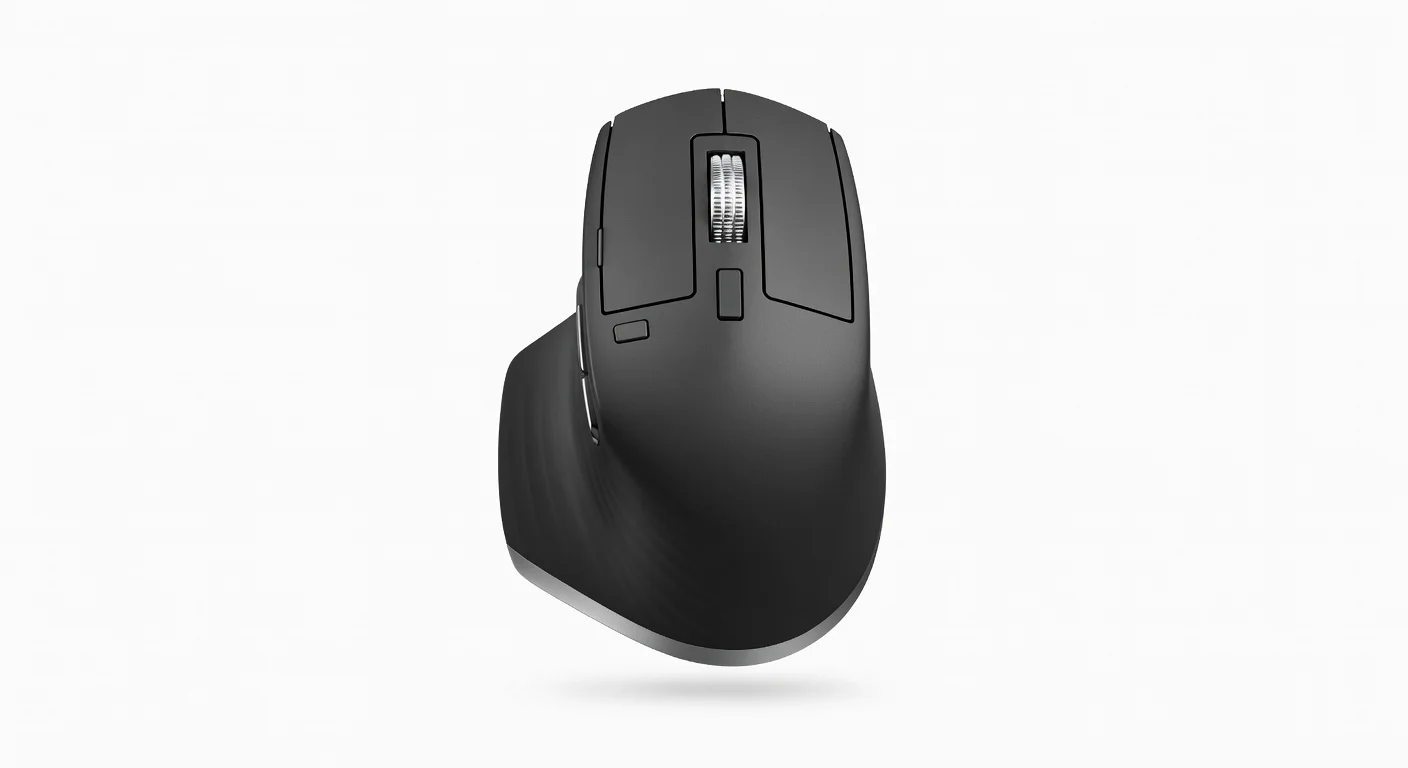
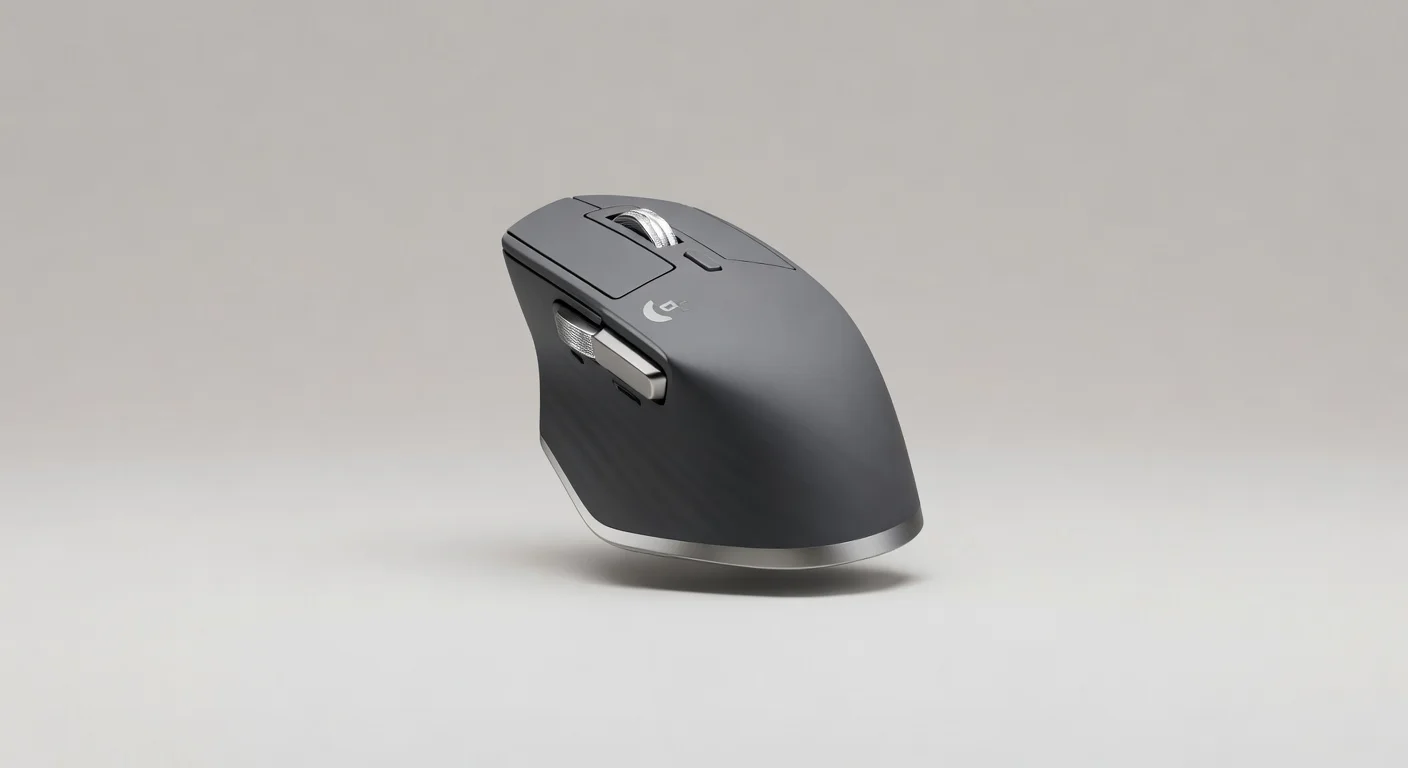
The Logitech MX Master 3S features a highly sculpted right-handed ergonomic design that feels custom-formed to the contours of your palm. A generous thumb rest positioned at the perfect angle significantly reduces wrist strain during marathon work sessions, while the soft-touch matte finish provides excellent grip without attracting excessive fingerprints. Every curve and button placement reflects years of user research, making this one of the most comfortable productivity mice available to tech professionals in 2026.
Build quality is exemplary, with a solid, premium feel that justifies the price point. The magnesium scroll wheel offers satisfying tactile feedback, and the overall construction shows virtually zero flex. At 141 grams, the mouse strikes an ideal balance between stability for precise movements and manageable weight for daily use. The subtle metallic accents and clean lines give it a sophisticated appearance that fits perfectly on modern minimalist desks.

Performance
Real-world performance of the MX Master 3S remains outstanding. The upgraded 8,000 DPI Darkfield sensor tracks flawlessly across virtually any surface, including glass, with zero noticeable acceleration or jitter. In extended Photoshop, Figma, and spreadsheet sessions, the mouse delivers pixel-precise accuracy that enhances fine detail work while maintaining speed for rapid navigation across multiple 4K monitors.
The MagSpeed electromagnetic wheel continues to be a revelation, instantly switching between precise notched scrolling and hyper-fast free-spinning with a simple thumb press. Benchmarks show it can cover more than 1,000 lines in a single revolution at top speed. The new silent tactile switches reduce click noise by approximately 90% compared to the previous generation, making it an excellent choice for shared offices, libraries, or late-night coding sessions without disturbing colleagues or family members.
Battery performance exceeds expectations, regularly delivering the full 70 days of use between USB-C charges under typical mixed Bluetooth and Logi Bolt workflows. The 1-minute quick charge feature providing a full day of use remains genuinely useful during forgotten charging cycles.
Features & Software
Standout features include Logitech Flow, which enables seamless cursor movement between up to three paired devices with copy-and-paste functionality across platforms. The horizontal scroll capability on the thumb wheel and the customizable gesture button under the thumb unlock powerful productivity shortcuts once properly configured.
Logi Options+ software has matured significantly by 2026, offering an intuitive interface for creating application-specific profiles that automatically activate when you switch between programs. From adjusting scroll speed in browsers to assigning complex macro sequences in creative software, the customization depth is exceptional while remaining accessible to non-technical users.
Value Proposition
At its current price point, the MX Master 3S delivers strong long-term value for professionals who rely heavily on their mouse. The combination of reduced physical strain, faster navigation, and workflow efficiencies typically results in measurable productivity gains that quickly offset the initial investment. While cheaper ergonomic alternatives exist, few match the refinement, build quality, and innovative features found here.
Compared to standard office mice, the MX Master 3S represents a meaningful upgrade that most users never want to downgrade from once experienced. Its longevity and continued software support in 2026 make it a smarter investment than frequently replacing less capable devices.
How It Compares
Against its predecessor, the MX Master 3, the 3S brings a doubled sensor resolution, significantly quieter switches, and improved Bluetooth stability while retaining the same beloved ergonomics. The upgrades feel meaningful rather than incremental, particularly for users sensitive to click noise or working on high-resolution displays.
When compared to the Razer Pro Click V2, the MX Master 3S offers superior ergonomics for right-handed users and the class-leading MagSpeed wheel that Razer cannot match. However, the Razer provides slightly better battery life metrics and a more minimal aesthetic that some enterprise environments prefer. For pure productivity workflows rather than hybrid gaming use, the Logitech remains the superior choice.

Pros and Cons
Pros
- The MagSpeed electromagnetic wheel fundamentally improves how you navigate long documents, timelines, and web pages.
- Exceptional ergonomic design with perfect thumb positioning dramatically reduces wrist fatigue during extended sessions.
- Silent clicks combined with flawless Darkfield tracking create an incredibly pleasant daily user experience.
- Logitech Flow and multi-device connectivity enable genuinely seamless workflows between computers and operating systems.
- Outstanding battery life with convenient USB-C quick charging minimizes downtime.
Cons
- The premium price positions it beyond the reach of many casual users and students.
- Right-handed design exclusively leaves left-handed users without a comparable option in the MX Master lineup.
- At 141 grams, some users with smaller hands may find it slightly heavy for rapid cursor movements.
- Full customization requires installing Logi Options+ software, which adds an extra setup step.
- The learning curve for mastering all gestures and button combinations may overwhelm some new users initially.
FAQ
Q: Is the Logitech MX Master 3S still worth buying in 2026?
A: Yes, particularly for professionals who value ergonomics and workflow efficiency. Its core innovations remain unmatched by most competitors years after release.
Q: What is the main difference between the MX Master 3 and 3S?
A: The 3S offers an 8,000 DPI sensor, 90% quieter clicks, improved connectivity, and minor refinements while maintaining the same excellent ergonomic foundation.
Q: Does the MX Master 3S work well on glass desks?
A: Yes. The Darkfield sensor tracks accurately on glass up to 4mm thick, eliminating the need for a mouse pad in most modern office setups.
Q: Is the MX Master 3S suitable for gaming?
A: It performs adequately for casual and strategy gaming thanks to its precision sensor, but lacks the high polling rates and lightweight design preferred by competitive FPS players.
Q: How does Logitech Flow actually work?
A: Flow allows you to move your cursor seamlessly between paired computers as if they were one extended desktop, even enabling drag-and-drop file transfers between Windows and macOS machines.
Verdict
The Logitech MX Master 3S remains an outstanding choice for designers, developers, analysts, and power users who spend considerable time at their desk and demand both comfort and cutting-edge productivity features. Its combination of class-leading ergonomics, innovative MagSpeed wheel, and reliable multi-device performance continues to justify the premium price in 2026. If your budget accommodates a high-end mouse and you use a computer professionally, the MX Master 3S is difficult to beat.
Pros
- ✓ The MagSpeed electromagnetic wheel fundamentally improves how you navigate long documents, timelines, and web pages.
- ✓ Exceptional ergonomic design with perfect thumb positioning dramatically reduces wrist fatigue during extended sessions.
- ✓ Silent clicks combined with flawless Darkfield tracking create an incredibly pleasant daily user experience.
- ✓ Logitech Flow and multi-device connectivity enable genuinely seamless workflows between computers and operating systems.
- ✓ Outstanding battery life with convenient USB-C quick charging minimizes downtime.
Cons
- ✗ The premium price positions it beyond the reach of many casual users and students.
- ✗ Right-handed design exclusively leaves left-handed users without a comparable option in the MX Master lineup.
- ✗ At 141 grams, some users with smaller hands may find it slightly heavy for rapid cursor movements.
- ✗ Full customization requires installing Logi Options+ software, which adds an extra setup step.
- ✗ The learning curve for mastering all gestures and button combinations may overwhelm some new users initially.
Where to Buy the Logitech MX Master 3S





Prices may vary. Affiliate links — we may earn a commission at no extra cost to you.
Related Reviews

Affiliate links — we may earn a commission at no extra cost to you.